The search for a new POS system often starts with a frustration. Maybe you’re tired of manually counting inventory, dealing with a clunky payment terminal, or realizing your current setup can’t give you the sales data you need to make smart decisions. A great POS system should solve these problems, not create new ones. It should make your day-to-day tasks easier and provide a seamless checkout experience for your customers. This guide is designed to cut through the noise and help you identify the best retail point of sale system that fits your specific needs, so you can spend less time wrestling with technology and more time running your business.
Key Takeaways
- Start with Your Must-Haves, Not Features: Before looking at any demos, create a simple checklist of what your business absolutely needs to run smoothly. This ensures you choose a system that solves your core operational challenges, rather than getting distracted by features you’ll never use.
- Focus on Processing Fees—They’re the Real Cost: The monthly subscription is just one part of the price. Your biggest long-term expense will be payment processing, so prioritize systems that offer transparent rates or give you the freedom to choose your own merchant services provider.
- Confirm the Fit with a Hands-On Trial: The best way to know if a system works for you is to use it. Take advantage of free trials to test the workflow and always check the quality of customer support before you commit—reliable help is non-negotiable.
What Makes a Great Retail POS System?
Choosing a point of sale (POS) system can feel overwhelming, but it doesn’t have to be. Think of a POS system as the central command center for your retail business. It’s so much more than a modern cash register; it’s the tool that processes sales, tracks your inventory, manages customer data, and gives you the insights you need to grow. The right system streamlines your daily tasks, freeing you up to focus on what you love—connecting with customers and curating great products.
A great retail POS system brings all your essential operations into one place. When you’re ringing up a sale, it should do more than just take the payment. It should automatically update your inventory levels, log the sales data for your reports, and, if the customer is part of your loyalty program, add points to their account. This integration is what separates a basic cash drawer from a powerful business tool. As we break down the key features, think about your own day-to-day operations and which functions would make the biggest difference for your store. The goal is to find a system that not only meets your needs today but can also scale with you as your business expands.
Must-Have Features for Any Business
Before you get lost in the bells and whistles, let’s cover the fundamentals. A solid retail POS system should effortlessly handle your store’s core operations. This means robust sales tracking that shows you what’s selling, when, and who’s buying it. It also needs real-time inventory management to prevent you from running out of your bestsellers. Look for a system that also includes employee management tools to track hours and sales performance, and basic customer relationship management (CRM) to build a database of your regulars. These core features are the foundation of an organized and efficient retail business.
Seamless Payment Processing
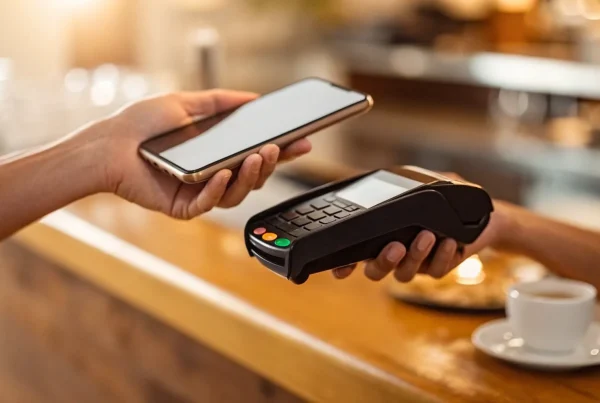
Nothing kills a sale faster than a clunky or restrictive payment process. A great POS system gives you the flexibility to accept payments however your customers want to pay. This includes all major credit cards, EMV chip cards, and contactless options like Apple Pay and Google Pay. The process should be quick, simple, and secure for both you and your customer. This is where your payment solutions provider plays a huge role. The right partner ensures your transactions are not only smooth but also affordable, with clear, transparent rates that don’t eat into your profits.
Real-Time Inventory Tracking
Manually counting inventory is a time-consuming task that’s prone to error. A modern POS system should eliminate this headache with real-time inventory tracking. Every time you sell an item—whether in-store or online—the system should automatically update your stock levels. This helps you avoid disappointing customers by selling an item you don’t actually have. It also provides valuable data, alerting you when it’s time to reorder popular products and helping you identify slow-moving items that are taking up valuable shelf space. This automation is key to maintaining a healthy and profitable inventory turnover.
Tools to Build Customer Loyalty
Your existing customers are your greatest asset, and your POS system should help you nurture those relationships. Look for features that allow you to build customer profiles, track purchase history, and create a loyalty program. Whether it’s a simple points system or exclusive discounts for repeat shoppers, these tools encourage customers to come back again and again. By collecting contact information at checkout, you can also build an email or text list for marketing campaigns, turning one-time buyers into lifelong fans of your brand. These features transform a simple transaction into a meaningful connection.
Connecting with Your Other Software
Your POS system shouldn’t be an island. To run your business efficiently, it needs to communicate with the other software you rely on. The most critical connection for many retailers is with their e-commerce platform. A seamless integration ensures that your online and in-store sales and inventory are always in sync, preventing you from overselling products. Beyond e-commerce, check for integrations with your accounting software, like QuickBooks, and any email marketing platforms you use. These connections automate data entry, reduce the risk of human error, and give you a complete picture of your business’s health.
A Breakdown of the Top Retail POS Systems
Choosing a point-of-sale system can feel overwhelming with so many options on the market. To make it easier, I’ve broken down some of the most popular retail POS systems. Each one has its own strengths, so the “best” choice really comes down to your specific business needs, sales volume, and growth plans. Think about what you need today and where you see your business in a few years. This guide will help you compare the key features, pricing models, and ideal use cases for each platform.
MBNCard POS Solutions
Instead of a one-size-fits-all system, we provide customized POS solutions designed to fit your unique business. We focus on giving you the tools you need without the extra costs you don’t. Our systems are built around secure, reliable, and affordable payment processing. We help you implement programs like cash discounts or dual pricing to significantly lower your processing fees. Because we’re a payment solutions provider first, our goal is to find the right hardware and software that integrates perfectly with a transparent processing plan. You get a system tailored to your workflow and a partner dedicated to helping you save money on every transaction.
Square POS
Square is often the go-to for new businesses, and for good reason. It’s known for its incredibly quick setup and user-friendly interface, making it one of the easiest systems to get up and running. The base POS software is free; you just pay a flat rate for payment processing. Square is an all-in-one solution that automatically tracks your sales and inventory for both online and in-person transactions, even sending you alerts when stock is running low. It’s a fantastic starting point for small boutiques, pop-up shops, and businesses that need a simple, reliable way to start selling right away. You can learn more about Square’s features on their website.
Lightspeed Retail
If your business is established and you have your sights set on growth, Lightspeed Retail is a powerful contender. It’s designed for retailers with more complex inventory needs and those managing both a physical and an online store. Lightspeed excels at omnichannel selling, offering advanced tools for inventory management, supplier tracking, and built-in customer loyalty programs. While it doesn’t have a free plan and there’s a bit of a learning curve, it’s a robust platform built to scale with you. It’s an excellent choice for ambitious retailers who need a system that can handle significant growth and multi-location management, as noted by Forbes Advisor.
Clover POS
Clover offers a sleek and reliable system that’s great for businesses with complex needs, from managing large product catalogs to tracking employee performance. Its hardware is modern, and the software comes with real-time inventory tracking and the ability to accept payments even when your internet is down. One of its standout features is 24/7 customer support. However, the biggest thing to consider with Clover is that you are locked into using their merchant account for payment processing. This lack of flexibility can be a significant drawback for business owners who want the freedom to shop for the best processing rates, a key factor to weigh when making your decision.
Shopify POS
For businesses already running on the Shopify e-commerce platform, Shopify POS is a natural fit. It seamlessly integrates your online store with your in-person sales, creating a unified system for managing customers, orders, and inventory. All your data syncs automatically, so you never have to worry about selling an item in-store that’s already sold out online. The system is scalable, supporting multiple locations and staff members. The main downside is that you must have an active Shopify subscription to use it, and the most favorable payment processing rates are reserved for higher-tier plans. It’s the undisputed champion for Shopify merchants expanding into brick-and-mortar retail.
KORONA POS
KORONA POS stands out for its flexibility and strong multi-store management capabilities. One of its biggest advantages is that it’s processor-agnostic, meaning you can choose your own payment processor—like MBNCard—to get the best possible rates. This freedom is a huge plus for cost-conscious business owners. KORONA is particularly effective at syncing data across multiple locations and offers detailed reporting and inventory control. It may be more complex than a single-store boutique needs, and it doesn’t have a built-in e-commerce platform. However, for multi-location retailers who prioritize choice and control over their payment processing, it’s an excellent option to explore.
How Much Do Retail POS Systems Really Cost?
Figuring out the true cost of a POS system can feel like trying to solve a puzzle with missing pieces. The monthly subscription fee you see advertised is often just the beginning. The total cost is a mix of software fees, payment processing rates, hardware expenses, and sometimes, a few unexpected charges. To make a smart decision, you need to look at the complete picture. Let’s break down the four main cost areas so you know exactly what to budget for and what questions to ask before you sign any contracts. This way, you can find a system that fits your needs without any expensive surprises down the road.
Subscription vs. Per-Transaction Fees
Most POS software is priced in one of two ways: a flat monthly subscription or a fee charged per transaction. A subscription gives you a predictable, fixed cost each month, which is great for budgeting. These plans often come in tiers, with more advanced features available at higher price points. On the other hand, some providers, especially those offering “free” POS software, charge a small fee or a percentage for every sale you make. This model can be appealing if your sales volume is low or fluctuates, but as your business grows, these per-transaction fees can quickly add up and become more expensive than a simple monthly plan.
Understanding Processing Rates
This is where things can get tricky. Your payment processing rates—the fees you pay to accept credit and debit cards—are often separate from your POS software fees. Some POS providers require you to use their built-in payment processing, which can lock you into rates that aren’t competitive. Others allow you to choose your own merchant services provider. It’s crucial to understand the fee structure, whether it’s a flat rate, interchange-plus, or tiered pricing. A transparent partner will walk you through your statement and explain every charge. Don’t forget to ask about the quality of customer support, as you’ll want reliable help when you need it most.
The Cost of Hardware and Setup
Next, consider the physical components. Your business will need hardware like a credit card terminal, cash drawer, receipt printer, and barcode scanner. The upfront cost can range from a few hundred to several thousand dollars, depending on how many stations you need. Some POS companies offer hardware bundles, while others let you purchase items à la carte. A key money-saving tip is to ask if the new software is compatible with your existing hardware. If you can continue using the equipment you already own, you can significantly reduce your initial investment. Also, be sure to ask about any one-time setup, installation, or data migration fees.
Hidden Costs to Watch For
The costs that aren’t clearly advertised are the ones that can hurt your budget the most. Always read the fine print and ask about potential hidden fees before committing to a provider. Common ones include charges for PCI compliance, early termination fees if you want to switch providers, and monthly statement fees. Some companies even charge extra for basic customer support or software updates. By carefully evaluating your business needs and partnering with a provider that believes in transparent pricing, you can find a solution that truly supports your growth instead of holding you back with surprise charges.
Pros and Cons of the Top POS Systems
Every point-of-sale system comes with its own set of trade-offs. What works perfectly for a bustling multi-location boutique might be total overkill for a small pop-up shop. The key is to match the system’s strengths to your business needs while being fully aware of its limitations. Let’s break down the good and the not-so-good for some of the most popular retail POS systems on the market so you can see how they really stack up.
Square: Simple Setup vs. Limited Processing
Square’s biggest draw is that it’s incredibly easy to get up and running. You can download the app, connect a card reader, and start making sales in just a few minutes, which is a huge plus for new or non-technical business owners. The interface is clean and intuitive, making daily operations and staff training straightforward.
However, that simplicity comes at a cost. Square’s processing fees can be higher than what you might get with a traditional merchant services provider. The most significant drawback is that you are required to use Square for payment processing—there’s no option to shop around for better rates. Some merchants have also reported issues with account holds or freezes, which can disrupt your cash flow without warning.
Lightspeed: Powerful Features vs. Steeper Learning Curve
Lightspeed is a powerhouse built for established retailers who are ready to grow. It’s packed with advanced tools that go far beyond basic transactions. You get sophisticated inventory management that can handle thousands of SKUs, built-in supplier tracking, and integrated loyalty programs to keep your customers coming back. It’s a fantastic system for managing sales across both a physical store and an e-commerce site.
The trade-off is complexity. With so many features, Lightspeed has a steeper learning curve than simpler systems, and it takes time to master everything it can do. There’s no free plan, so it requires a bigger upfront investment. It’s an excellent choice for a business that’s already scaling, but it might be too much for a brand-new shop just finding its footing.
Clover: All-in-One Tools vs. Processor Lock-in
Clover offers a sleek, all-in-one hardware and software solution that’s reliable for businesses with more complex needs. If you’re juggling a large product catalog, managing multiple employees, and need detailed reporting, Clover can handle it all. The system is robust and designed to be the central hub of your retail operations, from ringing up sales to tracking performance.
The major catch with Clover is processor lock-in. When you buy a Clover system, you’re typically tied to the merchant account that sold it to you. This means you can’t switch payment processors to find more competitive rates without also replacing your entire POS hardware. This lack of flexibility can become a significant financial drawback as your business grows and your transaction volume increases.
Shopify: Best for E-commerce vs. Fewer In-Store Features
If you built your business on Shopify’s e-commerce platform, using Shopify POS for in-person selling is a natural fit. The integration is seamless—your inventory, customer data, and sales reports are all unified in one place. This makes it incredibly easy to offer services like in-store pickup for online orders or to manage a single product catalog across all your sales channels.
The downside is that Shopify POS was built for e-commerce first. While its in-person features are solid, they can feel less comprehensive than those of retail-focused systems like Lightspeed. To get the most favorable transaction rates, you’re encouraged to use Shopify Payments. Furthermore, the POS is tied to your Shopify subscription plan, so it’s not a standalone option if you ever decide to move your online store to a different platform.
First, Figure Out What Your Business Needs
Before you even look at a demo or compare pricing charts, the most important step is to get crystal clear on what you actually need a point-of-sale system to do. It’s easy to get distracted by flashy features, but the best POS system isn’t the one with the longest feature list—it’s the one that fits your unique business like a glove.
Choosing a POS is a big decision that impacts your daily operations, your customer relationships, and your bottom line. Taking the time to map out your requirements now will save you from headaches and costly changes down the road. Let’s walk through how to define your needs so you can choose a system that truly works for you, both today and as you grow.
Define Your Day-to-Day Operations
Start by thinking about your daily rhythm. What are the core tasks you and your team perform from the moment you open to the moment you close? A great retail POS system should streamline these day-to-day operations, handling everything from sales and returns to inventory management and employee time tracking. Make a simple list of your non-negotiable daily activities. Do you need to manage complex product variations like size and color? Do you need to track commissions for your sales staff? Getting this down on paper creates a foundational checklist for what your business truly requires to run smoothly.
Analyze Your Sales Volume and Transaction Types
Next, let’s talk numbers. How many transactions do you process on an average day versus your busiest day of the year? The answer has a huge impact on the right system for you. Some POS providers charge a small fee per transaction, which can add up quickly for a high-volume business. Others might have a higher monthly subscription but lower processing costs. Also, consider how your customers pay. Do you need to accept everything from chip cards and cash to mobile wallets like Apple Pay? Understanding your sales patterns helps you find a system with a fee structure that won’t eat into your profits.
List Your “Must-Have” vs. “Nice-to-Have” Features
This is where you get to be brutally honest with yourself. Grab a piece of paper and draw a line down the middle. On one side, list your “must-haves”—the features you absolutely cannot operate without. This might include real-time inventory syncing with your online store or a built-in customer loyalty program. On the other side, list your “nice-to-haves.” These are the cool features that would be great but aren’t essential for running your business today. This simple exercise helps you prioritize and focus on what really matters, ensuring you invest in a system that solves your core problems first.
Plan for Future Growth
The POS system you choose today should be able to support you tomorrow. Think about where you want your business to be in one, three, or even five years. Do you dream of opening a second location? Are you planning to launch an e-commerce site? A scalable POS system will grow with you, making it easy to add new registers, locations, and employees without having to switch providers. By carefully evaluating your long-term goals now, you can find a solution that supports your growth and helps you enhance the customer experience every step of the way.
The Best POS for Your Business Type
Choosing a POS system isn’t a one-size-fits-all decision. The hardware that works perfectly for a bustling, multi-location retail chain would be total overkill for a small, single-location boutique. The best way to narrow down your options is to start by identifying what kind of business you run. Are you focused on in-person sales, or do you need a system that bridges the gap between your physical and online stores? Are you managing a single inventory, or are you tracking stock across several locations?
Thinking about your core operational needs will help you filter out the noise and focus on the systems designed to solve your specific challenges. For example, a business with high foot traffic needs a system that processes payments in seconds to keep lines moving. A retailer with a popular online store needs inventory to sync instantly when an item is sold in person. Getting clear on these priorities is the first step. Below, we’ve broken down some of the top POS systems based on the type of business they serve best. This will give you a clearer starting point for finding a solution that feels like it was made just for you.
Small Boutiques and Specialty Shops
If you run a charming local boutique or a specialty shop, your focus is likely on creating a great customer experience, not wrestling with complicated tech. That’s why Square POS is such a popular choice for small retailers. It’s known for being incredibly easy to set up and use, with a clean interface that lets you start selling almost immediately. It automatically tracks your sales and inventory for both in-person and online transactions, which is a huge time-saver. The base software is free to start, so you only pay for payment processing. The main drawback is that those processing fees can be higher than other options, and some users have reported issues with account holds.
Multi-Location and Chain Stores
Once you start managing two or more locations, your needs change dramatically. You need a system that can sync inventory, sales data, and customer information across all your stores without a hitch. For this, KORONA POS is an excellent choice. It’s specifically designed to simplify the management of multiple locations, giving you centralized control from a single dashboard. One of its biggest advantages is the flexibility to choose your own payment processor, which means you aren’t locked into one provider and can shop for the best rates. However, it may be more powerful than a single store needs, and it doesn’t include a built-in online store.
Businesses with High Transaction Volume
For established retailers that handle a high volume of sales every day, reliability is everything. You need a workhorse POS that can keep up with the rush and won’t crash during peak hours. Clover POS is a solid option built for this kind of environment. It’s designed to process transactions quickly and offers valuable features like real-time inventory tracking and 24/7 customer support. It even allows you to accept payments when your internet is down, so you never miss a sale. The biggest consideration is that you have to use their payment processor, which limits your ability to find more competitive rates down the line.
Retailers Needing E-commerce Integration
If your business started online and you’re now expanding into physical retail, you need a POS that seamlessly connects both worlds. For businesses already using Shopify for their e-commerce platform, Shopify POS is the natural fit. It integrates perfectly, syncing your inventory, sales, and customer data in real time. This means if you sell an item in-store, your online stock is updated instantly. It supports multiple locations and staff management, but it does require an active Shopify subscription, and the processing fees can be higher on the less expensive plans.
How to Compare POS Pricing (The Right Way)
When you’re shopping for a POS system, it’s easy to get fixated on the monthly subscription price. But that number is just one piece of a much larger puzzle. To truly understand what you’ll be paying, you need to look at the total cost of ownership—a fancy term for every single dollar you’ll spend on the system over its lifetime. This includes hardware, setup, training, and the most significant variable of all: payment processing fees.
A system that looks cheap upfront can quickly become expensive if it’s loaded with high transaction rates or hidden charges. On the other hand, a system with a higher monthly fee might save you thousands in the long run with better processing rates and features that streamline your operations. The goal is to find a solution that provides real value, not just a low sticker price. We’ll walk through how to break down the costs, compare your options fairly, and find a system that works for your budget and your business goals.
Calculate the Total Cost of Ownership
Before you look at any specific POS systems, take a moment to map out what your business actually needs. Think about both your current operations and where you want to be in a few years. A system that fits you perfectly today might hold you back tomorrow. The total cost of ownership isn’t just the monthly software fee; it includes hardware like terminals and receipt printers, any one-time setup or installation fees, and the cost of training your team.
Make a checklist of all potential expenses for each system you consider. Does the hardware have to be purchased upfront, or can it be leased? Are software updates included, or do they cost extra? Thinking through these long-term business needs helps you compare apples to apples and avoid surprise costs down the road.
Compare Processing Fees Side-by-Side
Payment processing fees will likely be your biggest ongoing POS-related expense, and they can vary wildly between providers. Some POS systems require you to use their built-in payment processor, which can lock you into uncompetitive rates. Others allow you to choose your own merchant services provider, giving you the freedom to find the best deal.
When you get a quote, ask for a complete breakdown of the processing fees. Look beyond the primary percentage rate and ask about per-transaction fees, which can add up quickly, especially if you have a high volume of small sales. Understanding the difference between pricing models like flat-rate and interchange-plus pricing is key to figuring out which structure will be most affordable for your specific business.
Figure Out Your Potential ROI
A great POS system is an investment, not just an expense. To calculate its potential return on investment (ROI), think about how it can save you time and make you money. For example, a system with robust inventory tracking can prevent over-ordering and reduce waste. Features like customer profiles and loyalty programs can encourage repeat business and increase sales over time.
Don’t forget to factor in the value of reliable customer support. If your system goes down during a weekend rush, how quickly can you get help? Downtime is lost revenue. Look for providers that offer unlimited, free support and check reviews to see what other business owners are saying. A system that helps you operate more efficiently and grow your sales will pay for itself many times over.
Spot Hidden Fees vs. Transparent Pricing
The phrase “no monthly fees” can be misleading. Often, this just means no monthly software fee, while you still get hit with transaction fees, platform fees, or other charges. True transparency means the provider is upfront about every single cost associated with their service. Read the fine print and ask direct questions about any fees you don’t understand.
Some common hidden costs to watch for include PCI compliance fees, early termination fees if you decide to switch providers, and charges for batching your daily transactions. A trustworthy partner will provide you with a clear, easy-to-understand statement and be happy to explain every line item. At MBNCard, we believe in transparent pricing so you always know exactly what you’re paying.
What to Expect When You Set Up Your New POS
Switching to a new point-of-sale system can feel like a huge project, but it doesn’t have to be overwhelming. Think of it as a series of manageable steps. With a clear plan, you can make the transition smooth for you, your team, and your customers. The right POS provider will guide you through the process, but knowing what’s coming helps you stay in control. From moving your data to training your staff, here’s a realistic look at what to expect when you get your new system up and running.
The Setup and Data Migration Plan
Before you can start making sales, you need to get your data into the new system. This is where a little planning goes a long way. Start by making a list of all the information you need to move, which typically includes your product catalog, inventory counts, and customer contact lists. A modern POS system is designed to be the central hub for your day-to-day operations, so getting this data in correctly is a critical first step. Work with your POS provider to understand their process for data migration—many offer tools or support to make importing spreadsheets simple and painless.
How to Train Your Team
Your new POS system is only as effective as the people using it. Set aside dedicated time to train your employees before the system goes live. Focus on the most common functions first, like processing a sale, handling a return, and checking stock levels. A great POS provider offers more than just technology; they provide partnership. Look for a company that offers comprehensive training and ongoing customer support without charging extra for every phone call. This ensures your team feels confident from day one and has a resource to turn to when questions come up later.
Integrating with Your Existing Systems
Your POS system needs to work well with the other software that runs your business. Make a list of the tools you already rely on, such as your accounting software, e-commerce platform, or email marketing service. During setup, you’ll connect these systems to your POS to ensure data flows automatically between them. For example, integrating with your online store allows sales and inventory to sync in real time, preventing you from selling an out-of-stock item. Confirm that the POS you choose is compatible with your essential tools to create a truly connected business ecosystem.
Testing Before You Go Live
Before you officially launch your new POS, it’s essential to run a few “dress rehearsals.” This means processing a variety of test transactions to make sure everything works as expected. Ring up a few sales, issue a refund, apply a discount, and try different payment methods like credit cards and gift cards. This is your chance to catch any glitches or workflow issues in a low-pressure environment. Running these tests ensures that when you open your doors to real customers, the checkout process is seamless, your inventory counts are accurate, and your sales reports are correct.
Making Your Final Decision
You’ve compared the features, crunched the numbers, and narrowed down your list. Now comes the final step: picking the one POS system that will become the command center for your business. This decision feels big because it is, but you can move forward with total confidence by taking a few final, practical steps to confirm you’re making the right choice.
Create Your Requirements Checklist
Before you sign any contracts, go back to the basics. It’s easy to get distracted by flashy features, so ground your decision in what your business truly needs to operate and grow. Create a simple checklist that separates your “must-haves” from your “nice-to-haves.” Think about your daily operations right now and where you see your business in the next few years. Do you need advanced inventory management for multiple locations? Is a built-in loyalty program non-negotiable? This list will be your guide and help you objectively evaluate your options without getting sidetracked.
Use Free Trials to Your Advantage
Reading about a system is one thing; using it is another. Most POS providers offer free trials or demos, and you should absolutely take advantage of them. This is your chance to get a feel for the software’s interface. Is it intuitive? Can you easily find the reports you need? Try running a few test transactions and see how simple the checkout process is for both your staff and your customers. A hands-on test drive is the best way to determine if a system will streamline your workflow or complicate it. Don’t just watch a demo—get your hands on the software yourself.
Check the Quality of Customer Support
When your payment system goes down during a weekend rush, you need to know that help is just a phone call away. The quality of customer support is often the deciding factor between two great systems. Before you commit, do some digging. Is support available 24/7? Is it free and unlimited? A great way to test this is to call their support line with a few pre-sales questions. You can also read through customer testimonials and online reviews, paying close attention to what people say about their experiences with the support team. Reliable help is priceless.
How to Choose with Confidence
Making the final call comes down to matching the right system to your unique business needs. By now, you’ve done the hard work of evaluating features, pricing, and support. Trust your research and your gut. The best POS system is one that feels like a true partner—a tool that will not only process transactions securely but also support your growth and help you create a better experience for your customers. When you find a solution that checks all your boxes and is backed by a team you trust, you can choose your new POS with complete confidence.
Related Articles
- The Hidden Powers of Next-Gen Retail POS Systems Revealed
- 5 Ways E-commerce Integration Boosts Sales and Customer Satisfaction
Frequently Asked Questions
What’s the biggest mistake business owners make when choosing a POS system? The most common mistake is focusing only on the monthly software price instead of the total cost. A cheap subscription can be misleading if it comes with high payment processing fees or requires you to buy all new hardware. The best approach is to first map out your essential needs—like inventory management and e-commerce integration—and then find a system that meets those needs with transparent, affordable processing rates.
Can I use my own credit card processor with any POS system? Not always, and this is a critical question to ask upfront. Some popular systems require you to use their built-in payment processing, which can lock you into their rates. Other systems are “processor-agnostic,” which gives you the freedom to partner with a merchant services provider of your choice to secure the best possible rates. Having that choice can save you a significant amount of money over time.
Is a “free” POS system actually free? Usually, “free” refers only to the monthly software subscription. While you might not pay a recurring fee for the software itself, you will always pay for payment processing. These providers make their money on the per-transaction fees, which can end up being more expensive for a growing business than a system with a modest monthly fee and lower processing rates. It’s important to calculate the total cost, not just the advertised price.
How do I know when it’s time to switch from a simple system to something more advanced? You’ll start to feel the limitations of your current system. Common signs include spending too much time manually tracking inventory between your online and physical stores, wishing you had better customer data to create a loyalty program, or feeling like you’ve outgrown the reporting features. If your daily tasks feel clunky and the system is creating more work instead of saving you time, it’s a good signal that you’re ready for a more robust solution.
What’s more important: the software features or the payment processing rates? They are both incredibly important, and you shouldn’t have to choose one over the other. The ideal solution is finding a system with the features you need that also allows for fair and transparent payment processing. Your POS software runs your daily operations, but your processing rates directly impact your profitability on every single sale. The goal is to find a partner who can help you get the right tools and a great rate, ensuring your business is both efficient and profitable.