When you think of a smart chip card, your mind likely goes straight to processing a credit card payment. While that’s a critical function, the software that powers these cards can do so much more for your business. It can transform a simple piece of plastic into a secure employee ID, a reloadable gift card, or a loyalty card that keeps your best customers coming back. The key to unlocking this potential is finding the right smart chip card reader/writer/encoder software. This article will explore the versatile ways this technology can streamline your operations, enhance security, and create better customer experiences.
Key Takeaways
- Think beyond the transaction: Smart chip card software isn’t just for payments. You can use the same technology to manage secure building access, run customer loyalty programs, and create professional employee IDs, making it a powerful, multi-purpose tool for your business.
- Prioritize security and compatibility: Your final choice must be EMV compliant to protect your business and customers from fraud. It should also work smoothly with your existing hardware, like your POS system and card printers, to prevent operational headaches.
- Test drive your software before you commit: Take advantage of free trial periods to see how a program functions in your actual work environment. This hands-on testing ensures the software is a good fit for your team and compatible with your equipment before you invest.
What is smart chip card software?
Think of smart chip card software as the command center for your smart cards. It’s the program that lets you read, write, and encode the tiny microchips embedded in plastic cards, giving them their “smart” capabilities. This software works hand-in-hand with a piece of hardware, like a card encoder or a specialized printer, to program the chip with specific information. It’s the brain behind the operation, telling the card what to do and what information to hold.
Instead of just printing a name or number on a card, the software writes digital information directly onto the chip. This could be anything from account balances and loyalty points to access permissions for a secure building. This process often happens at the same time the card is printed, making it efficient to issue new, fully functional cards for employees or customers on the spot. This is what allows you to turn a blank piece of plastic into a secure payment card, a hotel key, or a loyalty card for your best customers.
For businesses, one of the most critical uses is processing payments from EMV chip cards. The software facilitates the secure communication between the card’s chip and your point-of-sale system. It verifies the card, encrypts the transaction data, and protects sensitive information from fraud. Essentially, if you plan to use smart cards for anything beyond a simple visual ID, you’ll need the right software to manage them effectively, securely, and in compliance with industry standards.
Key features to look for in smart chip card software
Choosing the right smart chip card software can feel like a big decision, but it gets a lot easier when you know what to look for. The best software isn’t just about processing a transaction; it’s about securing your data, simplifying your operations, and working seamlessly with the tools you already use. Think of it as a digital foundation for your payment processing. A weak foundation can cause endless headaches, while a strong one lets you focus on what you do best: running your business.
As you compare your options, keep a few core features in mind. You’ll want a solution that is flexible enough to handle different card technologies and secure enough to protect every piece of sensitive information. It should also be simple for you and your team to use without extensive training. Finally, it needs to integrate smoothly with your existing business systems. Let’s break down why each of these features is so important for your business.
Compatibility with multiple card types
Your customers carry a variety of cards, and your software needs to be ready for all of them. Modern smart cards work in two main ways: through direct contact (like inserting a chip card into a reader) or contactlessly (like tapping a card or phone). The right software gives you the flexibility to accept both. This ensures you can provide a quick and convenient checkout experience for every customer, whether they prefer to tap-and-go or use a traditional EMV chip. This versatility also prepares your business for future payment technologies.
Strong security and encryption
In payment processing, security is everything. Your software must have robust encryption to protect sensitive customer data from the moment a card is swiped, tapped, or inserted. Encryption scrambles the information, making it unreadable to anyone who isn’t authorized to see it. This is a non-negotiable feature that not only helps you meet PCI compliance standards but also builds essential trust with your customers. When shoppers feel their information is safe with you, they are more likely to become repeat customers.
An easy-to-use interface
You have a business to run, and you don’t have time to wrestle with complicated software. Look for a program with a clean, intuitive interface and straightforward functionality. The best options are often described as “plug-and-play,” meaning you can set them up quickly and start using them with minimal training. An easy-to-use system reduces the chance of employee errors, speeds up transaction times, and makes daily operations much smoother. This allows you and your team to focus on serving customers instead of troubleshooting technology.
Integration with your existing systems
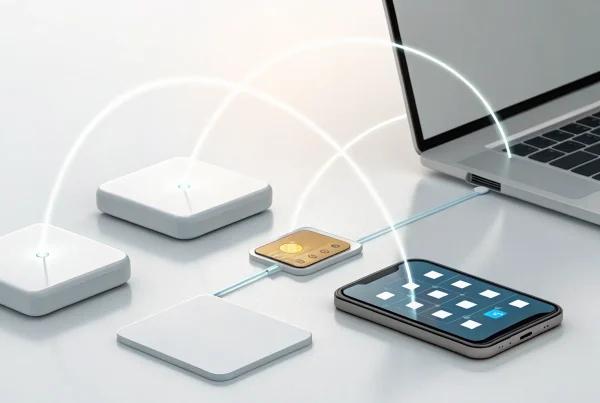
Your smart card software shouldn’t operate in a silo. It needs to be a team player that communicates effectively with your other business tools, like your point-of-sale (POS) system, accounting software, and customer relationship management (CRM) platform. Seamless integration automates data sharing between systems, which saves you from tedious manual entry and reduces the risk of errors. When your software works in harmony with your other tools, you get a more accurate and complete picture of your business performance without any extra effort.
A breakdown of the top smart chip card software
With so many options out there, finding the right software can feel like a chore. To make it easier, I’ve put together a list of the top smart chip card software solutions. We’ll look at what makes each one stand out, so you can find the perfect fit for your business needs, whether you’re focused on secure payments, employee IDs, or customer loyalty programs. Each tool serves a slightly different purpose, from all-in-one payment integration to specialized software for designing and encoding your own cards. Understanding these differences is the first step to making a smart investment.
For example, some software is designed to work directly with your payment processor to handle EMV transactions securely. This is crucial for any retail or service business that accepts credit cards. Others are standalone tools that let you create custom ID badges, gift cards, or membership cards right in your office, giving you full control over the design and function. We’ll cover a range of options, including our own integration tools at MBNCard, so you can see how everything fits together. My goal is to give you a clear, straightforward comparison to help you decide which software will best support your business goals and make your operations run a little smoother.
MBNCard Payment Processing Integration Tools
If you’re looking for a seamless way to integrate smart chip technology into your existing payment system, our tools are designed for you. At MBNCard, we offer a suite of payment processing integration tools built to make transactions secure and efficient. Think of it as the bridge that connects your point-of-sale system to the secure world of chip card payments. Our focus is on making the transition smooth, so you can enhance your security without disrupting your workflow. This is a great starting point for any business owner who wants a reliable and straightforward solution that works directly with their merchant services provider, ensuring everything is perfectly in sync from day one.
HID Global Crescendo CryptoTokenKit
For businesses that need an extra layer of security, especially for digital access and transactions, the HID Crescendo CryptoTokenKit is a powerful choice. This software acts as a digital key, using Public Key Infrastructure (PKI) to enable strong authentication. In simple terms, it helps verify identities and secure communications with a high degree of confidence. If your business handles sensitive data or requires secure logins for employees, this middleware provides the robust protection you need. It’s less about direct payment processing and more about building a secure digital environment for your operations, making it a key tool for data-sensitive industries.
CardWerk Smart Card Encoder Software
Do you need to create and encode your own smart cards in-house? CardWerk’s software is designed specifically for businesses that combine card printing with chip encoding. Its biggest advantage is versatility; it connects your smart card encoder to your card printer, regardless of the brand. This is perfect for creating things like employee access cards, membership cards, or hotel key cards. If you want control over the entire card creation process, from printing a logo to encoding the chip with specific data, CardWerk provides the specialized tools to get the job done efficiently and professionally right from your office.
cardPresso Card Design and Encoding Software
If custom design is a top priority for your plastic cards, cardPresso is a fantastic professional tool. It gives you everything you need to design, encode, and print cards that look polished and professional. Whether you’re creating gift cards, loyalty cards, or employee IDs, this software helps you manage the entire process. One of its key benefits is that full versions are available for both Windows and Mac, making it accessible for any office setup. You can find the latest software downloads to see how it can fit into your creative workflow and help you produce high-quality, functional cards that represent your brand well.
EXEBA-SMAG EMV Chip Software
When your primary focus is on processing secure payments, you need software that’s built for EMV standards. The EXEBA-SMAG software is tailored specifically for EMV smart chip cards, including both smart memory and Java chip cards. This is essential for any business that accepts credit or debit card payments and needs to ensure every transaction is secure and compliant. By using software designed for the complexities of EMV technology, you protect both your business and your customers from fraud. It’s a critical tool for maintaining trust and security at the point of sale, giving you peace of mind with every swipe or dip.
MSR605X Software
While chip cards are the standard, many businesses still use magnetic stripe cards for things like loyalty programs, gift cards, or employee IDs. The MSR605X software is designed for MSR (magnetic stripe reader) devices that can read and write information on these cards. This software allows you to manage the data on magnetic stripe cards with ease. If your business uses a mix of card types or relies on magnetic stripes for specific functions, having a reliable reader and writer software is essential for managing your programs and keeping your data organized and accessible. It’s a practical solution for bridging older and newer card technologies.
How can your business use smart chip card software?
When you hear “smart chip card,” your mind probably jumps straight to credit card payments. While that’s a huge part of it, the software that powers these cards can do so much more for your business. Think of it as a versatile tool that can handle everything from securing your front door to rewarding your most loyal customers. By using the right software, you can streamline several different operations with a single, secure technology.
For example, the same system you use to process a customer’s chip card payment could also be adapted to create employee ID badges that double as access keys. You can also use it to build a sophisticated loyalty program that tracks points and rewards automatically, giving customers a tangible reason to keep coming back. The applications extend to managing secure access, creating temporary keys for guests, and ensuring your payment processing is as safe as possible. Let’s break down some of the most common and effective ways you can put smart chip card software to work.
Process secure EMV payments
First and foremost, smart chip card software is essential for accepting modern credit and debit card payments. The shift to EMV chip technology has significantly reduced in-person card fraud, but it requires the right software to function correctly. This software facilitates the secure communication between the customer’s card, your card reader, and the payment network.
Using certified software ensures every transaction is encrypted and authenticated, protecting both your business from fraud-related chargebacks and your customers’ sensitive data. It’s not just about accepting a payment; it’s about doing it in a way that meets current security standards and builds trust with everyone who shops with you.
Manage access control systems
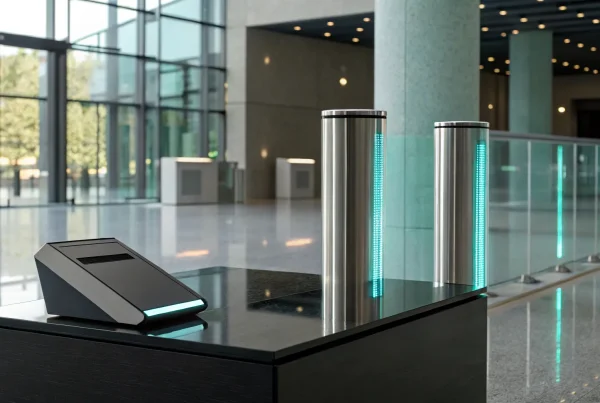
If your business has areas that need to be secured, smart chip card software offers a modern solution for managing access. Instead of relying on traditional keys that can be lost or copied, you can issue programmable smart cards to your employees. The software allows you to grant or revoke access permissions instantly for specific doors, rooms, or times of day.
This gives you complete control over who goes where and when. You can easily create temporary access for visitors or contractors and deactivate a card the moment an employee leaves the company. This approach not only improves security but also provides a digital log of entry and exit, which can be invaluable for operational oversight and incident investigation.
Run customer loyalty programs
Smart chip card software can help you create a professional and effective customer loyalty program. You can design and issue branded smart cards that customers use to earn points, redeem rewards, and receive exclusive offers. The software allows you to encode each card with customer information and then track their purchase history automatically.
This system makes it easy for customers to participate since they just need to tap or insert their card at checkout. For you, it provides a wealth of data on customer behavior, helping you tailor promotions and communications more effectively. It’s a tangible way to encourage repeat business and make your customers feel valued.
Create employee IDs and hotel key cards
Beyond payments and access control, smart chip card software is perfect for creating multi-functional identification cards. You can design, print, and encode employee ID badges that include a photo, name, and title, while the embedded chip can be programmed for building access, time clock check-ins, or even cashless payments at an on-site cafeteria.
This same technology is widely used in the hospitality industry to create hotel key cards. The software allows front desk staff to quickly program a card to grant access to a specific room for the duration of a guest’s stay. The versatility of contactless programming makes it simple to manage credentials for both long-term employees and short-term guests.
How to compare software pricing and value
Choosing the right software isn’t just about finding the cheapest option; it’s about finding the best value for your business. The initial price tag is only one piece of the puzzle. You also need to consider long-term costs, how the software will scale with your company, and the kind of support you’ll receive. A free tool might seem appealing at first, but a paid solution could offer a better return on investment through advanced features and reliability. Thinking through these factors will help you select a smart card solution that supports your business goals without creating financial surprises down the road.
Free vs. paid options
When you start your search, you’ll find both free and paid software options. Free software often has the advantage of easy installation and plug-and-play functionality, which is great for getting started quickly with minimal upfront cost. These tools can be perfect for basic tasks or for businesses just dipping their toes into smart card technology. However, paid options typically provide more robust features, stronger security protocols, and dedicated customer support, which can be critical for your daily operations. Think about your business needs: if you require advanced analytics, seamless integrations, or immediate help when something goes wrong, a paid plan is likely the smarter long-term business investment.
Testing with trial versions
Before you commit to any software, always take it for a test drive. Most reputable providers offer trial versions that let you try out the full software for a limited time. This is your chance to see how it really works with your existing hardware and systems. Use this trial period to assess its functionality, check for compatibility issues, and see if the interface feels intuitive for you and your team. This hands-on experience is the best way to make an informed decision and ensure the software truly meets your specific business needs. Don’t skip this step; it can save you from a costly mistake and a lot of frustration.
Understanding licensing and ongoing costs
The sticker price of software rarely tells the whole story. It’s essential to understand the licensing agreement and any ongoing costs. Is it a one-time purchase or a monthly subscription? Are there additional fees for updates, maintenance, or premium support? The global market for this technology is growing, so it’s wise to think about the long-term value of your choice. A clear understanding of the total cost of ownership will help you budget accurately and avoid unexpected expenses. Carefully review the terms to ensure the software will provide a solid return on investment as your business grows.
Overcoming common implementation hurdles
Adopting new technology can feel like a big project, but it doesn’t have to be a headache. When you’re ready to introduce smart chip card software into your business, a little planning goes a long way. Most of the challenges you might face fall into three main categories: making sure your new software works with your old hardware, meeting the technical specs, and keeping everything secure.
Thinking through these potential issues ahead of time helps you choose the right software from the start and ensures a much smoother rollout. It prevents surprise costs, like needing to buy all new printers, and saves you from frustrating downtime. This isn’t about becoming a tech expert overnight; it’s about asking the right questions to find a solution that fits your business perfectly. By tackling compatibility, technical needs, and security head-on, you can get your new system up and running with confidence. This proactive approach means you can focus on what the software can do for you, like processing payments securely or managing a new loyalty program, instead of getting stuck on installation problems. Let’s walk through each of these common hurdles so you can create a clear plan.
Ensuring system and hardware compatibility
Before you commit to any software, you need to make sure it will work with the computers and equipment you already own. Most modern software is flexible, supporting common operating systems like Windows, macOS, and Linux. However, it’s always best to double-check the specific versions required.
Beyond your computers, consider your peripheral hardware, like card printers and encoders. The good news is that you don’t always need to buy all-new equipment from a single brand. Many software solutions are designed to be flexible. For example, some services can help you connect smart card encoders to your existing card printers, regardless of the manufacturer. Make a quick inventory of your current systems to easily compare it against the requirements of any software you’re evaluating.
Meeting technical requirements
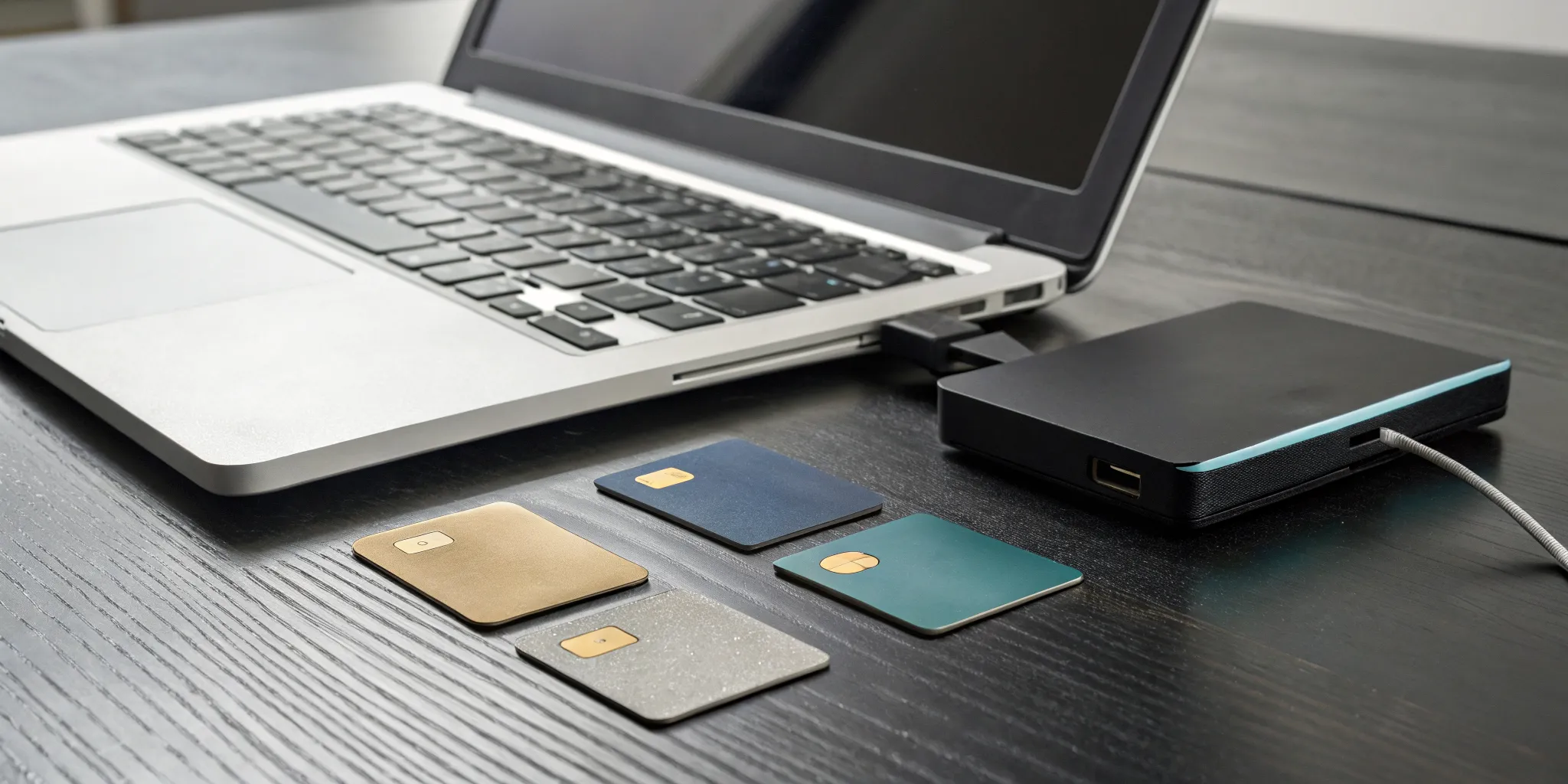
Getting the technical details right is essential for your smart chip system to function correctly. For instance, if you plan to create and program your own smart cards for things like employee IDs or loyalty programs, you’ll need a card printer that includes a specialized device called a smart card encoder. This is the component that actually writes data to the chip.
For payment processing, the most important technical requirement is EMV compliance. EMV is the global standard that ensures chip card transactions are secure. Any payment software you choose must be EMV compliant to protect your business from fraud liability and ensure you can accept modern credit and debit cards safely. Always look for this certification when comparing your options.
Maintaining security and data compliance
Protecting your customers’ data isn’t just good practice; it’s crucial for building trust and safeguarding your business. Small businesses are frequent targets for data breaches, so strong security measures are non-negotiable. Implementing a secure smart chip card system is one of the most effective steps you can take to protect sensitive payment information.
Upgrading to an EMV chip reader is more than just a tech update. It’s a fundamental move to protect your business and show customers you take their security seriously. This technology makes it incredibly difficult for criminals to counterfeit cards, which in turn protects you from fraudulent chargebacks. By prioritizing software with robust encryption and security features, you position your business for long-term success and give your customers peace of mind.
What do real users say about their software?
Marketing materials can tell you a lot, but hearing from people who use the software every day gives you the real story. Looking at user reviews and community discussions helps you understand what it’s actually like to work with a specific program. It’s the best way to learn about a software’s strengths and weaknesses before you commit. Here’s a look at what real users are saying about performance, ease of use, and the quality of customer support they receive.
Performance and reliability
When you’re processing payments or managing access, you need software that just works. Users consistently praise solutions that are reliable and handle various card types without a hitch. Many people highlight the value of simple, plug-and-play functionality that gets them up and running quickly. Of course, no technology is perfect. It’s helpful to know that even the most dependable systems can have occasional hiccups. For instance, the average EMV chip card might experience a reading failure once or twice a year. This isn’t usually a software flaw but a normal part of the hardware’s lifecycle, so it’s good to have realistic expectations.
Ease of use
For busy business owners, complicated software is a non-starter. That’s why so many users rave about plug-and-play devices that work right out of the box without needing any special software. A simple USB credit card reader that can quickly process different card types is often all a small business needs. Other users appreciate when software comes as a complete package, including all the necessary tools and even a few blank cards to get started. This thoughtful approach saves you time and eliminates the guesswork, letting you focus on running your business instead of troubleshooting your tech.
Customer support experiences
Great customer support can make all the difference, especially when you’re dealing with something as critical as payment processing. For some of the more technical, open-source options, users find that strong community support is a huge asset. Fellow users and developers often share solutions and advice in online forums. For most businesses, however, having a dedicated support team to call is essential. Access to expert advice helps you choose the right tools and solve problems quickly when they arise. This level of support is often what separates a frustrating experience from a smooth and successful one.
How to choose the right software for your business
With so many options out there, picking the right smart chip card software can feel like a huge task. But it doesn’t have to be. By focusing on a few key areas, you can confidently select a solution that fits your business perfectly and sets you up for success.
First, take stock of what you already have. The best software for you will work seamlessly with your existing hardware, like your card readers and printers. Make a list of the non-negotiable features you need. Are you just processing payments, or do you also need to encode employee IDs or manage a loyalty program? Thinking about how new software will integrate with your current systems from the start will save you a lot of headaches down the road.
Security should be at the top of your list. Ensure any software you consider is fully EMV compliant to protect your business and your customers from fraud. This isn’t just a feature; it’s a fundamental requirement for modern payment processing. Beyond the technical specs, think about the human element. What kind of customer support does the provider offer? Having access to reliable help and training can make all the difference, especially when you’re getting set up. Good customer support and training can be just as valuable as the software itself.
Finally, what if your needs are truly unique? If you’ve searched high and low and can’t find an off-the-shelf product that does exactly what you need, don’t worry. Some providers can build brand new card programming software from the ground up, tailored specifically to your operations. While this is a bigger investment, it can be the right move for businesses with highly specialized requirements.
Related Articles
- How an EMV Chip Reader Works: A Simple Guide
- EMV Chip Card Reader 101: The Ultimate Guide
- EMV Reader for PC: What to Know Before You Buy
Frequently Asked Questions
Do I need special software just to accept chip card payments? Yes, but it’s probably not as complicated as it sounds. To securely process an EMV chip card, you need software that can communicate with the chip and encrypt the transaction data. The good news is that this software is typically integrated directly into your point-of-sale (POS) system or payment terminal provided by your merchant services provider, like us at MBNCard. You don’t usually have to go out and buy a separate program just for payments; it’s part of the complete, secure system you use to run transactions.
What’s the difference between software for payments versus software for creating ID or loyalty cards? Think of it as the difference between a specialized tool and a creative suite. Payment software has one critical job: to process EMV transactions securely and in compliance with industry standards. Its focus is entirely on security and reliability at the point of sale. On the other hand, software for creating cards, like cardPresso or CardWerk, is designed for in-house production. It gives you the tools to design the look of a card, print it, and then encode the chip or magnetic stripe with specific data for things like building access, membership perks, or loyalty points.
Can I use my existing card reader and printer with new software? In many cases, you can. The key is to check for compatibility before you commit to a new software program. Most software developers list the specific hardware models and operating systems they support. Some software is even designed specifically to be flexible, acting as a bridge between different brands of printers and encoders. Before making a purchase, make a quick list of the equipment you already have and compare it against the software’s technical requirements to ensure a smooth setup.
Is free software a safe option for my business? While free software can be tempting, it’s important to be cautious, especially when dealing with payments. For simple, non-sensitive tasks, a free tool might work just fine. However, for processing customer payments, a paid solution is almost always the better investment. Paid software typically comes with robust security features, regular updates, and dedicated customer support, all of which are essential for protecting your business and your customers’ sensitive information. The peace of mind and security from a professional, supported system is well worth the cost.
What is the single most important feature to look for when choosing software? If you’re processing payments, the most important feature is without a doubt security, specifically EMV compliance. This is non-negotiable, as it protects you from fraud liability and ensures your customers’ data is safe. If you’re using the software for other purposes, like creating employee IDs or managing a loyalty program, then seamless integration with your existing systems becomes a top priority. The right software should make your operations simpler, not more complicated.