Your restaurant’s point-of-sale system should be your most reliable employee, working tirelessly to keep orders accurate, payments secure, and service moving. Too often, however, it’s the source of your biggest headaches. A clunky interface slows down your staff during the dinner rush, a disconnected payment processor causes checkout delays, and a lack of useful reporting leaves you guessing about your business’s health. This isn’t just a technology problem; it’s a business problem that costs you time and money. This guide is designed to change that. We’ll walk you through exactly how to choose a POS system for a restaurant that solves problems instead of creating them, so you can get back to focusing on what you do best: creating amazing food and happy customers.
Key Takeaways
- A modern POS is your restaurant’s command center: It should connect every part of your operation, from orders and payments to inventory and customer data, giving you a single source of truth to run your business more efficiently.
- Look beyond the sticker price to find the best value: The true cost of a POS includes hardware, software fees, and payment processing. Choose a system that not only fits your budget but also has the features and scalability to support your restaurant as it grows.
- A smooth launch requires a plan and proper training: Choosing the system is only the first step. A successful transition depends on a clear implementation plan and thorough staff training, ensuring your team can use the new tool effectively from day one.
What Is a Restaurant POS System?
Think of a restaurant point-of-sale (POS) system as the command center for your entire operation. It’s far more than a modern cash register; it’s the central hub that connects your front-of-house, kitchen, and back-office management. At its core, a restaurant POS is the technology that handles every customer transaction from the moment an order is placed to when the payment is processed.
This system is designed to make your daily workflow smoother and more efficient. When a server takes an order, the POS communicates it directly to the kitchen. When a customer is ready to pay, it securely processes their credit card. At the end of the day, it gives you detailed sales reports that show you what’s selling and what’s not. By bringing all these functions together, a POS system helps reduce human error, speed up service, and provide you with the data you need to make smarter business decisions. It’s the key to keeping everything organized, whether you’re running a cozy cafe, a bustling food truck, or a fine-dining establishment.
What Makes Up a Restaurant POS?
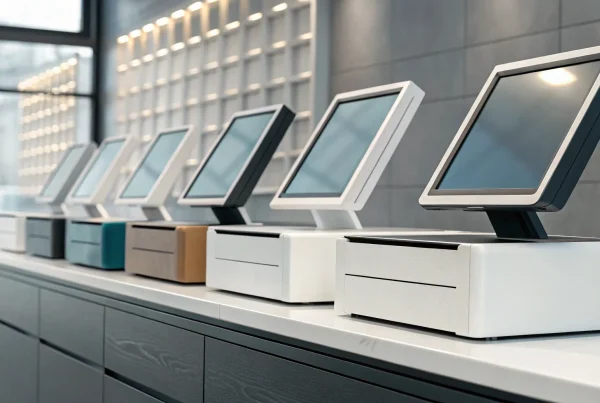
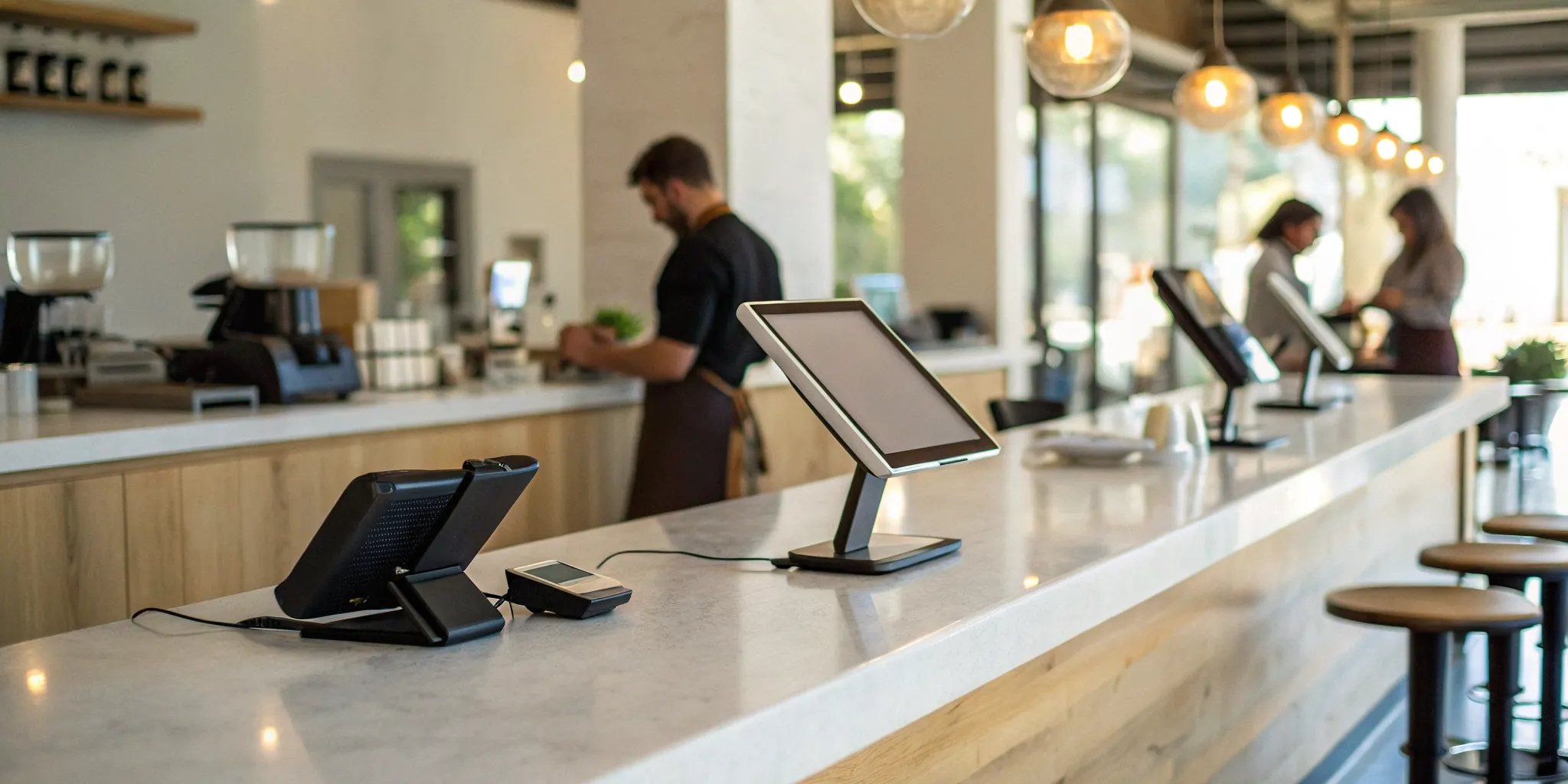
A complete restaurant POS system is a combination of hardware and software working together. The hardware includes the physical equipment you see and use every day, like a touchscreen terminal, a credit card reader, a cash drawer, and receipt printers. Many modern setups also include a kitchen display system (KDS) to replace paper tickets and streamline kitchen communication.
The software is the brain of the operation. This is where you’ll find essential features like menu management, inventory tracking, staff scheduling, and integrated payment processing. A great POS also includes tools for reporting and analytics, helping you understand sales trends and customer behavior. These components connect to reduce mistakes, manage orders efficiently, and give you a clear view of your business performance.
How a Restaurant POS Works
In a typical restaurant setting, a POS system streamlines every step of the customer experience. Imagine a server taking an order on a tableside tablet. The order is instantly sent to the KDS in the kitchen, ensuring accuracy and speed. Once the meal is finished, the server can process the payment directly at the table using a mobile card reader.
Behind the scenes, the system is doing even more. As soon as the order is finalized, the POS automatically updates your sales data and adjusts your inventory levels in real time. This seamless flow of information connects your staff, kitchen, and management, creating a more efficient and organized workflow. The best system for you will depend on your specific needs, from the type of food you sell to how your team operates.
Must-Have Features for Your Restaurant POS
A modern restaurant POS system is so much more than a digital cash register. Think of it as the central nervous system of your entire operation. It connects your front-of-house staff with your kitchen, your inventory with your sales data, and your marketing efforts with your loyal customers. The right system streamlines daily tasks, reduces errors, and gives you the insights you need to grow your business. When you’re comparing options, it’s easy to get lost in a long list of features. To help you focus on what truly matters, we’ve broken down the essential functions every great restaurant POS should offer. These are the non-negotiables that will have the biggest impact on your efficiency and profitability.
Menu Management and Customization
Your menu is the heart of your restaurant, and your POS should make managing it a breeze. Look for a system that lets you easily add or remove items, update prices, and write compelling descriptions in real time. Strong customization is key, allowing you to create modifiers for special requests (like “extra sauce” or “no onions”) and combo deals without any hassle. This flexibility ensures your servers can place orders quickly and accurately, which keeps your kitchen running smoothly and your customers happy. A well-organized digital menu also makes it simple to manage different menus for breakfast, lunch, dinner, or special events, all from one central dashboard.
Inventory Tracking
Running out of a key ingredient during a dinner rush is a nightmare for any restaurant owner. A POS with integrated inventory tracking can prevent this by monitoring your stock levels automatically. As your staff rings up orders, the system deducts the corresponding ingredients from your inventory count in real time. You can set up alerts to notify you when items are running low, so you know exactly when to reorder. This feature not only saves you time on manual stock counts but also helps you reduce food waste and control costs by providing a clear picture of what you’re using and selling.
Secure Payment Processing
In a world of data breaches, protecting your customers’ payment information is non-negotiable. Your POS system must be equipped with secure payment processing that keeps sensitive data safe. This means it should be fully compliant with the Payment Card Industry Data Security Standard, or PCI DSS. A secure system protects you from fraud and chargebacks while building trust with your customers. It should also support a variety of payment types, including credit and debit cards, contactless payments like Apple Pay, and gift cards. This ensures a fast, safe, and convenient checkout experience for every guest.
Reporting and Analytics
Making smart business decisions requires good data. Your POS system should be a goldmine of information, offering clear, easy-to-read reports on every aspect of your restaurant. The best systems allow you to track key metrics like your top-selling menu items, peak sales hours, and server performance. You can analyze your labor costs against your sales to optimize scheduling and use detailed reports to make informed choices that cut costs and drive growth. Instead of guessing what’s working, you’ll have concrete data to guide your strategy and improve your bottom line.
Customer Management Tools
Turning a first-time visitor into a loyal regular is the key to long-term success. A POS with built-in customer management tools can help you build those lasting relationships. These features allow you to create customer profiles, track their order history, and see their preferences at a glance. You can use this information to run a customer loyalty program, rewarding repeat guests for their business. Many systems also let you collect contact information like email addresses or phone numbers, giving you a direct line to send out special offers, event announcements, and personalized marketing messages that keep them coming back.
Cloud vs. Traditional: Which POS Is Right for You?
When you start looking at POS systems, you’ll quickly find they fall into two main camps: cloud-based and traditional. Understanding the difference is the first step to picking the right one for your restaurant. Think of it like this: a traditional POS system is like a desktop computer that stores all its files and software directly on the machine in your back office. It runs on a local, internal network.
A cloud-based POS, on the other hand, is like using Google Docs. Your data, from sales reports to menu items, is stored securely online (in “the cloud”). This means you can access it from any device with an internet connection, whether it’s a terminal at the counter, a tablet for tableside ordering, or your phone at home. Most modern POS systems are cloud-based because they offer far more flexibility for today’s fast-moving restaurants. Let’s break down the pros and cons of each so you can see which one fits your business best.
Pros and Cons of Cloud-Based POS
The biggest advantage of cloud-based systems is their flexibility. Because your information is online, you can manage your restaurant from anywhere. You can update menu prices from your laptop or check nightly sales reports on your phone after you’ve gone home. They also tend to have lower upfront costs, usually following a monthly subscription model instead of requiring a large one-time purchase. Plus, they easily connect with other tools, like online ordering platforms and accounting software.
The main drawback is their reliance on a stable internet connection. If your internet goes out, it could disrupt your service. However, most modern cloud systems have an offline mode that lets you keep taking orders and payments, which then sync up once you’re back online.
Pros and Cons of Traditional POS
Traditional, or legacy, POS systems are the old-school workhorses. They run on a closed, local network within your restaurant, so they don’t need the internet to operate. For some owners, this provides a sense of security and stability. Once it’s set up, it runs independently.
However, that stability comes at a cost. These systems typically require a significant upfront investment in hardware and software licenses. They are also notoriously difficult to update or customize; you often need to call in a specialized technician for changes. Because they are fixed in one spot, they can slow down service, and you can’t access any of your data unless you are physically at the restaurant. Their lack of flexibility makes them a tough fit for most modern restaurants.
How to Choose for Your Restaurant
So, how do you decide? Start by taking a close look at your restaurant’s specific needs. Are you a small cafe that needs a simple, straightforward system, or a large restaurant with a complex menu and multiple locations? Your answer will point you in the right direction.
Next, think about your future. Your goal is to grow, so pick a system that can grow with you. You don’t want to be forced into a complete overhaul in a few years because your POS can’t handle a new delivery service or a second location. Finally, make a list of the other tools you rely on. Your POS should be a central hub, so make sure it can integrate with your other software, like your payroll and accounting programs.
Understanding the True Cost of a Restaurant POS
When you’re shopping for a POS system, the price tag you see upfront is only part of the story. The total cost of ownership involves several components that add up over time, including hardware, recurring software fees, and payment processing rates. A restaurant POS system is the central hub for your operations, so understanding its true cost is essential for budgeting accurately and avoiding surprises down the road. Let’s break down the four main cost areas you need to evaluate to find a solution that truly fits your budget and business goals.
Hardware Costs
Your POS hardware is the physical equipment your team uses every day. This includes touchscreen terminals, cash drawers, receipt printers, kitchen display screens (KDS), and credit card readers. The initial investment can be significant, especially if you’re outfitting a new location or upgrading multiple stations. Some providers require you to buy their proprietary hardware, while others let you use compatible devices like iPads. When comparing options, ask if you can purchase hardware outright, lease it, or get it as part of a bundled package. While leasing can lower your initial expense, buying often proves more cost-effective in the long run.
Software and Subscription Fees
Most modern POS systems run on a subscription basis, which means you’ll pay a recurring fee, usually monthly or annually, for each terminal or location. This fee typically covers access to the software, regular updates, and standard customer support. However, not all subscription plans are created equal. Basic tiers might cover sales reporting and payment acceptance, but you may need to pay more for advanced features like inventory management, loyalty programs, or online ordering. Be sure to compare subscription fees and clarify exactly what’s included in each plan to ensure you’re only paying for the features your restaurant actually needs.
Payment Processing Rates
Every time a customer pays with a credit or debit card, you pay a fee to process the transaction. These rates can have a major impact on your bottom line, so it’s crucial to understand how they’re structured. Some providers offer a flat rate for all transactions, while others use more complex pricing models. At MBNCard, we believe in transparency and offer programs like dual pricing to help you reduce these costs. When evaluating a POS, ask about its payment processing fees and whether you can use your own merchant services provider, which can give you more flexibility and control over your rates.
Watch Out for Hidden Fees
Always read the fine print of any agreement before signing. Some POS providers include extra charges that aren’t always advertised clearly. Look out for one-time setup or installation fees, charges for integrating with other software like QuickBooks, and early termination fees if you decide to switch providers. You might also encounter chargeback fees or higher rates for certain types of cards. A trustworthy provider will be upfront about all potential costs. Don’t hesitate to ask for a detailed breakdown of every fee so you can make a fully informed decision for your restaurant.
How to Compare POS System Providers
Once you have a shortlist of potential POS systems, it’s time to put them head-to-head. Choosing a provider is about more than just features and price; it’s about finding a partner who understands your restaurant and is invested in your success. The right system should feel like an extension of your team, making daily operations smoother and giving you the data you need to make smart decisions. This isn’t just about buying software; it’s about investing in the central nervous system of your restaurant, a tool that will touch every part of your business, from the front of house to the back office. It influences your customer service, inventory management, and overall profitability.
Comparing providers requires a structured approach. You’ll want to look beyond the sales pitch and dig into how each system will actually perform in your unique environment. This means taking a clear-eyed look at your own operations before you even speak to a salesperson. What are your biggest pain points right now? Where are the bottlenecks in your service? A clear understanding of your challenges will help you identify which features are truly essential. By assessing your needs first, asking targeted questions, and getting hands-on with the software, you can find a POS solution that not only meets your current needs but also supports your restaurant as it grows.
A Look at MBNCard’s POS Solutions
At MBNCard, we design our POS solutions with the independent restaurant owner in mind. We believe a great POS system should help you save money, speed up service, and give you more time to focus on your guests. Our systems are built to streamline everything from order taking to payment processing, so your team can work more efficiently during the busiest shifts. With intuitive interfaces and robust back-end features, our goal is to provide a tool that simplifies your daily management tasks. We focus on creating a seamless experience for both your staff and your customers, helping you build a stronger, more profitable business.
Smart Ways to Research and Compare
Before you even look at a demo, the most important step is to evaluate your own needs. What works for the cafe down the street might not work for your fine-dining establishment. Start by making a list of your must-haves. Consider your restaurant’s size, service style (quick-service, table service, or a hybrid), and menu complexity. Do you need advanced inventory tracking to manage fresh ingredients? Are online ordering and delivery integrations essential? Thinking about your future goals is also key. If you plan to open another location or add a food truck, you’ll want a system that can easily scale with you.
Key Questions to Ask Providers
When you start talking to sales reps, having a list of specific questions will help you cut through the noise and compare your options fairly. Don’t hesitate to ask about the details that matter most to your operations.
Here are a few essential questions to get you started:
- What are the full costs, including hardware, software subscriptions, and payment processing fees?
- How intuitive is the system for new employees to learn?
- What kind of customer support do you offer, and what are the hours?
- Can the system grow with my business if I expand or add new services?
- What security measures are in place to protect my business and customer data?
A provider’s answers to these questions will tell you a lot about their transparency and whether they are the right partner for your restaurant.
Make the Most of Demos and Trials
Reading about features is one thing, but seeing them in action is another. Always request a live demo, and if possible, ask for a free trial period. A demo is your chance to see how the system handles your restaurant’s specific workflow. Ask the representative to walk you through common scenarios, like splitting a check, modifying an order, applying a discount, and pulling end-of-day reports. Your POS system should make your life easier, not more complicated. Pay attention to the user interface. Is it clean and easy to follow? Getting your hands on the system is the best way to determine if it’s a good fit for you and your team.
Essential Integrations for Your POS System
A great point-of-sale system does more than just process orders and payments. It acts as the central hub of your restaurant, connecting all the different software you use to run your business. The right integrations save you time, reduce errors, and give you a clearer picture of your operations. When your POS can communicate seamlessly with your other tools, you can focus less on manual data entry and more on serving your customers.
Payment and Merchant Services
Your POS system must be able to accept how your customers want to pay. This means seamless integration with a reliable merchant services provider is non-negotiable. Look for a system that handles all common payment types, including credit and debit cards, EMV chip cards, and contactless options like Apple Pay and Google Pay. A flexible payment processing setup prevents you from ever having to turn away a sale because you can’t accept a customer’s preferred payment method, ensuring a smooth and professional checkout experience every time.
Accounting Software
Manually entering daily sales data into your accounting software is tedious and leaves room for costly errors. A POS that integrates directly with platforms like QuickBooks or Xero automates this entire process. Every sale, refund, and tax calculation is synced automatically, giving you an accurate, real-time view of your finances. This connection streamlines your bookkeeping, simplifies tax preparation, and frees up valuable time that you can reinvest into growing your restaurant instead of spending hours reconciling numbers.
Online Ordering and Delivery
In today’s market, a strong online presence is essential. Your POS system should integrate directly with your online ordering platform or popular third-party delivery apps. This allows online orders to flow directly into your kitchen, eliminating the need for staff to re-enter orders from a separate tablet. This not only speeds up your workflow and reduces order mistakes but also helps you efficiently manage the demand for takeout and delivery, keeping both your in-house and at-home customers happy.
Marketing and Loyalty
Your POS can be one of your most effective marketing tools. Choose a system with built-in customer relationship management (CRM) features that help you build a customer database. With these tools, you can track visit frequency and purchase history to create targeted promotions. An integrated loyalty program or email marketing connection lets you reward your regulars and send special offers, helping you build stronger relationships and turn one-time visitors into loyal fans who keep coming back.
Common POS System Mistakes to Avoid
Choosing a new POS system is a big decision, and it’s easy to get overwhelmed by all the options. While you’re focused on finding the right features and price, a few common missteps can lead to buyer’s remorse down the road. A little foresight can help you select a system that truly supports your restaurant’s day-to-day operations and long-term goals. By learning from the mistakes others have made, you can feel confident that you’re making a smart, sustainable investment for your business. Let’s walk through the most frequent pitfalls so you know exactly what to watch out for.
Choosing on Price Alone
It’s tempting to let the price tag be your guide, but the cheapest POS system is rarely the best value. A low upfront cost can hide expensive long-term problems, like missing features, unreliable software, or poor customer support. Instead of focusing only on the initial price, think about the overall value the system brings to your restaurant. Does it have the specific tools you need to manage your unique menu? Can it handle the order volume of your busiest nights? A system that costs a bit more but saves your staff time, reduces order errors, and provides valuable sales data will deliver a much better return on investment in the long run.
Ignoring Future Growth
The POS system you choose today should be able to grow with you tomorrow. Where do you see your restaurant in three or five years? You might be planning to open a second location, launch a catering service, or add online ordering. A basic system that fits your needs now might not be able to keep up with your future ambitions. Look for a scalable solution that can easily add new terminals, locations, and features as your business expands. A flexible POS partner will support your business growth plan instead of holding you back, ensuring you don’t have to go through this entire selection process again in a few years.
Forgetting About Your Team
Your staff will use the POS system more than anyone, so their experience is critical. A clunky, confusing interface can lead to slower service, frustrated employees, and costly mistakes. When you’re watching demos, put yourself in your team’s shoes. How many steps does it take to place a common order or split a check? A system should be intuitive and easy to learn, allowing new hires to get up to speed quickly. Involving a trusted manager or server in the decision-making process can provide valuable insight. A POS that simplifies workflows for your team ultimately leads to a smoother, more positive experience for your customers.
Underestimating Integrations
A modern POS should be the command center for your entire restaurant, not just a tool for processing payments. Its ability to connect with other software is what makes it so powerful. Before you decide, make a list of the other tools you rely on, like your accounting software, online ordering platforms, and employee scheduling app. Does the POS integrate seamlessly with them? Key integrations to look for include inventory management, kitchen display systems (KDS), customer loyalty programs, and marketing tools. A well-connected system automates tasks and shares data, giving you a complete picture of your business performance without the headache of manual data entry.
What to Expect from POS Support and Training
A great point-of-sale system is more than just a piece of technology; it’s a partnership with the provider. When you’re comparing features and pricing, it’s easy to overlook the human side of the equation, but this is often what separates a good POS from a great one. The quality of a provider’s support and training can be the difference between a minor hiccup and a major service disruption that costs you sales and frustrates customers. Think of it as an insurance policy for your daily operations. A system with amazing features is useless if your team doesn’t know how to use it or if you can’t get help when something breaks.
This is where you move beyond the sales pitch and look at the long-term relationship. Will this company be there for you at 8 p.m. on a Saturday? Will they help your new hires get comfortable with the system without a lot of friction? The answers to these questions directly impact your restaurant’s efficiency and your team’s morale. Before you sign a contract, you need to get a clear picture of what their support structure looks like, how they’ll get your team up to speed, and what kind of help you can expect long-term. This is a critical step in finding a partner you can truly rely on for years to come.
Support Availability and Response Time
Imagine your POS system goes down during the Friday night dinner rush. You need help, and you need it fast. This is why 24/7 support is non-negotiable for a restaurant. Technical issues don’t stick to a 9-to-5 schedule, so your support team shouldn’t either. When you’re comparing providers, ask about their support hours and average response times. Do they offer phone support with a real person, or are you stuck with a chatbot or email form? A provider that understands the fast-paced restaurant environment will have an accessible and responsive team ready to help you solve problems and keep your restaurant operations running smoothly.
Onboarding and Training Resources
A new POS system should make life easier for your team, not more complicated. A smooth transition starts with great training. Your staff needs to learn the system quickly so you can avoid service interruptions. Look for a provider that offers comprehensive onboarding resources, like live training sessions, video tutorials, and a detailed knowledge base. An intuitive interface is also a huge plus, as it can significantly cut down on training time for new hires. The best systems are designed to be so straightforward that a new server can feel confident using them in under an hour, which is a huge advantage in an industry with high turnover.
Ongoing Support and System Updates
Your need for support doesn’t end once the system is installed. You’ll have questions and run into unique challenges as you go. It’s important to partner with a company whose support team understands how restaurants work. They should be able to help you with industry-specific problems, like splitting checks or managing complex modifiers, especially during busy times. Also, ask about software updates. A good provider regularly improves their system with new features and security patches. Find out how these updates are delivered and if they require any downtime, ensuring your POS system continues to meet your needs as your business grows.
How to Successfully Implement Your New POS
Choosing the right POS system is a huge step, but the work isn’t over once you’ve signed the contract. A smooth implementation is what turns that great decision into a real asset for your restaurant. A bumpy rollout can lead to frustrated staff, confused customers, and operational headaches you just don’t have time for. Think of it like a grand opening: you wouldn’t unlock the doors without making sure the kitchen is stocked, the tables are set, and the staff knows the menu. The same principle applies here.
The key is to approach the transition with a clear, organized plan. By breaking down the process into manageable steps, you can get your new system up and running efficiently, setting your team up for success from day one. This isn’t just about plugging in new hardware; it’s about integrating a new central nervous system for your entire operation. From taking orders to managing inventory and processing payments, your POS touches every part of the business. Getting the implementation right ensures that this new tool helps you, rather than hinders you. Let’s walk through the three essential phases: planning, setup, and training.
Step 1: Plan Before You Start
Before a single piece of hardware is unboxed, you need a solid game plan. This is where you map out the entire process to avoid surprises. Start by defining what success looks like for your restaurant. Think about your specific needs, from menu complexity and table layouts to required integrations and plans for future growth. Create a detailed timeline with key milestones, like when data needs to be migrated, when hardware will be installed, and your target go-live date. Assign a point person to lead the project and make sure everyone on your team knows their role in the transition. This is also the time to gather all the necessary information, including your full menu with modifiers, employee details, and customer data. A well-thought-out implementation plan is your roadmap to a seamless launch.
Step 2: Manage Installation and Setup
With your plan in place, it’s time for the technical part: getting the system installed and configured. Whether you’re doing it yourself or working with your provider’s support team, this step is all about the details. The physical installation involves setting up terminals, printers, and card readers. After that, you’ll move on to the software setup. This includes building your menu in the system, programming prices and modifiers, creating employee profiles with specific permissions, and configuring your floor plan. It’s also crucial to connect any third-party integrations, like your accounting software or online ordering platform. Remember to choose a system that can grow with your business, so you aren’t forced to switch again in a few years.
Step 3: Train Your Staff for Go-Live
Your new POS system is only as good as the people using it. Proper training is non-negotiable for a successful launch. The system should be intuitive, but even the most user-friendly interface requires some getting used to. Schedule dedicated training sessions for your entire team, from servers to kitchen staff to managers. Use a hands-on approach, letting them practice taking orders, processing payments, and running reports in a test environment. Role-playing common scenarios can be incredibly effective. Consider creating simple cheat sheets for quick reference during busy shifts. A soft launch, where you use the new system during a slow period before the official switch, can help your team build confidence and work out any kinks. Effective training ensures your staff feels prepared and supported.
Make Your Final Decision
You’ve done the research, sat through the demos, and narrowed down your options. Now comes the exciting part: choosing your new restaurant POS system. This decision will shape your daily operations for years to come, so it’s worth taking a moment to ensure you’re making a confident choice. Before you sign on the dotted line, let’s walk through a few final steps to confirm you’ve found the perfect partner for your business. This final review helps you move forward with clarity, knowing your new system is ready to support your team, delight your customers, and grow with you.
Create a Final Checklist
Before you commit, go back to the very beginning. Remember why you started this search in the first place and create a final checklist that outlines your non-negotiables. Before you even started looking at systems, you needed to figure out what your restaurant truly needs in terms of size, menu, integrations, and future growth. Does your top choice meet every requirement? Review your notes on features like inventory tracking, customer management, and reporting. Confirm that it integrates with your essential tools, like your accounting software. This simple step ensures you haven’t overlooked a critical detail in the excitement of finding a new system. It’s your last chance to make sure the POS aligns perfectly with your operational workflow.
Negotiate Your Contract
Once you’re confident in your choice, it’s time to talk terms. Don’t just skim the contract; read the fine print carefully. A provider’s proposal should clearly outline all costs, including monthly software fees, hardware costs, and payment processing rates. Compare these costs based on your sales projections to understand the true financial impact. Don’t be afraid to ask questions or negotiate. Are there setup fees? What are the terms for cancellation? Understanding every line item protects you from surprises later on. A transparent partner will be happy to walk you through the details and ensure you feel comfortable with the agreement before you sign.
Plan for the Future
The best POS system isn’t the same for every restaurant. The right choice depends on your specific menu, your service style, and your plans for growth. The system you choose today should be a partner for tomorrow. Think about your five-year plan. Do you want to open another location, start a catering service, or add online ordering? Choose a POS system that can grow with your business. It should be able to handle more complex operations, additional staff, and new tools as your restaurant evolves. A scalable system saves you from having to repeat this entire selection process in just a few years, making it a smart long-term investment for your future success.
Related Articles
- Restaurant Point of Sale POS System: A Buyer’s Guide
- What Features Should I Look For In a Restaurant POS System?
- The Ultimate Guide to Point of Sale Systems
- Restaurant POS System Definition: A Beginner’s Guide
Frequently Asked Questions
What happens if my internet goes out? Will a cloud-based POS stop working? This is a common and completely valid concern. Most modern cloud-based POS systems are designed with an offline mode for exactly this reason. If your internet connection drops, the system will continue to function, allowing you to take orders and process card payments securely. Once your connection is restored, the system automatically syncs all the transaction data that was stored locally, so you don’t lose any important information.
How much should I budget for a new POS system? The total cost involves more than just the initial price tag. You should think about the complete investment, which includes the physical hardware like terminals and printers, the recurring monthly or annual software subscription fee, and the payment processing rates for every card transaction. A good provider will be transparent about all these costs, so be sure to ask for a full breakdown to avoid any surprises.
Do I have to use the POS provider’s payment processing? Not always, but it depends entirely on the provider. Some POS systems are “closed,” meaning you are required to use their built-in payment processor. Others are more flexible, allowing you to integrate with a third-party merchant services provider of your choice. This is a critical question to ask upfront, as having the freedom to choose your own processor can give you more control over your rates and potentially save you a lot of money.
What’s the most common mistake restaurant owners make when choosing a POS? One of the biggest pitfalls is choosing a system based on price alone. The cheapest option often lacks the essential features, reliable support, or scalability you need to run your business efficiently. Instead of focusing only on the initial cost, consider the overall value. A slightly more expensive system that saves your team time, reduces errors, and provides clear data will offer a much better return on your investment.
How can I make sure my staff will actually use the new system properly? A successful launch depends on your team feeling confident with the new technology. The best approach is to involve them in the process early, perhaps by letting a key manager or server sit in on a demo. Prioritize a system with an intuitive, user-friendly interface that is easy to learn. A good provider will also offer comprehensive training resources, like video tutorials or live sessions, to get everyone up to speed quickly and smoothly.