The market for payment hardware is crowded, and every provider claims to have the perfect solution. You have sleek handheld devices, all-in-one POS systems, and simple readers that plug into your phone. For a busy business owner, sifting through the options from companies like Square, Clover, and PayPal can feel like a full-time job. How do you know which features actually matter? And how can you be sure you’re getting a fair price? This guide cuts through the noise. We’ll break down the essential features and compare the top contenders to help you find the best EMV reader for your specific needs.
Key Takeaways
- Prioritize EMV to Avoid Fraud Liability: Upgrading to an EMV reader is your best defense against fraud. Because of the industry’s liability shift, your business is financially responsible for fraudulent charges if you process a chip card using an outdated magnetic stripe reader.
- Choose a Reader That Fits Your Workflow: The ideal device depends on how you operate. Consider your daily sales volume, whether you need a mobile reader for on-the-go payments, and if the hardware is compatible with your current point-of-sale system.
- Evaluate the Full Partnership, Not Just the Hardware: A great payment solution includes more than just the device. Understand the total cost, including transaction rates and monthly fees, and confirm you’ll have access to 24/7 support and a clear hardware warranty.
What’s an EMV Reader and Why Does Your Business Need One?
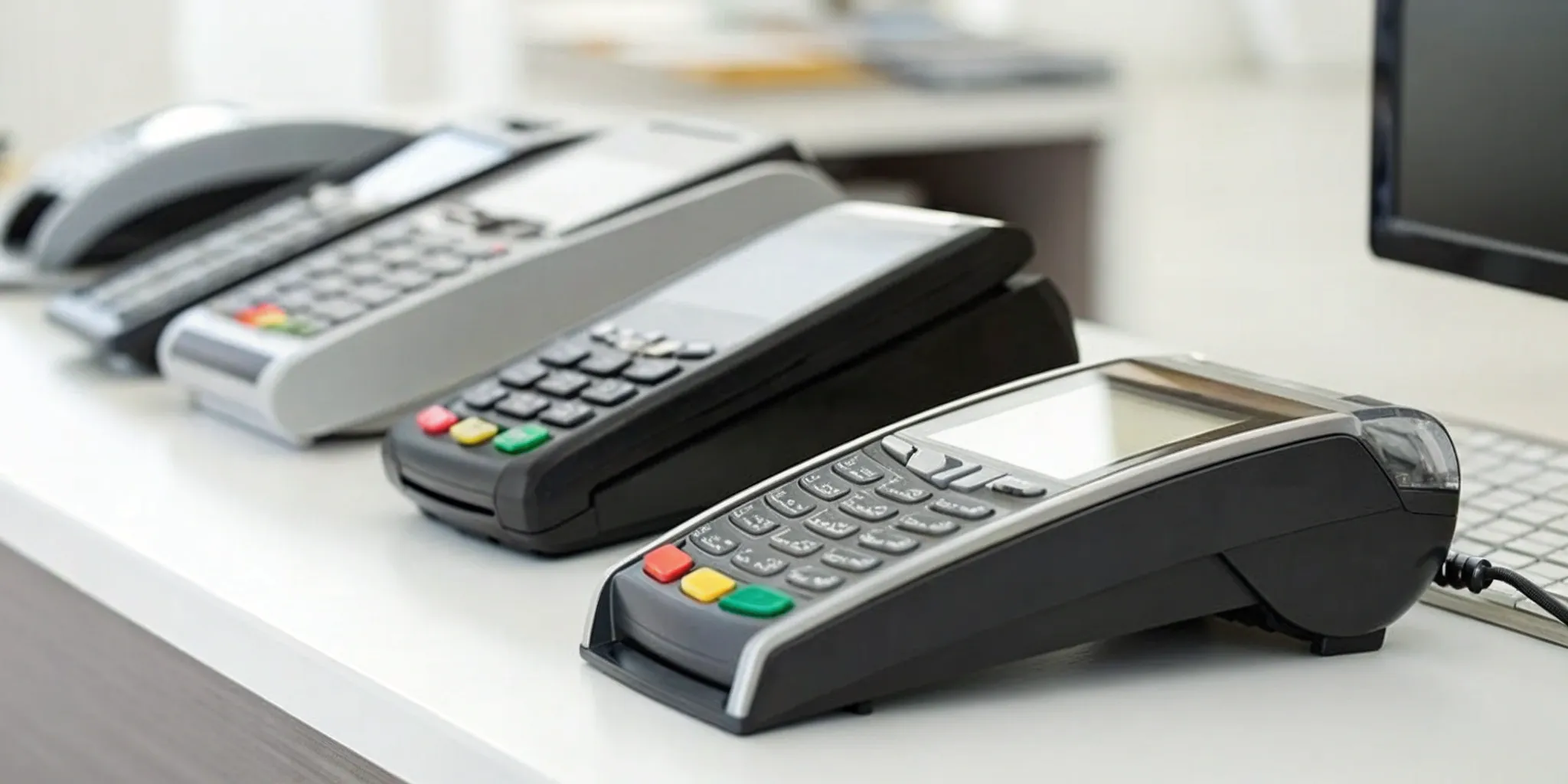
If you’ve ever dipped a credit card into a terminal instead of swiping it, you’ve used an EMV reader. EMV stands for Europay, MasterCard, and Visa, the companies that developed the global standard for secure chip-based card transactions. An EMV reader is simply the device that processes these payments, whether it’s through a chip card, a contactless “tap-to-pay” card, or a mobile wallet like Apple Pay. Think of it as the modern, more secure replacement for the old magnetic stripe readers.
So, why is having one non-negotiable for your business? It comes down to two critical factors: security and liability. Unlike magnetic stripes that store static data, making them easy targets for cloning, chip cards create a unique, one-time code for every single transaction. This dynamic data makes it incredibly difficult for fraudsters to create counterfeit cards, protecting both your customer’s information and your business from fraudulent sales. This advanced EMV technology is the new standard for a reason.
Beyond the added security, using an EMV reader protects your business from financial losses. Years ago, a major “liability shift” occurred in the payments industry. This means if a customer pays with a chip card but you only process it with a magnetic stripe reader, your business is held responsible for any resulting fraudulent charges. Without an EMV terminal, you could be on the hook for chargebacks that you otherwise would have won. Upgrading isn’t just about keeping up with technology; it’s a fundamental step in safeguarding your bottom line and giving your customers the secure, convenient checkout experience they expect.
A Breakdown of the Best EMV Readers
With so many EMV readers on the market, finding the right one can feel like a chore. The good news is that EMV chip card readers are more accessible than ever, and there’s a perfect fit for every type of business, from mobile food trucks to bustling retail stores. You just need to know what to look for. To make your decision easier, I’ve broken down some of the top contenders, highlighting what makes each one stand out. Let’s look at the key players and see which one aligns with your business needs.
MBNCard: Your Full-Service Payment Partner
At MBNCard, we focus on providing a complete payment solution, not just a piece of hardware. Our EMV chip card readers are designed to be secure, reliable, and incredibly easy to use, so you can focus on running your business. We pair our top-tier technology with transparent pricing and dedicated support, ensuring you have a true partner in your corner. Unlike standalone providers, we tailor our services to your specific needs, helping you save on processing fees and streamline your operations. It’s the ideal choice for business owners who want a comprehensive, long-term payment processing relationship.
Square: Simple Readers for On-the-Go Sales
Square has built its reputation on simplicity, making it a popular choice for new businesses, pop-up shops, and anyone who needs to process payments on the go. The Square Reader is compact, and its basic version is famously affordable, allowing you to start accepting payments almost immediately. It handles all the modern payment types your customers expect, including tap-to-pay, chip cards, Apple Pay, and Google Pay. While it’s incredibly user-friendly, its flat-rate pricing might become less cost-effective as your sales volume grows, so it’s important to weigh convenience against long-term costs.
Clover: All-in-One POS and Terminal Systems
Clover offers a powerful all-in-one solution that combines a sophisticated point-of-sale (POS) system with a payment terminal. The Clover Flex, for example, is a handheld device with a built-in printer, scanner, and camera, making it great for managing inventory and employees right from the terminal. One of its biggest advantages is its flexibility; you aren’t locked into using Clover’s own payment processing, which gives you the freedom to shop for competitive rates. This makes it a strong contender for established businesses that need robust POS features without being tied to a single processor.
PayPal Zettle: Great for E-commerce Sellers
If you already run a successful online store, PayPal Zettle is a natural fit for expanding into in-person sales. It’s designed to integrate smoothly with your existing PayPal account, creating a unified system for your online and offline transactions. Zettle is known for accepting a wide array of payment types, including PayPal, Venmo, and QR codes, in addition to standard cards and digital wallets. This versatility is a huge plus for e-commerce businesses looking to create a seamless customer experience across all their sales channels.
SumUp: Pay-as-You-Go Card Readers
SumUp is a fantastic option for small businesses that want affordability and a straightforward pricing model. The SumUp Solo is one of the most budget-friendly standalone readers available, and there are no monthly fees to worry about. You simply pay a flat rate per transaction. The device itself is sleek and comes with a built-in SIM card and Wi-Fi, so you can accept payments anywhere. Features like smart tipping and same-day funding make it an attractive, no-fuss choice for freelancers, market vendors, and businesses with inconsistent sales volumes.
Helcim: A Processor-Direct Hardware Option
Helcim appeals to business owners who are tired of confusing fees and want total transparency. As a direct processor, Helcim offers interchange-plus pricing, which is often more cost-effective for businesses with higher sales volumes. This pricing model passes the direct cost of processing from card networks on to you, plus a small, fixed markup. Their card reader is designed to work seamlessly with this system and accepts all major payment methods, including chip, swipe, and tap. If you’re looking to cut costs and appreciate a clear, honest approach to fees, Helcim is definitely worth considering.
Key Features to Look For in an EMV Reader
When you start comparing EMV readers, the options can feel overwhelming. They might all seem to do the same thing, but the small details can make a big difference in your daily operations. To find the perfect fit for your business, you need to look past the price tag and focus on the features that will protect your business, keep your customers happy, and make your life easier. Think about how you run your business day-to-day. Do you need something portable for markets, or a sturdy countertop model? What about speed and security? Let’s break down the essential features you should have on your checklist.
Rock-Solid Security and Encryption
First and foremost, your card reader needs to be secure. This is non-negotiable. EMV technology is the gold standard because it creates a unique transaction code for every single sale. This makes it nearly impossible for fraudsters to counterfeit cards or steal payment data. Unlike old-school magnetic stripes that store static data, EMV chips encrypt the information, protecting both you and your customer. A secure reader is your first line of defense against chargebacks and fraud, giving you peace of mind. Look for readers that are explicitly tamper-proof and offer end-to-end encryption for every transaction.
“Tap-to-Pay” and Contactless Options
In a world of speed and convenience, customers expect fast and easy checkout experiences. That’s where contactless payments come in. Features like “tap-to-pay” allow customers to simply hold their card or smartphone near the reader to pay, using NFC (Near Field Communication) technology. This includes popular mobile wallets like Apple Pay and Google Pay. Offering safer and faster transactions not only shortens lines but also enhances the overall customer experience. For mobile businesses, food trucks, or any shop with a lunch rush, this feature is a game-changer.
POS and Mobile Compatibility
Your new EMV reader should play well with your existing systems. Before you buy, confirm that the hardware is compatible with your point-of-sale (POS) software or the mobile app you use to run your business. A seamless integration means you won’t have to manually enter sales data, which reduces the risk of errors and saves you valuable time. The right EMV terminal solution should feel like a natural extension of your current setup, not a clunky add-on that complicates your workflow. Always check the technical specifications and compatibility list before making a final decision.
Fast and Efficient Transactions
No one likes waiting in line. A slow payment process can frustrate customers and even cost you sales. While EMV chip transactions are inherently more secure, they can sometimes take a few seconds longer than a simple swipe. That’s why it’s important to choose a reader that is optimized for speed. Modern EMV readers are designed to process chip card data quickly and efficiently, keeping your checkout line moving smoothly. A fast, reliable reader ensures that the final step of your customer’s journey is a positive one, leaving them happy and ready to come back.
Versatile Payment Acceptance (Chip, Tap, Swipe)
To make sure you never miss a sale, you need a reader that can accept payments in every way a customer might want to pay. The ideal device is an all-in-one solution. It should accept EMV chip cards (the “dip”), contactless payments like tap-to-pay cards and mobile wallets, and traditional magnetic stripe cards (the “swipe”) for older cards. This versatility ensures you’re prepared for any customer who walks through your door. Having contactless EMV readers is especially important for catering to customers who prefer the convenience of paying with their phones.
Understanding the True Cost of an EMV Reader
The price tag on an EMV reader is just the beginning of the story. To truly understand what you’ll be paying, you need to look at the complete picture, which includes the hardware, individual transaction fees, and any monthly software costs. These elements combine to form the total cost of ownership, and they can vary significantly from one provider to another. Getting clear on these numbers from the start helps you protect your profit margins and avoid any unwelcome surprises on your monthly statement. Let’s break down the main costs you should expect.
The Upfront Hardware Cost
First up is the cost of the device itself. This can range from practically nothing to a significant investment. Simple card readers that connect to your phone or tablet can cost anywhere from $0 to $100. On the other end of the spectrum, more advanced, standalone smart terminals with built-in printers and software can run from $200 to $800. If a large upfront purchase isn’t in the budget, don’t worry. Many providers offer monthly rental or leasing options, which can make getting top-tier equipment more accessible for a new or growing business.
Transaction Fees and Processing Rates
This is where things can get a little complex, but it’s the most important cost to understand. Every time you process a payment, you’ll pay a transaction fee. These are typically a percentage of the sale plus a small flat fee. For in-person payments, you can expect rates around 2.6% + $0.15 per transaction. Online or keyed-in payments are considered higher risk, so their processing rates are often higher, sometimes closer to 3.5% + $0.10. It’s crucial to know the specific rates for different transaction types, as they directly impact your revenue on every single sale.
Monthly Service and Software Fees
In addition to per-transaction costs, many payment solutions come with a monthly fee for software access, support, and advanced features. Some providers offer plans with no monthly fee, which can be great for businesses with lower sales volume. However, more robust plans might cost $49 or even $149 per month. These paid plans usually include valuable tools like advanced reporting, customer relationship management (CRM), or inventory tracking. When comparing options, think about which features will actually help you run your business more efficiently to determine if the monthly cost is a worthwhile investment.
How to Spot and Avoid Hidden Fees
No one likes surprise charges. To protect your business, it’s important to read the fine print and ask direct questions about potential hidden fees. Beyond the hardware and transaction rates, ask about charges for things like PCI compliance, statement fees, or early termination. Some providers may even increase your rates if your sales volume dips below a certain threshold. A transparent partner will be upfront about all potential costs. Understanding the terms of your agreement is the best way to avoid unexpected costs and ensure the rate you signed up for is the rate you actually get.
Comparing the Pros and Cons of Top EMV Readers
With so many EMV chip card readers on the market, picking one can feel a little overwhelming. Each option comes with its own hardware, fee structure, and set of features. To make the right choice, you need to look beyond the device itself and consider the entire payment ecosystem it operates in. Think about your specific needs: Do you need a simple reader for occasional craft fairs, or a robust system for a busy storefront? Let’s break down some of the most popular options to see how they stack up.
The MBNCard Advantage: A Complete Solution
Instead of just selling you a piece of hardware, we focus on providing a complete payment solution tailored to your business. We know that choosing the right equipment is just one piece of the puzzle. That’s why we pair reliable, secure EMV readers with transparent processing and dedicated support. Our goal is to help you save money through programs like dual pricing while ensuring you have the tools and help you need to run your business smoothly. With MBNCard, you get more than a reader; you get a partner invested in your success.
Square Readers: Strengths and Limitations
Square is known for its simplicity, making it a popular entry point for new businesses. The basic magstripe reader is free and plugs right into your phone, letting you start accepting payments almost immediately. However, that free reader only handles swipes, which are less secure. To accept chip and contactless payments, you’ll need to purchase their upgraded Square Reader, which requires charging. This makes it a great fit for sellers on the go or those with very low transaction volumes, but it can be limiting for established businesses needing more secure, all-in-one functionality.
Clover Systems: When Do They Make Sense?
Clover offers a wide range of hardware, from the portable Clover Go to the all-in-one Clover Flex terminal. This makes them a highly versatile option for many different types of businesses. The Clover Go is a solid mobile reader that accepts chip, swipe, and tap payments, while the Flex includes a built-in receipt printer, making it ideal for retail shops or restaurants. A key benefit is that some Clover devices can be used with payment processors other than their own, giving you more flexibility as your business grows and your processing needs change.
PayPal Zettle: Benefits and Drawbacks
If your business already has a strong online presence with PayPal, the Zettle reader is a natural fit. It’s designed to help you seamlessly accept PayPal and Venmo payments in person, often with competitive processing rates. This is a huge plus for merchants looking to unify their online and offline sales channels. The main drawback is that its point-of-sale features and software integrations aren’t as comprehensive as some competitors. It’s a fantastic choice for bridging e-commerce and physical sales, but may not be robust enough for businesses needing advanced inventory or staff management tools.
What Kind of Support Should You Expect?
Choosing an EMV reader isn’t just about the device. The support system behind it is what truly protects your business when things go wrong. When a customer is ready to pay, the last thing you want is a technical glitch you can’t solve. A great payment partner provides a safety net, ensuring you’re never left scrambling for answers. Before you commit, make sure you have a clear understanding of the technical help, training, and hardware policies included with your service.
24/7 Technical Support
Business doesn’t stop at 5 p.m., and neither should your technical support. Whether you run a late-night restaurant or an early-morning coffee shop, payment issues can happen at any time. Having access to 24/7 support means you can get immediate help when a card won’t read or your terminal loses connection. Instead of losing a sale, you can quickly connect with an expert who can walk you through a solution. Reliable payment processing includes around-the-clock assistance to protect your revenue.
Help with Setup and Training
Getting new hardware up and running can feel overwhelming, but it doesn’t have to be. A quality provider will offer robust support to make the setup process painless. This should include clear instructions or a dedicated representative to guide you through connecting your new EMV reader. Beyond setup, look for a partner that provides training resources for you and your team. Ensuring every employee feels comfortable processing different payment types helps create a smooth and professional checkout experience for your customers.
Software Updates and Integration Help
Payment technology is constantly evolving. Your EMV reader relies on software to function, and that software needs regular updates to stay secure and compatible with new payment methods like contactless tap-to-pay. A great provider manages these updates for you automatically. They should also offer support for integrating the reader with your other business tools, like your point-of-sale system. This ensures all your systems work together seamlessly, saving you time and preventing administrative headaches.
Warranty and Hardware Replacement Policies
Even the most durable hardware can fail, and any downtime directly impacts your bottom line. That’s why it’s critical to understand the warranty and replacement policies for your EMV reader before you sign up. Find out how long the warranty lasts and what it covers. More importantly, ask about the replacement process. A provider with a straightforward and speedy policy shows they stand behind their products and are invested in keeping your business running without interruption.
Common Roadblocks When Choosing an EMV Reader
Switching to a new EMV reader is a fantastic move for your business, but it helps to be aware of a few common hurdles. Knowing what to look for ahead of time can make the transition smooth and stress-free. Think of it less like a roadblock and more like a checklist to run through with your payment provider. Getting these details right from the start ensures your new hardware works perfectly from day one, keeping your checkout line moving and your transactions secure. Let’s walk through the three main areas where business owners can get tripped up.
Integrating with Your Current POS System
Your new EMV reader needs to communicate seamlessly with your existing Point of Sale (POS) system. If your current POS software is outdated, it might not be able to support modern, secure EMV transactions. Before you buy any hardware, the first step is to talk to your payment processor. They can confirm if your current setup is compatible or if you’ll need an update. A great payment partner will help you assess your technology and find a solution that works for your business without requiring a complete and costly overhaul. The goal is a simple, plug-and-play experience, not a technical headache.
Getting Your Team Trained and Ready
A new piece of hardware is only as good as the people using it. Getting your team comfortable with the new EMV reader is crucial for a smooth customer experience. This means training them on more than just the basics. They should know how to guide a customer through a chip or tap transaction and what to do if a card is declined. It’s also important to know that simply having an EMV-capable machine isn’t enough. Your payment provider must be certified to process chip card payments. Without that backend certification, the reader’s security features are ineffective, leaving you vulnerable.
Ensuring Processor and Certification Compatibility
This is a big one. For an EMV transaction to be truly secure, your card reader, POS software, and payment processor must all be certified to work together. Think of it as a three-way handshake. If one part isn’t certified, the connection is broken, and you could be held liable for fraudulent charges. Some businesses buy a reader only to find out their processor isn’t certified to support it. Before you commit, ask your provider for confirmation that their entire system is EMV certified. This ensures you can securely accept not just chip cards, but also popular contactless payments like Apple Pay and Google Pay.
How to Choose the Right EMV Reader for Your Business
Picking the right EMV reader feels like a big decision, but it doesn’t have to be complicated. It’s less about finding the single “best” device and more about finding the one that fits your business like a glove. The flashy, top-of-the-line terminal that works for a busy restaurant might be overkill for a small boutique. To find your perfect match, you just need to think through a few key aspects of how you operate day-to-day.
By looking at your sales volume, where you do business, and the systems you already have in place, you can narrow down the options quickly. This approach helps you invest in a reader that not only secures your transactions but also makes your checkout process smoother for you and your customers. Let’s walk through the three main things to consider.
Match the Reader to Your Sales Volume
First, take an honest look at how many card transactions you run each day. A business with a steady stream of customers and long lines has very different needs than a service provider who processes a few payments a week. If your sales volume is high, you’ll want a fast, durable countertop terminal that can handle constant use. You might even need multiple terminals to keep lines moving.
On the other hand, if you’re a smaller merchant with fewer daily transactions, a single, simple EMV terminal is likely all you need. This makes the switch to secure technology much more manageable for your budget and operations. The goal is to find a payment processing solution that aligns with your revenue and doesn’t strain your resources.
Consider Your Location and Mobility Needs
Where do you meet your customers? If you run a traditional brick-and-mortar shop, a stationary countertop reader connected to your POS system is a solid choice. But if your business is on the move, you need a reader that can keep up. Think food trucks, market stalls, contractors, or stylists who make house calls.
For these businesses, a portable credit card reader is essential. Mobile vendors who adopt tap-to-pay terminals with NFC and EMV technology can offer safer and faster transactions, which dramatically improves the customer experience. These compact, wireless devices let you take secure payments anywhere, whether you’re at a craft fair or in a client’s home. It’s all about bringing the checkout to your customer, not the other way around.
Evaluate Your Current Payment Processing Setup
Finally, before you buy any new hardware, you need to check its compatibility with your existing software. Your new EMV reader must be able to communicate with your Point of Sale (POS) system and your payment processor. If your POS system is outdated, it may not support modern EMV transactions.
The best first step is to talk to your payment processor. They can tell you which EMV readers are compatible with your current setup and whether you need an upgrade. This simple check can save you the headache and expense of buying a device you can’t use. A good partner will guide you through the technical requirements and ensure a smooth integration, so you can start accepting chip cards without any interruptions to your business.
Related Articles
Frequently Asked Questions
What’s the biggest mistake business owners make when choosing an EMV reader? The most common slip-up is buying a reader without first confirming it’s fully compatible with their existing POS system and payment processor. It’s easy to get drawn in by a sleek device, but if it can’t communicate with your software, it’s useless. Always start by talking to your payment partner to ensure the hardware, software, and processor are all certified to work together securely.
My customers don’t ask for tap-to-pay often. Is it really that important? Yes, it’s more important than you might think. While some customers may not ask for it directly, they’ve come to expect the speed and convenience of contactless payments. Offering tap-to-pay with cards and mobile wallets like Apple Pay shortens checkout lines and provides a modern, secure experience. It shows your business is current and respects your customers’ time, which is a small detail that makes a big impression.
Is the cheapest reader the best choice if my business is just starting out? Not always. While a low upfront hardware cost is tempting, it’s crucial to look at the total cost over time. Some of the most affordable readers come with higher per-transaction fees that can eat into your profits as your sales grow. It’s often better to think about value, not just price. Consider a solution that balances a reasonable hardware cost with competitive processing rates that will support your business in the long run.
What’s the real difference between getting a reader from a company like Square versus a payment partner? The main difference comes down to the scope of the relationship and the support you receive. A company like Square primarily provides you with a piece of hardware and a platform to process payments. A full-service payment partner, like us at MBNCard, provides the hardware as part of a complete solution. This includes personalized support, transparent pricing programs designed to save you money, and help with everything from setup to troubleshooting. You get a team invested in your success, not just a device.
I already have a reader that takes chip cards. Why should I consider upgrading? Even if your current reader accepts chips, it might be worth looking at newer models. Technology improves quickly, and modern readers are often much faster at processing chip transactions, which keeps your lines moving. They also typically have more robust support for contactless payments and mobile wallets. Plus, newer hardware often comes with better security features and more seamless integration with the latest POS software, ensuring your business stays protected and efficient.