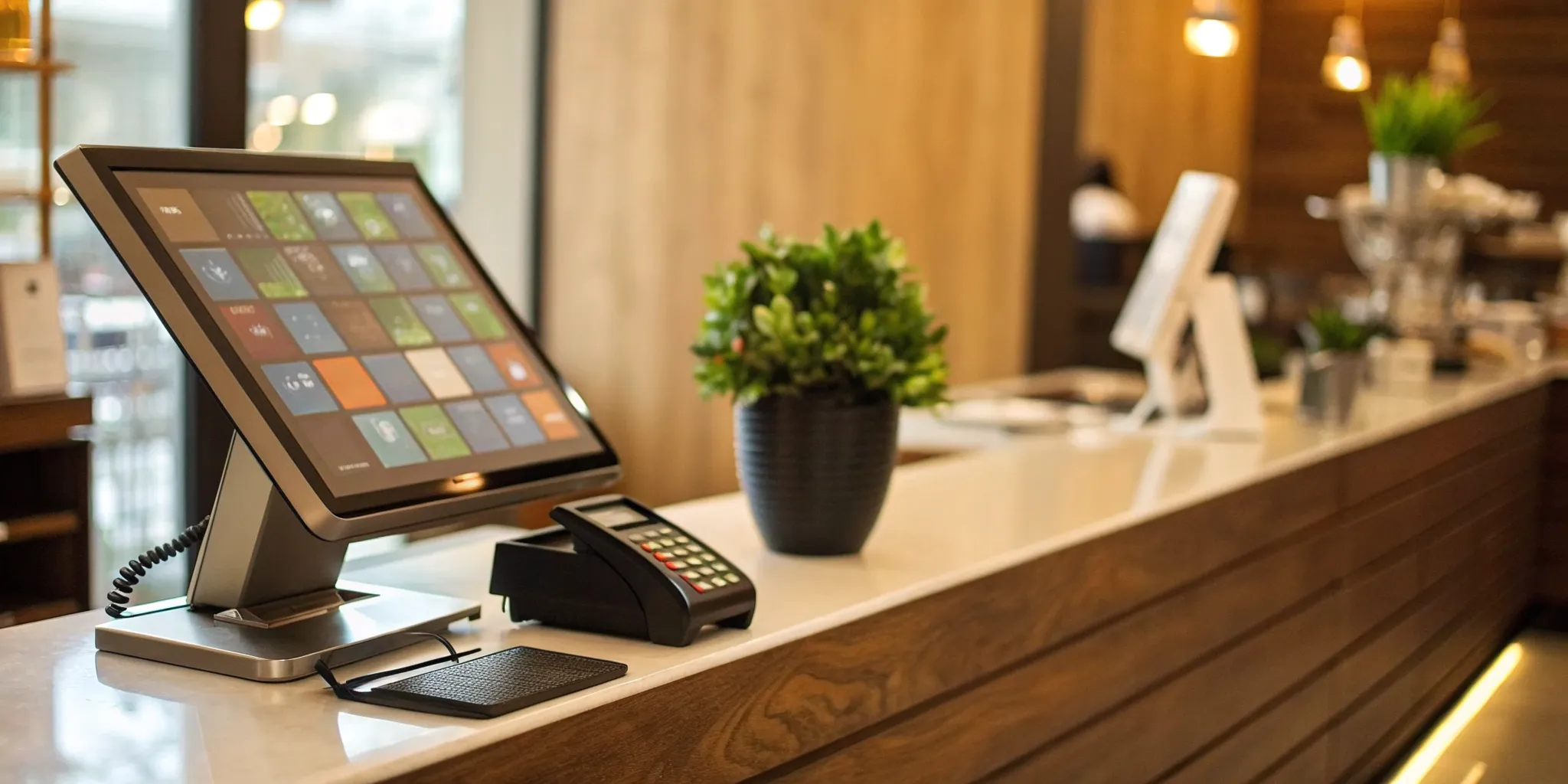
If you’re still wrestling with manual inventory counts, clunky checkout processes, and a lack of real data about your customers, your current system is holding you back. A modern point-of-sale solution is designed to solve these exact problems. It automates tedious tasks, provides clear insights into your sales trends, and helps you build stronger relationships with your shoppers. Making the switch can feel like a huge undertaking, but the payoff is a more efficient, profitable, and less stressful business. Let’s walk through what to look for so you can confidently choose the best point of sale system for your retail store.
Key Takeaways
- Focus on core business functions, not just payments: A great POS system simplifies your daily work by integrating real-time inventory tracking, customer management, and clear sales analytics to help you make smarter decisions.
- Look beyond the sticker price: The advertised monthly fee is rarely the full story. Ask direct questions about processing rates, hardware costs, and contract terms to understand the total cost and avoid expensive surprises.
- Prioritize a smooth launch and reliable support: Your system is only effective if your team can use it confidently. Choose a partner that provides thorough training and has a reputation for fast, helpful customer support to keep your business running smoothly.
What Makes a Great Retail POS System?
Choosing a point-of-sale (POS) system is one of the most important decisions you’ll make for your retail business. Think of it as the central hub for your entire operation—it’s so much more than a modern cash register. The right system doesn’t just process sales; it helps you manage inventory, understand your customers, and make smarter decisions that grow your bottom line. A great POS system brings all the critical pieces of your business together in one place, saving you time and preventing headaches down the road.
When you start comparing options, you’ll see a lot of bells and whistles. To cut through the noise, focus on the core features that truly matter for a retail environment. You need a system that is reliable, secure, and easy for you and your team to use. It should streamline your daily tasks, from ringing up a customer to tracking your best-selling products. The goal is to find a partner that simplifies your workflow, not one that adds another layer of complexity. Let’s break down the essential components that separate a basic POS from a great one.
Seamless Payment Processing
At its core, your POS system needs to make it incredibly easy for customers to pay you. A great system accepts all the ways your customers want to pay, including credit and debit cards (with chip, tap, and swipe), mobile wallets like Apple Pay and Google Pay, and even gift cards. The checkout process should be fast and flawless, because nothing sours a shopping experience faster than a clunky or slow payment terminal. Your system should ensure every transaction is smooth, helping you keep lines short and customers happy. This is a non-negotiable foundation for any retail business.
Effortless Inventory Management
Say goodbye to manual stock counts and surprise shortages. A top-tier POS system provides powerful inventory management tools that track your products in real time. It should automatically update stock levels with every sale, whether it happens in-store or online. Look for features like low-stock alerts that notify you when it’s time to reorder and sales data that shows you which items are flying off the shelves and which ones are collecting dust. This automation saves you countless hours and helps you make smarter purchasing decisions, ensuring you always have your best-sellers on hand.
Smart Customer Management (CRM)
Your customers are your most valuable asset, and a great POS helps you treat them that way. Built-in Customer Relationship Management (CRM) features allow you to create customer profiles, track their purchase history, and capture contact information like email addresses. This data is gold. You can use it to build a loyalty program that rewards repeat shoppers or send targeted marketing emails with promotions you know they’ll love. By understanding your customers’ buying habits, you can create personalized experiences that build lasting relationships and encourage them to come back again and again.
Actionable Reporting and Analytics
Making decisions based on a gut feeling can be risky. A great POS system takes the guesswork out of running your business by providing clear, actionable reports. With just a few clicks, you should be able to see your daily sales totals, identify your most profitable products, and track your busiest hours of the day. These key performance indicators (KPIs) empower you to make informed choices about everything from staff scheduling to marketing promotions. When you have easy access to your data, you can spot trends and find opportunities to grow your business more effectively.
Rock-Solid Security and Compliance
Protecting your customers’ payment information is not just good practice—it’s a requirement. A trustworthy POS system prioritizes security with features like end-to-end encryption to keep sensitive data safe from fraudsters. It must also be fully PCI compliant, which is the industry standard for handling credit card information securely. Choosing a system with robust security protects your customers, builds trust in your brand, and safeguards your business from the devastating financial and reputational damage of a data breach. Don’t ever compromise on this.
Essential Integration Capabilities
Your POS system shouldn’t be an island. It needs to work well with the other tools you rely on to run your business. Great POS systems offer seamless integrations with popular third-party software for accounting (like QuickBooks), e-commerce (like Shopify), and email marketing (like Mailchimp). When your systems can talk to each other, you eliminate the need for tedious manual data entry and reduce the risk of errors. This creates a more connected, efficient operation, giving you a complete and accurate picture of your business’s health from a single dashboard.
An Easy-to-Use, Mobile-Friendly Interface
The most powerful features in the world won’t matter if the system is a pain to use. A great POS has an intuitive, user-friendly interface that you and your employees can learn quickly with minimal training. This reduces the chance of errors at checkout and keeps things running smoothly, especially during busy periods. Modern systems also offer mobile flexibility, allowing you to process sales on a tablet or smartphone from anywhere in your store. This is perfect for busting long lines or providing a more personal, hands-on sales experience on the floor.
A Look at the Top Retail POS Systems
Choosing a point-of-sale system can feel like a huge decision, and it is! This is the central hub of your business—it’s where sales happen, inventory is tracked, and customer relationships are built. The right system can streamline your day-to-day operations, while the wrong one can cause endless headaches. To help you find the perfect match, let’s walk through some of the most popular retail POS systems on the market. We’ll look at what they do best, who they’re for, and what you need to watch out for.
MBNCard POS Solutions
While other providers offer a one-size-fits-all box, we focus on building a POS solution that fits your specific business. At MBNCard, we combine state-of-the-art hardware with flexible software tailored to your needs, whether you run a small boutique, a busy market, or a multi-location retail store. Our main goal is to make your life easier with a system that’s intuitive to use and backed by personalized support. We pride ourselves on transparent pricing, so you’ll never have to worry about the hidden fees that are common in the industry. We believe in building a partnership, which means providing you with the tools and support you need to grow without locking you into restrictive contracts.
Square POS
You’ve probably seen Square’s little white card readers everywhere, and for good reason. Square POS is known for being incredibly easy to set up and use, making it a favorite for new businesses, pop-up shops, and sellers who need to get up and running quickly. Its interface is clean and simple, and it comes with solid features right out of the box, including real-time inventory tracking and tools for both online and in-person selling. The biggest thing to know is that if you use Square’s POS, you have to use them for your payment processing, which can limit your ability to shop for better rates as you grow.
Shopify POS
If you already run your e-commerce store on Shopify, their POS system is a natural fit. It’s designed to create a seamless omnichannel retail experience, perfectly syncing your online and in-person sales, inventory, and customer data. This integration is its superpower, allowing you to manage your entire business from one platform. It’s great for managing multiple locations and staff members, with customizable features for checkout and inventory management. Keep in mind that the costs can add up as you add more advanced features or locations, and you’ll need an active Shopify subscription to use it. The processing fees can also be higher on the more basic plans.
Lightspeed Retail
Lightspeed is a powerhouse POS designed for growing retailers with more complex needs, especially when it comes to inventory. If you’re managing a large number of products, dealing with multiple suppliers, and selling across different channels, this system has the robust tools you need. It excels at connecting your physical and online stores, syncing product information and stock levels automatically. However, this power comes with a steeper learning curve and a higher price tag—there’s no free plan available. Some users have also reported that its contracts can be aggressive and that technical issues can pop up, so it’s best for established businesses ready to invest time into setup.
Clover POS
Clover is a versatile and reliable system that you’ll often see in both retail shops and restaurants. It’s a great option for established businesses that need a dependable workhorse. One of its standout features is the ability to accept payments even when your internet is down, which is a lifesaver during an outage. It also offers strong inventory tools, detailed sales reports, and 24/7 customer support. The main drawback is that you are typically locked into a specific merchant account and processor, which limits your flexibility. The hardware is also proprietary, meaning you can’t easily switch it out if you decide to change providers.
Toast POS
While Toast is primarily known as a restaurant POS, it has carved out a niche for hybrid businesses that sell both retail goods and food. Think cafes with merchandise, bakeries that sell baking supplies, or specialty grocery stores with a deli counter. Its system cleverly combines tools for both sides of the house, offering features like mobile inventory scanning and unified sales reports. The hardware is modern and built to handle a fast-paced environment. However, if you’re a pure retail business, you might find its retail-specific features aren’t as deep or robust as what competitors like Shopify or Lightspeed offer.
Revel Systems
Revel is an iPad-based POS platform that’s built for businesses that need a high degree of customization and power. It’s a feature-rich system that can handle complex operations, from detailed inventory modifiers to advanced employee management and in-depth analytics. This makes it a strong contender for larger retailers or specialty stores with unique workflows. Because it’s so comprehensive, Revel generally comes with a higher price point and requires more time for setup and training. It’s an excellent choice if you’re ready to invest in a system that can be tailored to your exact specifications and provide deep insights into your business performance.
How Do the Top Retail POS Systems Compare on Price?
Figuring out the cost of a POS system can feel like trying to hit a moving target. Prices aren’t one-size-fits-all; they depend on your business size, sales volume, and the specific features you need. Some systems offer free software and only charge for payment processing, which is great for getting started. Others have a monthly subscription fee that unlocks more advanced tools for managing inventory, staff, and customers.
On top of the software, you also have to think about hardware costs—things like card readers, receipt printers, and cash drawers. The key is to find a system that fits your current budget while also giving you room to grow. It’s not just about finding the cheapest option, but about finding the best value. A system that saves you time on inventory and provides smart sales reports can easily pay for itself. Let’s break down what you can expect to pay at different stages of your business.
Options for a Tight Budget
If you’re just starting out or running a small shop, you don’t need to spend a fortune on a POS system. Solutions like Square POS are designed for businesses on a tight budget. They often provide the basic software for free, and you only pay a flat rate for payment processing on each transaction. This model is incredibly straightforward and helps keep your initial costs low. Even with the free plan, you typically get essential features like real-time inventory tracking and the ability to manage both online and in-person sales. It’s an ideal starting point that lets you accept payments professionally without a hefty upfront investment.
Solutions for Growing Businesses
When your business starts to pick up steam, you’ll likely outgrow the free, entry-level systems. This is when it makes sense to invest in a more robust solution. Systems like Lightspeed are built for growing businesses that need to manage more complexity, like selling across a physical store and an e-commerce site. With plans starting around $89 per month, you get access to advanced tools for managing products across all your sales channels, a built-in online store, and features for handling supplier orders. This kind of system acts as a central hub for your entire operation, helping you stay organized as you scale.
Systems for Large-Scale Operations
For larger retailers, especially those with multiple locations, efficiency and control are everything. A system like KORONA POS, with plans starting around $59 per month, is designed to handle the demands of a large-scale operation. It offers powerful tools for managing multiple stores from a single dashboard, automating inventory replenishment, and generating real-time reports to track performance across all locations. One of the biggest advantages is the flexibility to choose your own payment processor. This allows you to shop around for the best rates instead of being locked into one provider, which can lead to significant savings.
Hidden Costs to Watch For
The sticker price of a POS system isn’t always the full story. It’s easy to get drawn in by a low monthly fee, only to be surprised by extra charges later on. Some of the most common complaints from business owners involve hidden costs, from unexpectedly high transaction fees to charges for customer support or essential app integrations. Before you sign any contract, make sure you get a complete picture of the pricing structure. Ask direct questions about setup fees, hardware costs, charges for additional registers or employees, and what happens if you need to cancel. A transparent partner will be upfront about all potential costs.
The Pros and Cons of Popular Retail POS Systems
Choosing a POS system can feel like a huge commitment, and it is. This system will be the central hub of your daily operations, so it’s important to understand what you’re signing up for. While many big-name POS providers offer attractive features, they often come with trade-offs that can impact your bottom line and operational freedom. Let’s break down the good, the bad, and the fine print of some of the most popular options on the market so you can see what might work for you—and what might not.
Square POS: Strengths and Weaknesses
Square is often the first stop for new and small businesses, and for good reason. Its biggest draw is the low barrier to entry; you can get started for free and only pay for payment processing. The setup is quick and the interface is famously user-friendly, making it simple to track sales and products whether you sell in-person or online. However, as your business grows, you might find its inventory management tools a bit basic. Some merchants have also run into serious issues with frozen accounts and have found it difficult to get helpful customer support when problems arise.
Shopify POS: Advantages and Limitations
If you already run a successful Shopify online store, using their POS system seems like a natural fit. It excels at syncing your products and inventory between your e-commerce site and physical locations, creating a unified sales channel. You can also customize the checkout experience to match your brand. The catch? The costs can climb quickly as you add more features, and you must maintain an active Shopify subscription to use it. Users have also pointed out some design flaws and occasional connection issues, which can be frustrating during a busy sales day.
Lightspeed: Benefits and Drawbacks
Lightspeed is built for established, growing retailers that need more muscle than what simpler systems offer. It provides powerful tools for managing inventory across multiple channels and even helps you handle supplier orders. While many users love its detailed features and user-friendly design, the system comes with a premium price tag and no free plan. Be prepared for a potentially time-consuming setup process. Some business owners have also reported issues with high fees, aggressive contracts, and frequent technical glitches, with customer service being a common point of frustration for those needing a quick fix.
Clover: Positives and Negatives
Clover is a robust system designed for established businesses that need reliability. It offers strong inventory tools, built-in sales reporting, and the ability to accept payments even when your internet is down. However, its biggest drawback is a major one: you’re typically locked into a single payment processor. This lack of flexibility can be costly and restrictive. There’s no free plan, and you’re required to sign up for a merchant account. While the system is generally easy to use, many users have voiced concerns about hidden fees and unhelpful customer service.
Common POS Headaches to Prepare For
Switching to a new point of sale system is a big step, and while it’s exciting to think about the new efficiencies and features, it’s also smart to go in with your eyes open. Like any major business upgrade, the transition comes with a few potential bumps in the road. Knowing what to expect can make the entire process smoother and less stressful. Think of it less like a list of problems and more like a pre-flight checklist—these are the common challenges you can plan for and manage from the start.
From getting your new hardware and software to play nicely together to making sure your team feels confident using the new system, a little preparation goes a long way. We’ll walk through some of the most common headaches business owners face when implementing a new POS system, including technical glitches, unexpected fees, and the all-important staff training period. By anticipating these issues, you can work with your provider to create a clear plan and keep your business running without a hitch.
Integration and Data Migration Hiccups
One of the first hurdles you might encounter is getting your new POS system to communicate with the other tools you rely on, like your accounting software or online store. At the same time, you’ll need to move all your existing data—customer profiles, sales history, and inventory lists—from your old system to the new one. This process of synchronizing hardware and software can be tricky. If not planned carefully, it can lead to delays and frustrating complications. The key is to map out all your integrations and data needs beforehand. A good POS partner will work with you to ensure a smooth transfer, preventing data loss and minimizing disruptions.
The Staff Training Curve
A new POS system changes the daily workflow for you and your team, and there’s always a learning curve. Even the most intuitive system requires some getting used to. Your staff will need time to learn the new interface, understand different transaction processes, and get comfortable with new features. To make this transition easier, look for a POS provider that offers comprehensive training resources, like video tutorials, live demos, or a dedicated support contact. Investing time in proper employee training from the start will pay off with fewer errors, faster checkouts, and a more confident team. It’s not just about learning buttons; it’s about understanding how the new tool fits into your business operations.
Technical Glitches and Downtime
Few things are more stressful for a business owner than a frozen screen or a system that goes down during a weekend rush. While technology has come a long way, technical glitches and downtime are still a possibility, especially during the initial implementation phase. A system outage can lead to lost sales and unhappy customers, so it’s critical to have a backup plan. This could be as simple as having a manual credit card imprinter on hand or a mobile app that can process payments from a phone. Before you commit to a system, ask about its uptime record and what contingency plans are in place to minimize downtime and resolve issues quickly.
Surprise Fees and Unclear Pricing
You’ve found a POS system with a great monthly price, but what’s hiding in the fine print? Unfortunately, surprise fees are a common frustration. Some providers have complex pricing structures that can obscure the true cost of the system. You might find extra charges for software updates, adding another register, integrating with third-party apps, or even for certain types of customer support. To avoid this headache, ask for a complete and transparent breakdown of every potential fee. Carefully review the contract and make sure you understand all the costs involved before you sign. A trustworthy partner will be upfront about their pricing from day one.
Slow or Unhelpful Customer Support
When a problem pops up, you need fast, effective help. The last thing you want is to be stuck on hold for an hour or talking to a support agent who can’t solve your issue. Slow or unhelpful customer support can turn a minor glitch into a major business disruption. Before choosing a POS provider, do some research on their support reputation. What are their hours of operation? Do they offer support via phone, email, and chat? What are their guaranteed response times? Having access to reliable, 24/7 customer support isn’t a luxury—it’s a necessity for keeping your business running smoothly and giving you peace of mind.
How to Avoid Common POS System Problems
Switching to a new POS system is a big step, and while it can transform your business, the transition isn’t always seamless. Many business owners run into the same frustrating, and often costly, roadblocks. The good news is that with a little foresight, you can sidestep these common issues entirely. It all comes down to planning ahead and knowing what to look for. By being proactive, you can ensure your new system is a powerful asset from day one, not a source of stress.
Plan for a Smooth Implementation
A chaotic launch day can hurt your sales and frustrate your team. The best way to prevent this is to create a detailed implementation plan. Start by scheduling the transition during a slower business period to give yourself a buffer. Map out every step, from transferring product data and customer information to setting up the hardware on your counter.
Your goal is to integrate the new system with your existing workflows as seamlessly as possible. Test everything thoroughly before you go live. Can it connect to your receipt printer? Does it sync with your accounting software? Answering these questions beforehand prevents major disruptions when you have a line of customers waiting.
Train Your Team Effectively
Your POS system is only as good as the people who use it every day. If your staff feels confused or intimidated by the new technology, it can lead to slower checkouts, incorrect orders, and a poor customer experience. Proper training is non-negotiable. Schedule dedicated time to walk your team through the new system’s core functions.
Beyond a single training session, consider creating simple cheat sheets for common tasks and placing them near the terminal. Involving your team early in the selection process can also help them feel more invested. When your employees are confident using the new tools, they can focus on what they do best: serving your customers. Effective change management is key to a successful rollout.
Have a Backup Plan for Tech Issues
Technology is powerful, but it isn’t foolproof. Your internet connection can drop, a card reader can malfunction, or a software update can cause a temporary glitch. Instead of panicking when this happens, have a solid backup plan in place. What will you do if your system goes offline during a Saturday rush?
This might mean having a mobile hotspot ready to go or using a cellular-enabled tablet as a backup terminal. Some businesses even keep a manual credit card imprinter for emergencies. The key is to have a clear business continuity plan that allows you to continue processing sales no matter what. This foresight ensures a minor technical hiccup doesn’t turn into a major financial loss.
Review Contracts and Fees Carefully
This is where many business owners get stuck with unexpected costs. A POS provider might advertise a low monthly rate, but the contract can hide a web of additional charges. Before you sign anything, read every single line of the agreement. Make a list of questions and don’t be afraid to ask for clarification on every fee.
Ask about payment processing rates, monthly software fees, hardware rental costs, PCI compliance fees, and, most importantly, early termination fees. A reputable provider will be transparent about their pricing structure. Understanding the terms of your contract protects your bottom line and ensures you won’t be surprised by your monthly statement.
Which POS System Is Right for Your Business Size?
The perfect point of sale system isn’t one-size-fits-all. The features a single-location boutique needs are vastly different from what a growing multi-state retailer requires. Your business size, sales volume, and future growth plans are the biggest factors in finding the right fit. Let’s break down some of the top contenders based on where your business is today and where you want it to go.
Best for Small Shops (1-2 locations)
If you’re running a small shop or just getting started, you need a system that’s simple, reliable, and won’t break the bank. Square POS is often highly recommended for this reason. It’s incredibly user-friendly, and you can get started for free, only paying for payment processing. The setup is straightforward, letting you manage both in-person and online sales from one place. Real-time inventory tracking is a huge plus, helping you avoid overselling popular items. For new business owners, Square offers a powerful yet uncomplicated entry into the world of POS systems.
Best for Growing Businesses (3-10 locations)
When your business starts to expand, you need a POS that can grow with you. Lightspeed is designed for exactly this stage. It’s a robust system built for retailers who are managing inventory across multiple stores and an e-commerce site. Starting at around $89 per month, it gives you powerful tools to manage products across all your channels, handle purchase orders, and manage supplier relationships. If you’re juggling more locations and a growing product catalog, Lightspeed provides the centralized control you need to keep everything running smoothly.
Best for Large Retailers (10+ locations)
Managing a large retail operation with ten or more locations requires a heavy-duty POS system. KORONA POS is an excellent choice for larger businesses, offering advanced tools for multi-store management. It provides automatic inventory syncing and real-time reporting across all your locations, giving you a clear view of your entire operation. A key advantage of KORONA is that it allows you to choose your own payment processor. This flexibility can lead to significant savings and lets you partner with a provider that best suits your business needs, rather than being locked into a single option.
What If You Run a Specialty Store?
Specialty stores, especially those with a strong online presence, have unique needs. If you’re already using Shopify for your e-commerce store, Shopify POS is a natural fit. Starting at just $5 per month, it seamlessly integrates your online and physical sales channels. This means your inventory, customer data, and sales reports are all unified in one system. It comes with essential retail features like barcode printing and tools for managing purchase orders and stock adjustments, making it a smart, streamlined choice for modern specialty retailers.
Questions to Ask Before You Choose a POS System
Choosing a point-of-sale system is a major decision for your business. Think of it as hiring a new team member who will handle your sales, inventory, and customer data—you want to make sure you get it right. Before you sign any contracts, it’s essential to do your homework and ask some direct questions. This ensures you find a partner that truly fits your needs and can support you as you grow.
Your Pre-Purchase Checklist
Every business is unique, but there are some core features every great POS system should have. As you compare your options, make sure you can check off these boxes. Look for a system with robust tools for sales and payment processing, inventory management, and customer relationship management (CRM). You’ll also want a system that provides clear reports and analytics to help you make smarter business decisions. Don’t forget to confirm that it offers strong security, is compatible with your existing hardware, and syncs your online and in-store operations for a true omnichannel experience.
Questions About Contracts and Pricing
Pricing and contracts are often where businesses get tripped up by the fine print. Don’t be afraid to ask pointed questions about the terms. Find out if you’re required to sign a long-term contract or if they offer more flexible month-to-month options. Ask for a complete breakdown of all potential fees, including transaction fees, monthly software costs, and any charges for hardware or additional features. Some providers offer plans where you only pay when you process a payment, which can be a great starting point for new businesses. The goal is to find a provider with transparent pricing and no unpleasant surprises.
Questions About Support and Training
When your technology hits a snag, you need to know that help is available right away. Before committing, ask about the provider’s customer support. Is it available 24/7? Can you reach a real person by phone, or is it limited to email or chat? It’s also wise to ask if the system can operate in an offline mode, which allows you to keep making sales even if your internet connection goes down. A reliable support team and a resilient system are crucial for keeping your business running smoothly, no matter what happens.
Questions About Scalability and Growth
The POS system you choose today should be able to support your vision for tomorrow. Think about your long-term goals and ask if the system can grow with you. Can it easily handle multiple locations, an expanding team, or a growing product line? As your business scales, your needs will change, so you want a solution that can adapt without requiring a complete overhaul. While it’s important to stick to your budget, choosing a system that can scale with your business is a smart investment in your future success.
Related Articles
- The Ultimate Guide to Point of Sale Systems
- 5 Point of Sale Examples From Top Industries
- Restaurant Point of Sale POS System: A Buyer’s Guide
Frequently Asked Questions
Why is being “locked in” to a specific payment processor such a big deal? When a POS system requires you to use their built-in payment processor, you lose the power to shop around for better rates. As your business grows and you process more sales, those transaction fees really add up. Being locked in means you can’t switch to a more affordable provider who might offer better pricing or service. It essentially removes your negotiating power and can cost you a lot of money over time.
I’m just starting out. Do I really need all these features like CRM and advanced reporting? It’s easy to get overwhelmed by all the features, but you don’t need to use everything on day one. When you’re starting, focus on the absolute essentials: a system that makes taking payments fast and easy, and one that accurately tracks your inventory. Think of features like customer management (CRM) and detailed analytics as tools that will become more valuable as you grow. The key is to choose a system that has these capabilities ready for you when you need them.
How much time should I set aside for training my staff on a new system? The time it takes depends on the system’s complexity and your team’s comfort with new technology. Instead of focusing on a specific number of hours, plan for a smooth process. Schedule a dedicated training session during a slow business period, well before you go live. A great POS system should be intuitive enough for your team to pick up the basics in an afternoon. Creating a simple “cheat sheet” with common functions and placing it by the register can also make the first few weeks much easier.
Can I use my existing hardware, like my iPad or receipt printer, with a new POS system? This is a great question to ask potential providers right away, as the answer varies. Some POS systems are very flexible and designed to work with standard hardware like iPads, laptops, and common printer models. Others require you to purchase or lease their proprietary equipment, which can be a significant extra cost. Confirming hardware compatibility upfront is a simple way to protect your budget and avoid surprises.
What’s the single biggest mistake business owners make when choosing a POS system? The most common mistake is focusing only on the low monthly software fee while ignoring the total cost of ownership. Many business owners get drawn in by a tempting price, only to be hit with high payment processing rates, hidden fees for support or integrations, and steep hardware costs. Always read the contract carefully and ask for a complete breakdown of every single charge before you commit.