Let’s talk about the cost of new equipment. It’s easy to see a new card reader as just another expense on a long list. However, the real question is: what’s the cost of not upgrading? Sticking with an old magnetic stripe reader leaves your business vulnerable to counterfeit card fraud, and under the liability shift rules, you could be on the hook for the entire amount. A single fraudulent chargeback could easily cost more than the hardware itself. Think of an EMV card reader for small business not as a cost, but as an essential investment in your financial security. This guide will break down the real costs, from hardware to fees, so you can make a smart, informed decision that protects your bottom line.
Key Takeaways
- Adopt EMV to avoid fraud costs: Using an EMV reader is your best defense against counterfeit card fraud. It protects your business from being held financially responsible for fraudulent charges, directly safeguarding your revenue.
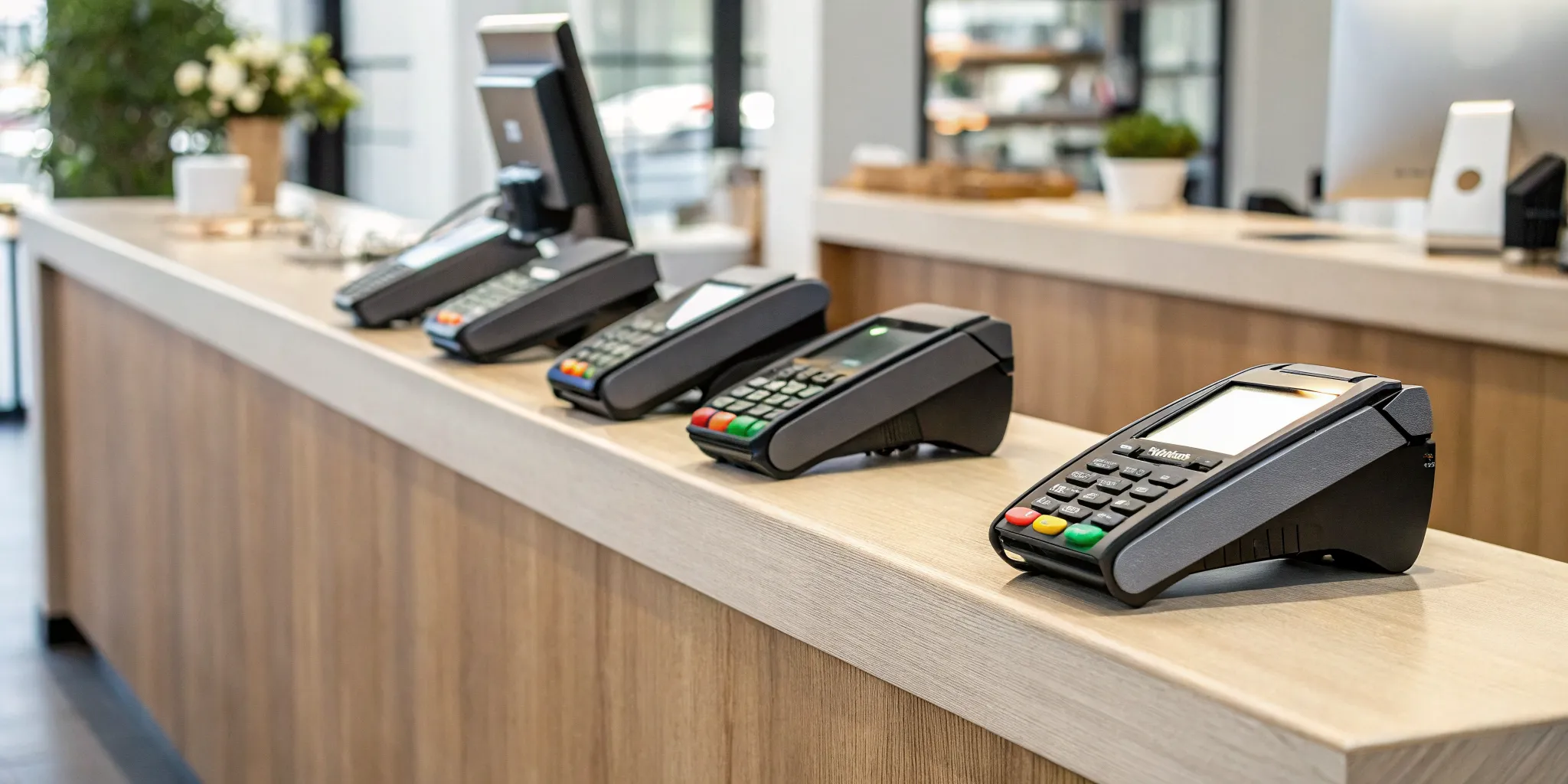
- Choose a reader that fits your workflow: The best device depends on how you operate. Consider if you need a portable reader for on-the-go sales, a stationary terminal for a busy counter, or an all-in-one system to manage inventory and sales together.
- Look beyond the hardware for a successful launch: A smooth transition requires preparing your team to use the new system and understanding the full cost. Focus on training your staff and getting a clear breakdown of all transaction and software fees before you commit.
What is an EMV Reader (and How Does It Work)?
If you’ve ever “dipped” your credit card into a terminal instead of swiping it, you’ve used an EMV reader. EMV stands for Europay, Mastercard, and Visa, the three companies that originally developed the global standard for chip-based card transactions. An EMV payment is simply any transaction you process using a chip-enabled card through a compatible POS system.
Think of the small, metallic square on the front of modern credit and debit cards. That’s the EMV chip, and it’s a tiny but powerful computer. Unlike the old magnetic stripes that stored static, unencrypted data, this chip creates a unique, one-time-use code for every single transaction. This process makes it incredibly difficult for fraudsters to counterfeit cards or steal payment information from a single purchase.
An EMV reader is the device designed to communicate with this chip. When a customer inserts their card, the reader powers up the chip and facilitates a secure conversation between the card and the payment processor to verify the transaction. It’s a fundamental shift in how payments are secured, moving from a vulnerable, static system to a dynamic and encrypted one. For business owners, accepting EMV payments is no longer just a good idea; it’s a critical part of protecting your business and your customers.
How EMV Chip Technology Works
The magic of EMV technology lies in a process called dynamic data authentication. When a customer inserts their chip card into your EMV reader, the chip and the terminal work together to create a unique transaction code that can only be used once. This code is encrypted, which helps protect against in-store payment fraud.
Even if a fraudster managed to intercept that transaction data, it would be useless for making future purchases because the code is never repeated. This is a massive security upgrade from the magnetic stripe, which contains unchanging data that can be easily copied. The reader verifies the card is legitimate and the transaction is secure before sending it for approval, all in a matter of seconds.
EMV vs. Magnetic Stripe: What’s the Difference?
The biggest difference between EMV and magnetic stripe technology is security. A magnetic stripe on the back of a card holds your sensitive payment information in a static format. This makes it a prime target for “skimming,” where thieves use a device to steal the data and create counterfeit cards. The fraud risk is much higher on magnetic stripe cards because the data never changes.
In contrast, an EMV chip generates a new, dynamic code for every sale. This makes the card data worthless to criminals if stolen during a transaction. While many countries use a “chip and PIN” system for an extra layer of security, the U.S. primarily adopted “chip and signature.” However, the core security benefit comes from the chip itself, which is designed specifically to prevent fraudulent transactions.
Why Your Small Business Needs an EMV Reader
Switching to an EMV reader might feel like just another tech upgrade, but it’s one of the most important moves you can make to protect your business. Beyond simply accepting modern credit cards, an EMV-compliant terminal is your first line of defense against fraud, a shield against costly liability, and a clear signal to your customers that you take their security seriously. If you’re still swiping magnetic stripes, it’s time to understand what you’re missing out on. Think of it less as an expense and more as an essential investment in your business’s financial health and reputation.
Protect Your Business from Fraud
The biggest reason to adopt EMV technology is security. Old-school magnetic stripe cards contain static data, meaning the same information is used for every transaction. This makes them easy targets for cloning. EMV chip cards, on the other hand, are much smarter. They hold encrypted data and create a unique, one-time-use code for every single purchase. This process makes it incredibly difficult for fraudsters to counterfeit cards and use them in your store. By using an EMV reader, you’re adding a powerful layer of security that helps prevent in-store payment fraud and protects your hard-earned revenue.
Understand the Liability Shift
Years ago, if a fraudulent transaction occurred, the card-issuing bank typically absorbed the cost. That’s no longer the case. Thanks to a policy known as the “liability shift,” the responsibility for certain types of counterfeit fraud now falls on the party with the least secure technology. If a customer pays with a chip card but you can only swipe it, your business could be held financially responsible for any fraudulent charges. To protect yourself, you need to process the payment as an EMV transaction by “dipping” the card. An EMV reader isn’t just a convenience; it’s your protection against shouldering the costs of fraud.
Build Customer Trust and Meet Expectations
In today’s market, customer perception is everything. Shoppers have come to expect modern payment options, including dipping a chip card or using contactless payments. When they see an up-to-date EMV reader on your counter, it instantly makes your business look more professional and trustworthy. It shows you’re current with technology and serious about protecting their financial information. Offering a smooth and secure checkout experience meets modern standards and helps build the kind of customer confidence that leads to repeat business. It’s a small touch that makes a big difference.
What to Look For in an EMV Card Reader
Choosing an EMV card reader isn’t just about finding a device that accepts chip cards. It’s about selecting a tool that fits seamlessly into your daily operations, protects your business, and makes the checkout process smooth for your customers. With so many options available, it’s easy to feel overwhelmed by the technical specs and pricing models. The key is to simplify your search by focusing on a few core features that directly impact your efficiency, security, and bottom line.
Think about your specific business environment. Do you run a busy coffee shop with a line out the door, a mobile dog grooming service, or a boutique retail store? The right reader for a food truck will be different from the one best suited for a multi-station salon. A clunky, stationary terminal won’t work if you need to take payments on the go, and a simple mobile reader might not be enough for a high-volume retail shop. By evaluating your unique needs against these key criteria, you can find a device that not only processes payments but also supports your business’s growth. Let’s break down exactly what you should be looking for.
Compatibility with All Payment Types
Your customers expect to pay how they want, and you can’t afford to turn away a sale because your hardware is outdated. The best EMV readers are versatile, allowing you to accept every common payment method. This includes traditional magnetic stripe cards, EMV chip cards, and increasingly popular contactless payments like Apple Pay and Google Pay. Offering this flexibility shows your customers that you value their convenience, which helps build loyalty and ensures you never miss out on a transaction. Make sure any reader you consider can handle all three to future-proof your checkout process.
Portability and Design
How and where you take payments matters. If you’re a vendor at a farmers market or a contractor who works at clients’ homes, you need a reader that’s lightweight, durable, and can easily connect to your smartphone or tablet. Many modern card readers are designed for this kind of mobility. Even in a traditional retail or restaurant setting, a portable reader can be a game-changer. It allows you to process payments tableside, bust long lines during peak hours, or simply maintain a clean, minimalist countertop. Consider a reader’s size, battery life, and connectivity options (like Bluetooth or Wi-Fi) to find one that matches your workflow.
Security and Compliance Features
Security is the single most important reason to use an EMV reader. An EMV payment uses an encrypted chip to create a unique transaction code, making it incredibly difficult for fraudsters to clone card information. This technology is your first line of defense against counterfeit card fraud. Under the liability shift rules, if you process a fraudulent chip card using only the magnetic stripe, your business could be held responsible for the loss. By using a compliant EMV reader for every transaction, you protect your revenue from chargebacks and show customers that you take their data security seriously.
Integration with Your Current Software
Your card reader shouldn’t operate in a silo. It needs to communicate effectively with the other software you rely on to run your business, especially your point-of-sale (POS) system. A well-integrated system streamlines your operations by automatically syncing sales data with your inventory and customer records. Some advanced models, like an all-in-one handheld credit card reader, can even scan barcodes and print receipts directly from the device. Before you commit, confirm that the reader is compatible with your existing POS, accounting, or inventory management software to avoid headaches and manual data entry down the road.
Comparing Popular EMV Readers for Small Businesses
Choosing the right EMV reader feels like a big decision, but it doesn’t have to be complicated. The best device for your business depends entirely on how you operate. Do you need something that fits in your pocket for farmers markets and client homes, or a robust system for a busy storefront that can handle inventory and print receipts? The market is full of great options, but they’re designed for different types of entrepreneurs.
Before you dive into specific models, think about your daily workflow. A mobile reader that pairs with your phone is perfect for on-the-go sales, while a countertop terminal offers more stability and features for a permanent checkout counter. Some devices are simple payment takers, while others are powerful all-in-one systems that manage your entire business. We’ll walk through some of the most popular options to help you see what’s out there and find the perfect fit for your payment processing needs.
MBNCard EMV Solutions
When you partner with a dedicated payment solutions provider like MBNCard, you get more than just a piece of hardware. We focus on finding the right EMV reader for your specific business, whether you run a bustling restaurant or a boutique retail shop. Our approach is to provide you with a secure, reliable terminal that integrates seamlessly with your operations. We offer a range of modern POS systems and terminals designed for speed and security, ensuring you can accept chip cards, contactless payments, and mobile wallets without a hitch. Plus, you get the benefit of our personalized support and transparent pricing structures, like our cash discount program.
Square Reader for Contactless and Chip
Square is a familiar name, especially for mobile businesses. Their compact reader for contactless and chip cards is known for its simplicity, pairing directly with your smartphone or tablet to accept payments anywhere. It’s a great starting point for new businesses, freelancers, or anyone who makes sales on the go. For those needing a more stable connection, Square also offers terminal options that come with a pre-loaded SIM card. This allows you to process payments without relying on Wi-Fi, which is a lifesaver at outdoor markets or events with spotty internet.
Clover Flex All-in-One System
If you’re looking for a device that does more than just take payments, the Clover Flex is a powerful contender. This handheld, all-in-one system combines a card reader with full point-of-sale functionality. You can manage inventory, track sales, and run reports right from the device. Its versatility makes it a favorite among a wide range of businesses, from retail stores and quick-service restaurants to service providers who need to take payments in the field. The Clover Flex is essentially a complete business management tool that fits in the palm of your hand.
PayPal Zettle Reader
For businesses already integrated into the PayPal ecosystem, the Zettle reader (formerly PayPal Here) is a natural choice. This card reader connects smoothly with your PayPal Business account, depositing funds quickly and keeping all your online and in-person sales in one place. The reader itself is sleek, portable, and straightforward to use, accepting chip and contactless payments with ease. It’s an excellent option for merchants who want to unify their payment systems and leverage the trust and familiarity of the PayPal brand to provide a smooth checkout experience for their customers.
SumUp Air Card Reader
SumUp is built on a foundation of simplicity and affordability, making it a fantastic option for micro-businesses and sole proprietors. The SumUp Air reader is a small, no-fuss device that connects to your smartphone via Bluetooth. There are no monthly fees or long-term contracts; you simply pay a flat rate per transaction. This straightforward pricing is ideal for businesses with fluctuating sales volumes or those who are just starting to accept card payments. If you need a reliable, budget-friendly way to accept EMV payments without the commitment, SumUp is definitely worth a look.
How Much Does an EMV Reader Really Cost?
When you’re thinking about getting an EMV reader, it’s easy to focus on the price of the little machine itself. But the true cost is more than just the hardware. To get a clear picture of your investment, you need to look at the complete cost structure, which includes the initial purchase, ongoing transaction fees, and any monthly software or service charges. Some providers might offer a “free” reader, but that cost is often absorbed into higher processing rates, which can hurt your bottom line over time.
Understanding these different cost components is the first step to finding a solution that’s both secure and affordable. The goal is to protect your business from fraud without getting locked into a contract filled with confusing charges and unexpected expenses. A good payment partner will be transparent about all potential costs, helping you see exactly what you’re paying for. We’ll break down each part of the cost so you can make an informed decision for your business.
Upfront Hardware Costs
The most straightforward cost is the price of the EMV reader itself. This one-time expense can range from under a hundred dollars for a simple mobile reader to several hundred for a more advanced, all-in-one system like the Clover Flex. The price depends on the features you need, such as portability, receipt printing, or a built-in scanner.
While it might be tempting to put off this purchase, the rising threat of card-present fraud makes it a necessary investment. Upgrading your hardware is one of the most effective ways to protect your business from fraudulent chargebacks. Think of it not as an expense, but as an essential piece of security equipment that safeguards your revenue and builds trust with your customers.
Per-Transaction Processing Fees
After the initial hardware purchase, your main ongoing cost will be per-transaction processing fees. It’s important to know that the fee you pay isn’t different just because you’re accepting a chip card. The rates are determined by the card type (debit, credit, rewards) and how the transaction is processed, not the technology itself.
Be cautious of providers who offer a free card reader. Often, this deal comes with higher transaction fees that will cost you much more in the long run. A slightly higher upfront cost for hardware could save you thousands in processing fees over the years. Always compare the effective processing rate between providers, not just the price of the reader.
Monthly Service and Software Fees
Many EMV systems come with monthly fees that cover software, security, and support. These charges can be a point of frustration for business owners, especially if they aren’t clearly explained. These fees often cover essential services like payment gateway access, PCI compliance tools, and the software that integrates your reader with your point-of-sale (POS) system.
While no one likes another monthly bill, these services are what keep your payment system running smoothly and securely. Integrating EMV technology with your existing setup can be complex, and a good software package simplifies that process. When evaluating providers, ask exactly what their monthly fee includes to ensure you’re getting value and not just paying for unnecessary add-ons.
Hidden Fees to Watch Out For
The most frustrating costs are the ones you don’t see coming. Some processors include hidden fees in their contracts that can catch you by surprise. These might include annual PCI compliance fees, statement fees, or early termination fees if you decide to switch providers. Sometimes, what seems like a simple hardware setup requires additional payment gateway integrations that come with their own costs.
To avoid this, always ask for a complete schedule of fees in writing before signing a contract. A transparent partner will be upfront about every potential charge. Pay close attention to the fine print and don’t be afraid to ask questions. Your payment processor should be able to explain every line item on your statement clearly.
Which EMV Reader is Right for Your Business?
The best EMV reader for your business depends entirely on how you operate. A mobile groomer has very different needs than a bustling coffee shop or an online boutique with a pop-up location. Instead of searching for a one-size-fits-all solution, think about your specific sales environment. To help you decide, let’s look at the three main categories of EMV readers: mobile, countertop, and all-in-one systems.
Mobile Readers for On-the-Go Sales
If your business is always on the move, a mobile EMV reader is your best friend. Perfect for food trucks, market vendors, contractors, and any service provider who travels to clients, these devices are designed for portability. They are typically small, lightweight, and connect wirelessly to a smartphone or tablet. You can easily slip one in your pocket and accept secure chip card payments anywhere you have a cell signal. Options like the Square Reader for contactless and chip pair directly with your phone, while handheld terminals like the Clover Flex offer a bit more functionality in a compact package. This flexibility allows you to make sales and get paid on the spot, without being tied to a storefront.
Countertop Readers for Brick-and-Mortar Shops
For businesses with a dedicated checkout area, like retail boutiques, cafes, or salons, a countertop reader is the standard. These devices are built to be more stationary and robust, handling a high volume of daily transactions with ease. They often offer more features than their mobile counterparts, such as built-in receipt printers and customer-facing displays that show transaction details and prompt for a tip or signature. A versatile device like the Clover Flex can work as a powerful countertop tool that also scans barcodes, while systems like the Square Register provide two screens to create a smooth checkout experience for both your staff and your customers.
All-in-One Systems for Complete Control
If you need more than just a simple payment processor, an all-in-one system is the way to go. These are complete point-of-sale (POS) solutions that combine hardware with powerful software to help you manage your entire business. Beyond accepting EMV, magstripe, and contactless payments, these systems can track inventory, manage employee schedules, run sales reports, and build a customer database. For businesses that sell both in-person and online, a solution like Shopify POS is fantastic because it integrates your physical and e-commerce operations into one unified platform. This gives you a complete picture of your business and the tools you need to grow efficiently.
Choosing the Best EMV Reader for Your Industry
The perfect EMV reader for a bustling coffee shop isn’t always the right fit for a freelance photographer or a boutique clothing store. Every industry has its own rhythm, its own customer flow, and its own unique challenges at the point of sale. A plumber needs to take payments in a customer’s home, while a restaurant needs a device that can handle spills and split checks without slowing down service. Thinking about your specific business environment is the first step to finding a card reader that feels like a natural extension of your operations.
Instead of just picking the cheapest or most popular option, consider what your daily transactions actually look like. Do you need something that can move around the store with your staff? Does it need to integrate with complex inventory software? Or do you just need a simple, reliable way to accept cards at a farmer’s market on the weekend? Understanding these nuances will help you choose a device that not only secures transactions but also makes your workday smoother and your customers happier. This guide will walk you through the key features that matter most for different types of businesses, so you can find the perfect match.
Needs for Retail Stores
In a retail setting, the checkout counter is the final touchpoint of the customer experience. You need a process that’s fast, smooth, and error-free. A good EMV reader for your shop should easily connect with your existing point-of-sale (POS) system, allowing it to sync with barcode scanners, cash drawers, and receipt printers. This keeps your inventory and sales data accurate without any extra work.
Look for a versatile device that can handle a steady stream of customers during peak hours. Handheld readers like the Clover Flex are great for line-busting, letting your associates check people out anywhere on the sales floor. This simple move can make a huge difference in customer satisfaction, especially during busy seasons.
Needs for Restaurants and Food Service
The restaurant world is fast-paced and demanding, and your payment hardware needs to keep up. Spills, drops, and spotty Wi-Fi are all part of a normal day. That’s why durable, spill-proof readers with long battery life are essential. A device like the Clover Flex is built for this environment, offering the toughness you need for both front-of-house and patio service.
Beyond durability, your reader should simplify common restaurant tasks. Look for features that allow for easy tip adjustments, splitting bills between multiple cards, and keeping tabs open. An offline mode is also a lifesaver, ensuring you can still process payments even if your internet connection temporarily goes down. This reliability keeps tables turning and customers satisfied.
Needs for Service-Based Businesses
If your business operates on the go, you need a payment solution that travels with you. Plumbers, electricians, personal trainers, and consultants all need the ability to accept secure payments at a client’s home, office, or job site. The key here is portability. Look for a lightweight, compact EMV reader that pairs with your smartphone or tablet via Bluetooth.
These mobile readers turn your phone into a fully functional POS system, allowing you to process chip cards, contactless payments, and digital wallets from anywhere. Many mobile payment apps also let you send professional invoices and digital receipts on the spot, which helps you get paid faster and keeps your bookkeeping organized without a pile of paperwork.
Needs for Market Vendors and Pop-Ups
For market vendors, festival sellers, and pop-up shops, flexibility is everything. You need an EMV reader that is easy to set up, pack up, and use in environments that might not have reliable power or Wi-Fi. A small, battery-powered reader that connects to your phone’s cellular data is your best friend. This ensures you can make sales and provide a professional checkout experience, no matter where you set up shop.
When choosing a reader, think about simplicity and reliability. Your goal is to securely accept all major payment types without a complicated setup. This allows you to focus on what you do best: connecting with customers and selling your products. It’s the perfect way to expand an online store into the physical world.
What to Expect When You Get Your EMV Reader
Switching to an EMV reader is a fantastic move for your business, but it’s more than just plugging in a new device. A little preparation goes a long way in making the transition smooth for you, your team, and your customers. Knowing what’s ahead helps you handle any bumps in the road and get the most out of your new system from day one. Let’s walk through the key steps, from setup and software integration to training your staff and answering customer questions.
Solve Common Setup Challenges
Let’s be real: upgrading your payment hardware can feel like a big expense, especially for a small business. While there are upfront costs to consider, think of it as an investment in security and customer trust that pays off in the long run. The best way to manage this is to plan ahead. Before you buy, map out a clear budget for your technology needs to understand the full picture. At MBNCard, we focus on affordable solutions, so you can protect your business without breaking the bank. We’ll help you find a reader that fits your budget and saves you money on processing fees over time.
Integrate with Your Existing Systems
Your new EMV reader needs to work seamlessly with the tools you already use, like your point-of-sale (POS) system or accounting software. Getting everything to communicate correctly isn’t always as simple as plugging it in. To avoid headaches, confirm compatibility before you make a purchase. A great payment partner will guide you through the process of integration and offer support to make sure your sales, inventory, and payment data all sync up perfectly. This ensures your daily operations continue to run smoothly without any frustrating interruptions at the checkout counter.
Get Your Team Up to Speed
A new card reader means a slightly different checkout process, so your team needs to be ready. The most important first step is making sure your staff can spot an EMV card and guide customers to “dip the chip” instead of swiping. Hold a brief training session before the new reader goes live. Run a few practice transactions so everyone feels confident. You can even create a small cheat sheet to keep by the register. A well-prepared team creates a fast, professional checkout experience that keeps your customers happy and the line moving.
Prepare for Customer Questions
Your customers will notice the change, and they might have questions. They may wonder why they have to leave their card in the reader or what the new process is for. Train your staff to provide simple, reassuring answers. A great response is: “We’ve upgraded our system to better protect your card information. It’s a more secure way to pay.” This shows you’re proactive about their security. It’s also a good time to understand the EMV liability shift, which protects you from certain types of counterfeit fraud when you use an EMV reader.
How EMV Readers Protect Your Business from Fraud
When you invest in an EMV reader, you’re doing more than just upgrading your hardware. You’re adding a powerful layer of security that protects your business, your customers, and your hard-earned revenue. Fraud is a constant threat for small businesses, but EMV technology is one of your strongest defenses against it. Each time a customer dips their chip card, a unique, one-time transaction code is created. This process makes it incredibly difficult for fraudsters to create counterfeit cards and use stolen data in your store.
Think of it as a digital handshake between the card and your terminal. The chip proves the card is legitimate, stopping counterfeit fraud in its tracks. This is a huge step up from the old magnetic stripes, which contained static data that could be easily copied. By adopting EMV technology, you not only secure your transactions but also show your customers that you take their data security seriously. It’s a simple change that has a major impact on your business’s financial health and reputation.
How Encryption and Tokenization Keep Data Safe
It’s important to understand that EMV’s main job is to verify that a card is authentic, which stops counterfeit fraud. But what about protecting the card data as it travels through your system? That’s where encryption and tokenization come in. A secure payment solution combines EMV with these technologies for complete protection.
Encryption scrambles sensitive card information into an unreadable code during the transaction. Tokenization then replaces that data with a unique, non-sensitive placeholder, or “token.” This means even if a data breach were to happen, the thieves would only get useless tokens, not your customers’ actual card numbers. Together, these features ensure card data is protected from the moment it’s captured until the transaction is complete.
Stay PCI Compliant
Handling credit card information means you have to follow the Payment Card Industry Data Security Standard (PCI DSS). These are the rules of the road for keeping cardholder data safe. Using an EMV-compliant card reader is a critical part of meeting these standards. When an EMV card is used, the chip’s encrypted data helps secure the transaction against in-store fraud.
By using modern, compliant hardware, you demonstrate that you’re taking the necessary steps to protect customer information. This not only helps you avoid hefty fines and penalties associated with non-compliance but also reinforces your reputation as a trustworthy business. A secure payment processing partner can help ensure your entire setup meets PCI requirements.
Reduce Your Chargeback Risk
Chargebacks can be a major headache for any business owner. They happen when a customer disputes a charge, forcing a refund. One of the most common reasons for chargebacks is fraudulent transactions. This is where your EMV reader becomes a financial lifesaver. Thanks to the liability shift, businesses that don’t use EMV readers are typically held responsible for any in-person counterfeit card fraud.
Simply put, processing chip cards with an EMV reader helps shield your business from the liability of fraudulent transactions. It can be far less expensive to accept EMV cards than to risk paying for costly chargebacks. Investing in an EMV reader isn’t just about security; it’s a smart financial move that protects your bottom line.
How to Train Your Team to Use an EMV Reader
Switching to a new EMV reader is a great move for your business, but the hardware is only half the equation. Your team is on the front lines, and how they handle the new technology directly impacts your customer experience and security. Proper training ensures every transaction is smooth, fast, and secure, which keeps your customers happy and your business protected.
Before you even unbox the new terminal, set aside time to walk your staff through the changes. The first step is simply teaching them to recognize EMV chips on cards so they can guide customers correctly. Make sure everyone understands the new process for transactions, returns, and chargebacks. When your team feels confident, they can handle customer questions with ease and keep the checkout line moving. A little preparation goes a long way in making the transition feel like a simple upgrade rather than a major hurdle. Investing in this training helps everyone feel comfortable and keeps your operations running without a hitch.
Processing an EMV Transaction Step-by-Step
The biggest change for your team and customers is the switch from swiping to dipping. It’s a simple change, but it’s crucial for protecting your business from fraud. To process an EMV transaction, guide the customer to insert their card into the reader, chip-first. The card must stay in the terminal for the entire transaction while the chip and the reader communicate.
Your POS system will display prompts for the customer to follow, like entering a PIN or signing. Once the transaction is approved, the terminal will signal that it’s safe to remove the card. Remind your staff not to pull the card out for the customer. This simple, step-by-step process is key to getting the full security benefits and avoiding liability for fraudulent charges.
Troubleshooting Common Errors
Even with the best technology, occasional errors can happen. Equipping your team to handle them quickly prevents a minor hiccup from becoming a major frustration for your customers. The most common issue is a failed read. If a transaction doesn’t go through, train your staff to first check if the card was inserted correctly and all the way.
If that doesn’t work, they should check that the reader is properly connected and powered on. Sometimes, a simple reboot of the terminal can solve the problem. It’s also a good practice to regularly check that your software is up to date, as updates often include bug fixes. By creating a simple troubleshooting checklist, you empower your team to solve problems independently and keep the checkout process seamless.
Creating a Fast and Smooth Checkout Process
A smooth checkout process is essential for customer satisfaction. No one likes waiting in line, especially when payment issues arise. To keep things moving, encourage your team to practice with the EMV reader during downtime. Role-playing a few transactions can help them build muscle memory and confidence.
Train them to communicate clearly with customers, saying things like, “Go ahead and insert your chip card here, and just leave it in until the screen tells you to remove it.” This small bit of guidance prevents confusion. To make training more engaging, you could even offer small incentives for staff who master the new system quickly. When your team is well-trained, they can handle EMV transactions efficiently, which minimizes wait times and leaves customers with a positive impression.
Related Articles
Frequently Asked Questions
Am I really responsible for fraud if I don’t use an EMV reader? Yes, in many cases, you could be. Due to a policy called the “liability shift,” the financial responsibility for in-store counterfeit card fraud falls on the party with the less secure technology. If a customer uses a chip card but you process it by swiping the magnetic stripe, your business could be on the hook for the full amount of that fraudulent transaction. Using an EMV reader for every chip card transaction is your best protection against these preventable losses.
Can I still accept older, non-chip cards with a new EMV reader? Absolutely. Modern EMV readers are designed to be versatile. They almost always include a magnetic stripe reader so you can still swipe cards that don’t have a chip. They also typically accept contactless payments, like Apple Pay or Google Pay. This ensures you can serve every customer, no matter how they prefer to pay, without needing multiple devices on your counter.
Is a “free” EMV reader from a processor a good deal? It’s smart to be cautious. While a free device sounds great upfront, the cost is often hidden in higher per-transaction processing fees. Over time, those inflated rates can cost you far more than the price of the hardware itself. It’s often more cost-effective to pay a reasonable price for a reader and secure a lower, more transparent processing rate. Always look at the total cost, not just the initial price tag.
Why do chip card transactions sometimes feel slower than swiping? That slight pause is actually the security features at work. When a customer dips their card, the chip and the reader are having a secure conversation, creating a unique, one-time code to authorize the payment. This process takes a few seconds, but it’s what makes the transaction incredibly secure and protects against fraud. Think of it as a small moment of verification for a much safer payment.
What’s the most important feature to look for besides accepting chip cards? Beyond the basics, you should look for a reader that accepts contactless payments (NFC), like Apple Pay and Google Pay. Customers increasingly expect to be able to tap their phone or card to pay because it’s fast and convenient. Choosing a reader that handles chip, swipe, and contactless payments ensures you are prepared for how people pay today and how they will want to pay in the future.