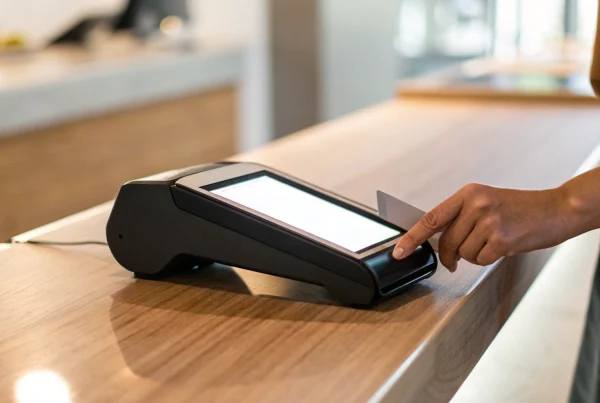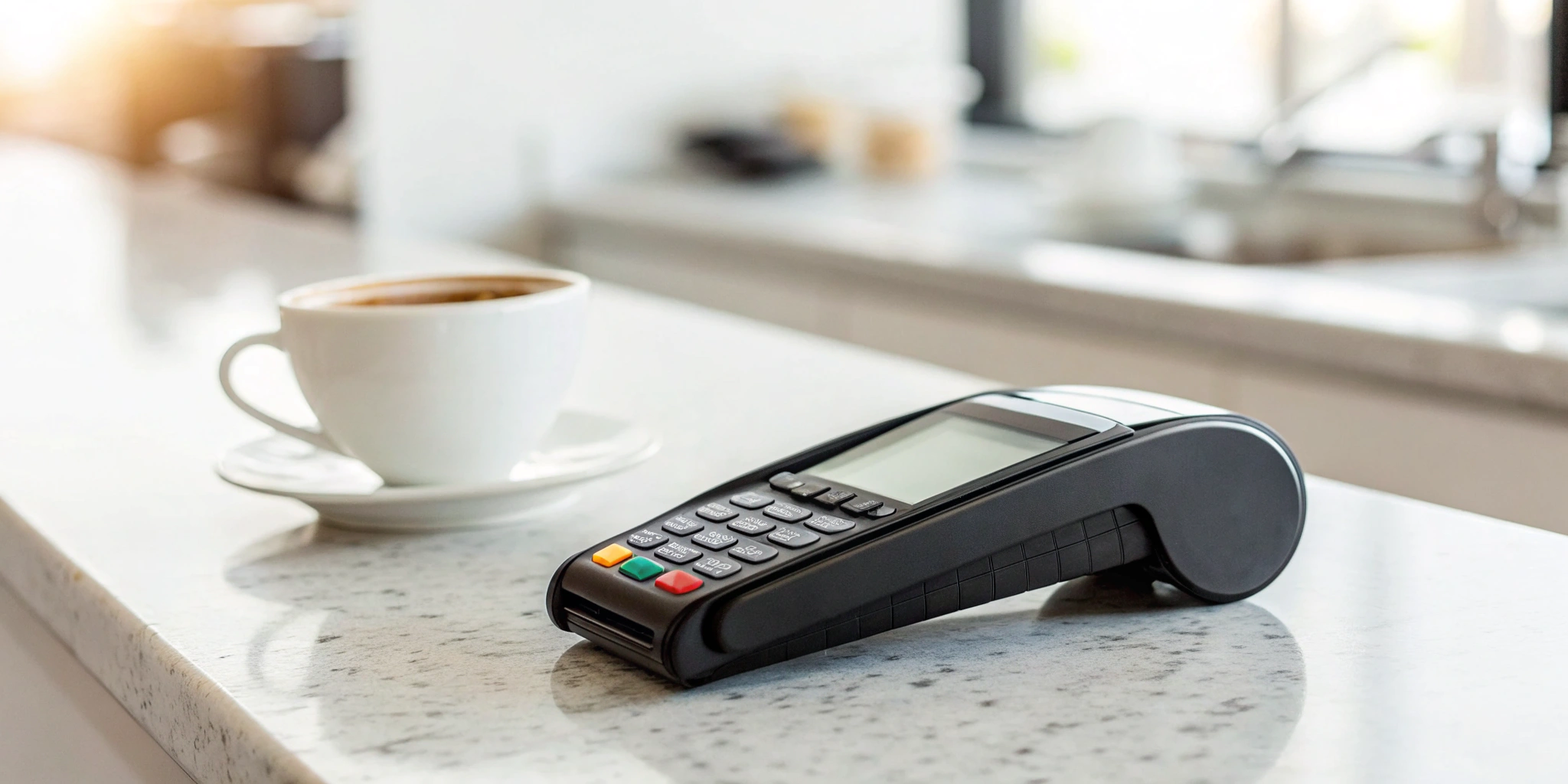
Your business is dynamic, so why should your payment system be stuck in one place? A wireless credit card terminal gives you the flexibility to operate beyond four walls, capturing sales you might otherwise miss. It’s the perfect solution for mobile services, event vendors, and retailers who want to create a more modern shopping experience. But before you invest, it’s important to understand what’s happening behind the scenes. This guide is designed to answer the core question every business owner asks: how do wireless credit card terminals work? We’ll cover the different types, the technology that powers them, and how they keep your transactions secure.
Key Takeaways
- Take Payments Anywhere to Make Sales Faster: A wireless terminal untethers you from the counter, allowing you to bust lines during busy hours and close sales on the spot, which leads to a better customer experience and more revenue.
- Protect Your Business with Modern Security: Every transaction is shielded by layers of protection like end-to-end encryption and tokenization, which scramble card data to make it useless to fraudsters and ensure you meet industry security standards.
- Choose a Terminal That Fits Your Workflow: The best device is one that matches your business. Consider where you’ll use it (Wi-Fi vs. cellular), what payment methods your customers prefer, and how it integrates with your existing POS software.
What Is a Wireless Credit Card Terminal?
If you’ve ever paid for a coffee from a food truck or settled a dinner bill right at your table, you’ve likely used a wireless credit card terminal. These devices are changing how businesses operate by cutting the cord from the traditional sales counter. Instead of being tied to a physical phone line or internet cable, they give you the freedom to accept payments from virtually anywhere.
This flexibility opens up new opportunities for revenue and improves the customer experience, whether you’re a service provider making house calls, a vendor at a local market, or a restaurant owner looking to speed up table turnover. It’s about meeting your customers where they are and making the payment process as smooth as possible.
What It Is and Why You Need One
Think of a wireless credit card terminal as a portable, handheld device that securely processes credit and debit card payments. It works much like your smartphone, connecting to the internet through a Wi-Fi signal or a cellular network like 4G or 5G. This connection allows it to communicate with payment networks to authorize transactions in seconds, all without being plugged into a wall.
The main reason you need one is simple: it untethers you from a fixed location. This freedom allows you to serve customers faster, reduce lines, and capture sales you might otherwise miss. For any business that operates on the go or wants to create a more dynamic checkout process, a wireless terminal is no longer a luxury—it’s a fundamental tool for growth.
How It Fits Into Your Business
Wireless terminals are incredibly versatile and fit into almost any business model. You’ll see them everywhere, from bustling restaurants using them for tableside payments to contractors accepting payment right after finishing a job. They’re perfect for mobile businesses like food trucks, pop-up shops, and delivery services that need to process transactions on the spot.
Even if you have a traditional brick-and-mortar store, these devices can transform your operations. You can use them to bust long lines during busy hours or bring the checkout process directly to a customer browsing in an aisle. Ultimately, integrating a wireless terminal is about improving the customer experience by making payments faster, more convenient, and completely secure, no matter where the sale happens.
How Does a Wireless Terminal Work?
From the moment your customer taps their card to the second the receipt prints, a complex and secure process unfolds in just a few seconds. It might seem like magic, but it’s a straightforward, five-step journey that ensures you get paid quickly and your customer’s data stays safe. Understanding this process helps you appreciate the technology working for your business and troubleshoot any issues that might pop up. Let’s walk through exactly what happens behind the scenes every time you make a sale.
Step 1: Capturing Card Information
This is the part you see every day. Your customer presents their card, and the wireless terminal gets to work. It captures the payment details by reading the card’s chip (EMV), tapping it for a contactless payment (NFC), or swiping the magnetic stripe. The beauty of a wireless terminal is its freedom—it doesn’t need to be plugged into a phone line or router. Instead, it uses a reliable Wi-Fi or cellular network to connect, giving you the power to accept payments from anywhere, whether you’re at a farmer’s market, on a job site, or just trying to clear a long line in your store.
Step 2: Securing the Transaction
Once the terminal reads the card, its most important job begins: protecting that sensitive information. The terminal immediately encrypts the card data, scrambling it into a secure code that’s unreadable to fraudsters. This process, often called end-to-end encryption, is a critical security feature that protects both you and your customer. The encrypted data is then ready to be sent wirelessly to the payment processor. Think of it as sealing the payment details in a digital armored truck before it ever leaves your device, ensuring it travels safely over the network.
Step 3: Connecting to the Payment Network
With the data captured and secured, your wireless terminal sends the encrypted transaction information out for approval. Using its Wi-Fi or cellular connection, it transmits the details to your payment processor—the company that acts as the messenger between your business, the customer’s bank, and your bank. This connection happens almost instantly. The processor receives the secure information and knows exactly where to send it next to get the green light for the sale, moving the transaction along to the authorization stage.
Step 4: Authorizing the Payment
After your payment processor receives the transaction details, it contacts the customer’s bank (the issuing bank) through the card networks (like Visa or Mastercard). The bank quickly performs a few checks: Does the account have enough funds to cover the purchase? Is the card valid and not reported stolen? Based on these checks, the bank sends back a response—either “approved” or “declined.” This response travels back through the network to your terminal, and you’ll see the message on your screen, letting you know whether you can complete the sale.
Step 5: Finalizing the Sale
Once a transaction is approved, the funds aren’t transferred to your account right away. Instead, the approved payment is stored in a “batch” on your terminal. At the end of the business day, you’ll “settle” or “close out” your batch, which sends all your approved transactions to your processor for payment. The processor then facilitates the fund transfer from the customers’ banks to your business bank account. This final step is what ensures the money from your day’s sales makes its way to you, typically within one to two business days.
What Are the Different Types of Wireless Terminals?
Once you decide to go wireless, you’ll find a few different types of terminals to choose from. They all get the job done—accepting card payments without being tied to a counter—but they’re designed for different business needs. Think about how you operate day-to-day. Do you need a rugged, all-in-one device for a busy restaurant floor, or a simple reader that slips into your pocket for craft fairs? Let’s break down the main options so you can find the perfect fit for your business.
Stand-Alone Wireless Terminals
Think of a stand-alone wireless terminal as the classic card machine, but without the cords. It’s a single, durable device with its own screen, keypad, and built-in printer. These terminals connect using either Wi-Fi or a cellular network, giving you the freedom to take payments anywhere in your store, restaurant, or event space. Because they are built to be self-sufficient and tough, they’re a fantastic choice for high-traffic environments where you need a reliable workhorse. You can hand it to a customer at their table or process a sale in a busy aisle without missing a beat.
Mobile Card Readers
If your business is always on the move, a mobile card reader is your new best friend. These are small, lightweight devices that pair with your smartphone or tablet via Bluetooth. Your phone becomes the brain of the operation, using an app to process the payment and its data connection to stay online. This setup is incredibly flexible and affordable, making it perfect for freelancers, pop-up shops, or service providers who work at clients’ homes. You can easily slip the reader in your bag and turn your phone into a complete mobile POS system wherever you go, without investing in bulky hardware.
Smart Terminals with POS Integration
For businesses that need more than just a payment processor, there are smart terminals. These devices are the ultimate hybrid, blending the portability of a wireless terminal with the power of a full point-of-sale (POS) system. They typically feature a large touchscreen, a built-in printer, and sometimes even a barcode scanner. A smart terminal doesn’t just take payments; it helps you manage your entire business. You can track inventory, view sales reports, and manage customer information right from the device. It’s an all-in-one solution that streamlines your checkout process and gives you the data you need to grow.
What Technology Powers Wireless Terminals?
Wireless terminals are all about freedom, but they still need a way to talk to the payment networks. They do this using the same invisible signals that power our phones and laptops. Instead of being tied down by a physical cable, these devices use one of a few key technologies to connect securely and process sales from anywhere. Understanding how they connect helps you pick the right device for your business, whether you’re working a festival, running a food truck, or just want to clear up counter space in your shop.
Wi-Fi
Just like your laptop or smartphone, many wireless terminals can connect directly to a Wi-Fi network. This is a perfect solution if you primarily process payments within a specific location, like a restaurant, retail store, or coffee shop with a reliable internet connection. You simply connect the terminal to your secure business Wi-Fi, and you’re ready to go. This allows you to take payments at the table, help customers on the sales floor, or easily move your checkout station without worrying about cables. The connection is stable and fast, relying on the internet service you already use to run your business.
Bluetooth
Some of the most compact and affordable wireless options are mobile card readers that use Bluetooth. These small devices pair directly with your smartphone or tablet. In this setup, the reader handles the secure card-swiping, dipping, or tapping, while your phone or tablet runs the point-of-sale app and provides the internet connection (using either its Wi-Fi or cellular data). This is an incredibly flexible option for businesses that are always on the move, like mobile service providers, artists at craft fairs, or pop-up shops. It turns the phone you already own into a powerful payment processing system.
Cellular Data
For ultimate portability, some wireless terminals come equipped with their own SIM card and connect using cellular data, just like a cell phone. These all-in-one devices don’t need to rely on a Wi-Fi network or a paired smartphone, giving you the freedom to accept payments virtually anywhere you have a cell signal. This is the go-to technology for businesses that operate in different locations daily, such as food trucks, delivery services, and outdoor event vendors. Because they work wirelessly on their own, you never have to worry about finding a hotspot or draining your phone’s battery.
NFC for Contactless Payments
Near Field Communication (NFC) is the magic behind tap-to-pay. It’s a short-range wireless technology that allows the terminal and a payment method—like a credit card, smartwatch, or smartphone—to communicate when they’re just a few inches apart. This is what enables fast and secure transactions from digital wallets like Apple Pay and Google Pay, as well as from physical contactless cards. Most modern wireless terminals include NFC capabilities, giving your customers a quick, convenient, and secure way to pay without ever handing over their card. It’s a must-have feature for speeding up checkout lines and meeting modern customer expectations.
Just How Secure Are Wireless Terminals?
It’s completely normal to wonder about the security of taking payments on the go. After all, protecting your customers’ data is just as important as protecting your own. The good news is that modern wireless terminals are designed with multiple layers of security to keep every transaction safe. From the moment a card is tapped, dipped, or swiped, a series of protective measures kicks in to shield sensitive information from potential threats. You can feel confident knowing that the technology is working hard behind the scenes to prevent fraud and keep data secure.
These terminals aren’t just convenient—they’re built on powerful security technologies that have become the standard across the payments industry. Think of it like a digital armored car. The payment information is locked up tight before it ever leaves your device and stays that way until it reaches its secure destination. Key security features like end-to-end encryption, tokenization, and strict compliance standards work together to create a secure payment environment. Let’s break down exactly what makes these devices so secure and why you can trust them with your business transactions.
End-to-End Encryption
End-to-end encryption is the first line of defense for every transaction. As soon as a customer’s card information is captured by the terminal, it’s immediately scrambled into an unreadable code. This encrypted data is then sent wirelessly to the payment processor. Even if a fraudster were somehow able to intercept the transmission, they would only get a jumble of useless characters. The information stays encrypted throughout its entire journey and can only be unlocked by the authorized payment processor, ensuring the actual card details are never exposed. This process happens automatically in seconds, providing robust security without slowing down your sales.
PCI DSS Compliance
Any business that accepts card payments must follow the Payment Card Industry Data Security Standard, or PCI DSS. This is a comprehensive set of security requirements designed to protect cardholder data. When you use a PCI-compliant wireless terminal and partner with a provider like MBNCard, you’re ensuring your business meets these critical industry standards. This framework provides a secure environment for processing payments, protecting you and your customers from data breaches. It’s not just a suggestion; it’s a mandatory set of rules that keeps the entire payment ecosystem safe.
Tokenization
Tokenization adds another powerful layer of security, especially for contactless payments. Instead of transmitting the customer’s actual 16-digit card number, the terminal creates a unique, one-time-use code, or “token,” for that specific transaction. This token acts as a substitute for the real card data. If a hacker were to intercept this token, it would be completely worthless for making other purchases. Because the actual payment account information is never exposed, tokenization makes it incredibly difficult for criminals to steal and use your customers’ sensitive financial details. It’s a simple but highly effective way to devalue stolen data.
Clearing Up Common Security Myths
You may have heard stories about thieves “electronically pickpocketing” information from contactless cards. In reality, this is a common myth. Contactless technology only works within a very short range—just a few inches—and the data it transmits is encrypted and tokenized. A fraudster can’t simply walk by and steal usable card information from someone’s pocket or purse. The terminal also doesn’t transmit sensitive personal details like the cardholder’s name or billing address, so there’s no risk of identity theft from a simple tap-to-pay transaction. These built-in safeguards make contactless payments one of the most secure ways to pay.
Why Your Business Needs a Wireless Terminal
If you’re still tethering your payment process to a single countertop, you might be missing out on sales and opportunities to make your customers happier. A wireless credit card terminal isn’t just a gadget; it’s a powerful tool that adapts to the way you do business. Think about it—your customers are mobile, and their expectations for convenience are higher than ever. Meeting them where they are, whether that’s at their table, on their doorstep, or in a busy aisle of your store, can completely change their experience with your brand.
Switching to a wireless setup can solve some of the most common headaches for business owners. It helps you eliminate long lines, which can be a major turn-off for shoppers. It gives you the freedom to do business outside your four walls, opening up new revenue streams at markets, trade shows, or client sites. Plus, it streamlines your operations, often at a lower cost than traditional, bulky point-of-sale systems. It’s about making your checkout process as smooth and flexible as the rest of your business.
Take Payments Anywhere
The most obvious advantage of a wireless terminal is freedom. You’re no longer tied to a physical checkout counter. As industry experts note, wireless credit card terminals are portable devices that let you accept payments anywhere by connecting through Wi-Fi or a cellular network. This is a game-changer for businesses on the move, like food trucks, mobile service providers, and market vendors. It also adds incredible flexibility within a fixed location. You can take payments from a customer in the showroom, at their table in your restaurant, or anywhere your service is delivered. This simple shift allows you to close sales on the spot, without making your customer wait.
Speed Up Your Checkout Line
Long lines are a silent business killer. Every customer who walks away because of a long wait is a lost sale. Wireless terminals are the perfect tool for “line-busting” during your busiest hours. Instead of funneling everyone to a single register, your staff can move through the line with a portable terminal, processing payments and getting customers on their way faster. This not only improves your transaction speed but also enhances the overall flow of your store. A faster checkout process means you can serve more people in less time, which directly impacts your bottom line while keeping the store environment less congested and more pleasant for everyone.
Give Customers a Better Experience
A smooth, quick checkout process is a huge part of a positive customer experience. When you make paying easy, customers notice. In fact, wireless processing makes checkout faster and smoother, which keeps customers happy and can prevent them from leaving for a competitor. Think about the convenience of paying for a meal right at the table or settling a bill for a home repair service the moment the job is done. It feels modern, efficient, and respectful of your customer’s time. This level of service builds trust and loyalty, encouraging repeat business and positive word-of-mouth reviews.
Save Money and Track Sales in Real-Time
Upgrading your technology doesn’t have to mean a bigger bill. In fact, wireless terminals can actually reduce your operating costs. For many small businesses, a simple wireless terminal can do the job of a much larger and more expensive point-of-sale system, saving you significant upfront hardware costs. Beyond the initial savings, these devices give you access to real-time sales data. You can track transactions as they happen, which helps with everything from managing inventory to making smarter staffing decisions. This immediate insight into your business performance allows you to be more agile and responsive to daily trends.
How to Choose the Right Wireless Terminal
With so many options out there, picking the right wireless terminal can feel like a big decision. But it doesn’t have to be complicated. The best terminal for your business is simply the one that fits how you operate, who you serve, and what tools you already use. Think of it less like a tech purchase and more like hiring a new team member—you want one that’s reliable, efficient, and plays well with others.
To find your perfect match, focus on four key areas: how it connects, what payments it takes, how it integrates with your other systems, and what it costs. Breaking it down this way helps you cut through the noise and choose a device that will genuinely support your business growth, whether you’re serving customers at a counter, on the floor, or on the go.
Connection and Coverage Needs
First, think about where you’ll be processing payments. Will you primarily be inside a building with a strong, reliable Wi-Fi signal, like a coffee shop or boutique? Or are you constantly on the move at farmers’ markets, food trucks, or client homes? If you’re stationary, a Wi-Fi-only terminal can be a great, cost-effective choice. But if you need the freedom to take payments anywhere, you’ll want a terminal with cellular connectivity. This ensures you can process a sale as long as you have a cell signal, giving you true payment mobility.
Accepted Payment Types
Your customers expect flexibility, so your terminal should deliver it. At a minimum, your device needs to accept all modern payment methods: EMV chip cards, contactless “tap” payments (like cards and digital wallets), and traditional magnetic stripe swipes. The ability to handle different payment options isn’t just a convenience; it’s essential for providing a smooth and secure checkout experience. Make sure the terminal also allows for manual card entry as a backup, so you never have to miss a sale, even if a customer’s card is damaged.
How It Connects to Your Other Tools
A great wireless terminal doesn’t work in a silo. It should seamlessly integrate with the business tools you already rely on. Before you commit, check if the terminal is compatible with your existing Point of Sale (POS) software, inventory management system, and customer relationship management (CRM) tools. A well-integrated system saves you time and reduces errors by automatically syncing sales data, updating inventory counts, and keeping customer records current. This creates a streamlined workflow that lets you focus more on your customers and less on manual data entry.
Fees and Hardware Costs
Finally, let’s talk about the bottom line. The total cost of a terminal goes beyond the initial price of the hardware. You need to get a clear picture of all associated fees. Ask about transaction rates, monthly service or data fees, and any other potential charges. A trustworthy payment solutions provider will be transparent about their pricing structure, helping you understand exactly what you’re paying for. Look for a partner who offers straightforward plans without hidden fees, ensuring the terminal you choose is not only functional but also financially sustainable for your business.
How to Set Up and Maintain Your Wireless Terminal
Once you’ve chosen the perfect wireless terminal, getting it up and running is your next step. The good news is that modern terminals are designed to be user-friendly. With a little bit of setup and some simple, ongoing care, your device will be a reliable tool for your business for years to come. Let’s walk through how to get started and keep things running without a hitch.
Getting Started: The Initial Setup
Your new terminal has arrived—now what? The initial setup is usually quick and painless. First, make sure you’ve chosen the right device for your needs and have it on hand from your payment provider. From there, just follow these simple steps. Power it on by fully charging the battery, then connect it to your network. Depending on your model, this could mean connecting to Wi-Fi, using a cellular signal, or pairing it with a smartphone via Bluetooth. Before you use it with a real customer, run a test transaction. This is a crucial step—process a small sale, try a refund, and test every payment method you plan to accept. It’s much better to catch a glitch now than in front of a waiting customer.
Training Your Team to Use It
Your terminal is only as effective as the people using it. That’s why it’s so important to make sure your staff feels confident handling transactions. A well-trained team means a smoother checkout process and happier customers. Walk every employee through the basics: how to process a payment, issue a refund, and switch between connection types if needed. They should also know the first steps for troubleshooting common issues, like a weak connection or a card that won’t read. When your staff operates the terminal with proficiency, your customer transactions will be seamless.
Keeping Your Terminal Running Smoothly
A little proactive care goes a long way in preventing payment headaches. Connectivity issues are one of the most common hiccups, whether it’s due to Wi-Fi interference or a weak cellular signal, so always be mindful of your connection strength. Beyond that, keep the device physically clean and charged. It’s also a great practice to keep all your documentation and accessories organized. Label your equipment and store the manuals and charging cables somewhere accessible. This simple habit saves you from scrambling to find what you need when you’re busy. Finally, always install software updates when prompted, as they often include critical security patches to keep your payment processing secure and compliant.
Common Problems (and How to Solve Them)
Wireless terminals are game-changers, but let’s be real—technology can have its off days. When you’re in the middle of a rush and your terminal decides to act up, it’s incredibly frustrating. The good news is that most issues are pretty common and have straightforward fixes. Instead of panicking, you can usually solve the problem with a few simple steps. We’ll walk through the most frequent challenges business owners face with their wireless terminals and give you actionable ways to handle them, so you can get back to making sales.
Dealing with Spotty Connections
There’s nothing worse than a “Connecting…” message that never goes away. Connectivity issues are a top complaint, often caused by Wi-Fi interference or a weak cellular signal. When your terminal can’t connect, you can’t process payments.
First, try the simple stuff: restart the terminal and your Wi-Fi router. If you’re on Wi-Fi, check that you’re close enough to your router for a strong signal. If your device uses cellular data, try moving to a spot with better reception, like near a window. For a more permanent fix, consider a terminal with both Wi-Fi and cellular capabilities. This gives you a reliable backup if one connection fails, ensuring you can always complete a sale. You can also take steps to improve your Wi-Fi signal throughout your business space.
Syncing with Your Current Setup
Getting a new wireless terminal to work seamlessly with your existing point-of-sale (POS) system or other business software can feel like a puzzle. Compatibility issues can lead to lost sales data, accounting headaches, and a clunky checkout process for your team and customers. The key is to plan ahead before you purchase new hardware.
Before you commit to a terminal, confirm with your payment processor that it integrates smoothly with your current setup. A good partner will guide you through your options and provide support to ensure all your systems communicate correctly from day one. At MBNCard, we help merchants find terminals that work perfectly with their existing tools, including robust e-commerce integrations for businesses that sell both in-person and online. This prevents technical frustrations and lets you focus on running your business.
Managing Your Transaction Costs
Transaction fees are a necessary part of accepting credit cards, but they shouldn’t be a mystery that eats away at your profits. Many business owners struggle with high or unpredictable processing costs because of confusing statements and hidden fees. Understanding what you’re paying is the first step to controlling your expenses and keeping more of your hard-earned money.
Take the time to review your monthly processing statements. If you see fees you don’t recognize, ask your provider for a clear explanation. Better yet, work with a processor that prioritizes transparency. You can also explore programs designed to reduce your costs. For example, a dual pricing program allows you to offer customers a discount for paying with cash, which can offset your credit card processing fees entirely. Finding a partner who helps you manage these costs is essential for your bottom line.
Related Articles
- Wireless Credit Card Terminal: A Buyer’s Guide
- Best Wireless Credit Card Processing Terminals
- The 5 Best Contactless Payment Terminals
Frequently Asked Questions
Do I need Wi-Fi for a wireless terminal to work? Not necessarily. While many wireless terminals connect to a Wi-Fi network, which is perfect for use within a store or restaurant, others come with their own SIM card and connect using a cellular network. This cellular option gives you the freedom to process payments virtually anywhere you have a cell signal, making it ideal for food trucks, mobile services, or outdoor events where Wi-Fi isn’t available.
Is a wireless terminal more expensive than a traditional one? The cost really depends on your needs. While some advanced smart terminals might have a higher upfront hardware cost, many mobile card readers are very affordable. The more important factor is the transaction fees. A transparent payment processor will help you find a plan that fits your business, and programs like dual pricing can significantly lower or even eliminate your processing costs, making a wireless setup a very cost-effective choice.
What happens if my terminal loses its connection during a sale? This is a common concern, but modern terminals are built to handle it. If a connection drops mid-transaction, the sale typically won’t go through, and no money will be exchanged, protecting both you and the customer. The best terminals offer both Wi-Fi and cellular connectivity, so if one network fails, you can quickly switch to the other as a backup to complete the sale without interruption.
How is a smart terminal different from just using a card reader with my phone? Think of it as the difference between a simple tool and a complete toolkit. A mobile card reader that pairs with your phone is fantastic for straightforward payment acceptance on the go. A smart terminal, however, is an all-in-one device that combines payment processing with powerful business management software. You can use it to track inventory, manage customer data, and view sales reports right from the terminal, making it a central hub for your operations.
How secure is taking a payment at a customer’s table or on a job site? It’s just as secure as taking a payment at a traditional counter. Wireless terminals use the same powerful security features, like end-to-end encryption and tokenization, no matter where the transaction happens. The moment a card is tapped or dipped, the data is scrambled and protected. As long as you’re using a PCI-compliant device from a reputable provider, you can be confident that every payment is protected.