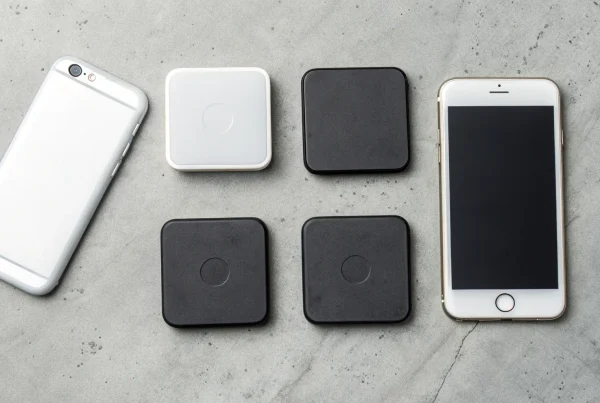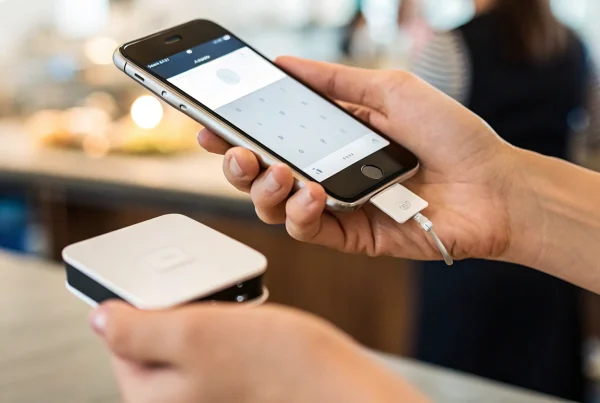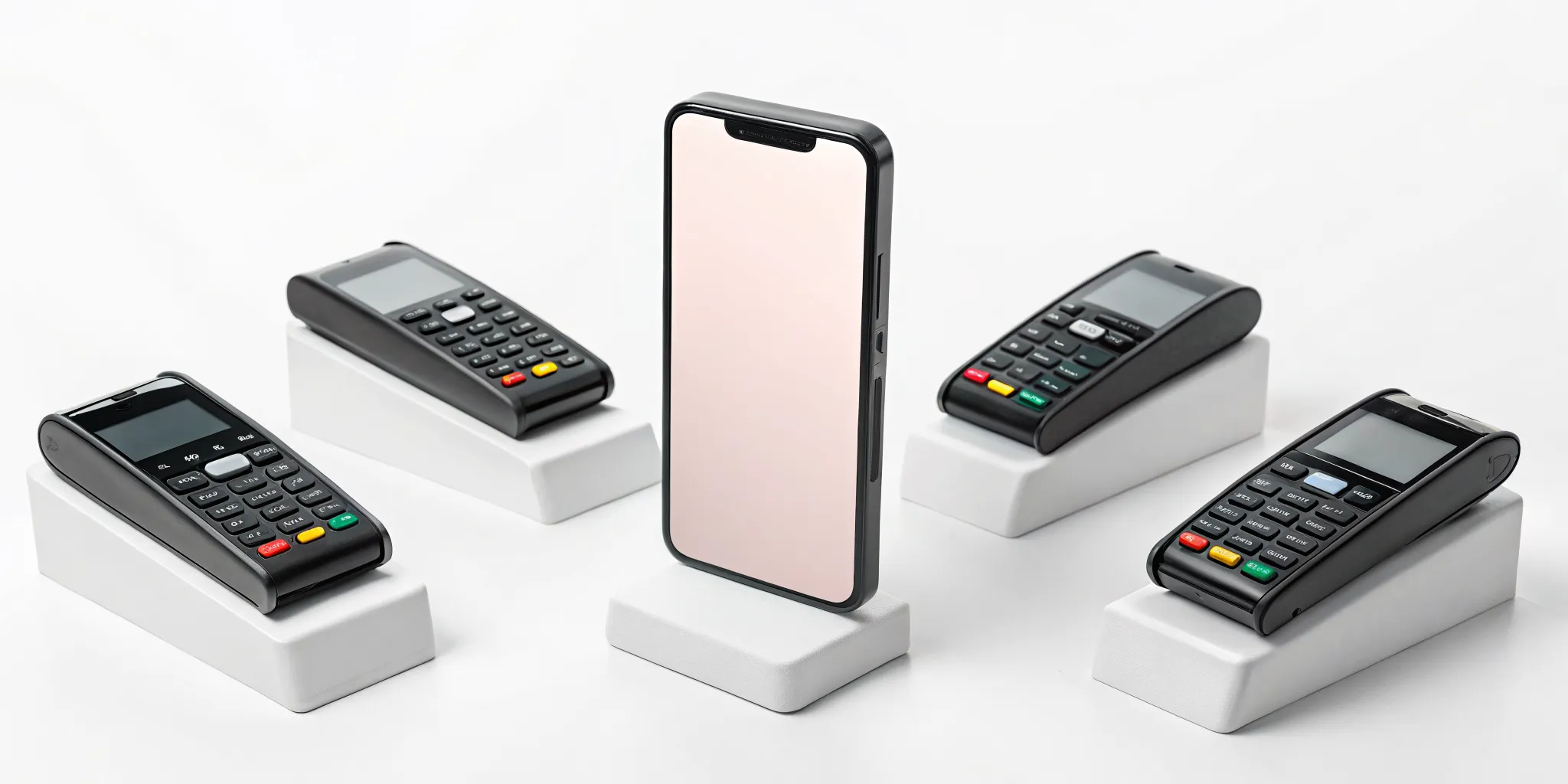
As your business grows, your tools need to grow with you. A simple cash box might work for day one, but a scalable payment system is essential for long-term success. The right mobile EMV card reader for iPhone does more than just process transactions; it streamlines your checkout, enhances your professional image, and provides valuable sales data right on your phone. It’s a foundational piece of tech that supports your operations as you expand. In this guide, we’ll explore how to select a reader that not only meets your needs today but also has the flexibility to adapt as your business evolves.
Key Takeaways
- Process Payments Securely, Anywhere: An iPhone reader gives you the freedom to make sales outside a traditional storefront, while EMV chip technology protects your business from fraud and builds customer trust.
- Evaluate the Complete Payment System: The right choice isn’t just about the reader’s price; consider the transaction fees, software usability, and essential features like battery life to find a solution that truly fits your business.
- Set Yourself Up for Success: A smooth operation depends on more than just plugging in the device; properly train your team, keep your app updated, and run a test transaction to prevent issues before they happen.
What is an iPhone Card Reader?
Think of an iPhone card reader as a small, powerful device that turns the phone you already own into a complete point-of-sale system. It’s a portable credit card machine that lets you securely accept all the ways your customers want to pay, whether they’re using a chip card, a contactless method like Apple Pay, or an older magnetic stripe card. Instead of being tied to a clunky, traditional terminal at a checkout counter, you can take payments anywhere: at a farmers market, on a job site, or right at your customer’s table. These readers are designed to be simple, pairing with your iPhone to help you run your business on the go.
How EMV Keeps Payments Secure
The magic behind modern payment security is a technology called EMV, which stands for Europay, Mastercard, and Visa. It’s the small, metallic chip you see on the front of credit and debit cards. Every time a customer inserts their chip card into your reader, the chip creates a unique, one-time-use code for that specific transaction. This makes the payment data incredibly difficult for fraudsters to copy and reuse. It’s a huge step up from the old magnetic stripes, which store static data that can be easily stolen. Using an EMV reader is the best way to protect your business from fraud liability and show customers you’re serious about keeping their information safe.
How Readers Connect to Your iPhone
Getting your card reader and iPhone to talk to each other is surprisingly simple. Most modern readers connect wirelessly using Bluetooth, so you don’t have to worry about extra cables or adapters. You just pair the device with your phone, similar to how you’d connect wireless headphones. The hardware is only half of the equation, though. You’ll also use a dedicated mobile app from your payment provider. This app is your command center for processing sales, sending receipts, tracking your inventory, and viewing sales reports. It’s the software that works with the reader to turn your iPhone into a smart and efficient payment tool.
Why Your Business Needs an iPhone Card Reader
If you run a business that moves, whether you’re a plumber making house calls, a vendor at a farmer’s market, or a consultant meeting clients for coffee, you need a payment system that moves with you. An iPhone card reader turns your smartphone into a powerful point-of-sale (POS) system, letting you close sales on the spot. But the benefits go far beyond just convenience. Pairing your iPhone with a mobile reader gives your business a professional edge, tightens your security against fraud, and creates a checkout process that customers actually enjoy. It’s a small piece of hardware that can make a huge difference in how you operate, helping you capture more sales and build trust with every tap, dip, or swipe.
Offer Ironclad Security
In the world of payments, security is everything. Old-school magnetic stripe cards are easy to clone, leaving you and your customers vulnerable to fraud. This is where EMV chip technology comes in. Each time a customer dips their chip card, the reader creates a unique, one-time transaction code that’s nearly impossible to counterfeit. Using an EMV-compliant reader for every transaction is the best way to protect your business from the financial fallout of fraudulent chargebacks. It sends a clear message to your customers that you take their data security seriously, which builds the kind of trust that keeps them coming back.
Accept Payments Anywhere
The freedom to take payments anywhere is a game-changer. An iPhone card reader untethers you from a traditional countertop, allowing you to do business wherever your customers are. Think about setting up a pop-up shop, selling your goods at a street fair, or simply taking a payment from a client in their own home. You’ll never have to say, “I can only take cash,” or follow up with an invoice again. These readers are incredibly versatile, accepting all major credit cards, secure EMV chip cards, and contactless payments like Apple Pay and Google Pay. This flexibility ensures you never miss a sale.
Create a Smooth Checkout Experience
Long lines and clunky payment terminals are a quick way to frustrate customers. An iPhone card reader streamlines the entire checkout process, making it fast, simple, and professional. Most readers connect wirelessly to your phone via Bluetooth, so there are no messy cords to manage. The accompanying apps are typically intuitive, guiding you and your customer through the sale in just a few taps. This creates a modern, seamless experience that leaves a great lasting impression. It shows your customers that you value their time and have invested in technology that makes their lives easier.
A Look at the Top iPhone Card Readers
Okay, now for the fun part. With so many options out there, picking the right iPhone card reader can feel a little overwhelming. To make it easier, I’ve broken down five of the top contenders. We’ll look at what makes each one stand out, from all-in-one solutions perfect for a pop-up shop to scalable systems designed for a growing business. Think of this as your cheat sheet for finding the perfect partner for your payment processing needs. Each of these readers has its own strengths, so consider what matters most for your specific business as you read through.
MBNCard Mobile Reader
If you’re looking for more than just a piece of hardware, the MBNCard Mobile Reader is a fantastic choice. What sets it apart is the focus on custom solutions and support. Instead of a one-size-fits-all approach, you get a payment setup tailored to your business needs, which can be a game-changer for managing costs and operations. This is ideal for business owners who value having a dedicated support team to call when they have questions. It’s a flexible and reliable option for accepting secure payments wherever your business takes you, from a craft fair to a client’s home.
Square Reader for Magstripe & Chip
You’ve probably seen the little white Square reader everywhere, and for good reason. It’s known as one of the best all-around mobile readers because it’s incredibly straightforward and versatile. The latest version connects via Bluetooth and handles just about every payment type you can imagine: traditional magstripe swipes, secure EMV chip cards, and contactless payments like Apple Pay. Its simplicity makes it a popular starting point for new businesses, freelancers, and anyone who needs a reliable way to accept payments without a complicated setup. It’s a true plug-and-play solution for getting paid quickly.
PayPal Zettle Card Reader
For businesses already integrated into the PayPal ecosystem, the Zettle reader is a natural fit. Backed by a name everyone recognizes, this reader offers a smooth and familiar experience for both you and your customers. It’s a sleek device that accepts EMV chip cards and contactless payments, making checkout quick and secure. The real advantage here is how seamlessly it works with your PayPal business account, keeping all your sales and funds in one place. If you’re looking for a versatile option that feels cohesive with your existing online payment tools, the Zettle is definitely worth a look.
Clover Go
If you have big plans for your business, the Clover Go is designed to grow with you. While it’s a fantastic mobile reader on its own, its true power lies in being part of a larger, scalable system. This means as your business expands, you can easily integrate the Go with more advanced Clover POS systems without having to switch providers. It’s a smart choice for ambitious entrepreneurs who anticipate needing more features down the road, like advanced inventory management or employee tracking. Think of it as the mobile reader for growing businesses that won’t hold you back.
SumUp Air Card Reader
The SumUp Air reader is all about flexibility and ease. It’s designed to help businesses accept a wide variety of payments, including EMV chip, magstripe, and contactless options like Google Pay and Apple Pay. One of its biggest strengths is its broad compatibility; it works smoothly with most iPhones, iPads, and even Android devices. This makes it a great choice if your team uses different types of phones or tablets. The setup is simple, and the device itself is compact and durable, making it a reliable tool for anyone who needs to process mobile transactions without any fuss.
Key Features to Look For in an iPhone Card Reader
Choosing the right iPhone card reader feels like a big decision, but it gets a lot easier when you know what to look for. Beyond the price tag, you need a device that fits seamlessly into your daily operations and makes life easier, not harder. The best readers are more than just a piece of hardware; they’re a reliable partner for your business. As you compare your options, focus on a few core features that directly impact your sales, customer satisfaction, and peace of mind. A little research now will save you from headaches later and ensure you get a tool that truly helps your business grow.
Speed and Reliability
When you have a line of customers, the last thing you need is a slow or glitchy card reader. Speed is essential for a smooth checkout experience. A good reader should process a transaction in just a few seconds, keeping your line moving and your customers happy. Reliability is just as important. Your device needs to work every time, without dropped connections or failed reads. Reliable mobile credit card readers for iPhone are designed to help you accept payments anywhere, so look for one with a stable connection that you can count on, whether you’re at a pop-up shop, a farmers market, or your own storefront.
Battery Life and Durability
For business owners on the move, a dead card reader means lost sales. Pay close attention to battery life, especially if you plan to be away from a power source for long periods. The best devices have a built-in rechargeable battery that can handle hundreds of transactions on a single charge, getting you through your busiest days without worry. Durability is another key factor. Your reader will likely get tossed in a bag, handled by multiple employees, and used constantly. Choose a sturdy, well-built device that can withstand the normal wear and tear of a busy work environment.
A User-Friendly App
The card reader itself is only half of the system. The other half is the mobile app you’ll use to run everything. A complicated or confusing app can slow you down and lead to mistakes. Look for a provider with a clean, intuitive interface that makes it easy to process sales, add tips, and send receipts. The best apps do more than just take payments; they act as a lightweight point-of-sale (POS) system, allowing you to track your sales data, manage a simple product catalog, and get a clear picture of your business performance right from your phone.
The Ability to Accept All Payment Types
You never want to turn a customer away because you can’t accept their preferred way to pay. To create a truly seamless checkout, your iPhone reader must be versatile. Make sure it can handle all major payment methods, including traditional magnetic stripe swipes for older cards, EMV chip cards for enhanced security, and contactless (NFC) payments. Accepting contactless options like Apple Pay and Google Pay is especially important, as more and more customers expect the convenience of simply tapping their phone or card to pay. This flexibility ensures every customer can complete their purchase quickly and easily.
What’s the Real Cost of an iPhone Card Reader?
When you’re looking for a mobile card reader, it’s easy to focus on the price of the little device you hold in your hand. But the true cost of accepting payments on your iPhone involves more than just the hardware. To get a clear picture of your expenses, you need to look at the complete payment ecosystem, from the device itself to the fees you’ll pay on every single sale. Understanding these different costs helps you choose a partner that fits your budget and supports your business growth without any surprise charges down the line. Let’s break down what you can expect to pay.
The Price of the Device Itself
The most straightforward cost is the price of the card reader. Typically, you can expect to pay between $50 and $100 for a reliable EMV and contactless reader. This one-time purchase gets the hardware into your hands so you can start accepting chip cards and mobile wallets like Apple Pay. Some payment processors, however, offer free hardware when you sign up for a new merchant account. While a free reader is always a great perk, remember that it’s just the starting point. The real long-term costs are tied to the service, not the device, so it’s important to weigh the initial savings against the ongoing processing fees.
Per-Transaction Processing Fees
This is where the bulk of your costs will come from. Every time you process a credit or debit card payment, your provider charges a fee. These fees are usually a small percentage of the total sale, sometimes with an additional fixed amount per transaction. Rates can vary quite a bit depending on the card type (debit vs. credit, rewards vs. standard) and the pricing model your processor uses. While some providers advertise rates “as low as 0.25%,” it’s crucial to understand what that rate applies to. Always ask for a clear breakdown of the credit card processing fees for different card types so you can accurately predict your monthly expenses.
Common Hidden Fees to Avoid
Unfortunately, some payment processors aren’t as transparent as they should be. Hidden fees can pop up on your monthly statement and eat into your profits if you don’t know what to look for. Be on the lookout for things like monthly service charges, annual account fees, or PCI compliance fees that weren’t clearly disclosed upfront. Before you sign any agreement, ask for a complete list of all potential fees. A trustworthy partner will be happy to walk you through their pricing structure and explain every charge. Don’t be afraid to ask direct questions; it’s your money, after all.
Potential Monthly or Annual Charges
Beyond per-transaction fees, many providers have recurring charges for using their service. This could be a monthly software fee for access to their point-of-sale app, a fee for your merchant account, or a monthly minimum processing fee if your sales volume doesn’t hit a certain threshold. The good news is that not all providers operate this way. Look for companies that offer a flexible, month-to-month service with no long-term contracts or cancellation penalties. This gives you the freedom to make sure the service is right for your business without getting locked into a costly commitment.
Common Challenges with Mobile Readers (And How to Handle Them)
Even the best technology can have its off days. When you rely on your iPhone card reader to make sales, any little glitch can feel like a big deal. The good news is that most issues are easy to fix with a little troubleshooting. Knowing what to expect and how to handle these common bumps in the road will keep your checkout line moving and your stress levels low. Let’s walk through a few typical challenges and the simple steps you can take to resolve them quickly.
Connection and Software Glitches
Most iPhone readers connect via Bluetooth and work with a specific payment app to process sales. If you hit a snag, it’s often a simple connection issue. First, check your Wi-Fi or cellular signal, as a weak connection can slow things down. If that’s not the problem, make sure your reader’s software and your payment app are both up to date. Developers regularly release updates to fix bugs and improve performance. A quick trip to the App Store or your provider’s settings can often solve the problem and get you back to accepting secure payments.
Getting Your Team Comfortable
A new piece of tech is only as good as the people using it. To avoid simple mistakes and protect your business from fraud, it’s important that everyone on your team feels confident using the card reader. Take the time to walk them through the process, from connecting the device to completing a transaction and handling a return. A little hands-on employee training goes a long way in preventing errors and ensuring a smooth customer experience. When your team knows exactly what to do, they can handle payments professionally and efficiently, even during a rush.
Staying Compatible with iPhone Updates
We all get those notifications to update our iPhone’s operating system (iOS). While these updates bring new features and security patches, they can occasionally cause temporary conflicts with third-party hardware like your card reader. Before you tap “Install Now,” it’s a smart move to check your payment provider’s website or support page for any announcements. Reputable providers test their hardware with new iOS versions and will let you know if it’s safe to update. This simple step can save you the headache of a reader that suddenly stops working right after an Apple software update.
How to Set Up Your iPhone Card Reader
Getting your new iPhone card reader up and running is usually a quick and painless process. Most providers have designed their systems to be incredibly intuitive, so you can go from unboxing to accepting payments in just a few minutes. Think of it as a three-step process: connect the hardware, install the software, and run a quick test to make sure everything is communicating properly. Following these simple steps will give you the confidence to start processing transactions for your customers right away, whether you’re at a pop-up market, a client’s office, or your own storefront. Let’s walk through it together.
Unboxing and First Steps
When your card reader arrives, open the box and take a moment to familiarize yourself with the device and any included charging cables. The first thing you’ll want to do is make sure the reader is fully charged to avoid any interruptions during setup. Since most modern readers connect wirelessly, the next critical step is to ensure Bluetooth is enabled on your iPhone. You can find this in your phone’s Settings menu. This wireless connection is what allows your phone and the reader to talk to each other, turning your iPhone into a powerful point-of-sale system. Once Bluetooth is on, you may need to put the reader into pairing mode, usually by holding down a power button, so your iPhone can discover it.
Download the App and Set Up Your Account
Your card reader is only half of the equation; the other half is the mobile app from your payment provider. Head to the App Store on your iPhone and search for the app associated with your reader. This app is your command center for processing sales, tracking your inventory, and managing your business on the go. Once downloaded, the app will guide you through creating an account or logging into your existing one. This is where you’ll link your bank account for deposits and finalize your business details. Take your time with this step to ensure all your information is accurate, as this is key to getting paid quickly and without issues.
Running Your First Test Payment
With your reader charged, connected via Bluetooth, and your app set up, it’s time for the final check. Before you process a real customer transaction, it’s always a good idea to run a small test payment using your own debit or credit card. This confirms that the hardware and software are working together perfectly. Simply open your payment processing app, enter a small amount like $1.00, and follow the prompts to complete the sale. Seeing the transaction go through successfully is the best way to know you’re officially ready for business. It’s a simple step that provides great peace of mind before your first real sale.
Where to Find the Best Deals on iPhone Card Readers
Once you’ve picked the right iPhone card reader for your business, the next step is getting it in your hands without overpaying. You don’t need to spend a fortune on hardware, especially when you’re just starting out. If you know where to look, you can find excellent deals that make accepting payments even more affordable.
Buying Directly from the Provider
Going straight to the source is often the most reliable way to get your card reader. When you buy directly from your payment solutions provider, you’re getting more than just a piece of hardware. You’re ensuring you receive the latest technology that’s guaranteed to be compatible with their software. Plus, you’ll have access to their dedicated support team and warranty coverage if anything goes wrong. While it might not always be the rock-bottom price, the peace of mind and direct support can save you from future headaches, making it a smart long-term investment for your small business.
Finding Promotional Offers and Free Hardware
Many payment processors offer special promotions to attract new customers, and these deals often include free or deeply discounted hardware. As a savvy entrepreneur, you can use this to your advantage. When you’re signing up for a new merchant account, always ask if there are any new-client specials available. Some companies will send you a mobile card reader for free just for signing on with them. This is a common practice in the industry, so don’t be shy about asking. It’s a simple way to lower your startup costs and get everything you need to start accepting payments right away.
Watching for Seasonal Sales and Bundles
If you’re not in a huge rush, timing your purchase can lead to significant savings. Keep an eye out for seasonal sales events, like Black Friday, Cyber Monday, or end-of-year promotions, when providers often discount their hardware. Another great strategy is to look for bundles. Providers sometimes package an iPhone card reader with other essentials, like a tablet stand or receipt printer, for a single discounted price. These credit card reader bundles can be a fantastic value if you need to build out your point-of-sale setup from scratch.
Related Articles
- Top 5 EMV Readers for iPhone
- 5 Best Portable Credit Card Machines for Small Business
- 7 Best Mobile Credit Card Readers for Small Business
Frequently Asked Questions
Besides the brand, what’s the biggest difference between these card readers? The most significant difference often comes down to the software and the payment processor behind the device. While most readers handle the same payment types (chip, tap, swipe), they connect to different apps and services. Some are part of a larger, scalable system like Clover Go, perfect for a growing business. Others, like the MBNCard reader, focus on providing tailored support and transparent pricing. Your choice depends on whether you prioritize a simple plug-and-play setup, integration with existing tools, or a long-term partnership with a dedicated support team.
Do I need an internet connection to accept payments? Yes, you’ll need a connection to process payments in real time. Your iPhone card reader uses either your phone’s cellular data (like 5G or LTE) or a Wi-Fi signal to securely send transaction information for approval. The good news is that these transactions use very little data, so you don’t need a super-fast connection. If you’re in an area with no service at all, some apps offer an offline mode that lets you save transaction details to process later when you’re back online.
How long does it take to get my money after I make a sale? This varies by provider, but the standard is typically one to two business days. When you set up your account, you’ll link it to your business bank account. After you process a day’s worth of sales, the funds are batched and transferred. Some providers offer instant or same-day deposits for an additional fee, which can be a great feature if quick access to your cash flow is a top priority for your business.
Is using my iPhone for payments as secure as a traditional terminal? Absolutely. Modern iPhone card readers use the same EMV chip technology and point-to-point encryption as the larger terminals you see in stores. Every time a chip card is used, it creates a unique code for that single transaction, making the data useless to fraudsters. This is far more secure than the old magnetic stripe method. When you use an EMV-compliant reader, you are protecting both your customers and your business from fraud liability.
Can I buy any reader and use it with my current payment processor? Generally, no. Card readers are designed to work exclusively with their provider’s software and payment processing service. For example, a Square reader will only work with the Square app and a Square account. This is because the hardware, software, and security protocols are all part of a single, integrated system. When choosing a reader, you are also choosing the payment company you’ll be partnering with for your transaction processing.