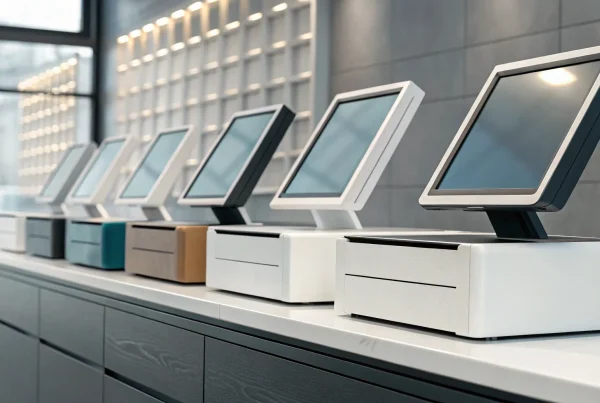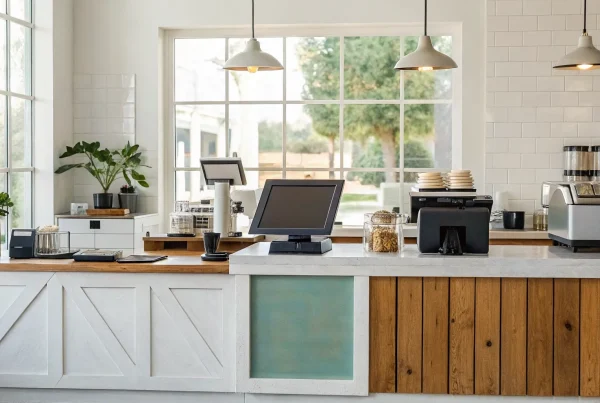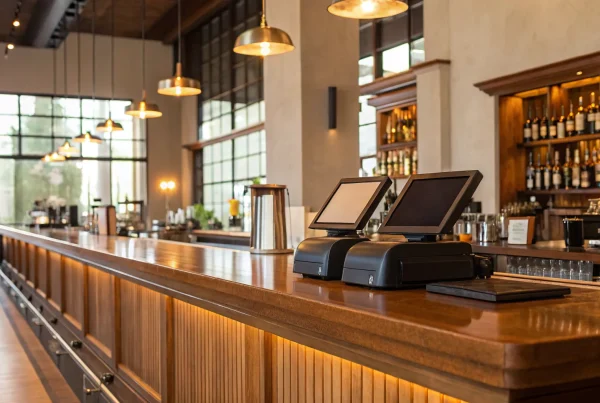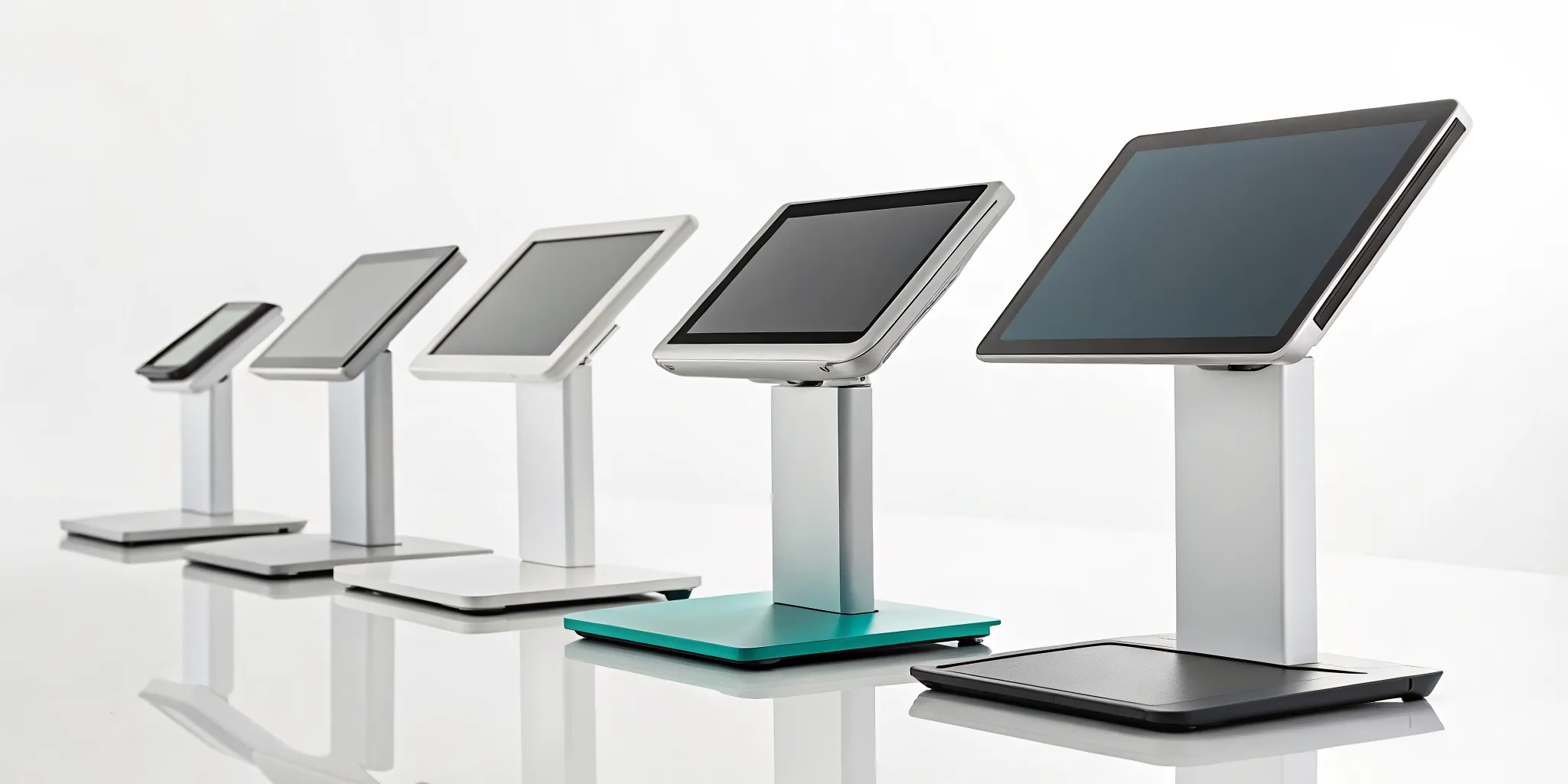
If you think a POS is just a high-tech way to take money, you’re missing out on its most powerful capabilities. While it does process transactions, a modern POS is a business management tool that helps you make smarter decisions every day. It tracks your inventory in real time, so you know what’s selling and when to reorder. It collects valuable sales data, giving you insights into your busiest hours and most popular items. It even helps you build customer loyalty. The best pos retail system isn’t just a cash register; it’s a partner that provides the data you need to run your business more efficiently.
Key Takeaways
- Focus on your specific needs, not just popular names: The best POS system is the one that solves your unique operational challenges, whether that’s managing a complex retail inventory, syncing online and in-store sales, or scheduling appointments for a service business.
- Look beyond the monthly fee to find the true cost: A “free” or cheap POS can hide expensive payment processing rates that eat into your profits. Always analyze the total cost, including hardware, software, and transaction fees, to find a solution that supports your long-term financial health.
- Treat your POS as a source of business intelligence: A great system does more than take payments; it provides valuable data on your sales trends, top-performing products, and customer behavior. Use these insights to make smarter decisions about everything from marketing to staffing.
What Makes a POS System Great?
Think of a point-of-sale (POS) system as the command center for your business. It’s so much more than a modern cash register; it’s the hub where your sales, inventory, payments, and customer data all come together. Finding the right one can feel overwhelming, but the secret is that there’s no single “best” system for everyone. The perfect POS for a bustling coffee shop will look very different from the one a boutique clothing store needs.
A great POS system is one that fits your specific workflow and is flexible enough to grow with you. As your business evolves, your needs will change. You might add an online store, open a second location, or expand your product line. The right system won’t hold you back; it will adapt and scale right alongside you. To find that perfect fit, you need to look closely at a few key areas: its core features, how it handles payments, its inventory management capabilities, and the quality of its reporting. Let’s break down what to look for in each of these categories.
Must-Have Features for Any Business
Before you get lost in the bells and whistles, make sure any POS system you consider nails the fundamentals. First and foremost, it has to be easy to use. If your team can’t ring up a sale quickly or needs hours of training, it’s going to slow down your entire operation and frustrate customers. Look for an intuitive interface that makes sense from the moment you log in. Beyond that, a great system should include tools for customer relationship management (CRM), allowing you to build customer profiles, track purchase history, and create loyalty programs. It should also have employee management features to track hours and sales performance, helping you see who your top performers are.
How It Handles Payments
At its core, a POS system’s job is to help you get paid. A modern system should give your customers the flexibility to pay however they want. This means accepting all major credit cards (including chip and tap-to-pay), mobile wallets like Apple Pay and Google Pay, and of course, cash. Offering a variety of payment methods isn’t just about convenience; it speeds up the checkout process and shows customers you’re keeping up with the times. Your POS should process these transactions quickly and reliably, ensuring you never miss a sale because your system is down. Security is also non-negotiable, so make sure the system is fully compliant and keeps your customers’ data safe.
Tracking Inventory and Selling Online
For any business that sells physical products, inventory management is a game-changer. A great POS system automates this process, tracking your stock levels in real time as sales happen. This helps you avoid running out of popular items or tying up cash in products that aren’t selling. If you sell both in-person and online, finding a POS that seamlessly integrates with your e-commerce platform is essential. This creates a single, unified inventory, so when an item sells online, it’s automatically removed from your in-store stock count. This prevents overselling and gives you a clear, accurate picture of your entire business from one dashboard.
Getting Clear Reports and Insights
Your POS system collects a massive amount of valuable data with every single transaction. A great system makes that data easy to access and understand. Instead of just giving you raw numbers, it should generate clear, visual reports that help you see the story behind your sales. You should be able to quickly identify your best-selling products, your busiest times of day, and even your most loyal customers. These business insights are incredibly powerful. They allow you to make smarter decisions based on facts, not guesswork, whether you’re creating a staff schedule, planning a promotion, or deciding which new products to order.
A Look at Today’s Top POS Systems
Choosing a point-of-sale system can feel overwhelming, but it helps to know the major players and what they do best. Each system is built with a different type of business owner in mind. Let’s break down some of the top options available so you can see how they stack up and which one might be the right fit for your business.
MBNCard POS Solutions
At MBNCard, we focus on providing powerful, affordable POS solutions tailored to your specific business needs. Instead of a one-size-fits-all approach, we work with you to find the right hardware and software combination that makes sense for your operations. Our systems are designed for seamless credit card processing with a focus on transparent, fair pricing. We specialize in programs like dual pricing and cash discounts that can help you significantly reduce or even eliminate your processing fees. It’s the perfect choice for small to mid-sized businesses that want a reliable system backed by personalized support and a commitment to helping you save money.
Square POS
Square is one of the most recognizable names in the POS world, and for good reason. It’s incredibly easy to set up and works for almost any type of business, from retail shops to coffee carts. The system is known for its straightforward interface, solid inventory tracking, and ability to function even when your internet goes down. With a free starting plan, it’s a popular entry point for new businesses. However, as your business grows, you might find you need more specialized retail features that require upgrading or looking at a more robust system.
Shopify POS
If you’re already selling online with Shopify, their POS system is a natural fit. Its biggest strength is how it unifies your online and in-person sales into one cohesive platform. This means your inventory, customer data, and sales reports are all managed in a single place, which is a huge time-saver. The basic version, POS Lite, is included with all Shopify plans. For more advanced retail features like smart inventory management and staff permissions, you’ll need to add the POS Pro subscription to your plan. It’s an excellent choice for any omnichannel retailer.
Lightspeed Retail
For businesses with large, complex inventories or multiple locations, Lightspeed Retail is a true powerhouse. It’s built to handle the demands of a growing retail operation, offering advanced tools for managing stock across all your sales channels and streamlining your purchasing from suppliers. Because it’s so feature-rich, it comes with a higher price tag and a steeper learning curve than some of the simpler systems. While it might be too much for a small startup, it’s a highly scalable solution that can grow with an ambitious retail business.
Clover POS
Clover stands out for its flexibility, offering a range of sleek hardware options and a massive app market to customize your system. You can build a POS setup that does exactly what you need it to, whether that’s managing appointments, running loyalty programs, or integrating with your accounting software. This à la carte approach means you can create a truly bespoke system. Just be sure to map out the total cost, including the hardware, your monthly software plan, and any apps you might need, to ensure it fits your budget.
What’s the Real Cost of a POS System?
When you start shopping for a point-of-sale system, it’s easy to focus on the monthly software fee or the price of a shiny new terminal. But the real cost of a POS system is much more than what you see on the price tag. The total expense is a combination of software subscriptions, hardware purchases, and, most importantly, payment processing fees. Some companies bundle these costs, while others separate them, making it tricky to compare your options apples-to-apples.
An expensive system doesn’t always mean it’s better, and a “free” POS might come with surprisingly high transaction fees that eat into your profits over time. To make the best choice for your business, you need to look at the complete picture. Think about the upfront investment for hardware, the recurring software fees, and the small percentage you’ll pay on every single sale. Understanding how these pieces fit together is the key to finding a solution that supports your growth instead of holding you back with unexpected costs. Let’s break down what you can expect to pay for.
Subscriptions vs. Per-Transaction Fees
Most POS software is priced in one of two ways: a flat monthly subscription or a fee charged per transaction. A subscription model means you pay a fixed amount every month to use the software, regardless of how many sales you make. This is great for budgeting because your costs are predictable. It’s often a better deal for established businesses with a steady, high volume of sales.
On the other hand, some POS providers offer their software for “free” but take a percentage of every transaction. This pay-as-you-go model can be appealing for new businesses or those with fluctuating sales, since you only pay when you make money. However, as your business grows, these small percentages can add up to more than a monthly subscription would have cost. Some systems even use a hybrid approach, so be sure to clarify the pricing model before you commit.
Breaking Down Processing Rates
Payment processing fees are one of the most significant and complex costs associated with any POS system. Every time a customer pays with a credit or debit card, a small percentage of that sale goes to the payment processor. These rates can vary widely between providers and often depend on the type of card used. For example, a corporate rewards card typically costs more to process than a standard debit card.
It’s important to find a provider who is transparent about their processing rates. Some offer a simple flat rate for all transactions, which is easy to understand but might not be the most affordable. Others use more complex pricing structures that can save you money if you know what to look for. Don’t be afraid to ask for a detailed breakdown of all potential payment processing fees so you know exactly where your money is going.
Don’t Forget Hardware and Hidden Fees
Beyond software and processing, you’ll need hardware to run your operations. This can include a credit card terminal, a cash drawer, a receipt printer, and a barcode scanner. Some POS systems require you to buy their proprietary hardware, which can lock you into their ecosystem. Others are more flexible, allowing you to run the software on an iPad or tablet you already own.
You also need to watch out for hidden fees that can inflate your monthly bill. These can include charges for setup, early termination, customer support, or failing to meet PCI compliance standards for data security. Always read the fine print in your contract and ask for a complete list of all potential fees. A trustworthy provider will be upfront about these costs from the start.
The Pros and Cons of Popular Systems
Choosing a POS system is a big deal. It’s the command center for your sales, inventory, and customer data. To help you find the right fit, let’s break down what some of the most popular systems do best and where they might fall short for your business.
MBNCard: What We Do Best
Our approach at MBNCard is a bit different. We focus on building a payment solution that fits your business perfectly, rather than offering a one-size-fits-all box. Our strength lies in transparent, affordable payment processing. We help you save money through programs like dual pricing and cash discounts, which can significantly lower your credit card processing fees.
We’re the right partner for business owners who are tired of confusing statements and hidden costs. While we may not have the same brand recognition as some all-in-one systems, we provide dedicated support and fast funding to keep your cash flow healthy. If you value a long-term partnership focused on saving you money, we’re built for you.
Square: Where It Shines and Where It Falls Short
Square is incredibly versatile and a popular starting point for new businesses, from small retail shops to coffee carts and salons. Its major advantage is simplicity. You can get set up quickly, and it even has an offline mode that processes payments when your internet is down. The interface is user-friendly, and its app store lets you add extra features as you grow.
However, that simplicity can become a limitation. As your business expands, you might find its inventory management less detailed than more specialized systems. While it’s a fantastic entry-level option, rapidly growing retailers may eventually need a POS with more robust, industry-specific tools to manage complex operations.
Shopify POS: The Good and The Bad
If you sell products both online and in a physical store, Shopify POS is a powerful contender. Its biggest strength is the seamless integration between your ecommerce site and your brick-and-mortar location. This creates a truly omnichannel retail experience, allowing you to manage inventory, sales, and customer data in one unified system. Real-time syncing means you’ll never sell an out-of-stock item again.
The main drawback is cost. The system is most effective when you’re already using the Shopify ecommerce platform, and expenses can climb as you add more advanced features or apps. If your business is primarily in-person with little to no online sales, you might find you’re paying for features you don’t need.
Lightspeed: What to Know Before You Buy
Lightspeed is designed for serious, established retailers with complex needs. It excels at managing large inventories, especially for businesses with multiple locations. If you have thousands of SKUs and need to track stock across several storefronts and an online shop, Lightspeed’s powerful inventory tools are hard to beat. It’s a highly scalable system that can grow with an ambitious retail operation.
That complexity, however, makes it a less ideal choice for small businesses or startups. The system can feel overwhelming and may be more expensive than what a new store needs. For a single-location boutique with a straightforward inventory, Lightspeed might be overkill.
Clover: Its Strengths and Weaknesses
Clover stands out for its flexibility and customizable hardware. You can choose from a range of devices, from a simple card reader to a full-fledged station, allowing you to build a setup that fits your counter space and workflow. Its app market also lets you add specific functionalities, like loyalty programs or advanced reporting, so you only pay for the tools you use.
The potential downside is that these costs can add up. The monthly software fee can increase with every app you install. Before committing, it’s important to calculate the total cost of ownership, including hardware, software subscriptions, and any essential apps. This ensures the modular system doesn’t become more expensive than an all-inclusive one.
Find the Right POS for Your Business
Choosing a point-of-sale system isn’t a one-size-fits-all decision. The hardware that works perfectly for the coffee shop down the street might be a terrible fit for your online boutique or auto repair shop. The best system for you depends entirely on how you operate, what you sell, and where you plan to grow. Think of it less like buying a cash register and more like hiring a key employee. It needs to handle your daily tasks efficiently, give you clear insights into your business performance, and make life easier, not more complicated.
Before you get swayed by flashy features or a low introductory price, take a moment to map out your specific needs. Do you manage a complex inventory across multiple locations? Do you need to integrate online sales with your in-person transactions? Or are you a service-based business that cares more about appointment scheduling and client management? Understanding your core requirements will help you cut through the noise and focus on the solutions that are truly built for a business like yours. Let’s look at some common business types and the POS features that serve them best.
Small Retail Stores and Startups
When you’re just starting out or running a small shop, simplicity is your best friend. You need a POS system that is easy to set up, intuitive to use, and handles payments reliably without a steep learning curve. Systems like Square POS are popular for this reason; they let you start selling almost immediately. Your focus should be on core functions: ringing up sales, accepting various payment types, and basic inventory tracking. You don’t need every bell and whistle, but you do need a solid foundation that can scale with you as your small business grows.
Multi-Location Businesses
Managing one store is a challenge; managing several is a whole different ballgame. If you have multiple locations, your top priority is a centralized system that gives you a bird’s-eye view of your entire operation. Cloud-based systems are essential here, as they allow you to access sales data, customer information, and inventory levels from anywhere, in real time. This ensures that stock counts are accurate across all stores, preventing you from selling an item in one location that’s out of stock in another. A unified inventory management system is the key to running a smooth multi-location business.
E-commerce and Omnichannel Retailers
If you sell both online and in a physical store, you’re running an omnichannel business, and you need a POS that can keep up. The biggest challenge is syncing your inventory. A great omnichannel POS, like Shopify POS, integrates your e-commerce platform with your in-person sales. When a customer buys a product online, your in-store inventory is updated instantly, and vice versa. This prevents overselling and creates a seamless experience for your customers, whether they’re browsing your website at home or standing in your shop. It unifies your sales channels into one cohesive business.
Service-Based Businesses
Service businesses like salons, repair shops, and consultants have different needs than traditional retailers. While you still need to process payments, your focus is likely more on managing appointments, tracking client histories, and sending invoices. A flexible system like Clover POS is often a great fit because its app marketplace allows you to add the specific tools you need, such as booking software or customer relationship management (CRM) features. For you, the best POS is less about scanning barcodes and more about streamlining your workflow and maintaining strong customer relationships.
Common POS Myths That Can Cost You
Choosing a point-of-sale system can feel overwhelming, and a lot of common advice is actually based on outdated ideas. Believing these myths can lead you to pick the wrong system, costing you time, money, and even customers. Let’s clear up a few of the biggest misconceptions so you can make a choice that truly supports your business.
Myth: A POS Is Just a Fancy Cash Register
If you think a POS is just a high-tech cash drawer, you’re missing the bigger picture. While it does process transactions, a modern POS is the central hub of your entire operation. It tracks your inventory in real time, so you know exactly what’s selling and when to reorder. It also collects valuable sales data, giving you insights into your busiest hours and most popular items. A good system even helps you build customer relationships by storing contact information and purchase history. It’s less of a cash register and more of a business management tool that helps you make smarter decisions every day.
Myth: All Systems Are Basically the Same
This is one of the most dangerous myths out there. Saying all POS systems are the same is like saying all vehicles are the same. You wouldn’t use a sports car to haul lumber, right? The same logic applies here. A POS designed for a restaurant needs features like table management and ticket splitting, which are useless for a retail boutique. A salon needs appointment scheduling built-in. Choosing a generic system or one built for the wrong industry will create daily headaches and force you to rely on clunky workarounds. The best POS systems are tailored to specific business types, so it pays to find one that fits your unique workflow.
Myth: Small Businesses Don’t Need Advanced Features
It’s easy to think that basic features are “good enough” when you’re trying to keep costs down, but this mindset can hold your business back. Features that seem “advanced,” like detailed reporting or customer loyalty programs, are often the very things that fuel growth. For example, knowing who your top customers are allows you to create targeted promotions that keep them coming back. Real-time inventory management prevents you from losing a sale because an item was unexpectedly out of stock. These aren’t just bells and whistles; they are tools that provide a real return on your investment by helping you operate more efficiently and market more effectively.
Myth: Security Isn’t a Big Deal
As a business owner, you are responsible for protecting your customers’ sensitive payment information. Believing security isn’t a big deal is a huge risk, as a single incident can destroy the trust you’ve worked so hard to build and result in massive fines. Modern POS systems are built with multiple layers of security, including encryption and tokenization, to keep card data safe. They also help you stay PCI compliant, which is a set of mandatory security standards for any business that accepts credit cards. Security isn’t an optional feature; it’s a fundamental part of running a responsible and trustworthy business.
How Pricing Models Affect Your Bottom Line
Choosing a POS system is a lot like buying a car. The sticker price is just the starting point, and the real cost comes from understanding the financing, maintenance, and long-term value. The same is true for your POS. The pricing model you choose will directly impact your monthly budget and overall profitability. Some systems look cheap upfront but eat away at your margins with high transaction fees, while others require a bigger initial investment but save you money in the long run. To make the best choice, you need to look beyond the advertised price and understand how you’ll actually be charged.
Can You Predict Your Monthly Costs?
Nothing disrupts cash flow like an unexpectedly high bill. Predictability is key, but many businesses get stuck in long-term contracts with sneaky service charges and ongoing maintenance fees. You want a partner who is transparent about costs. Ask potential providers for a complete list of fees, including charges for software updates, customer support, and additional terminals. A simple, flat monthly fee can make budgeting much easier than a model with a low base rate but dozens of potential add-on charges. Understanding these hidden costs of POS systems is the first step to protecting your bottom line.
Upfront Investment vs. Long-Term Value
It’s tempting to go for the “free” hardware or the cheapest monthly subscription, but this can be a costly mistake. The cheapest option often hides high processing fees or required proprietary add-ons that drive up your total expense. Some companies offer free equipment but lock you into multi-year contracts with unfavorable terms. It’s better to think about the total cost of ownership over two or three years. A system that requires you to buy POS hardware upfront might actually save you thousands in the long run if it comes with lower processing rates and the flexibility to switch providers without penalty.
How Your Sales Volume Changes Your Fees
A pricing model that works when you’re just starting out can become a major expense as your business grows. Many popular POS systems charge a flat percentage on every single transaction. When you’re processing thousands of dollars in sales each month, those small percentages add up fast. Your payment processing fees can quickly become one of your largest operating costs. As your sales volume increases, you should explore pricing structures like dual pricing or cash discount programs. These models are designed to help offset processing costs, putting more of your hard-earned revenue back into your business where it belongs.
What to Know About Payment Processing
Your point-of-sale system is more than just a tool for ringing up sales; it’s the heart of your payment processing. How you accept payments directly affects your bottom line, so it’s crucial to understand what’s happening behind the scenes. The fees, security, and programs associated with your payment processor can either eat into your profits or help you grow. Let’s break down the three key areas you need to know about before you commit to a system.
How Credit Card Rates Work
Let’s be honest, credit card processing fees can feel complicated. They aren’t a single, flat number. Instead, they’re a mix of different charges that can vary based on the card type, how the transaction is processed, and your provider. Most fees are structured as a percentage of the sale plus a small flat fee per transaction.
The POS system you choose plays a huge role here. Some providers offer simple, flat-rate pricing, which is predictable but can be expensive for businesses with a high volume of small transactions. Others offer more complex pricing models like Interchange-plus, which can be more transparent and affordable. Understanding how these processing rates are structured is the first step to finding a solution that actually saves you money.
Saving Money with Dual Pricing and Cash Discounts
You don’t have to accept high processing fees as a standard cost of doing business. Innovative programs are available that can drastically lower or even eliminate your credit card processing expenses. One of the most effective strategies is implementing a cash discount or dual pricing program.
These programs allow you to offer customers two different prices: a standard price for card payments and a discounted price for cash payments. This incentivizes customers to pay with cash, which helps you reduce your overall transaction costs. It’s a straightforward, compliant way to give your customers a choice while protecting your profit margins. A good POS system will make it simple to implement a dual pricing program at the checkout.
Keeping Your Transactions Secure and Compliant
Protecting your customers’ payment information isn’t just good practice; it’s a requirement. All businesses that accept credit cards must follow the Payment Card Industry (PCI) Data Security Standard. Failing to maintain PCI compliance can expose you to serious data breaches, hefty fines, and a loss of customer trust.
The good news is that modern POS systems are designed with security in mind. They come with built-in features like end-to-end encryption and tokenization that safeguard sensitive data from the moment a card is swiped or tapped. Choosing a POS provider that prioritizes security reduces your compliance burden and gives you peace of mind, knowing your business and your customers are protected.
How to Figure Out What Your Business Needs
Choosing a POS system can feel like a huge decision, but it gets a lot easier when you know exactly what you’re looking for. Instead of getting distracted by flashy features you’ll never use, start by looking at how your business actually runs day-to-day. The right system isn’t the one with the most bells and whistles; it’s the one that solves your specific problems and makes your life easier.
To find your perfect match, you need to answer a few key questions about your operations. Let’s walk through what you need to consider to find a system that fits your business like a glove.
How Many Transactions Do You Run?
First, think about your sales volume. Are you running a busy coffee shop with a line out the door during the morning rush, or a boutique furniture store that makes a few large sales each day? The number of transactions you process directly impacts the kind of system you need. A high-volume business requires a POS that is fast, reliable, and can handle back-to-back sales without lagging. A slow checkout process can lead to frustrated customers and lost sales. On the other hand, if you have lower transaction volume, you might prioritize a system with strong customer management features over pure speed.
What Other Tools Do You Need to Connect?
Your POS system shouldn’t live on an island. It should be the central hub that connects all the other software you use to run your business. Make a list of the tools you rely on, like your accounting software, email marketing platform, or online store. If you sell both in-person and online, you’ll want a system that offers a seamless e-commerce integration to keep your inventory synced across all channels. This prevents you from accidentally selling the same item twice and saves you hours of manual data entry. The goal is to create a smooth, automated workflow between all your essential tools.
Are There Special Features for Your Industry?
Every industry has its own unique challenges, and a generic POS system might not cut it. A restaurant needs to manage tables, split checks, and process tips, while a retail clothing store needs to track inventory by size and color. Service-based businesses, like salons or auto shops, might need appointment scheduling and the ability to maintain detailed customer profiles. Before you commit to a system, check if it offers features designed specifically for your type of business. These industry-specific tools can make a huge difference in your daily operations, helping you stay organized and provide better service to your customers.
How to Choose and Set Up Your New POS
Switching your point-of-sale system can feel like a huge project, but breaking it down into clear steps makes it much more manageable. Once you’ve narrowed down your options, the real work of choosing the final one and getting it running begins. A thoughtful approach here can save you from future headaches and ensure your new system is a perfect fit from day one. Think of it as a three-part process: trying it out, training your team, and making the switch. Let’s walk through each stage so you can get back to business with a system that truly works for you and your customers.
Why You Should Test Drive It First
You wouldn’t buy a car without a test drive, and the same logic applies to your POS. Before you even book a demo, make a list of your non-negotiables. Think about your inventory size, how many employees will use the system, and if you need to manage multiple locations. Do you need special features like customer accounts or the ability to bundle items? Getting clear on these details helps you ask the right questions. A hands-on trial is your chance to see if the workflow feels natural and efficient for your specific business before you sign any contracts.
Getting Your Team Ready
A new POS is a significant investment, and its success depends on the people who use it every day: your team. The best systems have intuitive interfaces, but don’t skip the training. A smooth rollout starts with getting your staff comfortable and confident with the new technology. Schedule dedicated time to walk everyone through the new software, focusing on the most common tasks they’ll perform. You can even create simple cheat sheets for quick reference next to the terminal. When your team feels equipped to use the new tools, the transition will be much smoother for everyone, including your customers.
Moving Your Data and Going Live
The final step is moving your information over and officially making the switch. This part can feel intimidating, but your POS provider should help you migrate key data like your product catalog and customer lists. A huge advantage of today’s systems is their ability to integrate with e-commerce platforms, letting you manage online and in-store operations from one place. When it’s time to go live, try to pick a slower business day. Some businesses even run their old and new systems side-by-side for a day to catch any issues. Make sure you have your provider’s support number handy just in case.
Related Articles
- 7 Best Retail POS Systems for Small Business
- The Ultimate POS System List: 12 Top Picks
- 5 Point of Sale Examples From Top Industries
- The Best Retail Point of Sale System: 6 Top Picks
Frequently Asked Questions
Is a “free” POS system actually free? That’s a great question, and the short answer is usually no. While some companies offer their software without a monthly subscription fee, they typically make their money through payment processing. This means they take a slightly higher percentage of every card transaction you run. This model can be great when you’re just starting, but as your sales grow, those transaction fees can quickly add up to more than a flat monthly subscription would have cost. It’s important to calculate the total cost, not just the upfront price.
Can I use my own hardware, like an iPad, or do I have to buy the company’s equipment? This really depends on the provider. Many modern, cloud-based systems are designed to run on tablets you may already own, which can save you a lot on initial setup costs. However, other companies require you to purchase or lease their proprietary hardware. While their equipment is guaranteed to work seamlessly with their software, it can lock you into their ecosystem, making it harder to switch providers later on. Always clarify the hardware requirements before you commit.
How do I know if I’m paying too much for credit card processing? The easiest way to check is to look at your monthly statement and find your “effective rate.” To do this, divide your total processing fees by your total card sales for the month, then multiply by 100. This gives you a single percentage that represents what you’re truly paying. If that number seems high or has been creeping up over time, it’s a good sign that you should shop around. A trustworthy provider will be able to explain every fee on your statement and show you how they can offer a better value.
What’s the biggest mistake business owners make when choosing a POS? The most common mistake is choosing a system based on brand recognition or a low price tag instead of focusing on their specific business needs. A trendy, minimalist system might be perfect for a coffee shop but a nightmare for a retail store with a complex inventory. Before you even look at different brands, make a list of your must-have features, like appointment booking or e-commerce integration. This ensures you choose a tool that solves your actual problems, not one that just looks good on the counter.
How difficult is it to switch to a new POS system if I already have one? Switching systems is much easier than it used to be. Most reputable POS providers have a dedicated team to help you through the process. They can assist with migrating your essential data, such as your product catalog and customer lists, so you don’t have to re-enter everything manually. The key to a smooth transition is planning. Schedule time to train your staff on the new system and try to launch on a slower business day to minimize any hiccups.