Your customers might not notice your POS system, but they will definitely notice the effects of a bad one. Long waits to order, incorrect bills, and slow payment processing can ruin an otherwise great dining experience. Your POS is the silent partner that empowers your staff to provide excellent service. A streamlined, intuitive system allows your team to focus on your guests instead of fighting with technology. By choosing a platform that supports your workflow, you’re directly investing in customer satisfaction and encouraging repeat business. We’ll show you how finding the best POS system for a small restaurant is a crucial step in creating a seamless experience for everyone.
Key Takeaways
- Match the POS to your daily workflow: The best system for a quick-service cafe is different from one for a full-service restaurant. Prioritize features that solve your specific operational needs, like fast ordering for counter service or detailed table management for seated dining.
- Look beyond the monthly fee to find the true cost: Your biggest long-term expense will likely be payment processing. Always get a clear breakdown of all transaction rates, hardware costs, and potential fees for add-ons to understand the total investment.
- Choose a system that can grow with your business: Your restaurant’s needs will evolve. Select a scalable POS with reliable customer support and the flexibility to add integrations for online ordering or loyalty programs when you are ready to expand.
What Makes a Great POS System for a Small Restaurant?
Choosing a point-of-sale (POS) system can feel like a huge task, but it’s one of the most important decisions you’ll make for your restaurant. A great POS is more than a cash register; it’s the command center for your entire operation. It handles payments, tracks orders, manages staff, and gives you the data you need to make smart business decisions. The right system helps everything run smoothly, reduces daily stress, and sets you up for growth. Instead of just thinking about how you’ll take payments, think about how a POS can streamline your entire workflow, from the front of the house to the back. Let’s break down the essential components to look for.
Key Features Your Restaurant POS Must Have
Before you get swayed by flashy features, make sure any system you consider has the fundamentals covered. Your POS should make life easier for you and your staff, not more complicated. Look for intuitive table management that allows servers to split checks and transfer tables with a few taps. You’ll also want flexible menu customization to easily add daily specials or 86 an item that’s sold out. Other non-negotiables include inventory tracking to monitor stock levels and employee management tools for scheduling and time clocks. Strong reporting and analytics are also crucial for understanding your sales trends, top-performing dishes, and food costs, giving you the insights needed to improve your bottom line.
Hardware vs. Software: What’s the Difference?
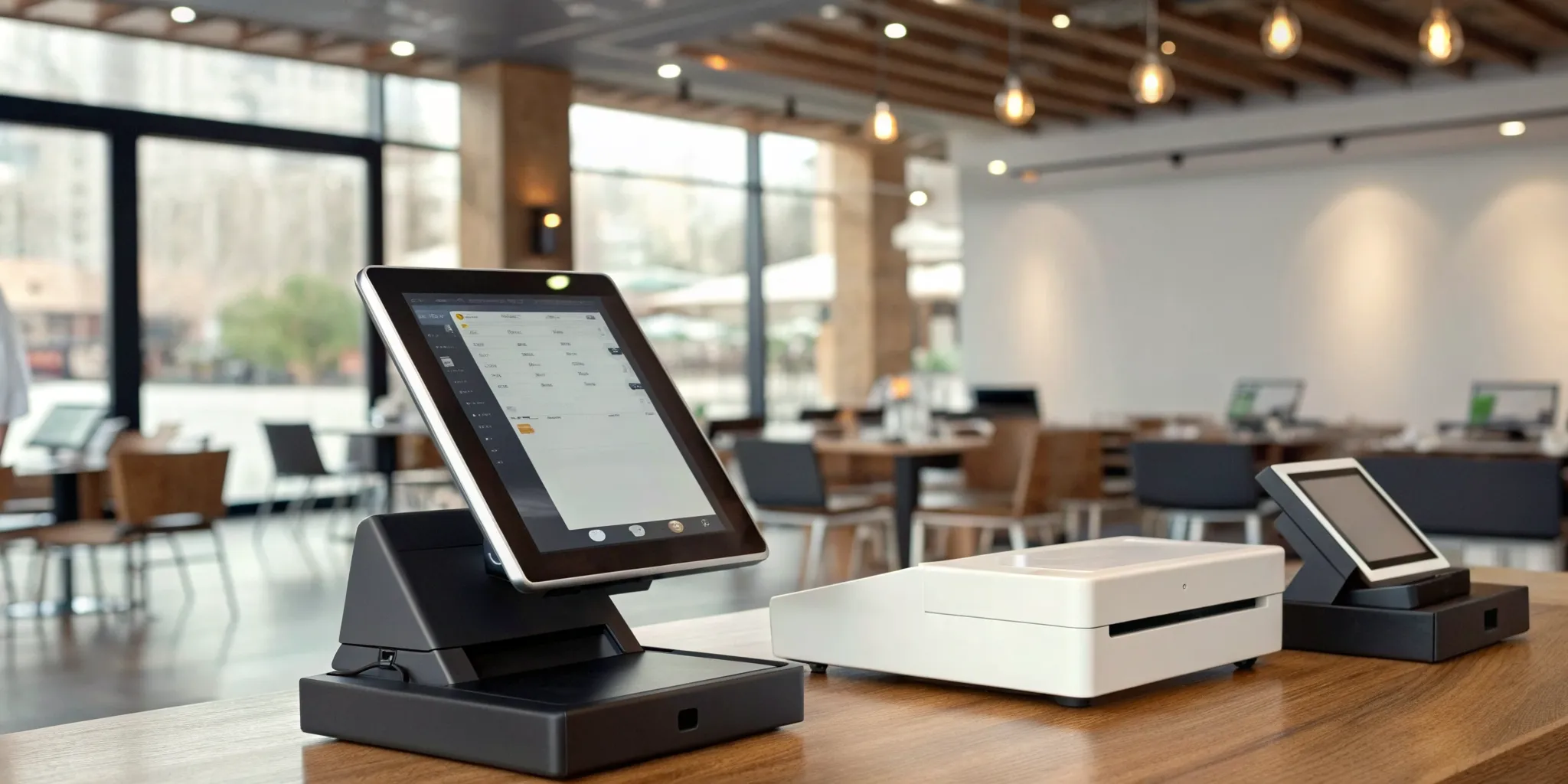
It’s helpful to think of your POS in two parts: hardware and software. The hardware includes the physical equipment like your touchscreen terminal, credit card reader, receipt printer, and cash drawer. The software is the program that runs everything, from taking orders to processing payments. Many modern systems offer an “offline mode,” which is a lifesaver if your internet connection drops. It allows you to keep taking orders and cash payments until you’re back online. On the security front, ensure any system you choose is fully compliant with the Payment Card Industry Data Security Standard (PCI DSS) and supports EMV chip card transactions to protect your business and your customers from fraud.
Integrations That Actually Help Your Restaurant
Your POS system shouldn’t operate on an island. To run your restaurant efficiently, it needs to connect seamlessly with the other tools you rely on. Before you commit, confirm that the POS integrates with your existing accounting software, like QuickBooks, to make bookkeeping a breeze. If you use third-party delivery apps, a direct integration can save your staff from manually entering orders, reducing errors and saving time. Other valuable connections include customer loyalty programs and online ordering platforms for your website. Taking the time to plan for these integrations ensures all your systems work together smoothly from day one, creating a more connected and efficient operation.
A Look at the Top Restaurant POS Systems
Choosing a point-of-sale system is one of the most important decisions you’ll make for your restaurant. This system is the central hub for your entire operation, handling everything from taking orders and processing payments to managing inventory and tracking sales data. The right POS can streamline your workflow, help your staff work more efficiently, and give you the insights you need to make smart business decisions. The wrong one can cause daily headaches, frustrate your team, and cost you money.
With so many options on the market, it’s easy to feel overwhelmed. You’ll find systems designed for every type of restaurant, from bustling cafes to fine dining establishments. To help you get started, we’re going to walk through some of the most popular and reliable POS systems available for small restaurants. We’ll cover the key strengths of each one so you can see how they stack up and figure out which solution aligns best with your specific needs and business goals. Let’s explore what MBNCard, Square, Toast, and Clover have to offer.
MBNCard POS Solutions
At MBNCard, we focus on providing powerful, flexible POS solutions that are tailored to your restaurant’s unique needs. We believe your POS system should work for you, not the other way around. Our approach combines user-friendly software with robust hardware, all backed by personalized support. We specialize in integrating cost-saving payment solutions, like our popular dual pricing program, directly into your POS. This allows you to offset processing fees and keep more of your hard-earned revenue. We work with you to build a system that fits your workflow, whether you run a small coffee shop or a growing full-service restaurant, ensuring you get the features you need without paying for those you don’t.
Square for Restaurants
Square is a popular choice, especially for new or small restaurants, because it’s known for being affordable and incredibly easy to use. You can get started with its free plan and upgrade as your business grows. The system is versatile and designed to support different types of service, including quick-service counters, full-service dining rooms, and bars. Square offers a complete software and hardware system that helps you manage orders, tables, and payments from one place. Its straightforward interface makes staff training simple, and its scalability means it can continue to support your restaurant as you expand your operations.
Toast POS
Toast is a system built from the ground up specifically for the restaurant industry. This singular focus is its biggest strength. Because it’s designed exclusively for food service, every feature is tailored to solve common restaurant challenges. Many owners praise its excellent kitchen display system (KDS), which helps streamline communication between the front and back of the house, keeping orders accurate and ticket times low. Toast also offers strong reporting features that give you deep insights into your sales, menu performance, and labor costs. It’s a comprehensive solution that’s highly recommended for restaurant owners who want a specialized, all-in-one platform.
Clover POS Systems
Clover stands out for its flexibility and sleek, modern hardware. It’s a great fit for restaurants that want a customizable system that can adapt to their changing needs. Clover’s strength lies in its app market, which allows you to add specific functionalities like advanced inventory management, customer loyalty programs, and online ordering integrations. This makes it a solid choice for growing restaurants that anticipate needing more powerful features down the line. The system is quick to set up and offers a range of all-in-one machines that combine payment processing, order management, and business analytics into a single device.
How Much Should You Expect to Pay for a Restaurant POS?
Figuring out the budget for a new point-of-sale system can feel like a huge task, but it doesn’t have to be. The total cost of a restaurant POS system is typically broken down into three main parts: the software subscription, the physical hardware, and the payment processing fees you pay on each transaction. Some systems require a significant upfront investment in hardware, while many modern, cloud-based options offer affordable monthly subscriptions that are much easier on a new restaurant’s cash flow.
The price tag can range from a free basic plan to several hundred dollars per month, depending on what your restaurant needs. A food truck might only need a simple tablet and card reader, while a full-service restaurant will require multiple terminals, kitchen display systems, and advanced software features. Instead of just looking for the cheapest option, think about the value. A slightly more expensive system that saves you hours in administrative work or helps you turn tables faster is often a much smarter investment in the long run. The key is to find a solution that fits your current needs and can grow with you.
Breaking Down POS Pricing Models
When you start comparing POS systems, you’ll notice a few common pricing structures for the software itself. Many cloud-based providers offer tiered monthly subscriptions, with costs typically running between $0 and $300 per month. A basic plan might be free or low-cost, making it a great entry point for new or mobile restaurants. For example, some companies offer a free plan that covers the essentials. As your needs become more complex, you can move to a paid tier that includes features like advanced inventory management or in-depth reporting for around $165 per month or more. This tiered approach allows you to pay only for the features you actually use.
What to Know About Transaction Fees
Beyond the monthly software fee, you’ll also have payment processing fees. These are charged every time a customer pays with a credit or debit card. The rates can vary quite a bit between providers, so it’s important to understand how they work. Some systems charge a flat percentage plus a few cents on every sale, like 2.6% + $0.10 per transaction. Others might offer different rates based on your sales volume or the type of card used. While a fraction of a percent might not sound like much, these fees add up quickly and can significantly impact your bottom line. Programs like dual pricing can help you offset these costs entirely, so be sure to ask your payment provider about your options.
Watch Out for These Hidden Costs
It’s easy to get sticker shock from unexpected fees after you’ve already committed to a POS system. To avoid this, be on the lookout for potential hidden costs. Some providers charge extra for features that you might assume are standard, like loyalty programs or online ordering integrations. You might also face additional fees for 24/7 customer support, hardware upgrades, or integrating with third-party software like your accounting or payroll platforms. Before you sign any contract, ask for a detailed breakdown of all potential charges. Understanding the full picture of your investment will help you make a confident decision and avoid any surprises down the road.
Find the Right POS for Your Restaurant Type
The “best” POS system isn’t a one-size-fits-all solution; it’s the one that fits your restaurant’s specific workflow. A bustling coffee shop has completely different needs than a fine-dining establishment, so the first step is to think about your daily operations. Do you need to manage complex table layouts and reservations, or is your main goal to process orders as quickly as possible for a long line of customers? The answer will point you toward the right features and help you avoid paying for bells and whistles you’ll never use.
Your POS system directly impacts how smoothly your customers can order and pay, which shapes their overall impression of your business. A clunky system can lead to long waits and frustrated patrons, while a streamlined one creates a seamless experience that keeps people coming back. Before you even look at specific brands, take a moment to map out your ideal service flow from the customer’s perspective. Think about every touchpoint, from taking an order to processing the final payment. This simple exercise will give you a clear checklist of must-have features, making your decision process much easier. Let’s look at a few common restaurant models and the POS features that serve them best.
Quick Service and Fast Casual
If your restaurant is all about speed and efficiency, you need a POS that can keep up. For quick-service and fast-casual spots like coffee shops, delis, and pizzerias, the name of the game is getting orders in and payments processed without a hitch. Look for systems with intuitive, easy-to-learn interfaces so your team can fly through transactions during the lunch rush. Features like customizable menus and quick-add buttons for popular items are essential.
Many new restaurants in this space start with a system like Square for Restaurants, which is known for its straightforward, no-contract software. It provides a complete package of software and hardware designed to keep your lines moving. The goal is to minimize taps and simplify the ordering process, making life easier for both your staff and your hungry customers.
Full-Service Dining
Full-service restaurants have a lot more moving parts than their fast-casual counterparts. You’re not just taking an order; you’re managing an entire dining experience. Your POS system needs to be the central hub for everything from seating guests and managing reservations to communicating complex orders to the kitchen. Look for features like table mapping, the ability to easily split checks, and course management.
A system like Toast is a popular choice for full-service dining because it’s built to handle these complexities. It offers robust reporting to track sales trends and server performance, along with integrated kitchen display systems (KDS) that streamline communication between the front and back of the house. A tailored interface helps your team manage multiple tables and complex orders, ensuring a smooth experience for every guest from start to finish.
Food Trucks and Mobile Kitchens
When your restaurant is on wheels, your POS system needs to be just as mobile and flexible as you are. For food trucks, pop-ups, and other mobile kitchens, the key is a system that is compact, durable, and reliable, even with an unpredictable internet connection. You’ll want a POS that can run on a tablet or smartphone and has strong offline capabilities, allowing you to continue taking payments when Wi-Fi is spotty.
Systems with a mobile-first design are a great fit here. For businesses that need flexible hardware, Clover’s POS solutions offer modular options that can scale with you. You can start with a simple handheld device and add more components as you grow. This flexibility, combined with a growing library of third-party app integrations, allows you to build a system that perfectly fits the unique demands of your mobile business.
Comparing the Top POS Systems: Pros and Cons
Choosing a POS system feels like a huge decision, because it is. This system will be the command center of your restaurant, so you want to get it right. To help you sort through the options, let’s break down the pros and cons of some of the most popular systems available for small restaurants. We’ll look at what makes each one stand out and where they might have limitations, so you can find the perfect fit for your business.
MBNCard POS: Pros and Cons
Our approach at MBNCard is to pair powerful, easy-to-use POS hardware and software with our core strength: transparent and affordable payment processing. The biggest advantage of using our POS solutions is the seamless integration. You get one point of contact for your entire payment ecosystem, from the terminal to the transaction settlement. This means no more confusing third-party fees and a support team that understands your whole setup.
The main benefit is cost savings and simplicity. We focus on giving you the essential tools to run your restaurant efficiently without overwhelming you with features you may not need. While our systems might not have the extensive app marketplace of some competitors, they provide a reliable, secure, and budget-friendly foundation for your business to grow on.
Square: Pros and Cons
Square is a popular choice for a reason, especially for new restaurants. Its biggest draw is affordability and ease of use. You can get started with Square for Restaurants on a free plan, which is a huge help when you’re managing startup costs. The system is intuitive for staff to learn and flexible enough to work for quick-service spots, cafes, and even full-service restaurants. It’s designed to grow with you as your business expands.
On the other hand, if you’re running a large, complex restaurant with intricate seating charts and reservation needs, Square might feel a bit limited. It doesn’t have some of the advanced, fine-tuned table management features that more specialized, high-end systems offer. For most small to mid-sized restaurants, however, it has more than enough power to get the job done.
Toast: Pros and Cons
Toast was built from the ground up specifically for the restaurant industry, and it shows. Its features are tailored to the unique chaos of food service. One of its most praised components is the kitchen display system (KDS), which helps streamline communication between your front-of-house and back-of-house teams, keeping orders accurate and ticket times down. Many first-time restaurant owners find Toast POS to be a great starting point because it’s so industry-focused.
However, it’s worth noting that some users have reported slow response times from customer service, which can be frustrating when you need a quick fix during a dinner rush. While the system itself is robust, make sure you’re comfortable with the level of support you can expect before committing.
Clover: Pros and Cons
If you want a sleek, modern-looking POS system that’s incredibly easy to set up, Clover is a fantastic option. The hardware looks great on a countertop, and the software is very user-friendly for both your staff and your customers. It’s particularly effective for counter-service restaurants, coffee shops, and food trucks where speed and simplicity are key. You can get your system up and running quickly without a steep learning curve.
The main thing to watch with Clover systems is the cost. While the base system is straightforward, its functionality is expanded through an app market. Adding features like advanced inventory management or loyalty programs requires purchasing individual apps, and those costs can add up quickly. It’s a highly customizable system, but you’ll want to budget carefully for the specific tools you need.
Cloud-Based vs. Traditional POS: Which Should You Choose?
One of the biggest decisions you’ll make is choosing between a modern, cloud-based POS and a traditional, on-premise system. Cloud-based systems store your data online for access from anywhere, while traditional systems keep everything on a local server. The right choice depends on your restaurant’s needs, internet reliability, and comfort with technology. Let’s break down the key differences to help you find the best fit for your business.
Why Go with a Cloud-Based POS?
A cloud-based POS system acts as the central hub for your operation, managing everything from online orders to inventory from any internet-connected device. This flexibility is a game-changer. You can check sales reports from home or update your menu on the fly. Worried about your internet going down? Many modern systems have an offline mode that keeps you running by taking orders and payments, then syncing everything once you’re back online. This setup gives you real-time data and remote access, making it perfect for owners who want to stay connected to their business.
When a Traditional System Is Still the Right Choice
While the cloud gets a lot of attention, a traditional, locally-hosted POS is still a solid choice for many restaurants. Since all your data is stored on-site, you aren’t dependent on an internet connection to process payments or manage orders, a huge plus for locations with spotty Wi-Fi. These systems are workhorses built for stability and can help you minimize downtime during daily use. They also excel at handling specific needs, like intricate inventory management or integrations with specialized hardware like scales, which might be essential for your business.
Comparing Security and Reliability
Regardless of which system you choose, security is non-negotiable. Your POS must protect customer payment information. Always confirm that any system you consider is fully compliant with the Payment Card Industry Data Security Standard (PCI DSS) and supports EMV chip card transactions to prevent fraud. In terms of reliability, it’s a trade-off: cloud systems depend on your internet, while traditional systems depend on your on-site hardware. A good POS should also simplify daily tasks like reconciliation, making it easy to balance your cash drawer and credit card sales at the end of the night.
Common Mistakes to Avoid When Choosing a Restaurant POS
Picking a new point-of-sale system is a major decision for your restaurant. It’s the central hub for your sales, orders, and customer data, so the pressure to get it right is real. With so many options on the market, it’s easy to get overwhelmed and make a choice you’ll regret later. But don’t worry, a little bit of planning can help you sidestep the most common pitfalls.
Think of this as your checklist for what not to do. By avoiding these frequent missteps, you can feel more confident that you’re choosing a system that will support your team and help your business thrive, not hold it back. From hidden fees to clunky software, we’ll walk through the key areas where restaurant owners often go wrong. Let’s make sure you select a POS that feels like a true partner in your business, one that simplifies your daily operations instead of complicating them.
Don’t Overlook Payment Processing Fees
It’s easy to get drawn in by a low monthly subscription fee for a POS system, but that’s rarely the full picture. The most significant ongoing cost is often the payment processing fees, which are charged on every single card transaction. These rates can vary wildly between providers and have a direct impact on your bottom line. A system that seems cheap upfront could end up costing you thousands more per year in hidden fees and confusing rate structures. Before you commit, get a crystal-clear breakdown of the credit card processing fees, including transaction rates, interchange fees, and any other charges, so you know exactly what you’ll be paying.
Factor in Staff Training Time
Your new POS system is only as good as your team’s ability to use it. A system with a steep learning curve can lead to slower service, incorrect orders, and frustrated employees, which ultimately affects your customer experience. When you’re demoing different systems, pay close attention to how intuitive the interface is. Can you easily add a menu item, split a check, or run a daily report? Minimizing downtime during the switch is crucial, so choose a system that your staff can learn quickly. A smooth transition requires careful planning and a user-friendly platform that won’t disrupt your restaurant’s flow during a busy service.
Why the Cheapest Option Isn’t Always Best
When you’re running a small restaurant, every dollar counts, so it’s tempting to go for the most budget-friendly POS you can find. However, the cheapest option often comes with significant trade-offs. It might lack essential features like advanced inventory management, detailed sales analytics, or integrations with your accounting software. The right point-of-sale system can help you solve common restaurant challenges and give you a competitive edge. Think of your POS as an investment. Spending a bit more on a robust, reliable system can pay for itself through improved efficiency, better cost control, and smarter business decisions.
Always Test the Customer Support
Imagine it’s the middle of a packed Friday night dinner rush, and your POS system freezes. This is when you’ll truly understand the value of great customer support. System downtime can bring your entire operation to a halt, preventing your staff from taking orders or processing payments. Before you sign a contract, do your homework on the provider’s support team. Are they available 24/7? Can you reach them by phone, or are you stuck with email or a chatbot? Don’t be afraid to call their support line during your evaluation process to see how quickly they respond. Reliable support isn’t a luxury; it’s a necessity.
How to Find a POS System That Grows With Your Business
Choosing a point-of-sale system isn’t just about what your restaurant needs today. It’s about where you want to be in one, three, or even five years. The last thing you want is to invest time and money into a system, only to outgrow it and have to start the search all over again. A scalable POS is one that can handle your initial needs while having the built-in capacity to support you as you expand.
Think about your future goals. Do you dream of opening a second location? Are you planning to launch an online ordering platform or a catering service? The right POS system will act as a partner in that growth, not a roadblock. It should offer a clear path to adding new features, locations, and services without requiring a complete and costly overhaul. By planning for growth from the start, you set your business up with a flexible foundation, ready to adapt to new opportunities as they arise. This forward-thinking approach saves you headaches down the line and ensures your technology keeps pace with your ambition.
Look for Features That Can Scale With You
When you’re just starting, your needs might be simple: taking orders and processing payments. But as your restaurant gets busier, you’ll need more sophisticated tools. A scalable POS system comes equipped with features that can handle increased complexity. Look for robust inventory tracking that can manage everything from produce to liquor, preventing stockouts and reducing waste. Your system should also support advanced table management to optimize seating and turn tables faster during peak hours. As your customer base grows, integrated online ordering and reservation systems become essential for streamlining operations and improving the guest experience. Choosing a system with these capabilities built-in means you can simply activate them when you’re ready, ensuring a smooth transition as your business expands.
Planning for Multiple Locations
If opening another restaurant is on your roadmap, selecting a POS that simplifies multi-location management is a must. Imagine trying to run two or more locations with separate, disconnected systems. It would be an operational nightmare. A scalable POS provides a centralized dashboard where you can oversee everything from one place. You can track sales performance, manage inventory levels, and update menu items across all locations simultaneously. This consistency is key to maintaining your brand standards and service quality. It also gives you a consolidated view of your entire business, making it easier to analyze data, spot trends, and make informed decisions that benefit all your restaurants. This centralized control is crucial for successful expansion.
How to Add New Features as You Grow
Your restaurant will evolve, and your POS system should be able to evolve with it. Modern, cloud-based POS solutions offer incredible flexibility through third-party integrations. This means you can easily connect your system to other software tools as your needs change. Want to start a customer loyalty program to reward your regulars? There’s an app for that. Need more powerful analytics to understand sales patterns? You can integrate advanced reporting tools. This plug-and-play approach allows you to customize your POS setup without being locked into a single provider’s limited features. It’s the best way to future-proof your investment, giving you the freedom to add new functionality and stay competitive.
Related Articles
- 7 Best Retail POS Systems for Small Business
- The Ultimate List: 9 POS Systems for Restaurants
- Restaurant Point of Sale POS System: A Buyer’s Guide
Frequently Asked Questions
With so many options, what’s the very first step I should take? Before you even look at specific brands, take a moment to map out your restaurant’s unique workflow. Think about your busiest moments. Is your biggest challenge turning tables quickly in a full-service dining room, or is it processing a long line of customers at a counter? Making a simple list of your daily operational needs will give you a personalized checklist. This helps you focus on the features that will actually solve your problems, rather than getting distracted by flashy tools you’ll never use.
How can I figure out the true cost of a POS system beyond the monthly fee? The monthly subscription is just the starting point. The most significant ongoing expense is almost always payment processing. Ask any potential provider for a complete and clear breakdown of their transaction rates so you know exactly what percentage you’ll pay on every sale. You should also ask about any extra costs for hardware, setup, or adding essential integrations like online ordering or loyalty programs. Getting all these numbers upfront is the only way to understand the total investment.
My restaurant is tiny. Do I really need a system with a lot of advanced features? You might not need every feature today, but it’s wise to choose a system that can grow with your business. The last thing you want is to go through the hassle of switching systems in a year or two. Many great POS providers offer tiered plans or app marketplaces. This allows you to start with a simple, affordable setup that covers the basics and then add more powerful tools, like advanced inventory or multi-location management, only when you’re ready for them.
What happens if my internet goes out with a cloud-based POS? Will my restaurant have to shut down? This is a valid concern, but thankfully, most modern cloud systems are prepared for it. They include an “offline mode” that allows you to continue taking orders and accepting credit card payments even when your internet connection is down. Once you’re back online, the system automatically syncs all the transaction data that was stored locally. It’s a critical feature that ensures you can keep serving customers without interruption.
Besides features and price, what’s one thing restaurant owners often forget to check? Many owners don’t investigate the quality of customer support until they’re in the middle of a crisis. Before you commit to a system, find out exactly how you can get help. Is support available 24/7 by phone, or are you limited to email or a chat bot? A system can have amazing features, but if you can’t get a quick response when something goes wrong during a busy dinner rush, it can cause major problems for your operation.