When a customer hands you their credit card, they’re handing you their trust. In an age of data breaches, protecting that trust is non-negotiable. Your payment terminal is your first and most important line of defense against fraud. Modern security features like EMV chip readers, end-to-end encryption, and tokenization are not just buzzwords; they are essential tools for safeguarding sensitive information. This guide will explain what these security features are and why they are vital. We’ll help you find a payment terminal machine that lets you process every transaction with the complete peace of mind that you and your customers deserve.
Key Takeaways
- Choose a terminal that fits your sales process: Think about where you make sales. A stationary countertop terminal is great for a fixed register, while a wireless device is essential for taking payments at tables, at a client’s home, or on the go.
- Insist on top-tier security: To protect your business and your customers, your terminal must be PCI compliant and accept modern payments like EMV chip cards and contactless taps. Features like encryption and tokenization are non-negotiable for preventing fraud.
- Look beyond the sticker price to find the true cost: The price of the terminal is just one part of the equation. Make sure you understand the transaction fees for every sale and ask about hidden monthly charges. Programs like dual pricing can help you significantly reduce these ongoing costs.
What Is a Payment Terminal?
Think of a payment terminal as your digital cash register. It’s the physical device that lets your business accept credit and debit card payments from customers securely and efficiently. You’ve probably heard it called many different names: a credit card machine, card reader, PIN pad, or POS terminal. No matter the name, its main job is to act as the bridge between your customer’s card and the payment networks that approve the transaction and send money to your account.
Whether a customer wants to swipe, dip their chip card, or tap their phone, the payment terminal is what makes it happen. It captures their payment information, sends it off for a split-second security check, and confirms the sale. While some terminals are simple, standalone devices, others are integrated into more complex systems. Understanding what a terminal is and how it functions is the first step in choosing the right setup for your business needs.
How do payment terminals work?
It might seem like magic, but the process is actually a straightforward, three-step dance that happens in seconds. First, the terminal captures the card information. This happens when a customer swipes the magnetic stripe, inserts (or “dips”) their EMV chip card, or taps their card or smartphone for a contactless payment. The terminal reads the encrypted data stored on the card or device.
Next, it securely sends this information to your payment processor, who then routes it to the customer’s bank for approval. The bank checks if the customer has enough funds and if the card is valid. Finally, once approved, the bank initiates the money transfer. The funds are moved from the customer’s account and deposited into your business bank account, a process often called settlement.
Payment Terminal vs. POS System: What’s the Difference?
It’s easy to confuse a payment terminal with a point-of-sale (POS) system, but they aren’t the same thing. A payment terminal’s job is specific: it processes electronic payments. It can handle tasks like keying in orders taken over the phone, adding tips, processing refunds, and accepting contactless payments. Think of it as the tool that exclusively handles the transaction.
A point-of-sale (POS) system, on the other hand, is the entire command center for your business operations. It often includes a payment terminal, but it does so much more. A full POS system can manage your inventory, track sales data, run reports, manage employee hours, and store customer information. To put it simply, the payment terminal is one important piece of the larger POS puzzle.
What Are the Main Types of Payment Terminals?
Choosing a payment terminal isn’t a one-size-fits-all decision. The best machine for your business depends entirely on how you operate. Do you have a traditional checkout counter? Do you need to take payments at your customers’ tables or on the go? Or do you handle most of your sales over the phone? Each scenario calls for a different type of terminal.
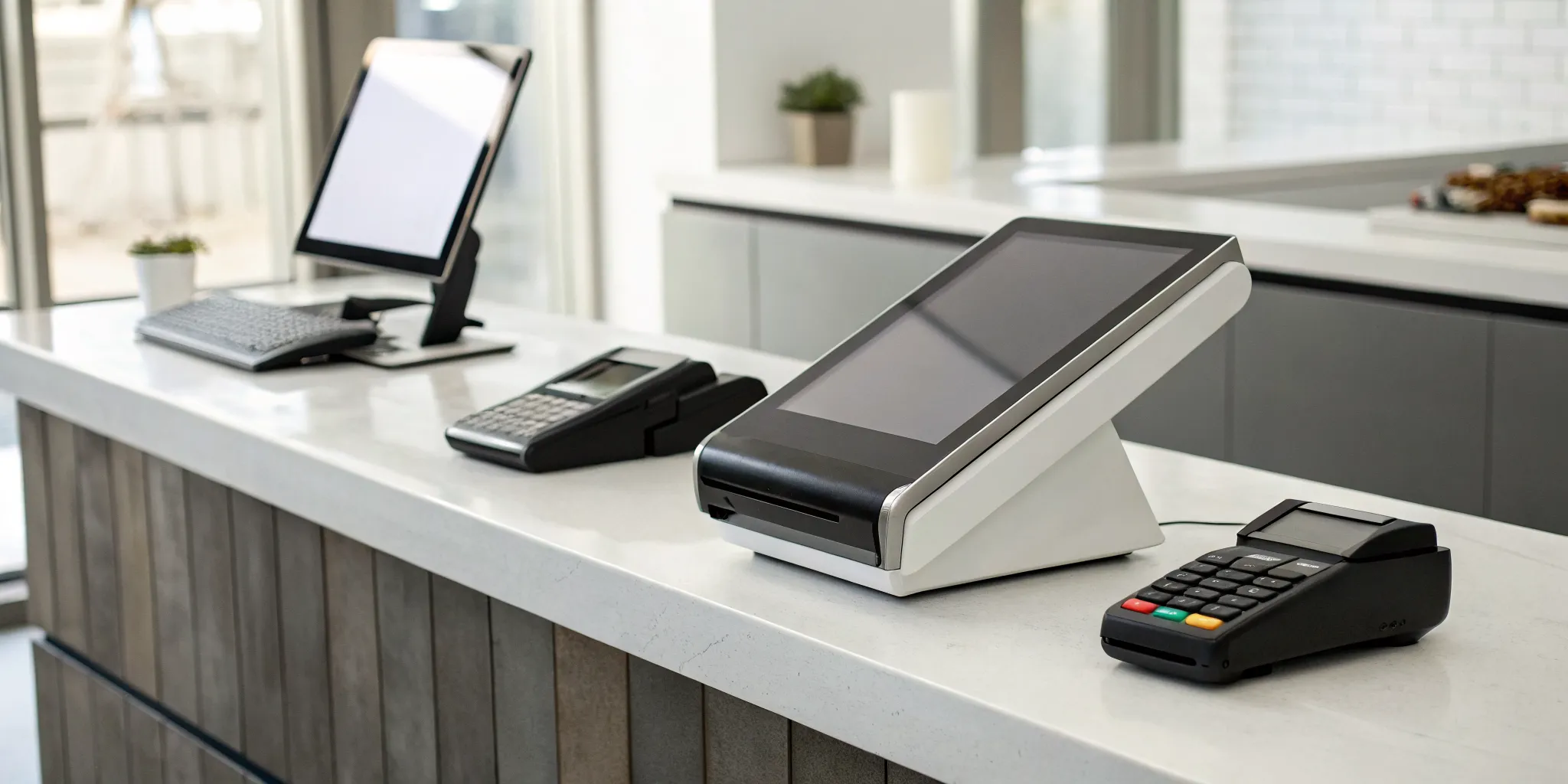
Think of a payment terminal as your business’s digital cash register. It’s the hardware that securely reads your customer’s credit card, debit card, or mobile wallet and communicates with the payment processor to approve the transaction. While they all perform this core function, they come in several different forms. Understanding the main categories will help you narrow down the options and find the perfect fit for your sales process. Let’s walk through the four primary types of payment terminals: countertop, wireless, all-in-one POS, and virtual.
Countertop terminals
Countertop terminals are the classic, reliable machines you see at most retail stores and service desks. These devices sit right next to the register and are built to handle a high volume of transactions quickly and securely. They typically connect directly to your internet via an ethernet cable or phone line, giving you a stable and fast connection that you can always count on.
Because they are stationary, they are perfect for any business with a dedicated checkout area, like a boutique, grocery store, or salon. Models like the Dejavoo Z11 or Ingenico Desk 3500 are popular examples of these workhorse devices. While they aren’t mobile, their durability and straightforward functionality make them a dependable choice for processing daily sales.
Wireless and mobile terminals
If your business is always on the move, a wireless or mobile terminal is your best friend. These handheld devices connect via Wi-Fi or a cellular network, giving you the freedom to accept payments anywhere. This is a game-changer for restaurants wanting to offer tableside payments, service professionals like plumbers who work at a client’s home, or vendors selling at craft fairs and farmers’ markets.
These terminals offer the same secure payment options as their countertop cousins, including EMV chip and NFC tap-to-pay. A mobile payment system allows you to complete a sale right on the spot, improving the customer experience and ensuring you never miss an opportunity just because you stepped away from the counter.
All-in-one POS terminals
An all-in-one POS terminal is much more than just a payment device; it’s the command center for your entire operation. These systems combine a sleek payment terminal with full-featured Point of Sale (POS) software. This means you can accept payments, track inventory, manage customer information, and run detailed sales reports all from a single, integrated device.
Systems like the Clover POS are great examples of how hardware and software can work together to streamline your business. While they often have a higher upfront cost, the investment can pay for itself through improved efficiency and powerful business insights. If you want to manage your sales, staff, and stock in one place, an all-in-one POS system is an excellent choice.
Virtual terminals
A virtual terminal turns your computer, tablet, or smartphone into a secure payment processing machine without requiring any specialized hardware. Instead of swiping a card, you simply log into a secure webpage and manually key in your customer’s credit card information. This is the perfect solution for businesses that take payments over the phone or through mail orders.
Many businesses pair a virtual terminal with a small, USB card reader to handle occasional in-person payments. This gives you the flexibility to accept keyed-in transactions and swiped or dipped cards when needed. With low startup costs and the ability to take payments from anywhere with an internet connection, it’s a versatile option for service-based businesses or merchants who primarily invoice their clients.
Find the Best Terminal for Your Industry
The right payment terminal isn’t a one-size-fits-all solution. The best machine for a bustling coffee shop will be different from what a freelance photographer needs. Your industry, sales environment, and customer expectations all play a huge role in finding the perfect fit. Let’s look at what works best for different types of businesses so you can make a choice that supports your daily operations and helps you grow.
Retail stores
In a retail setting, the checkout counter is your last chance to make a great impression. A slow or clunky payment process can frustrate customers, so you need a terminal that is fast, reliable, and easy to use. Look for an all-in-one machine that can handle everything from dipping chip cards to accepting mobile payments like Apple Pay. A compact device like the Square Terminal is a great example, as it processes payments and prints receipts from a single unit, saving precious counter space. The goal is to make the transaction seamless for every customer, no matter how they prefer to pay.
Restaurants and food service
For restaurants, cafes, and bars, flexibility is everything. You need a terminal that can keep up with the fast pace of service. A portable, all-in-one device is ideal because it allows your staff to take payments directly at the table, which speeds up table turnover and improves the customer experience. Many modern terminals also come with integrated point-of-sale software designed for restaurants, helping you manage orders, split bills, and track sales with ease. This integration is key to keeping things running smoothly, especially during the lunch or dinner rush.
Mobile and service-based businesses
If your business is always on the move, you need a terminal that can go with you. Whether you’re a plumber making a house call, a vendor at a farmers market, or a consultant meeting a client, a wireless terminal is essential. These devices use Wi-Fi or a cellular connection to process payments securely from anywhere. For maximum portability, a small card reader that connects to your smartphone or tablet via Bluetooth is a fantastic option. This allows you to accept card payments on the spot, which means you get paid faster and don’t have to chase down invoices later.
Healthcare and professional services
When you’re handling payments in a healthcare or professional services setting, security and trust are paramount. Your clients and patients need to know their financial information is safe. A modern payment terminal ensures card data is protected through features like encryption, which scrambles the information to prevent fraud. These terminals also streamline your administrative work by making it easy to process refunds and perform automatic end-of-day settlements. This not only protects your clients but also simplifies your billing and accounting processes, giving you more time to focus on providing excellent service.
What to Look for in a Payment Terminal
Choosing a payment terminal can feel like a big decision, and it is. This little device is the final handshake in your customer’s journey, so you want it to be a smooth one. But it’s about more than just accepting cards. The right terminal can streamline your operations, protect you from fraud, and even give you insights into your business. When you start comparing options, it’s easy to get lost in a sea of technical specs. Let’s cut through the noise and focus on the features that truly matter for your business. Think about your daily workflow, your customers’ expectations, and your plans for growth. This guide will walk you through the essential features to look for, helping you find a terminal that works as hard as you do.
EMV, NFC, and PCI compliance
First things first, let’s talk security. Your terminal must be equipped to handle modern payments safely. This means it needs to support EMV chip cards (the “dip”) and NFC for contactless payments like tap-to-pay cards and digital wallets (Apple Pay, Google Pay). These technologies are critical for preventing fraud. Beyond the hardware, your terminal and processor must be PCI compliant. This is a set of security standards designed to protect cardholder data. Non-compliance can lead to hefty fines and put your customers at risk. When you partner with a provider like MBNCard, we ensure your setup meets all current security requirements, so you can process payments with peace of mind.
Connectivity options
How will your terminal connect to the internet to process payments? You have a few choices, and the best one depends on your business setup. Most modern terminals use Wi-Fi or a cellular network, which is perfect for businesses that need mobility, like food trucks, pop-up shops, or service providers who work at a client’s location. If you have a fixed checkout counter, a terminal that connects via an Ethernet cable offers a stable and fast connection. Some older models still use a phone line, but this is becoming less common. Think about where you’ll be processing payments and choose a terminal with connectivity that won’t let you down.
Accepted payment methods
To make every sale, you need to accept every payment. Your customers expect to pay how they want, so your terminal should be ready for anything. This includes traditional magnetic stripe cards (the “swipe”), EMV chip cards (the “dip”), and contactless options (the “tap”). The ability to accept NFC payments is especially important, as more customers are using their smartphones and smartwatches to pay. The goal is to create a frictionless checkout experience. A terminal that accepts all major payment types ensures you never have to say, “Sorry, we don’t take that,” and risk losing a customer.
Ease of use and setup
You and your team are busy, so the last thing you need is a complicated piece of technology. A great payment terminal should be intuitive right out of the box. Look for a device with a clear interface, simple on-screen prompts, and a straightforward setup process. Many modern terminals come with user-friendly software pre-installed, guiding you through the steps to get started quickly. The checkout process should be just as easy for your customers. A terminal that’s simple to use reduces transaction times, minimizes staff training, and helps keep your lines moving, which is a win for everyone.
Offline payment mode
What happens when your internet goes down? If your terminal has an offline mode, you can keep making sales. This feature is a lifesaver for any business. When you lose your internet connection, the terminal securely stores the transaction details. Once you’re back online, it automatically processes all the stored payments. Without this capability, a spotty Wi-Fi connection could bring your business to a halt. It provides a crucial safety net, ensuring that you can continue to serve customers and capture revenue even when technology has a hiccup. Make sure to ask if this feature is included and how it works.
Reporting and analytics
A payment terminal can be so much more than a tool for taking money. It can be a source of valuable business insights. Modern terminals can generate reports that show you what you’re selling, when you’re busiest, and how your sales are trending over time. This data is gold for making informed decisions about staffing, inventory, and marketing. Look for a terminal that offers easy access to this information, either on the device itself or through an online dashboard. Features like automatic end-of-day batching and simple refund processing also help streamline your bookkeeping and save you administrative time.
POS and software integration
Your payment terminal shouldn’t operate in a silo. For maximum efficiency, it needs to communicate seamlessly with your other business systems, especially your Point of Sale (POS) system. A solid POS integration eliminates the need for manual entry, which reduces the risk of human error and speeds up the checkout process. When your terminal and POS are in sync, sales data, inventory levels, and customer information are all updated automatically. This creates a single source of truth for your business operations. Before you choose a terminal, confirm that it integrates smoothly with the software you already use or plan to use.
Essential Security Features for Your Terminal
When you accept a card payment, you’re also accepting the responsibility of protecting your customer’s sensitive data. A security breach can be devastating for a small business, leading to hefty fines and a loss of customer trust that’s hard to win back. That’s why choosing a terminal with robust, modern security features is non-negotiable. These aren’t just fancy add-ons; they are the essential safeguards that protect your business and your customers from fraud. Let’s walk through the three most important security layers you should look for in any payment terminal.
End-to-end encryption and tokenization
Think of end-to-end encryption (E2EE) as an armored car for your customer’s payment data. The moment a card is swiped, dipped, or tapped, E2EE scrambles the information, making it unreadable to anyone who might try to intercept it. This data stays encrypted until it safely reaches the payment processor.
Tokenization adds another layer of security. Instead of storing the actual credit card number, the system replaces it with a unique, non-sensitive placeholder called a token. According to the PCI Security Standards Council, tokenization is a powerful way to reduce the risk of a data breach because the real card details are never stored in your system. If a hacker ever broke in, they would only find a list of useless tokens.
Anti-tampering and anti-skimming protection
While encryption protects data in transit, you also need to protect the physical terminal itself. Anti-tampering features ensure the device hasn’t been illegally modified. Modern terminals are built to detect if someone tries to open the casing or install malicious hardware. If tampering is detected, the terminal can automatically shut down or send an alert, preventing it from being used to steal information.
Similarly, anti-skimming technology prevents criminals from attaching a “skimmer” to your card reader to capture data from the magnetic stripe. These features are your first line of defense against physical fraud attempts. Studies have shown that implementing anti-skimming measures can significantly reduce fraud rates, making your checkout counter a safer place for everyone.
PCI compliance standards
The Payment Card Industry Data Security Standard (PCI DSS) is the universal rulebook for securing cardholder data. It’s a set of requirements that every business that accepts card payments must follow. Being PCI compliant means you are handling customer information according to industry-wide best practices, from using secure networks to restricting access to card data.
Choosing a terminal from a provider that prioritizes compliance makes this process much easier. Adhering to PCI DSS isn’t just about avoiding fines; it’s about showing your customers that you take their security seriously. This commitment helps build the trust and loyalty that are vital for any growing business.
Top Payment Terminal Brands to Consider
Once you know what features you need, you can start exploring specific brands. The payment terminal landscape is full of great options, but a few names consistently stand out for their reliability, security, and user-friendly features. Getting familiar with these top contenders will help you narrow down your search and find a terminal that feels like it was made for your business. Each brand has its own unique strengths, so the best choice really comes down to your specific priorities, whether that’s an all-in-one system, rugged security, or straightforward affordability. Think of this as a starting point to get to know the key players in the industry. By understanding what each one brings to the table, you’ll be much more prepared to make a confident decision that supports your business for years to come.
MBNCard
As a provider focused on small and medium-sized businesses, MBNCard offers terminals that prioritize a user-friendly interface and strong security. If you’re a merchant who wants reliable service without the complexity of a larger system, this is an excellent place to start. The goal is to make payment processing simple and affordable, so you can focus on running your business. We offer a range of payment solutions that help you accept transactions securely and efficiently, with transparent pricing and dedicated support to guide you every step of the way.
Clover
If you’re looking for a system that does more than just process payments, Clover is a brand to watch. Clover offers a versatile point-of-sale (POS) system that combines payment processing with powerful business management tools. You can manage inventory, track sales data, and even run customer loyalty programs all from one device. With a wide selection of hardware and an extensive app marketplace, you can customize a Clover system to fit the unique demands of your retail store, restaurant, or service business.
Ingenico
For businesses where security is the absolute top priority, Ingenico is a global leader. Their terminals are known for being incredibly durable and equipped with advanced security features to protect every transaction. Ingenico offers a wide array of payment terminals that support everything from traditional card swipes to modern contactless and mobile payments. This brand is a solid choice for high-volume environments or any business that wants an extra layer of protection against fraud and tampering.
Verifone
With decades of experience in the industry, Verifone is a name many merchants trust for innovation and reliability. Their terminals are designed to create a better customer experience by processing transactions quickly and smoothly. Verifone’s payment solutions are built to handle all major payment types, including EMV chip cards and NFC (contactless) payments like Apple Pay. If your goal is to keep the checkout line moving and give customers a seamless payment experience, Verifone’s technology is definitely worth a look.
PAX Technology
PAX Technology has earned a reputation for offering reliable and technologically advanced payment terminals that cater to a wide range of businesses. Whether you’re a small boutique or a large enterprise, PAX has a device to fit your needs. Their terminals are known for their modern design and ability to support diverse payment methods, ensuring you never have to turn a customer away. The company’s focus on innovation means their payment terminals are built to keep up with the evolving world of digital payments.
Dejavoo
If you’re a small business owner looking for a cost-effective yet dependable option, Dejavoo is a fantastic choice. This brand specializes in affordable and easy-to-use terminals that don’t skimp on essential features. Their devices support all major payment types and are designed for quick setup, so you can start accepting cards right away. Dejavoo’s straightforward payment solutions are perfect for merchants who need a reliable machine to get the job done without a hefty price tag or a steep learning curve.
How Much Does a Payment Terminal Cost?
Figuring out the true cost of a payment terminal involves looking beyond the initial price tag. The total investment includes the hardware itself, the fees you pay on every transaction, and other potential monthly or annual charges. Understanding each piece of the puzzle helps you budget accurately and avoid surprises down the road. Let’s break down what you can expect to pay and how you can keep your costs as low as possible.
Breaking down hardware costs
The upfront cost for a payment terminal can vary quite a bit, typically running anywhere from $45 for a basic model to over $650 for a more advanced system. The price depends on the terminal’s features. A simple countertop machine that just swipes cards will be on the lower end, while a wireless terminal with a built-in printer and a large touchscreen will cost more. Fully integrated point-of-sale (POS) systems that manage inventory and staff alongside payments represent the top of the range. When you’re comparing prices, think about what your business truly needs. A bustling retail store has different requirements than a contractor who takes payments on the go.
Understanding transaction fees
Beyond the hardware, transaction fees are the most significant ongoing cost. Every time a customer pays with a card, a small percentage of the sale plus a flat fee goes to the payment processor. On average, you can expect these fees to be around 2.6% + 10¢ per transaction, but this can change based on your provider, the card type, and your sales volume. These small charges add up quickly, so it’s important to get a clear picture of the fee structure before you sign a contract. This is a critical part of calculating the total cost of ownership for your payment system.
Hidden fees to watch out for
Unfortunately, some payment processors include extra charges in the fine print that can catch you by surprise. Be on the lookout for monthly statement fees, PCI compliance fees, and early termination fees if you decide to switch providers. A great way to protect your business is to partner with a transparent processor. Ask potential providers for a full breakdown of their fees in writing. Also, check if your terminal comes with a warranty and access to 24/7 support, as unexpected repair costs or downtime can be expensive. A reliable partner will be upfront about all costs involved.
How to lower costs with dual pricing and cash discounts
You don’t have to let processing fees eat into your profits. Programs like dual pricing and cash discounts are excellent strategies for reducing your costs. With a cash discount program, you offer customers a small discount for paying with cash, which encourages them to choose a payment method that costs you nothing to accept. Dual pricing involves showing both a card price and a cash price for your products. These programs can legally and effectively offset nearly all of your credit card processing fees. By implementing one of these solutions, you can put more money back into your business every month.
How to Choose the Right Payment Terminal
Picking the right payment terminal can feel like a huge decision, but it doesn’t have to be overwhelming. The best terminal for your business is simply the one that fits your daily workflow, budget, and customer expectations. Think of it as hiring a new team member: you want someone reliable, efficient, and easy to work with. By breaking down your needs into a few key areas, you can confidently select a machine that helps your business run smoothly and securely. Let’s walk through the essential steps to find the perfect fit for you.
Assess your business type and sales volume
The first step is to look at your unique business operations. Are you running a bustling coffee shop with a constant line, or a boutique with a few high-value sales per day? Your sales volume and environment will determine the kind of terminal you need. A business with steady foot traffic needs a fast, durable machine that can handle back-to-back transactions without a hiccup. For many businesses, a simple and reliable device that can even take payments offline is a lifesaver when the internet acts up. Consider your busiest days and ask yourself: what features would make checkout faster and easier for both my staff and my customers?
Decide between a fixed or mobile setup
Next, think about where you take payments. Do your customers always come to a checkout counter, or would it be better to bring the payment process to them? A traditional retail store might be perfectly served by a countertop terminal that stays in one place. These are workhorses designed for a fixed checkout experience. However, if you run a restaurant, you can improve service by letting customers pay at the table with a wireless terminal. Likewise, if your business is mobile, like a food truck or a home repair service, a handheld terminal with a cellular or Wi-Fi connection is essential for taking payments on the go.
Check your software integration needs
A payment terminal is more than just hardware; it’s a key part of your business technology ecosystem. Before you commit, make sure the terminal integrates smoothly with your other essential software, like your Point of Sale (POS) system, inventory management, and accounting programs. This ensures that sales data flows seamlessly, saving you from hours of manual data entry. Most modern terminals support EMV chip cards and NFC (contactless) payments to protect against fraud, but you’ll want to confirm it works with the specific software you rely on. Make a list of your current systems and check for compatibility first.
Calculate the total cost of ownership
The price tag on the terminal is only the beginning. To understand the true cost, you need to look at the total cost of ownership. This includes the upfront hardware cost, which can range from under a hundred dollars to several hundred for more advanced models. More importantly, you need to understand the transaction fees you’ll pay on every sale. These are often a percentage plus a small fixed fee, like 2.6% + 10¢ per tap, dip, or swipe. Ask potential providers for a complete fee schedule to avoid surprises from hidden monthly charges or compliance fees. Programs like dual pricing can also help you significantly reduce or even eliminate these credit card machine processing costs.
Read reviews and compare top contenders
Finally, do your homework by reading what other business owners have to say. Reviews from people in your industry can offer honest insights into a terminal’s real-world performance, reliability, and ease of use. Look beyond the marketing materials and see what actual users are saying on forums and review sites. Once you’ve narrowed your options down to two or three contenders, comparing their features, costs, and user feedback side-by-side will make the final decision much clearer. You can find a wide variety of credit card machines online, so take your time to find the one that truly meets your needs.
Related Articles
- 8 Best NFC Payment Terminal Providers
- Your Complete Indoor Payment Terminal Guide
- 5 Best Credit Card Terminals for Small Business
Frequently Asked Questions
What’s the difference between a payment terminal and a POS system again? Think of it this way: a payment terminal is the specific tool that handles the transaction, like a hammer is the tool that drives a nail. A Point of Sale (POS) system is the entire toolbox. The POS system is the complete software and hardware setup you use to run your business, which includes managing inventory, tracking sales, and running reports. The payment terminal is just one important tool inside that toolbox.
Do I really need to accept contactless payments like Apple Pay? Yes, you absolutely should. More and more customers expect the convenience of tapping their card or phone to pay. It’s not just a trend; it’s a faster, more secure way to check out. Offering contactless payments shows your customers that you value their time and security, which helps create a smooth and modern experience that keeps them coming back.
What is PCI compliance, and why does it matter for my small business? PCI compliance is the set of security rules for handling credit card information. For a small business, it’s your fundamental promise to your customers that you’re keeping their financial data safe. Following these rules protects you from devastating fines and fraud, but more importantly, it builds trust. When customers feel secure, they feel confident doing business with you.
Can I use my own terminal if I switch payment processors? Sometimes, but it can be complicated. A terminal isn’t just a piece of hardware; it needs specific software to communicate with a processor’s network. Often, a terminal is locked to a specific provider. To avoid headaches and ensure everything works perfectly from day one, it’s usually best to get your terminal directly from your new payment processing partner.
How can I actually lower my credit card processing fees? You can significantly reduce your costs by using a program like dual pricing or a cash discount. These programs give your customers a choice. They can pay a slightly higher price to cover the processing fee if they use a card, or they can get a discount by paying with cash. This legally and effectively offsets your processing costs, putting that money back into your business where it belongs.