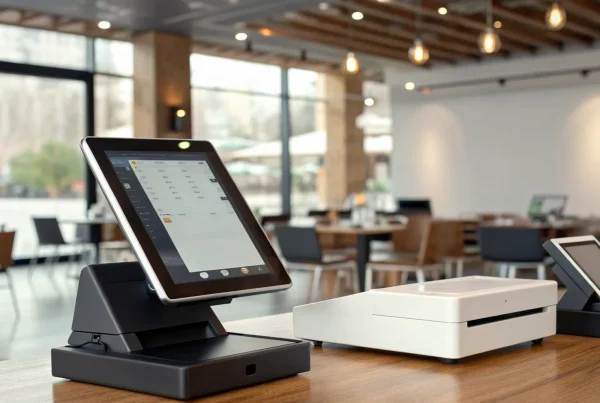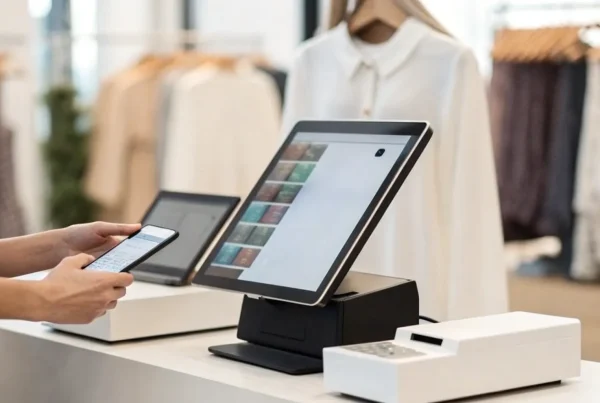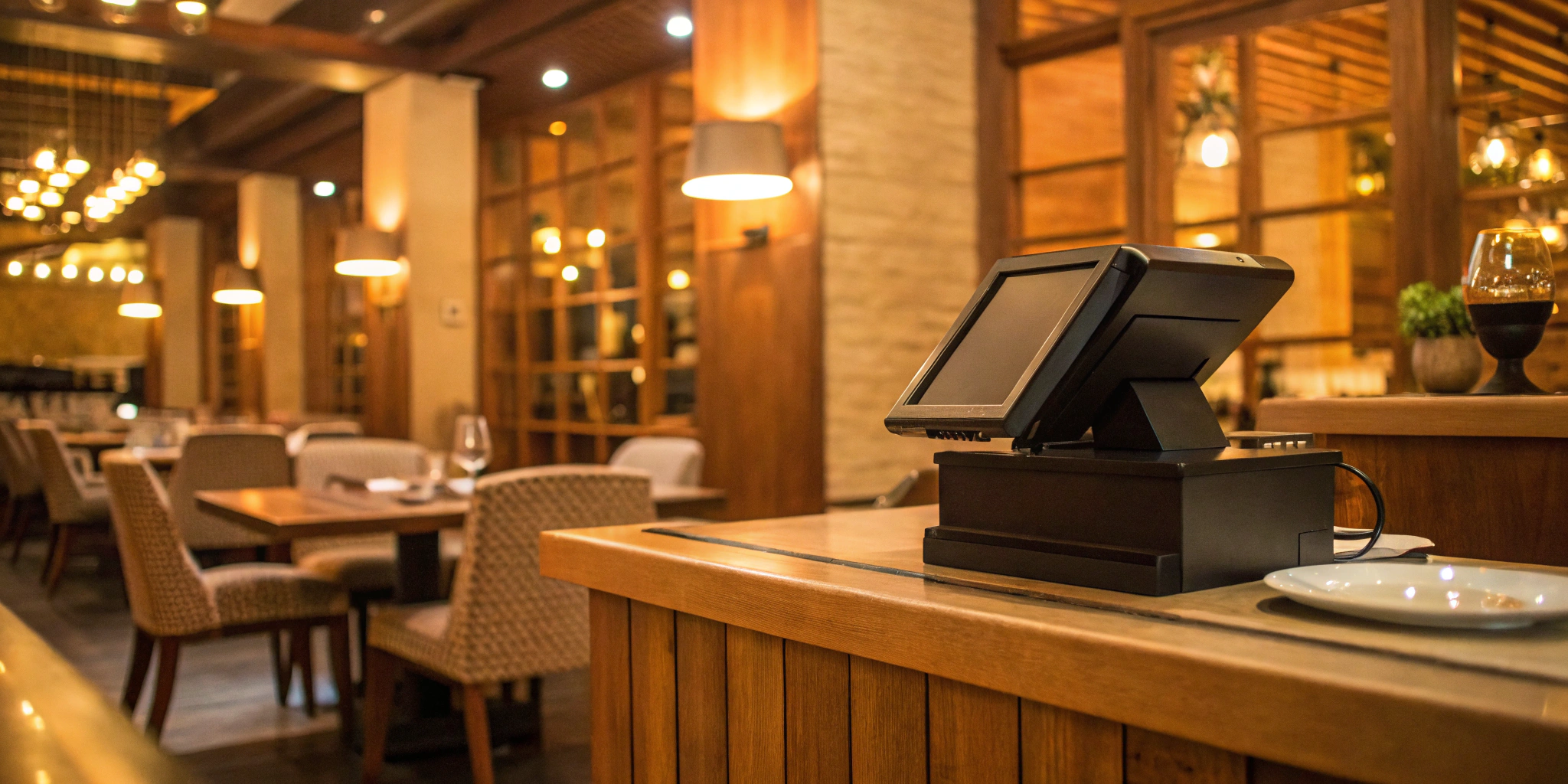
When you’re looking for ways to improve your restaurant’s profitability, you probably think about menu pricing or food costs. But one of the most powerful tools for growth is sitting right on your counter. A modern restaurant point of sale system is a critical investment that pays for itself by improving efficiency and cutting down on waste. It gives you the hard data you need to identify your most popular dishes, schedule staff effectively, and manage inventory with precision. Think of it less as an expense and more as the engine that drives smarter, more strategic decisions for your business’s long-term success.
Key Takeaways
- Match the POS to Your Workflow, Not the Hype: Before you start shopping, create a simple “must-have” list of features your restaurant actually needs, like specific order management or inventory tools. This ensures you choose a system that solves your daily challenges instead of paying for flashy extras you’ll never use.
- Budget for the Full Picture: A system’s true cost is more than the sticker price. Factor in the upfront hardware costs, recurring monthly software fees, and ongoing payment processing rates to get a clear financial view and avoid any surprises down the road.
- Prioritize Hands-On Demos and Staff Training: A POS is only as good as the team using it. Always schedule live demos to test a system’s real-world usability, and confirm your chosen provider offers solid training to get your staff comfortable and confident before launch day.
What is a Restaurant POS System?
A restaurant POS (Point of Sale) system is the command center for your entire operation. It’s a powerful combination of hardware and software designed specifically to handle the unique, fast-paced environment of a restaurant. Gone are the days of clunky cash registers and handwritten tickets. A modern POS system helps you manage everything from taking a customer’s order to processing their payment, all while keeping your kitchen and front-of-house staff perfectly in sync.
The main goal is to make your daily tasks run like a well-oiled machine, freeing you up to focus on what you do best: creating delicious food and a memorable guest experience. A solid restaurant POS system streamlines how you manage orders, accept payments, and track inventory, connecting all the essential parts of your business. This integration not only improves your team’s efficiency but also gives you valuable insights into your sales, popular menu items, and busiest hours. With this data at your fingertips, you can make smarter, more informed decisions that help your restaurant grow and succeed. It’s less about just processing transactions and more about having a tool that actively supports your business goals.
Core Components and How They Work
A great restaurant POS is built on a few core functions that work together to keep your business running smoothly. It starts with order management, which allows your staff to take orders quickly—whether at the table, for takeout, or delivery—and sends them straight to the kitchen, reducing errors. Then there’s payment processing, which securely handles all types of payments, from credit cards to mobile wallets, and makes splitting bills or applying discounts simple. The system also includes inventory management to track your ingredients in real-time, helping you know exactly when to reorder and minimize waste. Finally, many systems offer staff management tools to assist with scheduling, tracking hours, and monitoring performance.
The Flow: From Order to Payment
So, how does it all come together during a busy dinner rush? The process is designed to be seamless, connecting your front-of-house and back-of-house operations. When a server takes an order on a tablet, the POS instantly sends it to a screen in the kitchen, eliminating messy handwriting and reducing mistakes. As the kitchen prepares the food, the server can manage other tables and check on order statuses in real-time. When your guests are ready to pay, the system makes it easy to process payments right at the table, split the check, and add a tip. Every step, from the initial order to the final payment, is connected, ensuring a smooth and efficient experience for both your staff and your customers.
Key Features to Look for in a Restaurant POS
When you start comparing restaurant POS systems, the sheer number of features can feel overwhelming. It’s easy to get distracted by flashy add-ons you’ll never use. Instead, focus on the core functions that will actually make a difference in your day-to-day operations. The right POS isn’t just a tool for taking payments; it’s the central hub that connects your front of house, your kitchen, and your back office. A great system streamlines communication, simplifies tasks, and gives you the data you need to grow your business. Let’s break down the essential features that should be on your checklist.
Effortless Order and Kitchen Management
Your POS system’s primary job is to make the ordering process smooth for both your staff and your customers. Look for a system that allows servers to take orders quickly, whether at the table with a handheld device or at a counter. It should then instantly and accurately send those orders to a kitchen display system (KDS). This eliminates handwritten tickets, reduces errors, and gets food out faster. A solid POS will also help you manage different order types, like dine-in, takeout, and delivery, all in one place. This kind of streamlined order management is the key to a happy kitchen and even happier customers.
Secure and Flexible Payment Options
In a world of tap-to-pay and digital wallets, accepting only cash or traditional credit cards isn’t enough. Your POS must provide secure and flexible payment processing that meets modern customer expectations. This means easily accepting EMV chip cards, contactless payments like Apple Pay and Google Pay, and even QR code payments. Offering these options not only makes checkout faster but also shows customers you value their convenience and security. A reliable system protects sensitive cardholder data, reducing your liability and building trust. This flexibility ensures you never miss a sale because you can’t accept a customer’s preferred payment method.
Smart Inventory Tracking
Food cost is one of the biggest expenses for any restaurant, and waste can eat directly into your profits. A POS with smart inventory tracking is your best defense. This feature allows you to monitor your stock levels in real time, right down to the last onion. You can set up alerts for when key ingredients are running low, preventing last-minute runs to the store or 86-ing a popular dish. By tracking what you use, you can also identify which menu items are most profitable and which are costing you money. This level of inventory control helps you reduce waste, optimize purchasing, and make smarter menu decisions.
Powerful Reporting and Analytics
Your POS system collects a goldmine of data every single day. A system with powerful reporting and analytics turns that data into actionable insights you can use to grow your business. You should be able to easily pull reports on daily sales, track performance over time, and identify your busiest hours. Which menu items are your bestsellers? Which server is bringing in the most revenue? Good analytics will answer these questions and more. This information helps you create more effective staff schedules, design promotions that work, and understand your customers’ behavior, allowing you to make strategic decisions based on hard numbers, not just guesswork.
Seamless Third-Party Integrations
Your restaurant likely relies on more than one piece of software to run smoothly. You might use a specific accounting program, a third-party delivery service, or an online reservation tool. Your POS system should be a team player, not a silo. Look for a system that offers seamless integrations with the tools you already use and love. When your POS can communicate directly with your accounting software, it saves you hours of manual data entry. When it syncs with Uber Eats or DoorDash, it consolidates all your orders into one workflow. This connectivity creates a more efficient ecosystem, reduces manual work for you and your team, and ensures all your business tools work together.
Cloud vs. Legacy: Which POS Fits Your Restaurant?
One of the biggest decisions you’ll make is choosing between a cloud-based POS and a traditional, or “legacy,” system. The main difference is where your data lives. A cloud POS stores information online, letting you access it from anywhere with an internet connection. A legacy system keeps everything on a local server right there in your restaurant. Each has its own set of pros and cons, and the right fit really depends on your restaurant’s specific needs, budget, and tech comfort level. Let’s look at what sets them apart so you can make a confident choice.
The Perks of a Modern, Cloud-Based System
Think of a cloud POS as your restaurant’s central nervous system, accessible from your phone or laptop. Because your data is stored securely online, you can check sales reports from home or manage inventory while you’re on vacation. These systems typically update automatically, so you always have the latest features and security patches without lifting a finger. They also make it much easier to integrate with other tools, like online ordering platforms and accounting software. Studies even show that businesses using modern POS systems see 30% faster transactions, which means happier customers and quicker table turnover. For most restaurants, the flexibility and scalability of a cloud system are hard to beat.
When a Traditional System Might Be a Better Fit
While most new restaurants opt for the cloud, a traditional legacy system might still make sense in a few specific situations. Since all your data is stored on-site, you can continue to process orders and take payments even if your internet goes down—a major plus if you’re in an area with unreliable service. These systems are self-contained, which can appeal to owners who prefer a one-time hardware purchase over a monthly subscription model. However, it’s important to remember that you’re responsible for all maintenance, data backups, and software updates, which can be costly and time-consuming. If the server crashes, you could lose critical business data.
Breaking Down the Costs and Maintenance
Regardless of which system you choose, you need a clear picture of the total cost. Legacy systems come with a hefty upfront price tag for hardware, software licenses, and professional installation. Cloud-based systems flip that model, offering lower initial costs but requiring a monthly subscription fee. When you’re budgeting, be sure to account for all potential expenses: hardware (terminals, printers, cash drawers), software fees, payment processing rates, and any one-time setup or data migration costs. Also, think about ongoing maintenance. With a cloud POS, support and updates are usually included in your subscription. With a legacy system, you’ll need to budget for IT support and repairs.
What’s the Real Cost of a Restaurant POS?
Figuring out the price of a new POS system can feel like trying to solve a puzzle. The total cost isn’t just one number; it’s a mix of upfront hardware costs, ongoing software fees, and per-transaction processing rates. Understanding these three key areas will help you budget accurately and avoid any surprises down the road. Think of it less as a single purchase and more as an investment in your restaurant’s efficiency and growth. By breaking down the costs, you can see exactly where your money is going and find a solution that fits your budget without compromising on the features you need to run your business smoothly. Let’s look at each piece of the pricing puzzle.
Upfront Costs: Hardware and Installation
Your biggest initial investment will likely be the hardware. This is all the physical equipment you need to take orders, process payments, and keep your kitchen running. When you’re budgeting, you’ll need to account for terminals, cash drawers, receipt printers, and credit card readers. You might also need kitchen display systems (KDS) or handheld devices for tableside ordering. Beyond the gear itself, remember to factor in potential one-time fees for professional installation, system setup, and migrating data from your old system. Some providers offer hardware leasing or bundled packages, which can help lower the initial expense and make a new system more accessible.
Recurring Fees: Software Subscriptions
Think of the software subscription as the engine that powers your POS system. This is typically a monthly or annual fee that gives you access to all the features, security updates, and customer support. Most modern systems are cloud-based, which means your data is stored securely online and you can manage your restaurant from anywhere. As one industry report notes, these cloud-based POS systems often come with hidden cost savings that make them more affordable and appealing for today’s restaurant owners. The subscription price usually depends on the number of terminals you have or the feature package you choose, so you can select a plan that scales with your business.
Transaction Fees: Payment Processing Rates
Every time a customer swipes, taps, or inserts their card, a small percentage of that sale goes toward payment processing fees. This is a crucial, ongoing cost that can really add up. These rates are set by your payment processor, and the pricing structure can vary. It’s important to find a provider who is transparent about their fees so you know exactly what you’re paying on every transaction. While these costs are unavoidable, a great POS system pays for itself by speeding up service and improving the customer experience. In fact, studies show that businesses using modern POS systems can see up to 30% faster transactions, which keeps lines short and customers happy.
Comparing the Top Restaurant POS Systems
Once you know what features you need, it’s time to see what’s out there. The POS market is full of great options, but the best one for you will come down to your restaurant type, budget, and long-term goals. Some systems are built for the fast-paced environment of a quick-service spot, while others offer the detailed table management a full-service restaurant requires.
Think of this as a starting point. Each of these systems has its own strengths, and understanding them will help you narrow down your choices. We’ll look at some of the most popular names in the industry to give you a clear picture of what they offer. Remember, at MBNCard, we can help you find a solution that not only fits your workflow but also comes with transparent, affordable payment processing. Our goal is to equip you with the right tools to run your business efficiently without the headache of hidden fees.
MBNCard POS Solutions
At MBNCard, we believe your POS system should be a perfect fit for your unique business, not a one-size-fits-all box. That’s why we focus on providing tailored POS solutions that align with your specific needs. Whether you run a bustling cafe or a fine-dining establishment, we work with you to identify the hardware and software that will streamline your operations. Our approach combines top-tier technology with our core promise: simple, affordable, and secure payment processing. By integrating your POS directly with our merchant services, you get a seamless system for managing everything from orders to payments, all backed by our dedicated support team.
Square for Restaurants
Square is known for its versatile, all-in-one software system that caters to a wide range of food businesses, including quick-service counters, full-service restaurants, and bars. Because the platform is cloud-based, you can manage your business from anywhere with an internet connection. It handles all the essentials like order-taking, payment processing, and menu management with ease. Beyond that, Square offers a whole ecosystem of tools to help you grow, including options for building an online store, managing payroll, running marketing campaigns, and creating customer loyalty programs. It’s a strong contender if you’re looking for a comprehensive platform that can scale with your business.
Toast POS
If you want a system that’s built from the ground up just for restaurants, Toast is a name you’ll hear often. It’s especially popular with high-volume businesses because its features are designed to handle the rush. Toast excels with its strong front-of-house tools, integrated Kitchen Display Systems (KDS) that keep orders flowing, and built-in delivery management features. Restaurant owners often praise it for being user-friendly and easy for new staff to learn. The system also includes helpful tools like online ordering links you can add directly to your website, making it a powerful, purpose-built solution for restaurants of all sizes.
Clover Restaurant POS
Clover stands out for its sleek hardware and incredible flexibility. Think of it as a powerful base that you can customize to your exact needs through its extensive app market. This allows you to add specific functionalities, whether you need advanced inventory management, specialized reporting, or integrations with other software you already use. This adaptability makes Clover a great choice for virtually any type of restaurant, from a small food truck to a multi-location enterprise. If you value having the freedom to build a customizable platform that’s perfectly suited to your workflow, Clover’s system is definitely worth exploring.
TouchBistro
TouchBistro is a favorite among independent restaurant owners, largely because it’s designed to be easy to use and quick to set up. It packs a lot of powerful features into an intuitive interface, which means less time spent on training and more time focused on your guests. The system is built to streamline every part of the restaurant experience, from tableside ordering to payment processing and staff management. For owners who want a robust, reliable POS without a steep learning curve, TouchBistro offers a balanced solution that helps you get up and running efficiently while saving valuable time for you and your team.
Finding the Right POS for Your Restaurant Type
The perfect POS system isn’t one-size-fits-all. The features a bustling coffee shop needs are completely different from those of a fine-dining restaurant or a growing franchise. The key is to match the technology to your specific operational flow, from how you take orders to how you manage your kitchen. A system that streamlines your unique process will feel like a natural extension of your team, while the wrong one can create daily friction for you and your staff.
Think about your restaurant’s pace and complexity. Are you focused on getting customers in and out quickly, or are you creating a long, memorable dining experience? Do you manage one location or several? Answering these questions will help you zero in on a system that truly supports your business goals and makes life easier for everyone, from the host stand to the back of the house.
Best for Quick-Service and Fast-Casual
In the world of quick-service and fast-casual, speed is everything. Your POS needs to keep the line moving with a simple, intuitive interface for your cashiers and clear, customer-facing displays. Look for systems that excel at handling high volumes of simple transactions without a hitch. Features like integrated online ordering and mobile payments are also crucial for meeting modern customer expectations.
Many businesses in this space lean on all-in-one solutions. For example, Square for Restaurants is a popular choice because its software is designed to help many types of food businesses run smoothly, especially quick-service spots. The goal is to make ordering and paying so seamless that your customers can focus on enjoying their food, not waiting in line.
Best for Full-Service Restaurants
Full-service restaurants have a more complex workflow, and your POS system needs to keep up. You’re managing tables, coursing out meals, and coordinating between servers and the kitchen. Your system should include features like table mapping, easy check-splitting, and robust menu modifiers. A powerful Kitchen Display System (KDS) is also a must-have to ensure orders are accurate and timed perfectly.
Many experienced owners recommend systems that are built specifically for this environment. As one manager noted in a Reddit discussion, Toast is often praised because it’s “purpose-built for restaurants, strong front-of-house, integrated KDS, and delivery tools.” These specialized features help you turn tables faster and give your guests a flawless dining experience.
Best for Multi-Location Operations
When you’re running more than one restaurant, consistency and centralized control are your top priorities. You need a POS that lets you manage menus, pricing, and promotions across all locations from a single dashboard. This saves you from having to update each system individually, which is a huge time-saver and reduces the chance of errors. Look for robust, consolidated reporting that gives you a clear view of your entire operation’s performance.
For chains and franchises, a flexible and customizable system is essential. For instance, Lightspeed for Restaurants is designed to manage multiple restaurant locations from one central platform. This allows you to standardize operations and easily compare data between stores, giving you the insights needed to grow your brand effectively.
How to Choose the Best POS for Your Business
Picking a point of sale system can feel like a huge decision, because it is. This system will be the command center of your restaurant, touching everything from orders and payments to inventory and customer relationships. But you don’t have to get overwhelmed by the options. By breaking the process down into a few manageable steps, you can confidently find a POS that feels like it was built just for you. It’s all about understanding what you need, seeing how the technology works in practice, and knowing who will have your back when you need help.
Step 1: Define Your Restaurant’s Needs
Before you even look at a single brand, grab a notebook and map out exactly what you need your POS to do. Every restaurant is different. The features a bustling coffee shop needs are worlds apart from those of a fine-dining establishment with complex table management. The real challenge is ensuring the new POS system aligns with your specific needs.
Start by making two lists: “must-haves” and “nice-to-haves.” Your must-haves might include online ordering integration, detailed sales reporting, and the ability to split checks easily. Nice-to-haves could be a customer loyalty program or advanced inventory tracking. Getting this clarity upfront prevents you from overpaying for features you’ll never use.
Step 2: Test Drive with Demos and Trials
You wouldn’t buy a car without a test drive, and the same rule applies to your POS. Once you have a shortlist of two or three systems that meet your needs on paper, it’s time to see them in action. Schedule live demos with each provider and come prepared with a list of questions. Ask them to walk you through a typical busy lunch rush. How easy is it to add a modifier to an order? What does the checkout process look like for a large party?
This hands-on experience is the best way to gauge how intuitive the software really is. Many companies also offer free trials, giving you and your team a chance to explore the system on your own time.
Step 3: Compare Vendor Support and Training
Even the most user-friendly POS will have a learning curve, and technical glitches can happen. That’s why the quality of a vendor’s customer support is just as important as the software itself. When you’re in the middle of a dinner service and need help, you can’t afford to wait on hold. As industry experts note, “Good customer service is a big plus when setting up or troubleshooting a POS system.”
Before you commit, do some research. What are their support hours? Do they offer 24/7 help via phone, email, or chat? Look for companies that provide comprehensive training resources. A strong support team is a long-term partner in your restaurant’s success.
Common Hurdles in Choosing a POS (And How to Clear Them)
Choosing a new point of sale system can feel like a massive project, and it’s easy to get stuck. You’re not just buying a cash register; you’re investing in the central nervous system of your restaurant. The good news is that most of the tripwires are well-known, and with a little foresight, you can step right over them. Instead of getting overwhelmed by endless options and technical jargon, let’s focus on three of the most common challenges restaurant owners face during their search.
Getting ahead of these issues will save you from costly mistakes and a whole lot of frustration down the road. Think of this as your cheat sheet for a smoother, more confident decision-making process. By tackling these potential problems head-on, you can ensure the POS you choose is a true partner in your business—one that simplifies your operations, supports your staff, and helps you grow, rather than becoming another item on your to-do list. We’ll break down how to find that perfect fit without overspending, avoid tech headaches, and get your team on board from day one.
Don’t Pay for Features You Don’t Need
When you start looking at POS systems, it’s easy to be dazzled by long lists of features. Some systems can manage complex catering orders, track ingredients down to the gram, and run multi-location analytics. But if you run a single-location coffee shop, do you really need all that? On the flip side, the cheapest option might be tempting, but it could lack essential functions you’ll miss later.
The key is to find the sweet spot. Before you even look at a demo, make a simple list of “must-have” versus “nice-to-have” features. Your must-haves might include table management and online ordering integration, while advanced marketing automation could be a nice-to-have. This list becomes your guide, helping you assess your specific needs and find a system that serves your restaurant today with room to grow tomorrow.
Make Sure It Works With Your Existing Tech
Your POS system doesn’t work in isolation. It needs to communicate with the other tools you rely on to run your business, from your accounting software to your online ordering platform. A lack of integration can create massive operational headaches, forcing you and your team into hours of manual data entry and reconciliation. Imagine having to key in every sale into QuickBooks by hand or manually update your menu on three different delivery apps.
Before you commit to a new system, confirm that it offers seamless integrations with your existing technology. Ask potential vendors for a list of their integration partners. Does it connect with your payroll service? Your loyalty program? Your e-commerce store? Ensuring compatibility from the start prevents workflow bottlenecks and allows you to get the most out of all your business tools.
Factor in Staff Training Time
Even the most powerful POS system is only as good as the people using it. A system that’s clunky or confusing can slow down your staff, lead to order errors, and frustrate both your team and your customers. One of the most overlooked aspects of a new POS is the learning curve required to get everyone comfortable with it. A smooth transition depends entirely on how quickly your team can master the new technology.
When you’re watching a demo, try to see the system through your staff’s eyes. Does the interface seem intuitive? How many clicks does it take to place a common order? Ask the vendor about their training process. Do they offer on-site training, video tutorials, or a dedicated support line for questions? Planning for adequate staff training ensures your team feels confident and ready, making the go-live day a success instead of a scramble.
A Smooth Rollout: How to Implement Your New POS
You’ve done the research, sat through the demos, and finally picked the perfect POS system for your restaurant. That’s a huge step! But the journey isn’t over just yet. How you introduce this new technology into your daily operations is just as important as the system you chose. A bumpy rollout can lead to frustrated staff, confused customers, and lost sales—exactly what you’re trying to avoid.
The key to a successful launch is a solid implementation plan. Taking the time to map out the transition, train your team, and thoroughly test everything will make the switch feel less like a massive overhaul and more like a seamless upgrade. Minimizing downtime is crucial, and a little bit of preparation goes a long way in making sure your business doesn’t miss a beat. Let’s walk through the three essential phases for a smooth go-live day.
Map Out Your Transition Plan
A successful launch doesn’t happen by accident; it starts with a clear and detailed plan. Your first step is to create a timeline. Work with your POS provider to schedule hardware installation and software setup during your slowest hours or on a day you’re closed to avoid interrupting service. Next, tackle data migration. You’ll need to transfer your menu, ingredient lists, pricing, and employee information into the new system. A well-organized transition plan ensures that no detail is overlooked, from transferring customer data to configuring your floor plan. This roadmap will be your guide to a low-stress implementation.
Get Your Team Confident and Ready
Your new POS system is only as powerful as the team using it. Before you go live, invest time in comprehensive training. Most modern POS providers offer excellent training resources, from online tutorials to live support. Schedule dedicated sessions where your staff can get hands-on with the new system without the pressure of a busy service. Show them how new features will make their jobs easier, whether it’s splitting bills with a single tap or sending orders to the kitchen instantly. When your team feels confident and understands the benefits, they’ll be your biggest advocates for the change and can master the new technology quickly.
Test, Tweak, and Go Live
Before you flip the switch, it’s time for a dress rehearsal. Run your new POS system through every possible scenario it might face during a real shift. Process mock orders, void transactions, apply discounts, split checks, and run end-of-day reports. This is your chance to catch any small glitches or configuration errors before they impact a paying customer. Test all your hardware, from the kitchen printers to the customer-facing displays. On your official launch day, consider running the new system alongside the old one as a backup or have your POS provider’s customer support on standby for immediate assistance. Thorough testing ensures everything runs smoothly when the real orders start rolling in.
Related Articles
- Restaurant Point of Sale POS System: A Buyer’s Guide
- The Ultimate POS System List: 12 Top Picks
- The Ultimate List: 9 POS Systems for Restaurants
Frequently Asked Questions
What happens if my internet goes down with a cloud-based POS? This is a huge concern for any restaurant owner, and thankfully, most modern POS providers have a plan for it. Many cloud-based systems come with an offline mode that allows you to continue taking orders and processing card payments even when your internet connection is down. The system securely stores the transaction data and automatically syncs everything back up once you’re online again, so you can keep service running without a hitch.
Can I use my existing hardware, like my iPad or printers, with a new POS system? It really depends on the provider. Some POS systems are designed to be flexible and can run on common devices like iPads, while others require you to use their own proprietary hardware. Before you commit, it’s a great idea to make a list of the equipment you already own and ask potential providers about compatibility. This can save you a significant amount of money on upfront costs and helps ensure a smoother setup.
How secure is my restaurant’s data with a modern POS system? Reputable POS providers take security very seriously. They use encryption and follow strict industry standards, like PCI compliance, to protect sensitive customer payment information and your business data. A secure system is designed to safeguard against fraud and data breaches, giving you peace of mind and helping you build trust with your customers. Always choose a provider that is transparent about its security measures.
How difficult is it to switch from an old POS to a new one? Switching systems can feel like a massive undertaking, but a good POS partner will make the process manageable. They should guide you through migrating your essential data, like your menu, ingredient lists, and customer information. The key is to have a clear transition plan, which includes setting up the new hardware and thoroughly training your staff before you go live. While it requires some planning, the right support makes the switch much smoother than you might think.
Am I locked into a long-term contract when I sign up for a POS system? Contract terms can vary quite a bit from one company to another. Some providers offer flexible month-to-month subscriptions that you can cancel at any time, which is great for new businesses. Others might require a one to three-year commitment, especially if they are bundling hardware at a discounted price. It’s essential to read the service agreement carefully and ask about the contract length and any cancellation policies before you sign.