Your checkout counter is one of the most valuable sources of information in your business. Every single transaction tells a story about what your customers love, when they prefer to shop, and which products are your true bestsellers. A simple cash register just processes the payment, but a modern retail point of sale system captures that story and turns it into clear, actionable insights. It’s more than just a tool for taking money; it’s a strategic asset that helps you make smarter decisions about inventory, staffing, and marketing. This guide will show you how to find a system that does just that.
Key Takeaways
- A Modern POS Is a Business Management Tool: Look for a system that goes beyond simple transactions. The right POS provides real-time inventory control, actionable sales reports, and customer management features that help you run your entire operation more efficiently.
- Define Your Needs Before You Shop: Create a clear list of your “must-have” features to avoid getting distracted by flashy extras. Compare your top choices based on the total cost—including software, hardware, and payment processing fees—not just the monthly subscription price.
- Successful Implementation Hinges on a Good Plan: A smooth transition requires more than just plugging in new hardware. Set your team up for success with dedicated, hands-on training, and work with your provider to anticipate and resolve common setup hurdles before you go live.
What Is a Retail POS System?
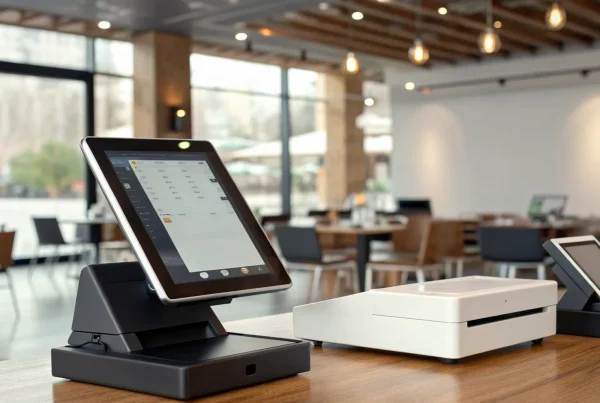
Let’s move past the idea of a clunky, old-school cash register. A modern retail Point of Sale (POS) system is the central command center for your entire store. It’s a powerful combination of hardware and software designed to manage sales, track inventory, handle payments, and even keep up with customer information. Think of it as the brain of your retail operation, connecting what happens at the checkout counter with what’s happening in your stockroom and your bank account.
At its core, a retail POS system streamlines your day-to-day tasks, making checkout faster for your customers and operations smoother for you and your team. Instead of juggling separate tools for inventory, sales reports, and payment processing, a good POS brings everything together in one place. This integration gives you a clear, real-time picture of your business’s health, helping you make smarter decisions about what to stock, when to run promotions, and how to best serve your customers. It’s an essential tool for any serious retailer looking to grow and compete.
Key Components and Functions
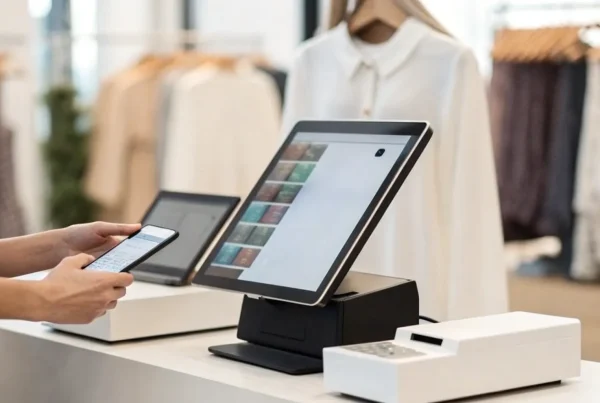
A great retail POS system is packed with features that simplify your workload. It starts with seamless sales processing, allowing you to accept all types of payments—from cash and credit cards to mobile wallets—and handle returns or exchanges without a headache. Behind the scenes, it offers robust inventory management to track stock levels in real time and send you alerts when you’re running low. Many systems also include customer relationship management (CRM) tools to build customer profiles and track purchase history. These are just a few of the core functions that turn a simple checkout into a powerful business management tool.
How a Retail POS Works
So, how does it all come together? A retail POS system acts as a central hub that records and processes every transaction. When a cashier scans an item, the system automatically updates your inventory count, calculates the total with tax, and processes the payment. But it doesn’t stop there. That single transaction feeds data into your sales reports, updates the customer’s purchase history, and tracks your employee’s performance. Modern POS platforms have become complete business management suites, connecting every part of your operation. This means the sale you make at the front counter instantly informs the reordering decisions you make in the back office, keeping your business running like a well-oiled machine.
Must-Have Features for Your Retail POS
When you’re shopping for a point of sale system, the sheer number of options can feel overwhelming. But not all POS systems are created equal. The right one acts as the central hub for your entire retail operation, streamlining everything from sales to inventory. To help you cut through the noise, I’ve broken down the essential features every modern retail POS should have. Think of this as your non-negotiable checklist to make sure you’re getting a system that truly works for your business.
Inventory and Stock Tracking
Your inventory is your biggest asset, and managing it effectively is the key to profitability. A great POS system gives you a real-time, bird’s-eye view of your stock. It should automatically update inventory levels with every sale, return, and new shipment. This means you can easily track what’s selling, what’s not, and when it’s time to reorder. With comprehensive inventory management, you can set up low-stock alerts, analyze turnover rates, and maintain optimal stock levels to prevent costly overstocking or frustrating stockouts. This feature alone can save you countless hours of manual counting and prevent lost sales.
Sales Reports and Analytics
Data is your best friend when it comes to making smart business decisions. Your POS system should be a powerhouse of information, providing detailed sales reports that are easy to understand. Look for a system that lets you filter sales by date, employee, product, or category. This allows you to identify trends, spot your best-selling items, and understand your peak sales hours. With this insight, you can create more effective marketing campaigns, optimize your staffing schedule, and stock your shelves with the products your customers truly want. Don’t settle for a system that just processes transactions; choose one that helps you understand them.
Customer Management Tools
Building a loyal customer base is all about creating great experiences, and your POS can play a huge role in that. Look for customer relationship management (CRM) features that allow you to create customer profiles. You can save contact information, track purchase history, and even add notes about their preferences. This information is gold. It lets you offer personalized recommendations and promotions that make your customers feel valued. Many systems also integrate with loyalty programs, making it simple to reward your repeat shoppers. These tools are essential for building the strong relationships that enhance customer loyalty and keep people coming back.
Secure Payment Processing
In a world of ever-present cyber threats, protecting your customers’ payment information is non-negotiable. Your POS system must prioritize security. This means it should be equipped with end-to-end encryption and be fully compliant with industry standards like PCI DSS. It should also support a variety of secure payment methods, including EMV chip cards, NFC (like Apple Pay and Google Pay), and traditional magnetic stripe cards. A secure system not only protects your customers from fraud but also protects your business from liability and helps build the trust that is essential for long-term success.
Software and App Integrations
Your POS system shouldn’t operate in a silo. To run your business efficiently, you need your tools to talk to each other. That’s why integration capabilities are so important. A flexible POS should connect seamlessly with other software you rely on, such as your e-commerce platform, accounting software (like QuickBooks), and email marketing services. This connectivity automates data entry, reduces human error, and gives you a unified view of your business performance. The ability to streamline operations by integrating your most-used tools saves time and lets you focus on what you do best: growing your business.
Comparing the Best Retail POS Systems
Choosing a point of sale system can feel like a huge decision, and honestly, it is. This is the central hub of your retail operation, handling everything from customer checkouts to inventory management. The good news is that there are fantastic options designed for nearly every type of business. The key is to remember that the “best” system isn’t a one-size-fits-all solution; it’s the one that aligns perfectly with your specific needs, sales volume, and growth plans. Before you start comparing features, ask yourself a few questions. Do you run a bustling online store and a physical boutique? Do you need deep inventory analytics across multiple locations? Or are you just starting out and need something simple, reliable, and affordable?
To help you find the right fit, we’ll walk through some of the most popular and effective retail POS systems on the market. We’ll look at what makes each one unique, who it’s best for, and what key features you can expect. This comparison is designed to give you a clear picture of your options, from industry giants that offer an all-in-one package to flexible payment providers like us at MBNCard, who focus on creating a customized, cost-effective setup. Think of this as your starting point for finding a system that not only processes payments but also helps you run your entire operation more smoothly.
MBNCard POS Solutions
Instead of offering a single, rigid POS system, we focus on providing customized payment solutions that integrate with the hardware and software that work best for you. Our approach is built around flexibility and transparency. We partner with you to understand your business’s unique workflow, from checkout to bookkeeping, and then build a processing plan that fits. This often means significant savings through programs like dual pricing or cash discounts, which can drastically lower your credit card processing fees. If you’re looking for a partner who prioritizes clear, fair pricing and personalized support over a one-size-fits-all product, we can help you find or create the perfect POS setup.
Square POS
Square is a household name for a reason. The Square Retail POS is an excellent all-in-one system, especially for small to mid-sized businesses that want simplicity and power in one package. It’s designed to help you manage everything from sales and customer information to inventory. A standout feature is its ability to track stock in real-time across both physical and online stores. You can even use an iPhone or iPad to count inventory. With a wide range of hardware, from the portable Square Handheld to a full countertop register, it’s a scalable solution that can grow with your business while accepting all major payment types.
Shopify POS
If your business has a strong e-commerce component, Shopify POS is a natural choice. It’s built for retailers who sell both online and in-person and need those two worlds to communicate seamlessly. The system unifies your sales channels, allowing you to manage inventory, track customer orders, and view sales data from a single back end. This deep integration prevents overselling and gives you a complete picture of your customer’s shopping habits, whether they buy on your website or in your store. For businesses that live and breathe online sales, the Shopify POS system creates a truly cohesive retail experience.
Lightspeed Retail
Lightspeed Retail is a powerhouse for established businesses, particularly those with large inventories or multiple locations. This system excels at connecting all your sales channels, ensuring that your in-person and online operations work together smoothly. Where Lightspeed really shines is in its advanced inventory management and reporting. It gives you real-time data on sales, product performance, and employee productivity through customizable reports. If you need granular control and deep insights to manage a complex retail operation, the Lightspeed Retail POS is one of the strongest contenders available.
Clover
Clover offers a highly versatile and customizable POS solution that can be adapted for almost any retail environment. Its strength lies in its flexibility. Clover’s retail POS system helps you manage payments, inventory, and employees, and it accepts a wide array of payment methods, including credit cards, mobile payments, and gift cards. The platform offers various hardware setups, from compact handheld devices to large touchscreen terminals. Plus, its robust app market allows you to add specific functionalities you need, making the Clover system a great choice for businesses that want to tailor their POS to their exact specifications.
Toast POS
While you’ll often see Toast mentioned in POS discussions, it’s important to know that it’s built specifically for the food and beverage industry. The Toast POS system is a top-tier choice for restaurants, cafes, and bars because its features are designed to handle the unique challenges of that environment. This includes tools for online ordering, kitchen display systems, menu management, and tableside payments. While it’s an exceptional platform for restaurateurs, a traditional retail shop selling clothing or electronics would be better served by one of the other systems on this list that are designed for general retail inventory and sales processes.
How Much Does a Retail POS Cost?
Figuring out the true cost of a retail POS system can feel like trying to solve a puzzle. The price isn’t just a single number; it’s a combination of software fees, hardware costs, and transaction rates that all add up. When you’re shopping around, it’s easy to get drawn in by a low monthly fee, only to be surprised by other expenses down the line. That’s why it’s so important to look at the complete picture.
To make an informed decision for your business, you need to understand the total cost of ownership. This means looking beyond the advertised price and considering every potential expense, from the initial setup to the ongoing monthly fees. We’ll break down the four main cost components you need to evaluate: the software subscription or license, payment processing fees, hardware and setup, and those tricky hidden costs that can catch you off guard. By understanding each piece, you can find a system that fits your budget without any unwelcome surprises.
Subscription vs. One-Time Fees
When it comes to paying for your POS software, you’ll generally encounter two models: a monthly subscription or a one-time license fee. Subscriptions are the most common today, with prices ranging from $0 for basic plans to several hundred dollars per month for more advanced features. This model is popular because it often includes customer support and regular software updates.
Alternatively, some providers offer a one-time license, which can cost anywhere from $2,000 to $10,000 upfront. While the initial investment is much higher, you own the software outright. Just be sure to ask if there are separate, ongoing fees for support, maintenance, or future updates, as these aren’t always included in the initial license type.
Transaction and Processing Fees
This is where costs can get complicated, so it’s crucial to pay close attention. Every time you process a credit or debit card transaction, you’ll pay a fee. This is separate from your POS software subscription. These fees are determined by your payment processor, and the rates can vary significantly. Some POS providers lock you into their own payment processing, while others let you choose your own partner.
Working with a transparent payment solutions provider can save you a lot of money and headaches. Look for a partner who clearly explains their rate structure and helps you understand exactly what you’re paying for with each swipe, dip, or tap. Don’t be afraid to ask for a detailed breakdown of all processing fees before you commit.
Hardware and Setup Costs
Your POS system needs physical components to run, and the cost of this hardware can vary widely. A basic setup might just be an iPad and a card reader, while a more complex system could include a touchscreen monitor, cash drawer, barcode scanner, and receipt printer. Some POS companies offer hardware bundles, which can simplify the process, but it’s always a good idea to price out the components individually to ensure you’re getting a fair deal.
Beyond the hardware itself, ask about any one-time setup or installation fees. While many modern systems are designed for easy, DIY setup, some providers charge for professional installation or data migration, which can add to your initial hardware expenses.
Watch Out for Hidden Costs
The final piece of the pricing puzzle is identifying potential hidden costs. These are the expenses that aren’t always advertised upfront but can significantly impact your budget. For example, does the POS system integrate easily with your existing accounting or ecommerce software, or will you need to pay for expensive add-ons? Some providers charge extra for advanced features like in-depth analytics or loyalty programs.
Customer support is another area to investigate. Is 24/7 support included, or is it an extra fee? Understanding these details is key to choosing the right POS system and avoiding unexpected charges. Always ask for a complete list of potential fees before signing a contract so you know exactly what you’re getting into.
Weighing the Pros and Cons of POS Systems
Choosing a Point of Sale system is a big decision, and it’s smart to look at it from all angles. A great POS can feel like the central nervous system of your retail business, connecting everything from sales to inventory. But the wrong one can create daily headaches and even put your business at risk. Let’s walk through the good, the bad, and the crucial security factors you need to consider so you can make a choice you feel confident about.
Benefits of a Modern POS
A modern POS system does so much more than just process transactions. Think of it as your command center. It combines hardware and software to streamline your entire operation. You can track inventory in real-time, which means you’ll know exactly when to reorder popular items and avoid running out of stock. It also gathers valuable sales data, showing you what’s selling, when it’s selling, and who’s buying. This information is gold for making smarter business decisions. Plus, many systems connect your in-store and online sales channels, creating a smooth experience for your customers no matter how they shop.
Common Drawbacks to Consider
While the benefits are clear, there are a few common pitfalls to watch out for. One of the biggest mistakes business owners make is choosing a system that doesn’t have room to grow. Your business is going to succeed, and your POS needs to be able to scale with you. Another frequent issue is poor integration. If your POS doesn’t connect smoothly with your accounting software, e-commerce platform, or other essential tools, you’ll end up wasting time on manual data entry. It’s important to think about your entire tech setup and ensure any new POS will fit in seamlessly without creating more work for you down the road.
Key Security and Data Risks
Let’s talk about security, because it’s non-negotiable. POS systems handle sensitive customer and payment information, which unfortunately makes them a target for cybercriminals. Malware and ransomware attacks are real threats that can exploit system vulnerabilities to steal data. This can lead to devastating financial loss and damage to your reputation. That’s why it’s absolutely critical to choose a POS provider that prioritizes security. Look for features like end-to-end encryption and PCI compliance to ensure you’re doing everything you can to protect your business and your customers.
What Kind of Businesses Need a Retail POS?
While it might seem like point of sale systems are only for traditional brick-and-mortar shops, their versatility makes them a powerful tool for a wide range of businesses. From bustling cafes to multi-location franchises, a modern POS can streamline operations, track sales, and manage inventory in ways that a simple cash register can’t. If you handle in-person transactions, manage stock, and want to understand your customers better, a retail POS is likely a great fit for you. Let’s look at a few industries that see huge benefits from adopting the right system.
Grocery and Food Retail
Grocery stores, delis, and specialty food shops juggle a massive amount of perishable inventory. A retail POS is essential for tracking expiration dates, managing stock levels, and identifying sales trends to reduce waste. For businesses that also sell online, an integrated e-commerce platform is a game-changer. It connects your in-store and online sales, creating a unified system for inventory, customer data, and reporting. This ensures you don’t sell the same last-of-its-kind cheese to both an online and in-person customer, keeping everyone happy and your operations running smoothly.
Clothing and Apparel Shops
The fashion world moves fast, and clothing boutiques need a POS that can keep up. These systems are perfect for managing inventory with many variations, like size, color, and style. You can instantly see which items are bestsellers and which ones aren’t moving, helping you make smarter purchasing decisions for the next season. A good POS also helps you streamline the sales process during busy periods and builds detailed customer profiles. This allows you to track purchase history and offer personalized recommendations, creating a better shopping experience that encourages repeat business.
Electronics and Specialty Stores
Electronics stores and other specialty retailers often deal with high-value items, complex product specifications, and warranties. A retail POS system helps manage this complexity by tracking serial numbers, handling special orders, and managing supplier information all in one place. Because these are often competitive markets, understanding customer preferences is key. Your POS can track purchase histories to help you identify loyal customers and create targeted marketing campaigns. This data gives you the insights needed to stock the right products and provide the expert service customers expect.
Businesses with Multiple Locations
If you run a business with more than one location, consistency is everything. A scalable POS system is the central hub that connects all your stores, ensuring a uniform customer experience whether someone visits your downtown shop or your suburban outlet. It provides centralized data, allowing you to view sales reports, manage inventory, and update pricing across all locations from a single dashboard. This bird’s-eye view is critical for making informed decisions and efficiently managing operations as your business grows.
How to Choose the Right Retail POS System
Picking a point of sale system is a huge decision for your business. It’s the central hub for your sales, inventory, and customer data, so you want to get it right. The perfect system feels like a seamless extension of your operations, making your day-to-day tasks easier and giving you the insights you need to grow. The wrong one, however, can create daily frustrations, from clunky checkout processes to inaccurate inventory counts.
The key is to think beyond just processing payments. A modern POS should help you manage your entire business. Before you even start looking at specific brands, it’s helpful to map out exactly what you need. Think about your biggest operational challenges and what features would make the biggest impact. Are you constantly running out of your best-sellers? Look for strong inventory management. Do you want to build a loyal customer base? Prioritize a system with built-in CRM tools. Taking the time to plan upfront will make the selection process much smoother and ensure you land on a system that truly works for you.
Define Your Business Needs
Before you get swept away by flashy features and demos, take a step back and get clear on what your business actually needs. The biggest challenge in this process is making sure the POS system aligns with your specific requirements. Start by making a list of “must-haves” versus “nice-to-haves.” Do you manage a large, complex inventory? Then detailed stock tracking is a must-have. Do you run a small boutique and want to offer a loyalty program? That might be a nice-to-have you can add later. Consider your sales volume, number of employees, and plans for future growth. This simple exercise will give you a clear scorecard to measure potential systems against.
Cloud vs. Traditional Systems
One of the first big decisions you’ll face is whether to go with a cloud-based or a traditional, on-premise system. Traditional systems store all your data on a local server at your business. Cloud-based systems, on the other hand, store your data online, allowing you to access it from anywhere with an internet connection. For most modern retailers, a cloud-based POS is the way to go. It lets you manage your store remotely, sync data across multiple locations, and often comes with a lower upfront cost since it runs on hardware you may already own, like an iPad. Plus, software updates happen automatically, so you’re always on the latest version.
Do You Need a Mobile POS?
Mobile POS (mPOS) systems turn a smartphone or tablet into a fully functional cash register. This technology is a game-changer for retailers who want more flexibility. You can use it to bust long lines during busy hours, sell products at a local market, or complete a sale anywhere on your shop floor. While an mPOS might not be robust enough to run a large, multi-location enterprise on its own, it’s an incredibly powerful tool for small businesses or as a supplement to a traditional setup. It makes fast and secure payments possible from anywhere, creating a better, more convenient experience for your customers.
Compare and Test Your Top Choices
Once you’ve narrowed your list down to two or three top contenders, it’s time to put them to the test. Don’t just rely on the sales pitch—ask for a live demo or a free trial period. This is your chance to see how intuitive the software really is. Can you easily add a new product? Is the checkout process quick and simple? Does it integrate seamlessly with other tools you rely on, like your accounting software or e-commerce platform? Choosing a system that fits your current needs while also allowing for future growth is essential for long-term success.
What to Expect When You Implement Your POS
Switching to a new point-of-sale system is a big move, but it doesn’t have to be a headache. Think of it as a major upgrade for your business operations—one that will save you time, streamline sales, and give you incredible insights into your business. The key to a smooth transition is knowing what’s coming and planning for it. With a little preparation, you can get your new system up and running with minimal disruption to your daily sales.
The implementation process involves more than just plugging in a new piece of hardware. You’ll be migrating data, setting up software, and training your team on a new way of doing things. It’s a project, and like any project, it benefits from a clear plan. From the moment you unbox your new hardware to the first time your staff processes a sale, having a roadmap will make all the difference. Let’s walk through the key stages so you can feel confident and prepared to make the switch.
The Setup Process and Timeline
A successful POS implementation starts with a solid plan to minimize downtime. First, map out a realistic timeline. Schedule the installation during your slowest hours or even after closing to avoid interrupting sales. Your main tasks will include setting up the hardware (terminals, printers, scanners), installing the software, and migrating your data—like inventory lists and customer information. Work closely with your POS provider’s support team; they are your best resource for a smooth transition. Creating a simple project management checklist can help you track every step and ensure nothing gets missed along the way.
How to Train Your Team
Your new POS system is only as good as the people using it. A common mistake business owners make is rushing through staff training, which can lead to errors and frustration. Proper training ensures your team feels comfortable and proficient from day one. Schedule dedicated time for hands-on practice before the system goes live. Walk them through common transactions, returns, and end-of-day reports. It’s also helpful to create a simple cheat sheet for quick reference and designate one or two team members as your go-to POS experts for on-the-floor questions. Investing in effective employee training pays off in operational efficiency and confident, happy employees.
Overcome Common Setup Hurdles
It’s smart to anticipate a few bumps in the road. You might run into minor issues with hardware configurations or find that integrating with your existing accounting software takes a bit of troubleshooting. Data migration can also present challenges if your old files aren’t formatted correctly. Don’t panic—these hurdles are normal. The best way to handle them is to identify potential challenges early. Talk to your POS provider about common integration issues and run tests before you fully launch. Having a direct line to their customer support will help you resolve any obstacles quickly and keep your implementation on track.
Get the Most Out of Your New System
Once you’re up and running, it’s time to explore what your new system can really do. Don’t just use it as a digital cash register. A modern POS should allow for a high degree of customization to fit your specific business needs. Dive into the sales analytics to see which products are your bestsellers and what times of day are busiest. Use the customer management tools to build a loyalty program or send targeted promotions. This adaptability can lead to a better customer experience and smarter business decisions. Take the time to learn the advanced features—that’s where you’ll find the real return on your investment.
Related Articles
- 7 Best Retail POS Systems for Small Business
- 7 Best Point of Sale Systems for Retail Stores
- The Ultimate POS System List: 12 Top Picks
Frequently Asked Questions
My business is pretty small. Is a full POS system overkill? Not at all. Modern POS systems are built to scale, and many offer free or very affordable plans that are perfect for small businesses. Think of it less as a “full system” and more as a smart tool. Even if you’re just starting out, the ability to accurately track your sales and inventory from day one will give you a huge advantage and set you up for growth without the future headache of switching systems.
What’s more important to focus on: the monthly software fee or the payment processing rates? While a low monthly software fee is always appealing, the payment processing rates will have a much bigger impact on your bottom line over time. Those small percentages on every single transaction add up quickly. It’s wise to prioritize finding a transparent payment partner who can offer you a competitive and clear rate structure, as this is where the most significant long-term savings are found.
Can I use my own iPad or computer, or do I need to buy specific hardware? This really depends on the system you choose. Many modern, cloud-based POS systems are designed for flexibility and can run perfectly on an iPad, tablet, or computer you already own, which is a great way to keep initial costs down. However, some providers require you to purchase their proprietary hardware. Be sure to clarify this upfront when you’re comparing your options.
How do I choose between an all-in-one system and a more custom payment solution? An all-in-one system, where the software and payment processing are bundled, offers simplicity and can be great for getting up and running quickly. A custom solution, where you choose your software and payment processor separately, gives you more flexibility and control. This approach allows you to pair the exact software features you need with the most cost-effective processing rates, which can save you a lot of money in the long run.
How long does it actually take to switch to a new POS system? The timeline can vary depending on the size of your business. For a small shop with a straightforward inventory, you could be fully set up in a couple of days. For a larger business with thousands of products and extensive customer data to migrate, it might take a week or two to ensure everything is transferred correctly and your team is fully trained. The key to a fast, smooth transition is planning ahead.