Every sale you make tells a story. It tells you which products are flying off the shelves, what time of day is your busiest, and who your most loyal customers are. But without the right tool, those stories get lost in a sea of receipts and spreadsheets. A great point of sale (POS) system is your business storyteller. It captures every piece of transaction data and transforms it into easy-to-understand reports. This is the core of what is point of sale system for retail; it’s a tool that gives you actionable insights to make data-driven decisions about inventory, staffing, and marketing.
Key Takeaways
- Use your POS as a central business tool: Go beyond simple transactions by using its features to automate inventory tracking, understand sales trends through clear reports, and build stronger customer relationships.
- Choose a system that grows with your business: Look for a flexible POS that can scale with you, integrate with your other essential software like accounting or e-commerce, and has the specific features your industry requires.
- Don’t overlook the human element: A smooth transition depends on your team. Prioritize thorough staff training and choose a provider with reliable customer support to make sure you can get help when you need it most.
What Is a Retail Point of Sale (POS) System?
Think of a retail point of sale (POS) system as the central hub for your entire business. It’s the combination of hardware and software that lets you make sales and accept payments from your customers. Whether they’re checking out at your counter, buying from your website, or paying you at a local market, the POS system is what makes the transaction happen smoothly and securely. It’s the modern-day command center where every sale, return, and customer interaction is recorded and organized.
At its core, a POS system processes sales, but a modern system does so much more. It’s the tool that connects your sales floor to your back office, helping you run things more efficiently. Imagine knowing exactly how many of your best-selling items you have left in stock, in real-time, without having to do a manual count. That’s what a POS does. It tracks your inventory, manages customer information, and gives you detailed reports on your business performance. This allows you to make data-driven decisions instead of relying on guesswork, so you can focus on what you do best—growing your business.
The Core Parts of a POS System
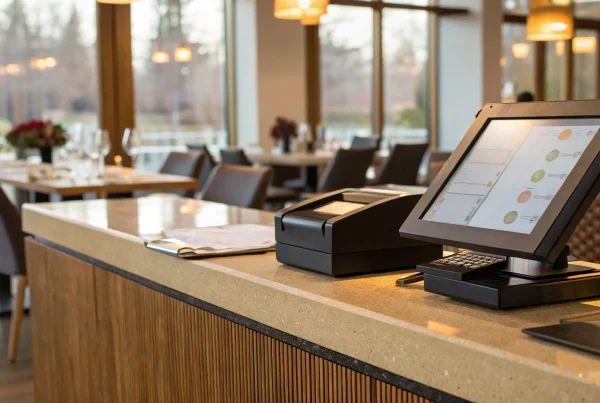
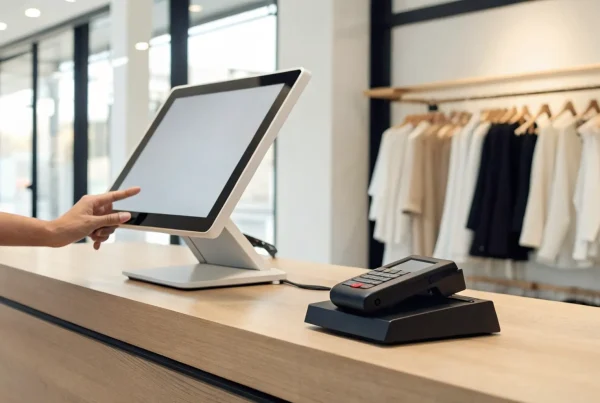
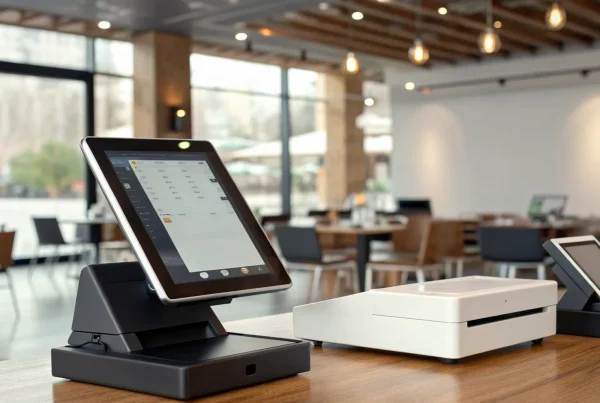
A complete POS system is made up of two main parts: hardware and software. The hardware includes the physical tools you use to ring up a sale. Depending on your setup, these Hardware Components might include a tablet or monitor, a credit card reader, a cash drawer, a receipt printer, and a barcode scanner. You can mix and match these pieces to create the perfect checkout station for your store.
The software is the brain of the operation. It runs on your hardware and acts as the command center for your business. Beyond just processing payments, good POS software helps you manage inventory, track sales trends, and even handle customer relationships. It’s what turns a simple transaction into valuable data you can use to make smarter business decisions.
Why Your POS Is More Than a Cash Register
If you’re still picturing a clunky old cash register, it’s time for an update. Today’s POS platforms have evolved into complete business management suites that support nearly every part of your retail operations. They can handle everything from managing your inventory and vendors to calculating taxes and generating in-depth financial reports. This means less manual work for you and fewer chances for costly errors.
A great POS also helps you understand your customers on a deeper level. By tracking purchase history, you can see who your best customers are and what they love to buy. Some systems even allow you to integrate demographic data, giving you powerful insights to tailor your marketing efforts and build lasting customer loyalty. It’s not just about making a sale; it’s about building a relationship.
How Does a Retail POS System Work?
Think of your retail POS system as the command center for every sale you make. It’s where the physical act of selling meets the digital world of data. When a customer decides to buy something, your POS system orchestrates the entire process, from scanning the item to processing the payment and updating your records. It’s a seamless flow that makes the checkout experience smooth for your customers and your operations efficient. Let’s walk through exactly what happens behind the counter.
The Journey of a Customer’s Payment
When a customer is ready to check out, they bring their items to your counter. You’ll scan each product’s barcode, and the POS software instantly pulls up the price and adds it to the total, automatically calculating any applicable sales tax. The customer then decides how they want to pay—whether with cash, a credit or debit card, or a mobile wallet like Apple Pay. Once they tap, swipe, or insert their card, the system securely processes the payment. In just a few seconds, the transaction is approved, a receipt is printed, and your inventory count for those items is updated in real-time.
How Hardware and Software Work Together
Your POS system is a team of two key players: hardware and software. The hardware includes all the physical tools you use at the checkout counter—like a tablet or computer screen, a credit card reader, a cash drawer, a receipt printer, and a barcode scanner. These are the tangible pieces that capture the sale information. The software is the brain behind the operation. It’s the program or app that runs on your hardware, processing payments, tracking your stock levels, and storing customer information. Modern POS systems often use a simple app on a tablet, giving you a powerful and flexible setup without the bulky equipment of the past.
The Basics of Payment Processing
So, what happens in those few seconds after a customer swipes their card? This is where payment processing comes in. Your POS system securely sends the transaction details to a payment processor—that’s where a partner like MBNCard comes into the picture. The processor acts as a messenger, communicating with the customer’s bank to confirm they have enough funds. The bank sends back an approval or decline message almost instantly. Once approved, the system finalizes the sale. Later, the funds are transferred from the customer’s bank account into your business bank account, a process known as settlement. This entire credit card processing flow is designed to be fast, secure, and seamless.
Key Features Every Retail POS Should Have
When you’re looking for a POS system, it’s easy to get lost in a sea of features. But a great system isn’t about having the most bells and whistles—it’s about having the right ones. The best retail POS systems go beyond processing transactions to become the central hub of your business operations. They help you manage key areas of your store, giving you the tools you need to work smarter, not harder. Let’s look at the non-negotiable features your retail POS should have.
Manage Your Inventory with Ease
Few things are more frustrating than running out of a best-selling item or realizing you’re overstocked on something that just isn’t moving. A modern POS system acts as your inventory watchdog. As each sale is made, your stock levels are updated automatically in real time. This means you can say goodbye to tedious manual counts. Modern POS systems keep track of how many items a store has in stock, helping businesses know when to order more. You can even set up low-stock alerts, so you’re always ahead of demand and can maintain an effective inventory management strategy without the guesswork.
Get Clear Insights from Sales Reports
Are you making decisions based on data or just a gut feeling? Your POS system is a goldmine of information, and reporting features help you make sense of it all. Instead of guessing what your most popular products are or when your busiest hours are, you can know for sure. Good systems can create sales reports that show you hourly, daily, and weekly trends, so you can understand the who, what, and when of your business. This data is crucial for everything from scheduling staff and planning promotions to deciding which products to feature front-and-center. It turns raw numbers into a clear roadmap for growth.
Build Stronger Customer Relationships
In retail, your customers are everything. A POS system with built-in customer relationship management (CRM) tools helps you turn one-time shoppers into loyal fans. These systems record what customers buy, helping you offer personalized service and marketing. You can create customer profiles to track purchase history, which allows you to send targeted emails with offers you know they’ll love. You can also easily set up a customer loyalty program to reward repeat business. It’s a simple way to make your customers feel seen and appreciated, encouraging them to come back again and again.
Accept All the Ways Your Customers Want to Pay
Nothing should stand in the way of a completed sale—especially not your payment options. Today’s customers expect flexibility at the checkout counter. A clunky or limited payment process can lead to abandoned sales and frustrated shoppers. That’s why it’s essential to make sure your POS system can handle cash, credit cards (chip, swipe, and tap), and mobile payments like Apple Pay and Google Pay. Offering a variety of secure and convenient payment methods shows customers you value their business and makes the final step of their shopping experience smooth and effortless.
The Real-World Benefits of a Great POS System
A great point of sale system does more than just process transactions—it becomes the command center for your entire retail operation. When you invest in the right technology, you’re not just buying a piece of hardware; you’re unlocking real, tangible benefits that can change the way you do business. From streamlining your daily tasks to giving you the insights you need to grow, a modern POS system is a powerful tool. Let’s look at how it can make a difference in your store.
Simplify Your Day-to-Day Operations
Forget the old-school cash register. A modern POS system is the central hub where sales, inventory, and customer data come together. It automates routine tasks that used to eat up your time, like updating stock levels after a sale or processing returns. Instead of manually tracking everything, the system does the heavy lifting for you. This frees you up to focus on what really matters—like talking to your customers, training your team, or planning your next big move. It’s about working smarter, not harder, and letting technology handle the tedious details of your retail operations.
Create a Better Checkout Experience
A long, clunky checkout process can ruin an otherwise great shopping trip. A modern POS system helps you create a fast, seamless, and positive final impression. It can manage loyalty programs, apply discounts automatically, and ensure your most popular items are always in stock. With options for contactless payments or even self-checkout, you can give customers the convenience they expect. When the payment process is smooth and effortless, customers leave happy and are more likely to come back. It’s a simple way to improve customer service without adding more work for your team.
Make Smarter Decisions with Real Data
Are you wondering which products are your bestsellers or what your busiest hours are? A great POS system answers these questions for you. It tracks every sale and turns that information into easy-to-understand reports. You can see sales patterns, identify popular items, and even track the performance of individual employees. This data is gold for making informed business decisions. Instead of guessing what your customers want, you’ll have concrete information to guide your inventory orders, marketing efforts, and staffing schedules. It’s like having a business analyst right at your fingertips, helping you understand your sales data.
Improve Accuracy and Security
In every transaction, trust is key. A modern POS system protects both your business and your customers with advanced security features. Technologies like EMV chip readers and NFC for contactless payments encrypt sensitive card information, significantly reducing the risk of fraud. The system also improves accuracy by automating pricing and tax calculations, which means fewer manual errors at the register. By providing a secure and reliable way to pay, you build customer confidence. Plus, consistent and accurate transactions mean your end-of-day reporting is always spot-on, making bookkeeping much less of a headache. It’s a crucial part of maintaining your business’s payment security.
Finding Your Fit: Types of Retail POS Systems
Not all POS systems are created equal, and the right one for your business depends on how you sell. Do you have a traditional checkout counter, or do you need the flexibility to ring up sales from anywhere in your store? Understanding the main types of POS systems is the first step in finding a solution that feels like it was made just for you. Let’s look at the most common options so you can decide which one fits your workflow.
Traditional On-Site Terminals
Think of the classic checkout counter at your favorite local shop—that’s likely a traditional, on-site POS system. These are hardware-based setups that live right in your store, often including a cash drawer, barcode scanner, and receipt printer. All your sales and inventory data is stored locally on a server or computer at your business. These systems are known for being sturdy and reliable, making them a solid choice for established brick-and-mortar stores that need a dedicated, powerful station to manage customer orders and process sales efficiently. They are a dependable workhorse for any busy retail environment.
Modern Cloud-Based Systems
Cloud-based POS systems are the flexible, modern alternative to traditional terminals. Instead of storing data on-site, these systems run over the internet, letting you access your sales and business information from any device with a web browser. This means you can check on your store’s performance from your laptop at home or on your phone while you’re away. They often have lower upfront hardware costs and handle updates and data backups automatically, giving you peace of mind. For many small business owners, the flexibility and accessibility of a cloud-based POS make it the perfect fit for a growing, dynamic retail operation.
Mobile and Tablet Systems for Selling Anywhere
If you’ve ever paid for a coffee from a barista holding an iPad, you’ve seen a mobile POS (mPOS) system in action. These systems turn a smartphone or tablet into a fully functional cash register, allowing you to accept payments from anywhere. This is a game-changer for businesses that operate at farmers’ markets, pop-up shops, or trade shows. It’s also great for retail staff who want to help customers and check them out directly on the sales floor, creating a more personal and seamless customer experience. This freedom and mobility can completely transform how you interact with your customers.
How Much Does a Retail POS System Cost?
Let’s talk about one of the biggest questions on every business owner’s mind: the price tag. The cost of a retail POS system isn’t a single number—it’s a combination of three key parts: the physical hardware you use, the software that runs it, and the fees for processing payments. Understanding how these pieces fit together is the first step to finding a solution that works for your budget without any surprise expenses down the road.
Some providers bundle these costs, while others separate them. Your final price will depend on the size of your business, your sales volume, and the specific features you need to run your store smoothly. We’ll break down each component so you can get a clear picture of what to expect.
What to Expect for Hardware Costs
The physical equipment for your POS system is where your initial investment will likely go. This can include everything from a simple card reader that connects to your phone to a full setup with a touchscreen terminal, cash drawer, receipt printer, and barcode scanner. The cost of POS hardware can start as low as $50 for a basic mobile reader and go up to $1,200 or more for a complete terminal bundle.
Your needs will determine your costs. A pop-up shop might only need a tablet and a card reader, while a multi-lane grocery store will require more robust equipment. Think about your checkout counter and what you need to make transactions fast and easy for both your staff and your customers.
Breaking Down Software Fees
The software is the brain of your POS system, and it typically comes with a monthly subscription fee. These plans can range from around $50 to over $250 per month, depending on the features you need. A basic plan will cover sales processing and simple reporting, while more advanced tiers often include powerful tools for inventory management, customer loyalty programs, and in-depth analytics.
When comparing POS software plans, look beyond the base price. Make sure the features you need most are included in the tier you’re considering. This recurring fee is an ongoing operational expense, so finding a plan that fits your needs without overpaying for features you won’t use is key.
Understanding Payment Processing Rates
This is where the costs can get a little tricky, but it’s crucial to get it right. Every time you accept a credit or debit card, a small percentage of that sale goes to the payment processor. These payment processing fees are often a combination of a percentage of the transaction (usually 2.5% to 3.5%) plus a small flat fee (like 10 cents).
For many businesses, these transaction fees can add up to be a much larger expense than the monthly software subscription. That’s why it’s so important to partner with a payment provider who offers transparent, competitive rates. Finding a fair deal here can have a huge impact on your profitability month after month.
How to Choose the Right POS for Your Retail Store
Picking a point of sale system is a lot like hiring a key team member. It’s a long-term partner for your business, and the right one will make your life easier, while the wrong one can create daily headaches. With so many options out there, it’s easy to feel overwhelmed. But by focusing on a few core areas, you can cut through the noise and find a system that truly works for you.
Think about where your business is headed, not just where it is today. Your POS should be able to handle your current sales volume while having the features you’ll need as you expand. It’s also critical to find a system that fits your specific industry—the needs of a clothing boutique are very different from those of a corner grocery store. Finally, remember that your POS is the central hub of your operations. It needs to play well with the other software you rely on and come with a support team you can count on when you need it most. Let’s break down what to look for.
Find a System That Can Grow with You
Your business goals for the next few years should heavily influence your POS choice today. You don’t want to invest time and money into a system only to outgrow it in a year or two. The last thing you need is the hassle of overhauling your entire setup right when your business is gaining momentum.
Look for a system that can scale with you. A modern, cloud-based POS system can often grow gradually as your business does, whether you’re adding a second location, launching an online store, or expanding your product line. Ask potential providers how their system handles multi-store inventory management or e-commerce integration. Choosing a flexible system from the start saves you from a major migration project down the road.
Consider Your Unique Business Needs
Every retail store is different, so a one-size-fits-all POS rarely works. The key is finding a system that’s adaptable enough to align with your unique processes and daily operations. Before you start looking at demos, make a list of your must-have features.
Do you sell products by weight? You’ll need a system that integrates with a scale. Do you run a service-based business, like a salon, that needs appointment booking? Make sure that feature is built-in or can be easily added. If you manage a large inventory with many variations (like size and color for apparel), you’ll need strong inventory management tools. Recognizing your distinct needs upfront will help you quickly eliminate options that aren’t a good fit.
Make Sure It Connects to Your Other Tools
Your POS system doesn’t operate in a bubble. It’s the heart of your business operations, and it needs to communicate effectively with the other tools you use to run your company. One of the most common mistakes business owners make is choosing a POS without considering its ability to integrate with other software.
Think about your accounting software, your e-commerce platform, and your email marketing service. A POS that integrates with these tools creates a seamless flow of data, which saves you hours of manual entry and reduces the risk of errors. When your sales data automatically syncs with QuickBooks or your customer information flows directly into your email list, you get a clearer picture of your business and more time to focus on your customers.
Look for Great Customer Support
When your technology isn’t working, especially during a busy sales day, it can be incredibly stressful. This is when you’ll be most grateful for choosing a POS provider with excellent customer support. Don’t treat support as an afterthought—it’s a critical feature that can make or break your experience with a system.
Before you commit, find out what a provider’s support services look like. Do they offer 24/7 help? Can you reach them by phone, or is it email-only? Many businesses fail to take full advantage of the customer support services available to them, but you shouldn’t have to. A great support team acts as your partner, helping you resolve issues quickly so you can get back to business.
Setting Up Your New POS: What to Expect
Choosing a new POS system is a big step forward for your business. Once you’ve made your decision, the next phase is getting everything up and running. The setup process is your chance to build a solid foundation for how you’ll manage sales, inventory, and customer data for years to come. A smooth rollout isn’t just about plugging in hardware; it’s about making sure the new system works seamlessly with your other tools, your team feels confident using it, and your business information stays secure.
Taking the time to plan your setup will pay off by preventing headaches down the road. Think of it as setting the stage for a more efficient and profitable business. We’ll walk through the three key areas to focus on: connecting your software, training your staff, and protecting your data. With a little preparation, you can make the transition to your new POS system a clear success.
Handling Common Integration Steps
One of the best things about a modern POS is its ability to connect with the other software you use to run your business. Instead of juggling separate systems, you can create a central hub for all your important information. For example, a seamless integration with your online shop allows your POS to automatically track sales data, order details, and inventory levels across both in-store and online channels. This means no more manual updates or worrying about overselling an item.
Beyond e-commerce, your POS can often connect to accounting software like QuickBooks, email marketing platforms, and other essential tools. Setting up these integrations early on saves you countless hours of administrative work and ensures your data is always accurate and up-to-date.
Getting Your Team On Board
Your new POS system is only as good as the people who use it every day. A common mistake many businesses make is underestimating the importance of thorough staff training. If your team feels confused or intimidated by the new technology, it can lead to slower checkouts and a frustrating experience for everyone involved.
Set your team up for success by scheduling dedicated training sessions before the system goes live. Walk them through common transactions, show them how to manage returns, and let them practice in a low-pressure environment. Most POS providers offer helpful tutorials, guides, and support lines to help with the learning process. When your staff feels confident, they can provide faster, friendlier service that keeps customers coming back.
Keeping Your Business and Customer Data Safe
When you process a transaction, you’re handling sensitive financial information. A modern POS system is designed with security in mind, but it’s crucial to follow best practices to protect your business and your customers. Many businesses overlook the importance of regular POS system maintenance and updates, which can lead to performance issues and security vulnerabilities. Always install software updates as soon as they’re available, as they often contain critical security patches.
Beyond software updates, make sure you’re following guidelines for PCI compliance, which are the industry standards for protecting cardholder data. Working with a reputable payment processor like MBNCard ensures your transactions are handled securely from the start.
Common Myths About Retail POS Systems
Point of sale systems have come a long way, but a lot of outdated ideas about them are still floating around. These misconceptions can keep you from finding a tool that could genuinely make running your business easier and more profitable. If you’ve been hesitant to explore a new POS system because of something you’ve heard, let’s clear the air and separate the myths from reality. Understanding what modern systems can actually do is the first step toward making a smart decision for your store.
Myth: “They’re too expensive for my small business.”
This is probably the most common concern I hear from small business owners, and it’s completely understandable. The good news is that the idea of a POS system costing a fortune is a thing of the past. Today’s market is filled with flexible pricing options designed for businesses of all sizes. Many providers offer affordable monthly subscriptions instead of large upfront hardware costs. Think of it as an investment—the time you save on inventory counts, the sales you gain from customer loyalty features, and the money you save by making smarter purchasing decisions often mean the system pays for itself much faster than you’d expect.
Myth: “They only process sales and nothing more.”
If you think a POS system is just a high-tech cash register, you’re missing out on its most powerful features. While processing sales is its core function, a modern POS has evolved into a complete command center for your entire retail operation. These systems are powerful business management suites that handle everything from tracking inventory levels in real time and managing vendor orders to building customer profiles and generating detailed sales reports. It’s the difference between simply taking money and actively understanding and managing the flow of money, products, and customers through your business.
Myth: “They’re too complicated for my team to learn.”
The thought of training your entire staff on a complex new technology is daunting. But most modern POS systems are designed to be intuitive and user-friendly, with interfaces that feel as familiar as a smartphone or tablet. The best POS providers know that their success depends on your team being able to use their product effectively. That’s why they offer robust training resources and ongoing customer support services to help you get started and troubleshoot any issues. A good system should make your employees’ jobs easier, not harder, by simplifying checkout, lookups, and daily closing tasks.
What’s Next? POS Trends to Keep an Eye On
The world of retail is always moving forward, and your point of sale system is at the center of that evolution. Staying aware of new technology isn’t about chasing every shiny new object; it’s about understanding how these changes can make your business run smoother and keep your customers happy. The right POS system can be your partner in growth, adapting to new customer expectations and giving you the tools to compete. Let’s look at a few key trends that are shaping the future of retail and what they could mean for your store.
The Rise of Self-Checkout and Contactless Payments
Think about the last time you were in a hurry at the grocery store. Did you head for the self-checkout lane? More and more, customers expect that same level of speed and control everywhere they shop. Self-checkout systems are no longer just for big-box retailers. They empower customers to manage their own transactions, which can dramatically cut down on wait times during busy periods. This also frees up your team to focus on providing great service on the sales floor instead of being tied to the register. This trend is a key part of reshaping the shopping experience, putting convenience first.
Using AI to Understand Your Sales
The term “artificial intelligence” might sound intimidating, but in retail, it’s really about using smarter tools to make better decisions. Modern POS systems are starting to incorporate AI to help you see patterns in your sales data that you might otherwise miss. Imagine a system that can predict which items will be popular next month based on past performance or suggest personalized product recommendations for your loyal customers. Retailers are leveraging AI to automate inventory management, ensuring you have the right products in stock at the right time. It’s like having a data analyst on your team, helping you turn your sales information into actionable insights.
Connecting Your In-Store and Online Operations
If you sell both in-person and online, you know how challenging it can be to keep everything in sync. The future of retail is all about creating a seamless bridge between your physical and digital storefronts. Customers want to be able to buy online and pick up in-store, check your website for local inventory, or easily return an online purchase at your shop. Modern POS technologies are the key to making this happen. A cloud-based system acts as the central hub for your entire operation, ensuring that your inventory, sales data, and customer information are consistent and up-to-date across all channels. This creates a smoother workflow for you and a better, more unified experience for your customers.
Related Articles
- 7 Best Retail POS Systems for Small Business
- The Ultimate Guide to Point of Sale Systems
- The Ultimate POS System List: 12 Top Picks
- 5 Point of Sale Examples From Top Industries
Frequently Asked Questions
I’m just starting out. Do I really need a full POS system right away? It’s a great question, and it’s smart to be mindful of costs when you’re new. While you might not need a multi-station setup, even the simplest modern POS system offers huge advantages over a basic cash register. Using a system that runs on a tablet can help you accurately track every sale, manage your starting inventory, and begin collecting customer information from day one. Think of it as building a strong foundation for growth, so you have real data to guide your decisions as you expand.
Can I use my existing tablet or computer with a new POS system? In many cases, yes. Most modern, cloud-based POS systems are designed to be flexible and can run on hardware you already own, like an iPad, laptop, or desktop computer. This can be a great way to lower your initial setup costs. Before you commit to a software plan, just be sure to check its technical requirements to confirm that your current devices are compatible and will run the program smoothly.
What’s the most important factor when comparing payment processing rates? While the percentage rate is important, the single most critical factor is transparency. Some processors advertise a low rate but then add on various monthly charges, batch fees, or other hidden costs that make your effective rate much higher. Look for a payment partner who provides a clear, easy-to-understand fee structure and can walk you through exactly what you’ll be paying on each transaction. A great partner won’t hide behind confusing statements.
How difficult is it to switch from an old cash register or a different POS system? The thought of switching can feel disruptive, but it’s usually much smoother than business owners expect. Most modern POS providers have a streamlined process for getting you started and can help you import your existing product lists and customer data. The key is to plan ahead. Schedule dedicated time to train your team on the new system and take full advantage of the support and tutorials your new provider offers to make the transition a success.
My business has unique needs. How can I be sure a POS system will work for my specific industry? This is a crucial point, because a generic system can create more work for you. The best approach is to look for a POS that is either designed for your specific industry or is highly customizable. For example, a clothing boutique needs strong tools for managing variants like size and color, while a market vendor needs mobile capabilities. Make a list of your non-negotiable daily tasks and use it as a checklist when you’re watching demos to ensure the system truly fits your workflow.