Have you ever wondered what actually happens when a customer taps their phone to pay? In that single moment, a complex and highly secure process unfolds to verify the transaction and protect everyone’s information. It’s a fascinating blend of hardware and software working in perfect harmony. While it seems instant, there’s a precise sequence of events that makes it all possible. Getting to know the mechanics gives you a deeper appreciation for the technology you use every day. We’ll pull back the curtain and show you how do contactless payment terminals work, breaking down the journey of a payment from the customer’s device to your bank account.
Key Takeaways
- Create a faster checkout experience: Contactless payments process in seconds, helping you reduce customer wait times, improve satisfaction, and give your business a modern, professional edge.
- Offer highly secure transactions: Tap-to-pay technology uses tokenization to create a unique, one-time code for each purchase, so your customer’s actual card number is never exposed. This protects both you and your shoppers from fraud.
- Making the switch is simple: All you need is a modern, NFC-enabled payment terminal to start accepting contactless payments. A reliable payment partner can supply the right equipment and ensure a smooth setup with clear, upfront costs.
What Are Contactless Payments?
Contactless payments are a secure and fast way for customers to pay without swiping, dipping, or handing over their card. Instead, they can simply tap their credit card, debit card, smartphone, or smartwatch near a compatible payment terminal to complete the transaction. This “tap-to-pay” method has become a customer favorite because it’s quick, convenient, and reduces physical contact at the point of sale. For business owners, it means moving customers through the line faster and offering a modern, seamless checkout experience.
How a Simple Tap Works
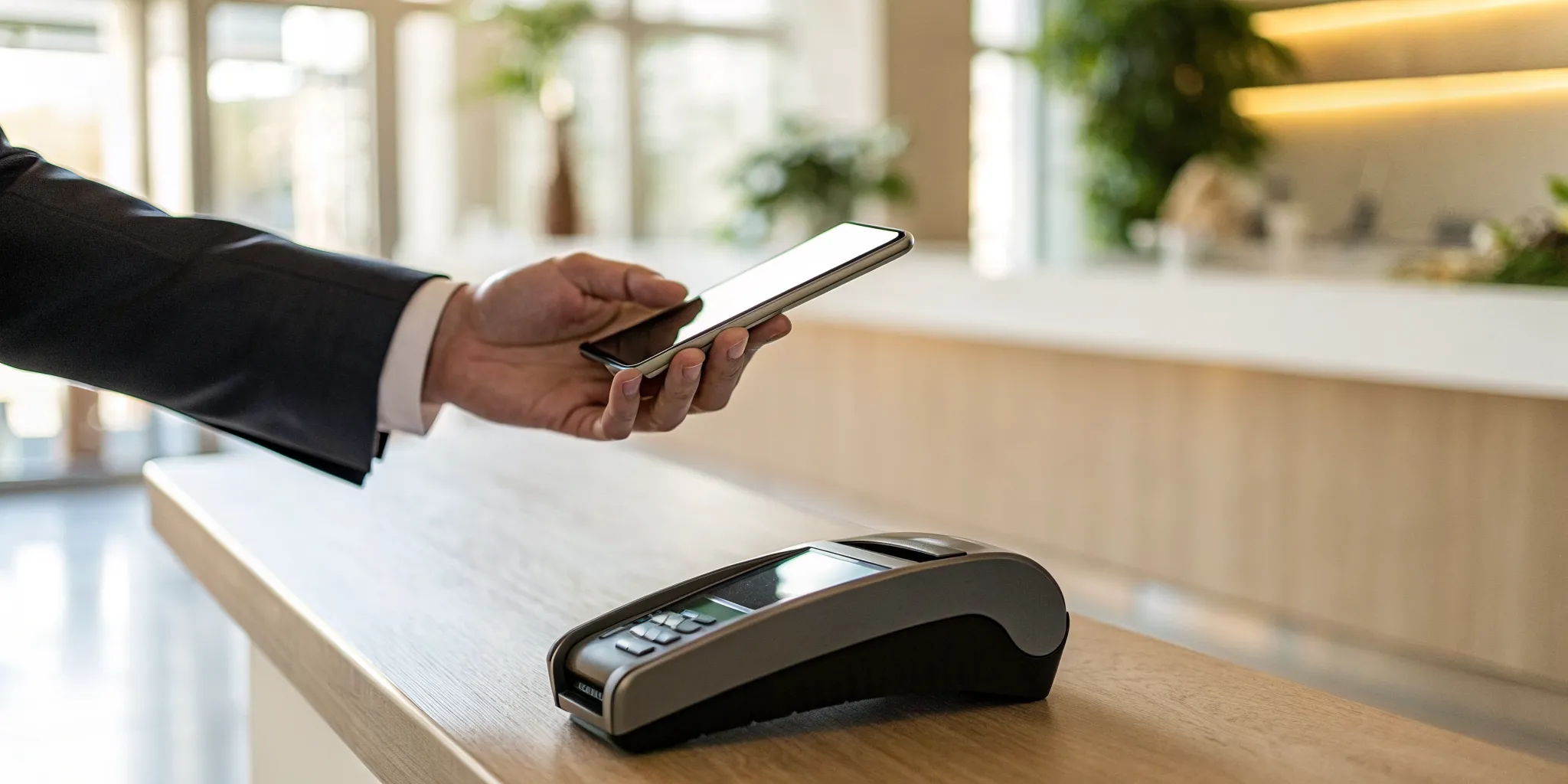
The magic behind that quick tap is a technology called Near Field Communication, or NFC. When a customer holds their NFC-enabled card or device within a few inches of your terminal, it creates a secure, one-time radio connection. This connection allows encrypted payment information to pass from the customer’s device to your terminal to authorize the sale. The entire process happens in seconds. You’ll know the payment is complete when the terminal beeps, shows a green light, or displays a checkmark. It’s a simple and reliable way to process transactions without any hassle.
Why Your Business Needs to Go Contactless
The biggest reason to adopt contactless payments is speed. Transactions are processed almost instantly, which helps you reduce wait times and keep your checkout lines moving. This efficiency directly improves the customer experience, leaving shoppers with a positive impression of your business. Offering tap-to-pay also shows that you are current with payment technology, which builds trust and meets modern consumer expectations. With contactless payments becoming the standard for in-person transactions, not offering them can make your business seem outdated and potentially turn customers away. It’s a small change that makes a big difference.
The Tech Behind the Tap: How NFC Works
That nearly instantaneous tap-to-pay transaction feels like magic, but it’s all thanks to a clever piece of technology working behind the scenes. The star of the show is Near Field Communication, or NFC. This is the wireless standard that allows a customer’s card, phone, or smartwatch to securely talk to your payment terminal and complete a sale in seconds. Understanding how it works can give you confidence in the speed and security you’re offering your customers. Let’s break down what NFC is, how it compares to similar technologies, and why it was specifically designed for secure payments.
What is Near Field Communication (NFC)?
At its core, Near Field Communication (NFC) is a technology that lets two devices communicate wirelessly when they are very close to each other, usually within a couple of inches. Think of it as a very short, private conversation. When a customer holds their NFC-enabled card or smartphone near your terminal, the two devices automatically detect each other and create a secure connection. This connection allows them to exchange the information needed to process the payment. The extremely short range is an intentional security feature, preventing accidental payments or data interception from a distance. It’s the technology that makes quick, seamless transactions possible.
NFC vs. RFID: What’s the Difference?
You may have heard of a similar technology called RFID (Radio-Frequency Identification), which is used in things like inventory tracking tags or employee access cards. NFC is actually a specialized, more advanced type of RFID. The biggest difference is that most RFID systems only allow for one-way communication, where a tag simply broadcasts its information to a reader. NFC, on the other hand, enables a two-way conversation. This is critical for payments because your terminal and the customer’s device need to exchange information back and forth to verify details and approve the transaction. It’s this two-way capability that makes NFC the right tool for the job.
Why NFC is Built for Secure Payments
Security is the top priority in any payment transaction, and NFC technology was designed with this in mind. When a customer taps to pay, their actual card number is not transmitted. Instead, the system uses a security method called tokenization. This process substitutes the sensitive card data with a unique, one-time code (a “token”) for that specific purchase. Even in the unlikely event that a fraudster could intercept the signal, the token would be useless for making any other transactions. This process, combined with layers of encryption, makes contactless payments one of the most secure ways for your customers to pay.
From Tap to Approved: What Happens in Seconds
It all happens in the blink of an eye. A customer taps their card or phone, a beep sounds, and the sale is complete. This seamless experience is a huge win for customer satisfaction, but what’s really going on behind the scenes? A lot, actually. In those few seconds, a complex and highly secure process unfolds to verify the payment, protect sensitive data, and get you paid. Understanding this process helps you appreciate just how safe and efficient modern payment technology has become. Let’s break down the journey of a single tap, from the customer’s device to the final approval.
The Transaction, Step-by-Step
First, the customer holds their card, smartphone, or wearable device within a few inches of your payment terminal. This action uses Near Field Communication (NFC) to create a secure, short-range connection. The chip in the customer’s device sends encrypted payment information directly to the terminal. Once the data is successfully transferred and verified, the terminal gives instant feedback, usually a beep, a green light, or a checkmark on the screen. This signal confirms that the contactless payment information was received and the transaction is moving to the next stage.
Keeping Data Safe with Tokenization
This is where the real security magic happens. When a customer pays, your terminal doesn’t receive their actual 16-digit card number. Instead, the system uses a process called tokenization. It instantly generates a unique, one-time code, or “token,” for that specific transaction. This token is a random set of characters that represents the customer’s card data without revealing it. Because this code is useless for any other purchase, it protects both you and your customer. Even if a fraudster were to intercept it, they couldn’t do anything with it, as the customer’s actual card number is never shared.
Getting the Green Light: Approval and Completion
With the secure token in hand, your payment system sends a request through the card network (like Visa or Mastercard) to the customer’s bank. The bank checks if the account is valid and has sufficient funds. If everything looks good, it sends an approval message back through the network to your terminal. This entire round trip happens in less than a second. The result is a faster, smoother checkout experience that keeps your lines moving and your customers happy. This speed and security have made it possible for customers to tap to pay at millions of businesses all over the world.
Are Contactless Payments Really Secure?
It’s a fair question. When a transaction happens that quickly, it’s natural to wonder what’s going on behind the scenes to protect sensitive information. The good news is that contactless payments are actually one of the most secure ways to pay. They are built with multiple layers of security that protect you and your customers from fraud, making them much safer than the old magnetic stripe cards. Let’s break down the technology that keeps every tap-to-pay transaction safe.
The Power of Encryption and Dynamic Codes
Every time a customer taps their card or phone, the payment information isn’t sent in plain text. Instead, it’s protected by powerful encryption that scrambles the data, making it unreadable to anyone trying to intercept it. But the real security superstar is a process called tokenization. For each purchase, the system generates a unique, one-time-use code, or token, to stand in for the actual card details. This code is sent to the payment network for approval. Since this token changes with every single transaction, it becomes completely useless to a fraudster if it’s ever stolen. This dynamic data is a core reason why contactless payment technology is so secure.
How EMV Standards Prevent Fraud
Contactless payments are built on the same super-secure EMV chip technology found in modern credit and debit cards. EMV stands for Europay, Mastercard, and Visa, the companies that developed the global standard for chip cards. When a customer pays, the EMV chip creates that unique transaction token I mentioned earlier. This means your customer’s actual 16-digit card number is never shared with you, your terminal, or your point-of-sale system. It stays protected. This separation of sensitive data from the transaction process makes it incredibly difficult for criminals to clone cards or steal usable payment information from your business.
Fact vs. Fiction: Common Security Myths
You may have heard stories about thieves using skimming devices to steal card information from people’s pockets. While this might sound scary, it’s not a practical threat with modern contactless cards. Because each tap-to-pay transaction uses a unique, one-time code, any data a criminal might capture would be useless for making new purchases. The security features ensure that even if the data from one transaction is intercepted, it can’t be reused. For business owners, this means fewer fraudulent transactions, a lower risk of chargebacks, and more confidence every time a customer taps to pay.
What Can Customers Use to Tap and Pay?
When you hear ‘tap-to-pay,’ you probably picture a credit card, but your customers have more options than ever. From phones to smartwatches, understanding the different ways people can pay helps you create a seamless checkout experience. Here are the main tools your customers will use to tap and pay.
Contactless Credit and Debit Cards
This is the method most people are familiar with. Modern credit and debit cards are often equipped with an embedded chip and a tiny antenna that allows for contactless payments. You can spot these cards by looking for a small symbol that looks like a sideways Wi-Fi signal. When a customer is ready to pay, they simply hold their card an inch or two away from your payment terminal. The terminal reads the card’s information wirelessly, and the transaction is processed in seconds. It’s a huge step up from swiping or inserting a chip, making lines move faster and reducing physical contact with your equipment.
Smartphones and Mobile Wallets
Nearly everyone carries a smartphone, and many of your customers use them as a digital wallet. Services like Apple Pay, Google Pay, and Samsung Pay allow users to store their credit and debit card information securely on their device. When it’s time to pay, the customer holds their phone near your NFC-enabled terminal, and the phone wirelessly sends a special, one-time code to complete the sale. This process, called tokenization, is incredibly secure because your customer’s actual card number is never shared with the merchant. It’s a convenient option for customers who may have forgotten their physical wallet but always have their phone on hand.
Watches, Rings, and Other Wearable Tech
The convenience of tap-to-pay now extends beyond phones to wearable technology. Smartwatches are the most common example, allowing customers to pay with a simple flick of the wrist. The technology works just like it does on a smartphone, using NFC to communicate with your terminal. But the innovation doesn’t stop there. Some companies now offer payment-enabled rings, bracelets, and even key fobs. While less common, seeing a customer pay with a wearable device shows just how integrated this technology is becoming in our daily lives. Supporting these methods ensures you’re ready for every type of customer, no matter how they choose to pay.
The Pros and Cons of Going Contactless
The Upside: Speed, Safety, and Happy Customers
Let’s start with the good stuff. The biggest win with contactless payments is speed. A simple tap of a card or phone takes less than a second, which is a game-changer for keeping your checkout lines moving. Shorter waits lead to happier customers who are more likely to return. Beyond convenience, security is a major advantage. Each tap-to-pay transaction generates a unique, one-time code, or token. This means even if a fraudster intercepted the data, it would be completely useless for making other purchases. This powerful encryption gives both you and your customers peace of mind, showing that you take their financial security seriously. It’s a modern touch that builds trust and improves the entire checkout experience.
The Challenges: Transaction Limits and Tech Reliance
Of course, no technology is without its quirks. One thing to be aware of is that contactless payments often have transaction limits. These caps vary depending on the card issuer and country, but they are in place to prevent major fraud if a card is lost or stolen. For most businesses, this isn’t a huge issue, as the limits are typically high enough for everyday purchases. However, for high-ticket items, a customer might still need to insert their chip and enter a PIN. The other factor is a reliance on technology. You’ll need a reliable internet connection and a compatible terminal, but these are standard requirements for most modern payment processing systems anyway.
What to Know About Costs and Setup
Getting set up to accept contactless payments is more straightforward than you might think. The key piece of equipment you’ll need is a payment terminal that supports Near Field Communication (NFC), which is the technology that makes the tap-to-pay magic happen. The good news is that most modern terminals come with this capability built-in. When you partner with a provider like MBNCard, we ensure you have the right hardware. Our payment solutions are designed to integrate seamlessly with the systems you already use, like your POS software or accounting tools. This makes the transition smooth, so you can start offering faster, more secure payments without a major overhaul of your operations.
Ready to Accept Contactless Payments? Here’s How
Making the switch to contactless payments is a straightforward process when you break it down into a few simple steps. It’s all about having the right equipment, understanding the costs, and partnering with a provider who has your back. Think of it as a simple tech upgrade that makes your checkout line faster and your customers happier. Let’s walk through what you need to do to get your business ready for tap-to-pay.
Check Your System Compatibility
First, you’ll need to see if your current payment terminal is up to the task. To accept contactless payments, your hardware must be enabled with Near Field Communication (NFC), the technology that lets devices talk to each other wirelessly at close range. Look for the contactless symbol (it looks like a sideways Wi-Fi signal) on your card reader. If you don’t see it, or if your terminal is a few years old, you’ll likely need an upgrade. Most modern POS systems come with NFC technology built right in, making the transition smooth and simple for your business and your customers.
Understand the Fees and Setup Process
Next, it’s time to talk about the setup and costs. Your payment processor can walk you through the specifics, but getting started is usually as simple as getting your new terminal and plugging it in. Ask your provider if there are any setup fees or if the cost of a new terminal is bundled into your plan. You should also clarify if accepting contactless payments will change your transaction fees. A great partner will provide clear, transparent pricing so you know exactly what to expect. At MBNCard, we deliver secure payment gateways with the flexibility to fit your business, ensuring the process is simple and affordable.
Plan for Ongoing Support
Once you’re set up, you want to know that help is available if you need it. Your payment system is a critical part of your daily operations, so reliable support is non-negotiable. Before you commit to a provider, ask about their customer service hours and how you can get in touch with them. You need a partner who is invested in your success and can help you solve any issues quickly. We help you keep your customers happy with seamless, secure payment solutions that scale with your growth, backed by a team that’s here to support you every step of the way.
Related Articles
- Top 5 Contactless Credit Card Machines for Retail
- Top 6 Contactless Payment Terminals for Small Business
- The 5 Best Contactless Payment Terminals
Frequently Asked Questions
What new equipment do I need to accept tap-to-pay? The only essential piece of hardware is a payment terminal that is enabled with Near Field Communication (NFC). The good news is that most terminals released in the last several years already have this technology built in. You can check for a symbol on your current machine that looks like a sideways Wi-Fi signal. If you don’t have one, your payment provider can get you set up with a modern terminal that makes accepting these payments simple.
Are contactless payments actually safer than chip cards? Yes, they are one of the most secure ways to pay. Both chip and contactless payments use a security feature called tokenization, which creates a unique, one-time code for every transaction. This means your customer’s actual card number is never transmitted or stored in your system. This process makes it incredibly difficult for fraudsters to steal usable information, protecting both your business and your customers from potential harm.
Will my processing fees increase if I accept contactless payments? Generally, the transaction fees for contactless payments are the same as they are for inserting a chip card. These costs are determined by your overall payment processing agreement. A transparent provider will explain all the fees associated with your account clearly, so you should never be surprised by a new charge just for offering a more convenient way to pay.
What happens if a customer wants to pay for something that costs more than the tap limit? Contactless payments sometimes have a transaction limit set by the card-issuing bank as a fraud prevention measure. If a customer’s purchase exceeds this amount, the tap-to-pay function simply won’t work. In that case, the customer can just insert their card and enter their PIN to complete the sale the old-fashioned way. It’s a minor extra step for larger purchases.
Why is offering tap-to-pay so important for my business? It all comes down to the customer experience. Tap-to-pay is incredibly fast, which helps you shorten checkout lines and serve more people, especially during busy periods. Offering this option also shows your customers that your business is modern and that you value their time and security. In a world where convenience is key, it’s a simple upgrade that makes a big impression.