Juggling separate tools for payments, inventory, and customer information can be a constant headache for any retail owner. You might be losing sales due to inaccurate stock counts or struggling to understand which products are actually driving your profits. A modern point of sale system brings all these functions together into one organized, efficient platform. It’s designed to bring clarity to the chaos, giving you a real-time view of your business’s health. The right pos system for retail stores can transform your operations, allowing you to spend less time on administrative work and more time focusing on what you do best: growing your business.
Key Takeaways
- Your POS is more than a cash register: It’s the central command center for your business, connecting sales, inventory management, customer data, and payment processing into one streamlined system.
- Understand the total cost of ownership: A POS system’s price includes three key parts: the one-time hardware purchase, ongoing monthly software subscriptions, and the variable payment processing fees for each transaction.
- Choose a system that grows with you: Prioritize a POS that is intuitive for your team and can scale as your business expands. Look for a provider with reliable customer support and the flexibility to add new locations or an e-commerce store in the future.
What Is a Retail POS System?
Think of a retail POS (Point of Sale) system as the modern-day cash register, supercharged with technology to become the central hub of your entire store. It’s an integrated solution that combines hardware and software to do much more than just ring up sales. A great POS system helps you process transactions securely, keep track of your inventory in real-time, and understand your sales data so you can make smarter business decisions.
For any retail business, from a small boutique to a multi-location chain, the right POS is essential. It streamlines day-to-day tasks, reduces human error, and creates a smoother checkout experience for your customers. Instead of juggling separate tools for payments, inventory, and customer information, a POS system brings everything together in one organized, efficient platform. This allows you to spend less time on administrative work and more time focusing on what you do best: running your business and connecting with your customers.
Hardware and Software Essentials
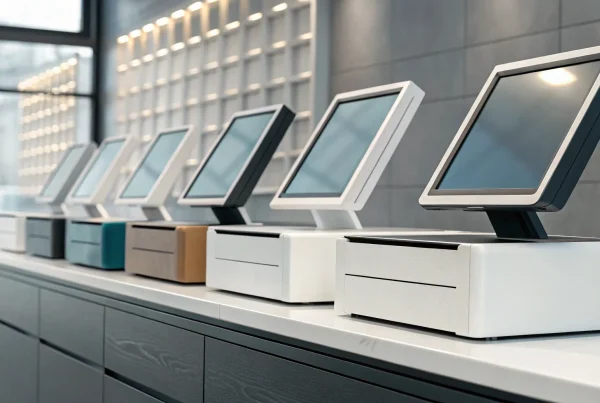
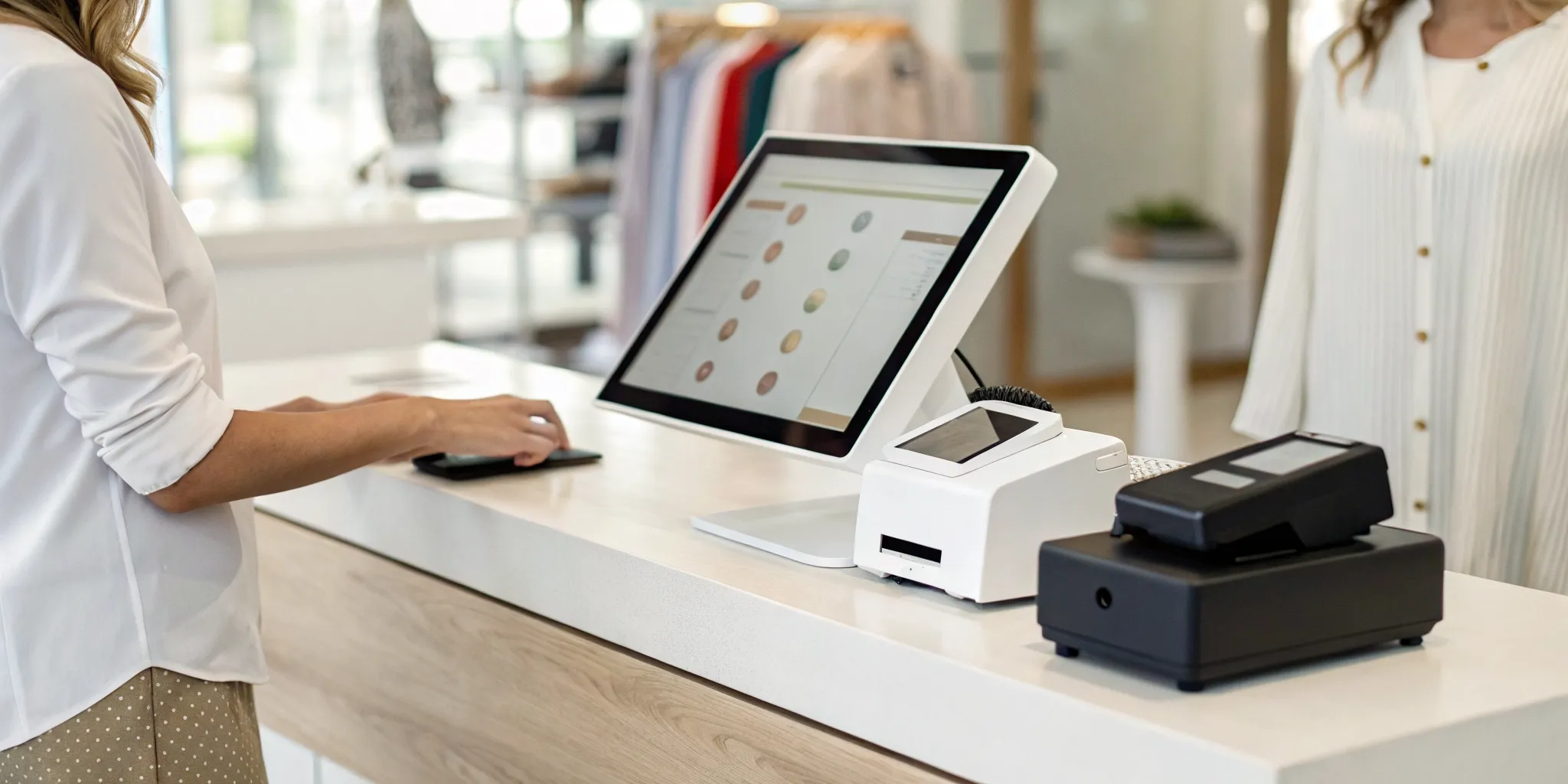
Every retail POS system is built on two core components: hardware and software. The hardware includes all the physical equipment you see at the checkout counter. This typically means a touchscreen terminal or tablet, a barcode scanner for quick product lookups, a receipt printer, a cash drawer, and a card reader for accepting credit and debit cards. These pieces work together to make every transaction fast and seamless.
The software is the brains behind the operation. Modern POS systems use powerful, often cloud-based software that lets you run your business from anywhere. It’s what processes payments, adjusts inventory levels with each sale, and helps you manage inventory, customer relationships, and sales reporting. This digital toolkit transforms your POS from a simple payment tool into a comprehensive management system.
The Role of Payment Processing
Payment processing is the engine that makes your POS system run. It’s the service that securely communicates with banks to approve or decline credit and debit card transactions at the moment of sale. Without integrated payment processing, your POS can’t actually accept non-cash payments, which are essential for any modern retailer. A good system allows you to process payments, track sales, and manage inventory all from one place.
When you’re budgeting, remember that the total cost of a POS system is more than just the price of the hardware. It’s a combination of the equipment, the monthly software subscription, and the payment processing fees charged on each transaction. Finding a provider with transparent and fair processing rates is key to keeping your costs predictable and your business profitable.
Must-Have Features for Your Retail POS
Think of your Point of Sale (POS) system as the central command center for your entire retail operation. It’s so much more than just a cash register; it’s the tool that connects your sales, inventory, customers, and payments into one cohesive system. When you’re shopping for a POS, it’s easy to get overwhelmed by a long list of bells and whistles. But a great system doesn’t need to do everything under the sun. It just needs to do the most important things really, really well.
The right features can streamline your day-to-day tasks, give you a clear picture of your business’s health, and help you build lasting relationships with your customers. From tracking every item on your shelves to creating loyalty programs that keep people coming back, your POS should work for you, not the other way around. Let’s walk through the essential features that every modern retail POS system should have to help your business thrive.
Inventory and Order Management
This is one of the most critical functions of any retail POS. Strong inventory management helps you keep an accurate count of your stock, so you always know what’s selling and what needs to be reordered. A good system allows you to easily add products, track variants like size and color, and receive alerts when stock is low. At its core, a retail POS system helps your team manage daily store tasks, process sales and returns, and track every order from purchase to fulfillment. This eliminates guesswork and prevents you from losing sales due to out-of-stock items.
Sales Reporting and Analytics
Data is your best friend when it comes to making smart business decisions. Your POS system should provide clear, easy-to-understand reports on your sales performance. You should be able to see which products are your bestsellers, identify your busiest sales periods, and track revenue over time. With built-in tools, you can get detailed reports on what’s selling and where, helping you monitor your costs and profits. This insight allows you to optimize your inventory, plan effective promotions, and understand what your customers truly want.
Customer Management and Loyalty Programs
Happy, repeat customers are the foundation of a successful retail business. A POS with customer relationship management (CRM) features lets you build a database of your shoppers. You can save their contact information and purchase history to offer personalized service and targeted marketing. Many systems also allow you to create and manage loyalty programs that reward your best customers and encourage them to keep coming back. By tracking customer behavior, you can send special offers on their birthdays or notify them when a favorite item is back in stock. This personal touch turns one-time buyers into loyal fans of your brand.
Integrated Payment Processing
A smooth and secure checkout process is non-negotiable. Your POS system needs integrated payment processing that allows you to accept all the ways your customers want to pay. This includes traditional credit and debit cards, EMV chip cards, and modern digital wallets like Apple Pay and Google Pay. When your payment processing is built directly into your POS, you reduce the chance of manual errors, speed up transaction times, and provide a seamless experience. You can accept all major payments without needing separate devices or complicated workarounds.
E-commerce and Omnichannel Support
In today’s market, your physical store and online shop should work together seamlessly. A modern POS system should offer e-commerce integration, allowing you to manage your in-store and online inventory from one place. This omnichannel approach prevents you from selling the same item twice and gives your customers a consistent experience, whether they’re shopping on their phone or in person. A cloud-based software is key here, as it syncs your data across all channels in real-time, streamlining your operations and setting you up for future growth.
What to Look for in a Top POS Provider
Choosing a POS provider is about more than just finding the right hardware; it’s about finding a partner for your business. A great provider offers a system that acts as the central hub for your entire retail operation, combining robust software and hardware to handle transactions, track inventory, and manage customer data. The best systems go beyond the basics, offering features like employee time tracking and detailed sales analytics to give you a clear picture of your business’s health. Think of it as the command center for your store, helping you make smarter decisions based on real data, not just guesswork.
One of the most important things to consider is integration. Your POS system shouldn’t operate in a silo. Before you commit, confirm that the system can connect smoothly with the tools you already use, like your accounting software or e-commerce platform. This prevents headaches and manual data entry down the line, saving you valuable time. Many modern providers offer cloud-based POS systems, which process payments and store your data securely online. This gives you the flexibility to access your business information from anywhere, at any time, which is a huge advantage for busy entrepreneurs who are always on the move.
A Look at MBNCard’s POS Solutions
At MBNCard, we focus on providing flexible and modern POS solutions that adapt to how you do business. We understand that retail doesn’t just happen at the counter anymore. That’s why our systems include mobile and untethered options, allowing you to process transactions anywhere, whether it’s for a curbside pickup, a pop-up shop, or a sidewalk sale. These modern retail POS technologies ensure you never miss a sale, and all your transaction data syncs back to your main system in real time. This keeps your inventory and sales reports accurate, no matter where the sale is made.
Solutions for Small Boutiques
If you run a small boutique, you need a POS system that is both powerful and affordable. Gone are the days when sophisticated features were only for big-box retailers. Today, you can find customizable options that let you tailor your POS to fit your brand and workflow without breaking the budget. We help boutique owners find systems that are easy to set up and use, so you can focus on what you do best: curating products and connecting with customers. A great POS for a small shop should simplify your day-to-day tasks, from managing unique inventory to building a loyal customer base.
Systems for Multi-Location Retailers
Managing more than one retail location comes with its own set of challenges. Consistency is key, and that’s where a unified POS system comes in. For multi-location businesses, the goal is to achieve what’s known as unified commerce, where your POS system acts as the nerve center for your entire operation. It connects in-store and online sales, inventory levels, customer loyalty programs, and promotions across all your stores. This gives you a single, accurate view of your business, making it easier to manage stock, run company-wide sales, and provide a seamless experience for customers, no matter which location they visit.
E-commerce-Ready POS Systems
In today’s retail landscape, your physical store and online shop need to work together seamlessly. An e-commerce-ready POS system is essential for creating this connection. It syncs your inventory automatically, so you never sell an item online that you just sold in-store. This integration also allows you to offer popular options like “buy online, pick up in-store.” Beyond inventory, a connected system helps you understand your customers better by unifying their purchase history. And, of course, it must support the digital payments your customers prefer, offering a fast, secure, and convenient checkout experience both online and in person.
How Much Does a Retail POS System Cost?
Figuring out the cost of a new retail POS system can feel a bit like solving a puzzle. The final price isn’t just one number; it’s a combination of a few key pieces: the initial investment in hardware, the ongoing software subscription, and the transaction fees for payment processing. Understanding how these components work together gives you a clear picture of the total investment, both upfront and over time. Let’s break down each part so you can budget confidently and find a solution that fits your store’s needs perfectly.
Hardware Costs
First up is the physical equipment that brings your checkout counter to life. This is typically a one-time, upfront cost. For a complete setup, including a POS terminal, cash register, barcode scanner, and receipt printer, you can expect to pay between $1,000 and $2,000. The exact amount depends on how many checkout stations you need. Think of this as the foundation of your sales process. Investing in reliable physical equipment ensures your daily operations run smoothly without frustrating glitches or slowdowns.
Software Subscription Fees
Next, you’ll have an ongoing subscription for the software that powers your system. This is the brain of your POS, managing everything from inventory to sales reports. Most providers charge a monthly fee, which typically costs between $60 and $200 per terminal. This fee gives you access to the POS software, along with important updates and customer support. While it’s a recurring expense, a great software subscription keeps your system secure and equipped with the latest tools to help you manage your business effectively.
Payment Processing Fees
Finally, let’s talk about payment processing. These fees are charged every time a customer pays with a credit or debit card and are often the biggest ongoing cost for a retailer. The rates can vary between providers and can be structured in different ways. This is where choosing the right partner is so important. At MBNCard, we focus on providing clear, affordable payment processing fees so you can keep more of your hard-earned money without any confusing charges or hidden costs.
Cloud-Based vs. On-Premise POS Systems
One of the biggest decisions you’ll make when choosing a POS system is where your data will live: in the cloud or on a local server in your store. A cloud-based system processes transactions over the internet and stores your information remotely, while an on-premise system keeps everything on-site. Each has its place, and the right choice depends entirely on your business model, your need for flexibility, and how you prefer to manage your operations. Let’s break down the key differences so you can feel confident in your decision.
Why Choose a Cloud-Based POS
Think of a cloud-based POS as your business’s command center on the internet. These systems process payments and securely store your sales, inventory, and customer data remotely. The biggest advantage here is flexibility. Because your data is online, you can access reports and manage your store from anywhere with an internet connection. This trend toward cloud POS technology is popular because it helps you streamline operations, giving you real-time data access to make smarter decisions on the fly. It also makes scaling your business simpler, since you can easily add new terminals or locations without investing in bulky on-site servers.
When On-Premise Systems Make Sense
An on-premise system, where your data is stored on a local server right in your store, can be a solid choice for certain retailers. If you have an unreliable internet connection or simply prefer to have direct physical control over your data server, this might be for you. On-premise systems can also offer more stability for retailers who frequently experiment with their store layouts. For example, using mobile POS technology to reconfigure your checkout counter for a weekend sale can sometimes be managed more directly with a local system. The trade-off is less remote accessibility and a larger upfront investment in hardware.
Understanding Data Security
Regardless of whether you choose a cloud-based or on-premise system, protecting your customers’ data is non-negotiable. Both systems require robust security measures to keep sensitive information safe. Your responsibility is to partner with a provider that integrates secure payment gateways and ensures your setup is fully compliant with data protection standards like PCI. As systems become more connected, working with a trusted partner who understands the complexities of payment security is essential. They can help you bring all the pieces together, ensuring your transactions are protected and your customers can shop with confidence.
How to Choose the Right POS for Your Store
Selecting a point of sale system is one of the most important decisions you’ll make for your retail business. It’s more than just a cash register; it’s the central hub of your entire operation, handling everything from sales and inventory to customer relationships. The right system can streamline your daily tasks and provide the data you need to grow, while the wrong one can create constant headaches, lead to inaccurate inventory counts, and frustrate both your staff and your customers.
Making the right choice doesn’t have to be overwhelming. By focusing on a few key areas, you can find a POS system that fits your business perfectly today and supports your vision for tomorrow. It starts with a clear understanding of what you need, a plan for the future, and a commitment to a system that’s easy for you and your team to use. Let’s walk through the three essential steps to finding the perfect POS for your store.
Define Your Business Needs
Before you even start looking at different POS providers, take some time to map out exactly what you need. Every retail store is unique, and a system that works for a small boutique might not be the right fit for a multi-location hardware store. The key is to make sure the POS system aligns with your specific business needs.
Start by making a list of your must-have features. Think about your daily operations. How do you manage inventory? Do you need to track variations like size and color? Do you sell online as well as in-store? Consider your reporting needs, what kind of sales data is most important to you, and whether you want to run a customer loyalty program. Creating this checklist first will help you stay focused and compare different options effectively.
Plan for Future Growth
It’s easy to choose a system that only solves your current problems, but it’s smarter to pick one that can grow with you. Think about your goals for the next three to five years. Are you planning to open another location, expand your product line, or launch an e-commerce site? Your POS system should be a partner in that growth, not a roadblock.
Look for a scalable, cloud-based system that can adapt to your changing needs. Modern POS technology is moving toward what’s called unified commerce, where the POS acts as the command center for every part of your business. A flexible system allows you to add new features, locations, and sales channels without having to start over from scratch. Choosing a forward-thinking POS provider ensures your technology investment will pay off for years to come.
Prioritize Ease of Use and Support
A POS system packed with features is useless if your team can’t figure out how to use it. The best systems have intuitive interfaces that make training new employees simple and reduce the chance of errors during checkout. Look for a clean layout, clear prompts, and a straightforward process for common tasks like processing sales, returns, and looking up inventory.
Equally important is the quality of customer support. When something goes wrong, you need to know you can get help quickly. Before you commit, research the provider’s support options. Do they offer 24/7 assistance via phone, email, or chat? Read reviews from other business owners to see what their experience has been. Many businesses run into trouble because they don’t take full advantage of the customer support services their POS vendor provides, so make sure you choose a partner who will be there when you need them.
Related Articles
- 7 Best Retail POS Systems for Small Business
- What is a Retail POS System? The Ultimate Guide
- 6 Best Retail Point of Sale Systems in 2026
Frequently Asked Questions
I have both a physical store and an online shop. How does a POS system help with that? A modern POS system is designed to be the single source of truth for your entire business. It connects your in-store and online sales channels so your inventory is always in sync. This means when you sell an item in your store, the stock count is automatically updated on your website, which prevents you from accidentally selling the same product twice. It also unifies your customer data, giving you a complete picture of their shopping habits whether they buy in person or online.
Is a cloud-based POS system secure for my business and customer data? Yes, reputable cloud-based systems are built with security as a top priority. Your data is protected using advanced encryption, both when it’s being transmitted and when it’s stored on remote servers. The key is to partner with a provider that is fully PCI compliant, which is the industry standard for protecting cardholder information. This ensures that every transaction is handled securely, giving you and your customers peace of mind.
What’s the difference between POS software fees and payment processing fees? Think of it this way: the software fee is what you pay to use the system’s features, while the processing fee is the cost of accepting the payment itself. The monthly software subscription gives you access to tools like inventory management, sales reporting, and customer profiles. Payment processing fees are the small charges applied to each credit or debit card transaction that cover the cost of securely communicating with the banks.
Can I use my own tablet or computer, or do I have to buy specific hardware? Many modern POS systems are designed for flexibility and can run on common devices like an iPad or a desktop computer. This can be a great way to lower your initial hardware costs. However, you’ll need to confirm that your existing device is compatible with the provider’s software. You will also still need essential peripherals like a secure card reader and a receipt printer that work seamlessly with your chosen setup.
My business is small right now. Do I really need a system with all these features? You don’t need to use every feature from day one, but it’s smart to choose a system that has them available for when you’re ready. The best POS systems are scalable. You can start with the core functions you need right now, like processing sales and tracking inventory. As your business grows, you can easily add on more advanced tools like a customer loyalty program, e-commerce integration, or multi-location management without having to switch to a whole new system.