A simple cash register gets one job done: it holds money. But it can’t tell you which products are your bestsellers, when you’re about to run out of a popular item, or who your most loyal customers are. Running a modern retail business on guesswork is stressful and inefficient. This is where a point-of-sale system transforms your operations from reactive to proactive. A great pos system for retail stores is more than a checkout tool; it’s the central command center for your entire business. It tracks inventory in real time, provides powerful sales reports, and helps you build lasting customer relationships.
Key Takeaways
- Treat your POS as your business command center: A modern system does more than process sales; it helps you manage inventory, understand customer behavior, and track performance data from one central place.
- Prioritize features that solve your specific problems: Instead of getting distracted by every bell and whistle, identify your unique needs first, whether that’s syncing online and in-store sales or managing a complex inventory.
- Look at the total cost and long-term support: Your investment includes more than the monthly software fee, so factor in hardware costs, payment processing rates, and the quality of customer support to find a reliable partner for your business.
What is a Retail POS System?
Think of a retail POS (Point of Sale) system as the command center for your store. It’s a powerful combination of hardware and software that does much more than a traditional cash register. At its core, a retail POS system processes transactions, but its real value lies in how it helps you manage inventory, track sales data, and understand your customers. Instead of just being a tool for checkout, a modern POS system helps you run your entire business more efficiently from one central hub. It connects your sales floor to your back office, giving you the insights you need to make smarter decisions and grow your business.
For small and mid-sized businesses, this is a game-changer. It moves you from reactive decision-making based on gut feelings to proactive strategies backed by real data. You can see which products are flying off the shelves and which ones are collecting dust, allowing you to optimize your stock levels and avoid tying up cash in slow-moving inventory. It also helps you understand your sales patterns, like your busiest hours or most popular days, so you can schedule staff more effectively. Ultimately, a great POS system isn’t just about taking payments; it’s about giving you the control and clarity needed to operate a smarter, more profitable retail business.
How a POS System Solves Your Biggest Challenges
A modern POS system helps you create a smooth and consistent shopping experience for your customers. It allows your team to see a customer’s history across all your sales channels, like online and in-store, making every interaction feel personal and informed. Gone are the days of being tied to a checkout counter. Today’s POS software gives your staff the freedom to help customers anywhere in the store. They can look up product information, check inventory at another location, and process a sale right on the spot with a tablet. This mobility means you can prevent lost sales and give customers the attentive service that keeps them coming back.
Key Hardware and Software Components
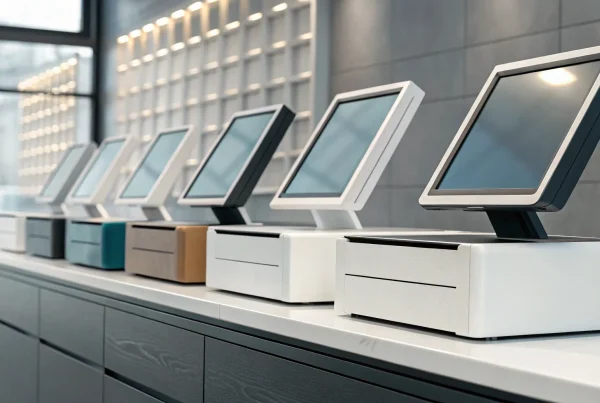
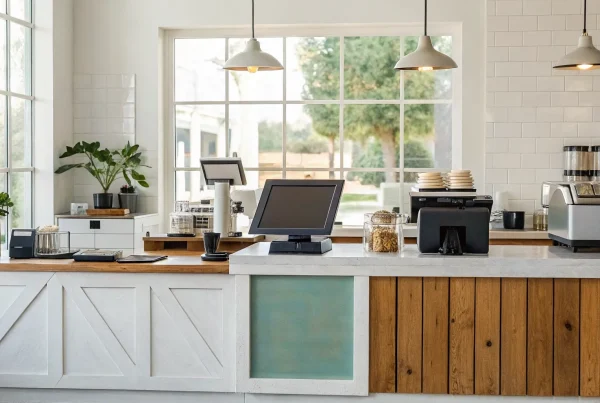
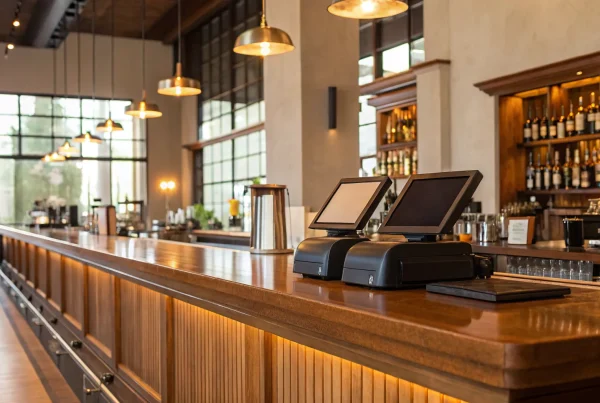
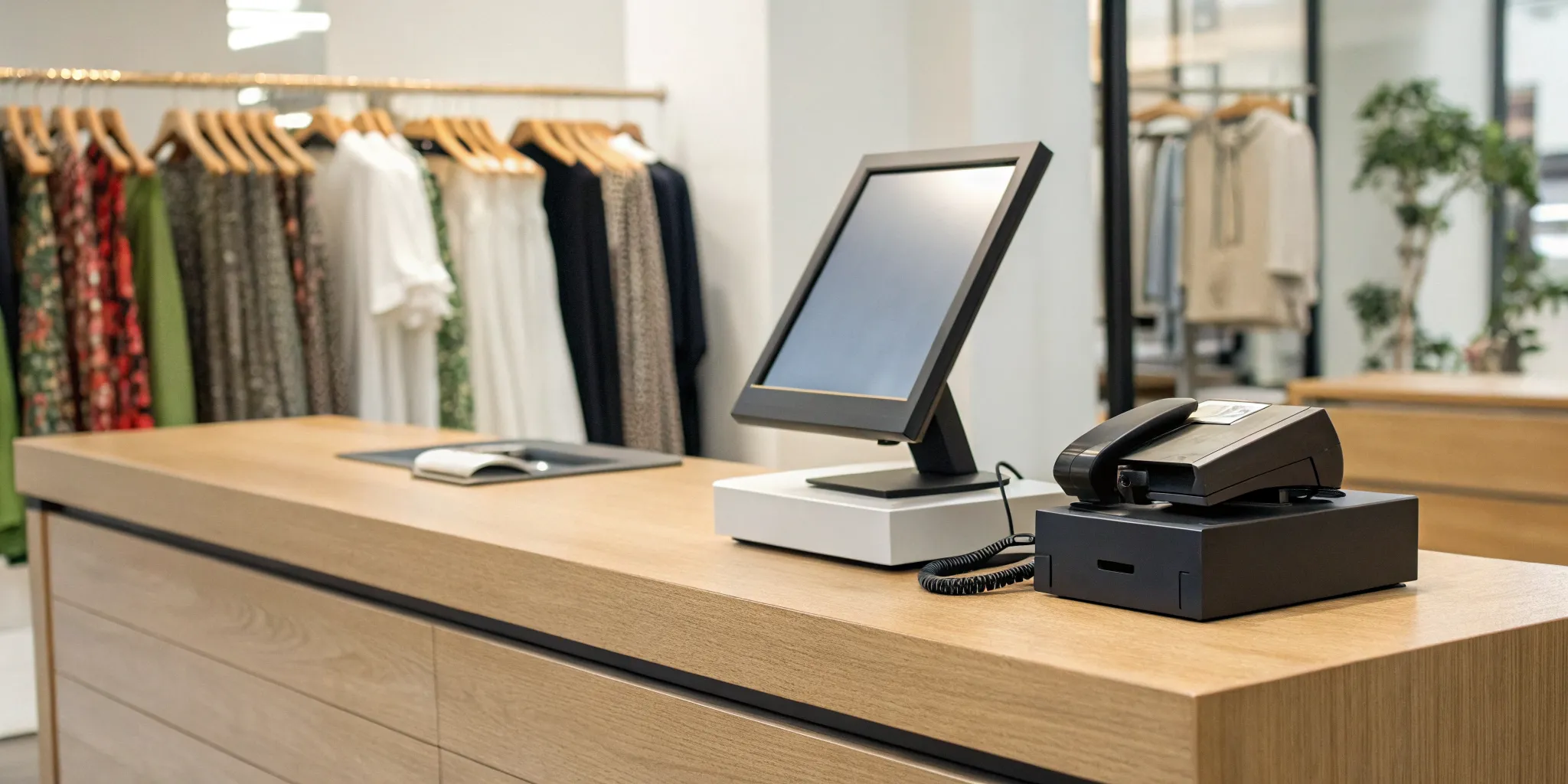
Your POS system is made up of two parts: hardware and software. The hardware includes the physical tools you use every day, like a touchscreen terminal, barcode scanner, receipt printer, cash drawer, and card reader. The software is the brain of the operation. It’s where you’ll find essential features like inventory management, customer relationship management (CRM), employee time tracking, and sales analytics. Many modern systems are cloud-based, which means you can access your sales data in real time from any device, anywhere. This also helps reduce IT costs since you don’t need to maintain bulky servers on-site.
What are the Must-Have Features in a Retail POS?
Think of your point-of-sale system as the central command center for your entire retail operation. It’s so much more than a simple cash register; it’s the tool that processes transactions, tracks your inventory, manages customer relationships, and gives you the data you need to make smart business decisions. When you’re shopping for a new system, it’s easy to get overwhelmed by all the bells and whistles.
To cut through the noise, focus on the core functions that will actually make a difference in your day-to-day. The right POS should work for you, not the other way around. It should simplify your tasks, save you time, and provide clear insights that help you grow. Let’s walk through the essential features every modern retail POS system should have.
Manage Inventory in Real Time
Gone are the days of tedious manual stock counts. A modern POS system gives you a live, accurate view of your inventory across all your locations, including your online store. When an item sells, the system automatically updates your stock levels. This means you can see what’s selling, what’s not, and when it’s time to reorder at a glance.
Cloud-based software is a game-changer here, as it allows you to streamline operations from anywhere. You can prevent overselling, identify slow-moving products that are tying up cash, and set up low-stock alerts so you never run out of a bestseller again. This single feature can save you countless hours and prevent major headaches.
Track Sales with Powerful Analytics
Your sales data is a goldmine of information, but only if you can access and understand it. A great POS system does the heavy lifting for you, turning raw numbers into easy-to-read reports. You can track key metrics like your top-performing products, busiest sales hours, and average transaction value.
This information helps you make smarter, data-driven decisions. For example, you can use sales trends to plan promotions, optimize staff schedules, and refine your product offerings. The best systems help you analyze data to better understand customer behavior, which is key to building a loyal following and a healthier bottom line.
Manage Your Customers and Team
Your POS can also be a powerful tool for managing relationships. Look for a system with built-in customer relationship management (CRM) features. This allows you to create customer profiles, track their purchase history, and even run a loyalty program. When you know what your customers love, you can create personalized offers that keep them coming back.
On the team management side, a POS can help you track employee hours, manage permissions, and monitor sales performance. The key is finding a system with intuitive user interfaces that are easy for your staff to learn and use. A simple, clear system reduces training time and minimizes errors at checkout.
Connect In-Store and Online Sales
If you sell both in-person and online, you need a POS that can keep up. A system that integrates your physical and digital storefronts is essential for creating a seamless customer experience. This approach, often called unified commerce, ensures that your inventory, sales, and customer data are synced in real time.
This integration prevents you from accidentally selling an item online that just sold out in your store. It also gives you a complete picture of your customer’s shopping habits, whether they buy in-person or from their couch. This holistic view allows you to market more effectively and serve your customers better, no matter where they choose to shop.
Accept Payments Securely
At its core, a POS system is how you get paid. Your system must be able to accept all the ways your customers want to pay, including credit and debit cards (with chip, tap, and swipe), mobile wallets like Apple Pay and Google Pay, and even gift cards.
Security is non-negotiable. Your POS provider should help you integrate secure payment gateways and ensure your system is PCI compliant to protect your customers’ sensitive data. This not only safeguards your reputation but also protects your business from costly fines and fraud. A secure and reliable payment process builds trust and gives both you and your customers peace of mind.
Offer Flexible Checkout Options
The traditional checkout counter isn’t the only way to complete a sale anymore. Modern POS systems offer the flexibility to meet your customers wherever they are. With mobile POS terminals, your staff can ring up sales from anywhere on the sales floor, which is perfect for busting long lines during busy seasons or offering a more personal, consultative experience.
This mobile technology also supports services like curbside pickup and buy-online-pickup-in-store (BOPIS). By offering more ways to pay and receive items, you create a convenient and modern shopping experience that sets you apart from the competition and keeps customers happy.
Comparing Top POS Systems for Retail
Choosing a point-of-sale system is one of the most important decisions you’ll make for your retail store. It’s the central hub of your operations, handling everything from sales and inventory to customer relationships. But with so many options on the market, how do you find the one that’s truly the right fit? The best system for a multi-location boutique won’t be the same as the one for a brand-new online store testing out its first pop-up shop.
To help you get a clear picture of what’s out there, I’ve broken down some of the top contenders in the retail space. We’ll look at their key strengths and who they’re best suited for. This comparison will give you a solid foundation to help you decide which platform aligns with your business goals, budget, and day-to-day needs. Let’s explore the features that set each of these popular systems apart.
MBNCard POS Solutions
Instead of offering a one-size-fits-all system, we at MBNCard focus on providing tailored payment solutions that integrate seamlessly with the industry’s leading POS hardware and software. We believe you shouldn’t have to change your operations to fit your payment processor. Our approach is to work with you to find the perfect setup, whether that’s a robust system for a large retail store or a simple terminal for a small shop.
Our specialty is ensuring you get transparent pricing, next-day funding, and dedicated support, no matter which POS system you use. We help you connect your chosen software with a payment processing plan that actually saves you money, like our popular Dual Pricing program. Think of us as your payment partner, here to make sure the financial side of your POS is as efficient and affordable as possible.
Square for Retail
Square is a powerhouse in the POS world, and for good reason. It’s an all-in-one system designed to be the command center for your retail business. Its biggest strength is its real-time inventory management, which syncs across all your locations, including your online store. This means you’ll never accidentally sell an out-of-stock item again.
Square makes it easy to accept all major payment types, from credit cards to digital wallets like Apple Pay, and even offers a “Tap to Pay” feature for iPhones and Androids. It’s a fantastic choice for business owners who want a single, unified system to manage sales, inventory, and customer data without a lot of hassle. The Square for Retail platform is built to simplify your daily tasks so you can focus on growing your business.
Shopify POS
If your business lives primarily online, Shopify POS is a natural fit. Shopify is widely known as the gold standard for e-commerce, and its POS system is designed to bridge the gap between your online store and your physical one. All your products, orders, and customer information are synced in one place, creating a smooth experience for both you and your shoppers.
While its in-store features might not be as extensive as some retail-first competitors, it’s the perfect solution for digitally native brands expanding into brick-and-mortar. Many merchants who prioritize their online presence find that using Shopify POS is the easiest way to create a truly omnichannel business without having to manage separate systems for online and in-person sales.
Lightspeed Retail
For retailers with big growth plans, Lightspeed is a system built to scale with you. It’s designed specifically for businesses with complex needs, like those managing multiple locations or large amounts of inventory. Lightspeed excels at unifying all parts of your business, from different storefronts to your e-commerce site, into one cohesive platform.
This system is more than just a cash register; it’s a powerful tool for managing your entire operation. It offers advanced reporting, sophisticated inventory controls, and built-in customer management features. If you’re running an established business and need a system that can handle high volume and complexity, Lightspeed Retail provides the robust infrastructure you need to keep growing efficiently.
Clover POS
Clover is a fantastic option for new business owners or anyone who values simplicity and flexibility. It’s known for being incredibly user-friendly and highly customizable, with a range of hardware options that can fit any counter space. If you’re just starting out, Clover offers a low-cost, straightforward way to start accepting card payments without a steep learning curve.
While it may be more basic than other systems, its strength lies in its simplicity. It does the essentials extremely well, making it a great choice for businesses whose main priority is reliable and easy payment processing. As your business grows, you can add more capabilities through its app market, making it a flexible POS system that can evolve with your needs.
How Much Does a Retail POS System Cost?
Figuring out the price of a retail POS system can feel a bit like solving a puzzle. There isn’t one single price tag, because the total cost is a mix of hardware, software, and payment processing fees. Think of it as building your perfect setup piece by piece. The great news is that you have more control over the final cost than you might think. By understanding what goes into the pricing, you can find a powerful system that fits your budget without sacrificing the features you need to run your business smoothly. Let’s break down the three main costs you can expect.
Understanding Hardware and Setup Costs
Your initial investment will be in hardware. This is the physical equipment you need to ring up sales, like a cash drawer, receipt printer, and barcode scanner. The cost here can vary quite a bit. Older, legacy systems often require expensive, proprietary equipment that’s difficult to upgrade. Modern, cloud-based systems, on the other hand, typically run on familiar devices like iPads or Android tablets. This makes them more affordable and easier to replace. For a basic setup, you can expect to invest anywhere from $1,000 to $2,000. The price will go up if you need specialized equipment, mobile devices for selling on the go, or setups for multiple locations.
Breaking Down Software Subscription Fees
Most modern POS software operates on a subscription model, often called Software as a Service (SaaS). This means you’ll pay a monthly or annual fee for access to the software and its features. The price usually depends on the plan you choose. A basic plan might cover simple transactions, while more advanced tiers will include features like multi-store inventory management, detailed sales analytics, or customer loyalty programs. One of the biggest perks of a cloud-based subscription is that software updates, security patches, and data backups are typically included, so your system always stays current without any extra work from you.
What to Expect from Processing Fees
Payment processing fees are often the most significant ongoing cost associated with your POS system. Every time a customer pays with a credit or debit card, a small percentage of that sale goes to the payment processor. These fees can be structured in a few different ways. Some processors offer a predictable flat rate, while others use an interchange-plus model that can be more transparent for businesses with higher sales volumes. It’s also worth exploring options like cash discount programs, which can help you significantly reduce or even eliminate these fees by offering customers a small discount for paying with cash.
Cloud-Based vs. On-Premise: Which POS is Right for You?
When you’re choosing a POS system, one of the first big decisions is where your data will live. Will it be stored in the cloud, accessible from anywhere, or on a local server right in your back office? This choice between a cloud-based and an on-premise system shapes how you access information, handle security, and manage updates. Let’s walk through the pros and cons of each so you can find the perfect fit for your retail store.
Why Choose a Cloud-Based POS?
Cloud-based POS systems are the go-to for most modern retailers, and for good reason. These systems process transactions and store all your important data, like sales reports and inventory counts, on remote servers. This means you can log in and see what’s happening in your store from any device with an internet connection. Imagine checking daily sales from your couch or updating product information from a trade show. This flexibility helps you streamline operations and stay connected to your business no matter where you are. Plus, the provider handles software updates and security, so you always have the latest features without any extra work.
Is an On-Premise System a Better Fit?
While most POS system trends point toward the cloud, on-premise systems still have their place. With an on-premise POS, all your data is stored on a local server at your business location. The main advantage here is control. You aren’t reliant on an internet connection to ring up sales, which can be a lifesaver if your local service is unreliable. Some business owners also prefer having their sensitive sales and customer data stored physically on-site. However, this approach means you are fully responsible for maintaining the server and securing the data. These systems are becoming less common, but they can be a solid choice for businesses that prioritize local control over remote access.
Key Differences: Data, Security, and Updates
The biggest differences between cloud and on-premise systems come down to three things: data access, security, and updates. With a cloud system, your data is accessible anywhere, but you’re trusting your provider to keep it safe. Reputable providers invest heavily in security and make it easy to maintain PCI compliance. On-premise systems give you direct control over your data, but the security burden is entirely on you. You’ll need to manage firewalls, backups, and compliance yourself. This is one of the key POS technology trends driving cloud adoption. Similarly, cloud software updates automatically, while on-premise systems often require manual installations that can be complex and sometimes costly.
Your Checklist for Choosing the Right POS
Choosing a point-of-sale system can feel like a huge decision, but it doesn’t have to be overwhelming. Think of it as finding the right partner for your business operations. The perfect POS system will streamline your daily tasks, give you valuable insights into your sales, and ultimately help you grow. To find the right fit, you just need to know what to look for. This checklist breaks down the key areas to consider, helping you move forward with confidence and select a system that truly works for you and your team.
Define Your Business’s Needs
Before you even look at specific brands, take a moment to look at your own business. The best POS system is one that’s tailored to your specific situation. A small boutique has different needs than a multi-location hardware store. Start by asking yourself a few simple questions: What kind of products do I sell? How large is my inventory? Do I need to manage staff permissions? What is my budget for both hardware and monthly software fees? Answering these questions first will give you a clear picture of your must-have features, making it much easier to compare POS options and filter out the ones that aren’t a good match.
Check for Essential Integrations
Your POS system should be the central hub of your retail operation, not an isolated island. For everything to run smoothly, you need a system that connects seamlessly with the other tools you rely on. Think about your e-commerce platform, accounting software, and email marketing service. A POS with strong integrations allows these tools to share data automatically, saving you from hours of manual entry and reducing errors. Look for a system that supports key functions like inventory management across both your physical and online stores, so you never sell an out-of-stock item again.
Evaluate Support and Training
When your checkout system goes down, your business comes to a halt. That’s why reliable customer support is non-negotiable. Before you commit, find out what kind of support the POS provider offers. Is it available 24/7? Can you reach a real person by phone, or is it limited to email or chat? Good support also includes solid training resources. A system that’s easy for your staff to learn will get you up and running faster. You’re also trusting your provider to handle sensitive customer data, so make sure they help you stay compliant with all data protection standards.
Busting Common POS Myths
Let’s clear up a few common misconceptions about POS systems that might be holding you back. First, many people think a POS is just a high-tech cash register. The truth is, modern systems are complete business management tools that handle everything from sales analytics to customer loyalty programs. Another myth is that POS systems are only for large businesses. Today, cloud-based solutions are incredibly scalable and affordable, making them a perfect fit for small shops. Finally, don’t believe the idea that all POS systems are too expensive. The right system is an investment that pays for itself by improving efficiency and helping you make smarter business decisions.
Related Articles
- The Best Retail Point of Sale System: 6 Top Picks
- Get a Retail POS System Quote: A Complete Guide
- Choosing a Restaurant Point of Sale System
- The Ultimate List: 9 POS Systems for Restaurants
Frequently Asked Questions
I’m just a small boutique. Do I really need a full POS system, or can I get by with a simple credit card reader? That’s a great question, and it really comes down to your goals. A simple card reader is fine for just taking payments, but a true POS system is designed to help you run and grow your entire business. It gives you powerful tools to track your inventory in real time, so you know exactly when to reorder your bestsellers. It also provides sales reports that show you your busiest hours and most popular items, helping you make smarter decisions about staffing and promotions. Think of it as moving from just surviving to actively steering your business with real data.
What’s the biggest difference between a cloud-based and an on-premise POS system? The simplest way to think about it is where your business information is stored. An on-premise system keeps all your data on a local server in your store, which means you’re responsible for all the maintenance and security. A cloud-based system stores your data securely online. This allows you to access your sales reports, inventory, and other key information from anywhere, on any device. For most modern retailers, the flexibility and automatic updates of a cloud-based system make it the more convenient and efficient choice.
I already have a POS system I like, but I’m not happy with my payment processing fees. Am I stuck? Not at all. This is a common situation, and you definitely have options. Many business owners don’t realize that their POS software and their payment processor don’t have to be the same company. You can often keep the hardware and software you’re already comfortable with and switch to a different payment solutions provider, like us at MBNCard. We specialize in integrating with leading POS systems to offer more transparent pricing and programs that can significantly lower your processing fees without forcing you to change your entire setup.
How difficult is it to switch to a new POS system? I’m worried about the downtime and training my team. This is a valid concern, but modern POS systems are designed to make the transition as smooth as possible. Most cloud-based platforms have intuitive interfaces that are easy for staff to learn, often resembling apps they already use on their phones or tablets. A good provider will also offer clear training resources and dedicated support to guide you through the setup process. While there is a learning curve, the long-term benefits of improved efficiency, better inventory control, and valuable sales insights almost always outweigh the short-term adjustment period.
With so many features available, which one is the most important for a new retail business? If you have to pick just one, focus on real-time inventory management. For a retail business, your inventory is your biggest asset, and managing it well is the key to profitability. A POS system that automatically tracks what you sell, tells you what’s running low, and shows you what isn’t moving is invaluable. It prevents you from tying up cash in slow-moving products and ensures you never miss a sale because a popular item is out of stock. Getting your inventory under control from the start builds a strong foundation for growth.