Do you know your best-selling product from last Tuesday? How about your average transaction value during your busiest hours? For many business owners, these numbers are a mystery. But this is the exact information you need to make smart decisions about purchasing, staffing, and marketing. A great point-of-sale system does more than just process payments; it turns your daily transaction data into clear, actionable insights. It shows you what’s working, what isn’t, and where your biggest opportunities are. This guide will show you how to find a retail shop pos system that acts as a powerful business intelligence tool, helping you understand your customers and grow your bottom line.
Key Takeaways
- Prioritize features that simplify your daily work: A great POS system needs robust inventory management, clear sales reporting, and secure payment processing to act as a reliable command center for your shop.
- Look beyond the monthly fee to understand the true cost: Your total investment includes hardware, software, and transaction fees, so always ask about custom pricing and negotiate your processing rates to find a solution that fits your budget.
- Choose a system that supports your long-term growth: Your POS should do more than process sales; it needs to integrate with other tools, come with reliable customer support, and provide top-notch security to protect your business as it expands.
What Is a Retail POS System?
Think of a retail Point-of-Sale (POS) system as the central command center for your shop. It’s much more than a modern cash register; it’s the combination of hardware and software that processes every sale, tracks your inventory, and manages customer data. Instead of juggling separate tools for payments, stock counts, and sales reports, a POS system brings everything together in one streamlined interface. This integration is what makes it so powerful.
A great retail POS system helps you manage everything from one place, from ringing up customers to creating purchase orders. For a busy business owner, this means less time spent on manual data entry and more time focused on growing your business. It simplifies your daily operations by automating tasks that used to be time-consuming, giving you a clear, real-time picture of your store’s performance. By centralizing your core functions, a POS system helps you run a more efficient, organized, and profitable business.
The Core Components of a Modern POS
A modern POS is built on a few key pillars that work together to support your business. At its heart is software that can manage your inventory, sales, and customer information all in one place. This includes real-time inventory tracking that shows you what’s available in your physical store and online, preventing you from selling out of a popular item unexpectedly. A versatile POS system and software should also accept all major payment types, from traditional credit cards to digital wallets and even buy-now-pay-later options, ensuring you never miss a sale because of a payment limitation.
How a POS System Can Transform Your Business
Implementing the right POS system can fundamentally change how you run your business for the better. First, it empowers you to make smarter, data-driven decisions. By providing clear, accessible reports on your sales and inventory, the system shows you exactly what’s selling, who’s buying it, and when your busiest hours are. This insight allows you to optimize your stock and staffing with confidence. Second, a great POS system directly improves the customer experience. It makes the checkout process faster and smoother, reducing wait times and leaving shoppers with a positive final impression of your brand.
Key Features Every Retail POS System Needs
Think of a modern point-of-sale system as the central command center for your retail shop. It’s so much more than a cash register; it’s the brain of your entire operation, connecting your sales, inventory, customer data, and payments in one streamlined platform. When you’re comparing options, it’s easy to get lost in a long list of features. But a handful of capabilities are non-negotiable for any serious retail business.
The right POS system should make your daily tasks easier, not more complicated. It should give you clear insights into what’s working and what isn’t, so you can make smarter decisions without spending hours buried in spreadsheets. From tracking every item on your shelves to building relationships with your best customers, these core features are what separate a basic cash drawer from a powerful business management tool. Let’s look at the essential functions you should expect from any retail POS system worth your investment.
Effortless Inventory and Stock Management
Manually counting inventory is one of the most time-consuming tasks for any shop owner. A great POS system eliminates that headache by offering real-time inventory tracking. Every time you make a sale, the system automatically updates your stock levels across all your locations, including your online store. This means you can instantly see what’s available, get low-stock alerts to reorder popular items, and avoid the frustration of selling a product you no longer have. A solid inventory management feature gives you a constant, accurate picture of your assets, helping you prevent both stockouts and overstocking.
Clear Sales Tracking and Business Reporting
Do you know your best-selling products, your busiest hours, or your average transaction value? If not, you’re missing out on valuable information. A quality POS system provides detailed reports that turn your sales data into actionable insights. You can track sales trends, monitor costs and profit margins, and identify which items are flying off the shelves and which are collecting dust. These analytics are crucial for making informed decisions about purchasing, marketing, and staffing. Instead of guessing, you can use hard data to guide your business strategy and grow your bottom line.
Tools to Build Customer Loyalty
Attracting new customers is important, but encouraging repeat business is what builds a sustainable brand. Many POS systems come with built-in customer relationship management (CRM) tools to help you do just that. You can create customer profiles to track purchase history, preferences, and contact information. This allows you to offer personalized service and targeted promotions. Even better, you can set up loyalty programs to reward your best customers with points, discounts, or exclusive offers, giving them a compelling reason to keep coming back to your store.
Secure and Flexible Payment Processing
In today’s market, customers expect to pay how they want, when they want. Your POS system must be able to accept all major payment types securely, from traditional credit and debit cards to contactless options like Apple Pay and Google Pay. This flexibility not only improves the customer experience but also speeds up your checkout line. More importantly, your system must be PCI compliant to protect your customers’ sensitive card data and shield your business from fraud and costly data breaches. Secure and versatile payment processing is the foundation of a trustworthy retail operation.
E-commerce Integration and Mobile Access
If you sell both in-person and online, your POS system needs to bridge that gap. E-commerce integration syncs your inventory, sales, and customer data between your physical store and your website. This creates a seamless omnichannel experience, allowing customers to buy online and pick up in-store without any hiccups. Many modern POS systems also offer mobile access through a dedicated app, so you can check sales reports, manage inventory, and run your business from anywhere. This level of connectivity gives you the freedom and control to manage your shop on your own terms.
Choosing the Right POS Hardware
Once you’ve settled on the right software features, it’s time to pick the physical components that will bring your point of sale to life. The right hardware setup depends entirely on your business. A bustling multi-location boutique has different needs than a pop-up shop at a local market. Your goal is to create a checkout experience that’s smooth for your customers and efficient for your staff. Let’s walk through the essential pieces you’ll need to consider.
Terminals, Tablets, and Customer Displays
The centerpiece of your setup is the terminal or tablet where you’ll run your POS software. Your choice here often comes down to your operational style. Many business owners find that Android POS systems offer great flexibility for handling complex tasks, like managing inventory across several locations. On the other hand, iPad-based systems are known for their sleek design and intuitive interface, making them a fantastic choice for smaller shops that prioritize ease of use and a modern aesthetic at the counter. Don’t forget a customer-facing display, which can build trust by showing a transparent, itemized list of their purchase as you ring it up.
Card Readers and Payment Devices
In a world of tap-to-pay and digital wallets, your ability to accept various payment methods is non-negotiable. Your card reader should seamlessly handle everything from traditional chip and swipe cards to contactless payments like Apple Pay and Google Pay. Giving customers the freedom to pay how they want is a simple but powerful way to improve their experience. Make sure your hardware is equipped to process all major credit cards and popular digital payment services to avoid ever having to turn a sale away. This flexibility not only keeps your current customers happy but also attracts new ones who expect modern, convenient payment options.
Printers, Cash Drawers, and Scanners
Beyond the main terminal, you’ll need a few other key pieces. A reliable receipt printer and a secure cash drawer are standard for almost any retail environment. A barcode scanner is another must-have for speeding up checkout and reducing errors. For even greater efficiency, consider a wireless scanner. This tool allows you to take inventory or check prices anywhere in the store without being tied to the counter, helping you maintain accurate stock counts without disrupting daily operations. These peripherals work together to create a professional and organized checkout station that keeps lines moving and transactions secure.
Matching Hardware to Your Business Needs
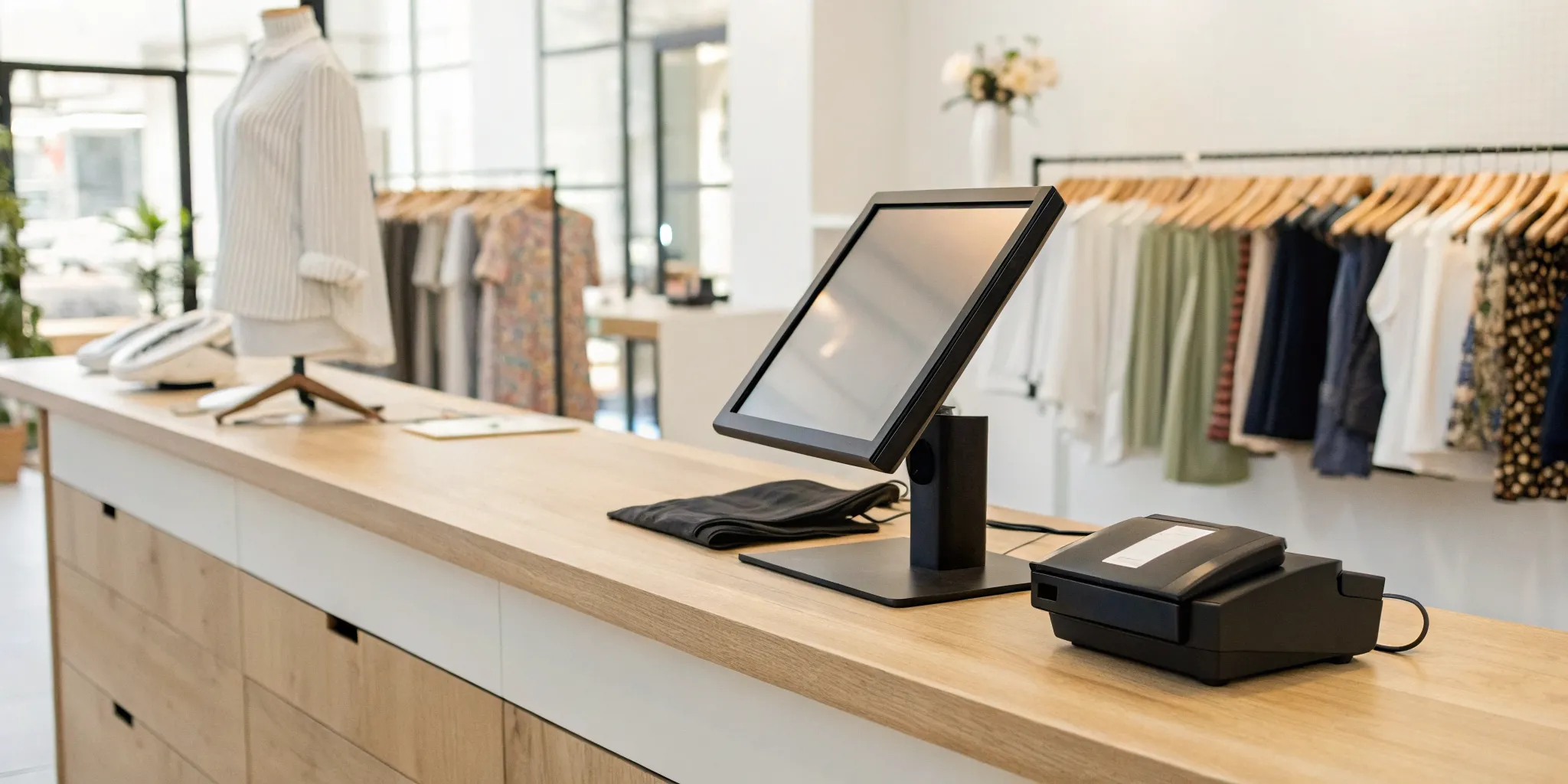
Ultimately, the best hardware is the hardware that fits your specific workflow. A medium-volume shop might do perfectly well with a standard retail setup, like a single tablet, card reader, and cash drawer. However, a high-volume store with multiple checkout lanes will need a more robust system designed to handle a constant flow of customers. Think about your daily transaction volume and the physical layout of your space to build a customized POS bundle that supports your business now and has room to grow with you. Your hardware should make your job easier, not more complicated.
Understanding the Costs of a Retail POS System
When you start shopping for a POS system, you’ll quickly realize that the price isn’t just a single number. The total cost is a mix of software subscriptions, hardware expenses, and the fees you pay on every transaction. It’s easy to get drawn in by a low monthly price, only to be surprised by other costs down the line. To make a smart investment, you need to look at the complete picture and understand how each piece contributes to your overall expenses.
Think of it like buying a car. The sticker price is just the beginning. You also have to consider insurance, gas, and maintenance. A POS system is similar. The upfront cost for hardware and the monthly software fee are just part of the equation. The payment processing rates are the fuel that keeps your system running, and they can have a huge impact on your profitability over time. By breaking down each cost component, you can accurately budget for your new system and find a solution that truly fits your business without any hidden surprises. This way, you can focus on running your shop, confident that you’ve made a sound financial decision.
Breaking Down Subscription and Pricing Models
Most modern POS systems operate on a subscription basis, typically with a monthly or annual fee for using the software. You’ll often find tiered plans, where more expensive tiers include more advanced features like in-depth analytics or advanced loyalty programs. Some providers, like Square, offer a free basic plan, which can be a great starting point for new businesses. The best part about these models is the flexibility. Many companies don’t require long-term contracts, so you can upgrade, downgrade, or switch plans as your business needs change. When comparing options, look closely at what’s included in each tier to make sure you’re only paying for the features you’ll actually use.
Calculating Hardware and Setup Fees
Next up is the hardware, which includes all the physical equipment you need to ring up sales. This can range from a simple tablet and card reader to a full setup with a touchscreen terminal, cash drawer, barcode scanner, and receipt printer. The initial investment can be significant. For example, a complete retail POS system bundle can cost a few thousand dollars upfront. Some providers offer the option to lease hardware or pay in installments, which can make the initial cost more manageable. Don’t forget to ask about any one-time setup or installation fees, as these aren’t always included in the hardware price.
Factoring in Transaction and Processing Fees
This is where things can get a little tricky, but it’s one of the most important costs to understand. Every time you process a credit or debit card payment, a small percentage of the sale goes to the payment processor. These fees are usually a combination of a percentage of the transaction amount plus a small flat fee (e.g., 2.6% + 10¢). Rates can vary widely between providers and depend on factors like your sales volume and the types of cards your customers use. Getting clear, transparent pricing here is key. This is an area where a dedicated payment solutions partner can help you secure the best possible rates, saving you a lot of money in the long run.
Is a “Free” POS System Really Free?
You’ve probably seen ads for “free” POS systems, and it’s natural to be skeptical. In most cases, “free” refers to the monthly software subscription. You’ll still need to buy hardware and, most importantly, pay payment processing fees. Often, companies that offer free software make up for it with higher, non-negotiable transaction rates. That said, a free plan can be a fantastic option for small businesses or startups that need to get up and running with minimal upfront cost. Users often find these systems simple and easy to learn. Just be sure to read the fine print and calculate what you’ll actually be paying in processing fees to see if it’s a good deal for your business.
How to Find a POS System You’ll Love
Choosing a point-of-sale system can feel like a massive commitment, and it is. This system is the central hub of your daily operations, so you need more than just a functional piece of hardware; you need a reliable partner. The best way to find a system you’ll actually enjoy using is to look past the marketing hype and see what real business owners are saying.
Your goal is to find a system that simplifies your life, not one that adds another layer of complexity. That means digging into user reviews, learning to spot the difference between a minor complaint and a major red flag, and knowing where to find honest feedback. When you focus on how a system performs in the real world, you can confidently choose a solution that fits your business perfectly and supports your growth for years to come.
Why Merchants Choose MBNCard’s POS Solutions
When we talk to business owners, they tell us they need a POS system that just works. They don’t have time for complicated software or systems that constantly crash. Merchants often tell us they appreciate our POS solutions for their reliability and straightforward design. A system should be simple enough for a new hire to learn in an afternoon, not a week.
This focus on ease of use is intentional. We believe technology should make your job easier, not harder. By providing a dependable and intuitive system, we help you minimize training time, reduce transaction errors, and keep your lines moving. It’s about giving you the peace of mind to focus on what you do best: serving your customers and growing your business.
What to Look for in User Reviews
Reading user reviews is more than just checking the star rating. To get the full picture, you need to read between the lines. As you sift through feedback, keep an eye out for comments that mention the things that impact your daily workflow. Look for reviews that specifically talk about “reliable card processing, easy staff training, and affordable hardware.”
These are the core elements that determine your long-term satisfaction. Does the system process payments quickly without glitches? Can your team operate it without constant supervision? Are the hardware and maintenance costs reasonable? Pay close attention to patterns. One negative review might be an outlier, but if you see multiple merchants mentioning the same issue, it’s a sign to proceed with caution.
Common Praise and Complaints to Watch For
As you read reviews, you’ll start to notice common themes. Certain praises are green flags, while specific complaints are major red flags. For example, a system like Clover is often praised for its wide range of add-ons, which is great if you love customization. On the other hand, some users find that a system like Toast is heavily geared toward restaurants, which might not be the best fit for a retail shop.
Watch for praise about excellent customer support, an intuitive interface, and transparent pricing. These are signs of a company that values its customers. Conversely, be wary of recurring complaints about hidden fees, buggy software updates, or unresponsive support teams. These issues can quickly turn a seemingly good deal into a costly headache.
Finding Reputable Sources for Reviews
To find the most honest feedback, go where other business owners gather. While dedicated review sites can be a starting point, the most valuable insights often come from community forums and blogs. Platforms like Reddit have dedicated communities where you can ask questions and read unfiltered conversations about different POS systems. The r/smallbusiness subreddit, for instance, is a great place to find these discussions.
These platforms provide a space for genuine peer-to-peer recommendations. You can learn which systems are truly reliable and which ones consistently cause problems for businesses like yours. By seeking out these authentic conversations, you can gather the information you need to make a decision based on real-world performance, not just a polished sales pitch.
Making Your Final Decision: A Checklist
You’ve done the research, read the reviews, and narrowed down your options. Now, it’s time to make the final call. Choosing a POS system is a big commitment, but it doesn’t have to be stressful. This final checklist will help you compare your top contenders and select the one that truly fits your business like a glove. Think of this as your last gut check before signing on the dotted line. We’ll walk through the four most critical areas to evaluate: your sales volume, growth potential, support needs, and security requirements. By the end, you’ll have the clarity and confidence to pick a POS system that will support your retail shop for years to come.
Your Business Size and Sales Volume
The right POS system should feel like it was made for your business, whether you’re just starting out or managing multiple locations. A system designed for a small boutique might not handle the inventory of a large retailer, and vice versa. Consider your current transaction volume. Some providers offer special perks for high-volume businesses. For instance, if your shop processes over $250,000 in sales each year, you may qualify for custom pricing and dedicated support. Don’t be afraid to ask providers about their pricing tiers and what benefits you can get based on your sales performance. This ensures you’re not overpaying for features you don’t need or missing out on savings you’ve earned.
Integrations and Room to Grow
Your POS system should be more than just a cash register; it should be the central hub of your business operations. Look for a system that can grow with you. Does it integrate with other tools you rely on? Think about your future plans. You might want to build an online store, launch a customer loyalty program, or send marketing emails to your customers. A great POS system offers these tools built-in or through seamless integrations. Choosing a system with these capabilities from the start saves you the headache of switching providers down the road when your needs become more complex. It’s about finding a partner that supports your vision for the future.
Reliable Customer Support and Training
When your technology hits a snag, you need help, fast. Reliable customer support is non-negotiable. Before you commit, find out what a provider’s support looks like. Is it available 24/7? Can you reach a real person by phone, or is it limited to email or chat? Beyond troubleshooting, consider the initial setup and training. A good POS system is intuitive and easy for your staff to learn, which is crucial for keeping your checkout lines moving and minimizing errors. A smooth onboarding process and accessible support team can make all the difference in your day-to-day operations and prevent costly downtime.
Top-Notch Security and Compliance
In retail, trust is everything. Protecting your customers’ payment information is one of your most important responsibilities. Your POS system must have robust security features to safeguard sensitive data and protect your business from fraud. Ensure any system you consider is fully compliant with the Payment Card Industry (PCI) Data Security Standard. This isn’t just a best practice; it’s a requirement for any business that accepts card payments. A secure POS system gives you peace of mind and shows your customers that you take their privacy seriously, helping you build a reputation as a trustworthy and professional retailer.
How to Get the Best Deal on Your POS System
Finding the right POS system is about more than just features and hardware; it’s also about finding a solution that fits your budget without locking you into a bad deal. The good news is that pricing isn’t always set in stone. With a little research and confidence, you can find a system that serves your business and your bottom line. Think of it like being a smart shopper for your business. A great POS provider wants to build a long-term relationship, and that often starts with a fair price. Here are a few proven strategies to make sure you’re getting the best value for your investment.
Ask About Promotions and Free Trials
Before you commit to any long-term contract, always ask about ways to test the system first. Many POS providers understand that you need to see the software in action before you buy. Because of this, you can often try paid plans for free for a limited time. This is the perfect, no-risk way to explore the features, see how intuitive the interface is, and decide if it’s the right fit for your team. Don’t just look on the website, either. Get on the phone with a sales representative and ask them directly if there are any special promotions, introductory offers, or extended trial periods available. You might be surprised at what they can offer to win your business.
Look for Built-in Discounting Features
A great POS system shouldn’t just be a cost center; it should be a tool that helps you make more money. When comparing systems, look for robust, built-in promotional tools. The ability to easily create and manage discounts effectively can directly impact your sales. Whether you want to run a “buy one, get one” special, offer a percentage off for loyal customers, or set up seasonal sales, a system with these features built-in saves you time and helps you attract more business. This kind of functionality adds incredible value and can provide a return on your investment much faster.
Inquire About Custom Pricing Options
Don’t assume the prices listed on a provider’s website are the only options available. If your business is processing a significant volume of sales, you often have more leverage than you think. Many providers offer special custom pricing for businesses that process over a certain amount each year, like $250,000. If your sales are at or approaching that level, make it a point to ask for a custom quote. This can lead to major savings on subscription fees, transaction rates, and even hardware costs. A tailored plan ensures you’re only paying for what you need while getting the dedicated support that a higher-volume business requires.
How to Negotiate Your Processing Rates
Your credit card processing rates are one of the most important, and most negotiable, parts of your POS deal. These fees can have a huge impact on your profitability over time, so it’s worth the effort to secure the lowest rate possible. Many business owners have reported success in negotiating lower card processing fees simply by asking. Come to the conversation prepared with your current processing statements and your monthly sales volume. Don’t be afraid to get quotes from multiple providers and use them as leverage. A transparent partner, like MBNCard, will be happy to walk you through the rates and find a competitive solution that works for you.
Related Articles
- What is a Retail POS System? The Ultimate Guide
- 6 Best Retail Point of Sale Systems
- 7 Best Point of Sale Systems for Retail Stores
Frequently Asked Questions
I’m just starting out. Do I really need a full POS system, or can I get by with a simple card reader? A simple card reader is a great tool for accepting payments, but a full POS system acts as the brain of your entire operation. While a reader just processes a transaction, a POS system connects that sale to your inventory, customer profiles, and sales reports. This gives you a clear picture of what’s selling and who’s buying, which is essential for making smart decisions as you grow.
How can I tell if a “free” POS system is actually a good deal? A “free” POS system typically means you won’t pay a monthly software subscription fee. However, you will still have to buy hardware and pay payment processing fees on every transaction. The key is to look closely at those processing rates. Often, companies offering free software charge higher, fixed rates that can end up costing you more than a system with a modest monthly fee and lower transaction costs.
Can I use my own hardware, like an iPad, with any POS software? Many modern POS systems are designed to work perfectly on tablets like iPads, which can be a great way to save on upfront costs. However, compatibility isn’t universal. Some software is built to run only on specific, proprietary hardware. Before you make a decision, it’s important to confirm with the provider which devices their software supports to ensure everything will work together smoothly.
My biggest concern is security. How do I know my customers’ data will be safe? Protecting your customers’ information is crucial, and the best way to do that is by choosing a system that is fully PCI compliant. This is the industry standard for data security, ensuring that sensitive payment information is encrypted and protected from the moment a card is used. A reputable provider will always be transparent about their security measures and compliance status.
What’s the best way to lower my payment processing fees? Your processing rates are one of the few costs that are often negotiable. The best strategy is to do your homework. Gather your recent processing statements so you know your current rates and average monthly sales volume. With this information, you can confidently ask providers for a custom quote. A transparent payment partner will be willing to review your statements and work with you to find a more competitive rate.