Let’s talk about the real cost of a point-of-sale system. It’s not the monthly software fee; it’s the payment processing. While a “free” POS provider won’t charge you a subscription, they will take a percentage of every single credit card transaction you run. These small fees add up to a significant expense over time and can have a much bigger impact on your bottom line than a predictable monthly payment. Understanding this is the key to making a smart decision. This article will break down how these companies make their money and show you how to calculate the true cost of any free POS system for small business.
Key Takeaways
- Calculate the true cost of “free” software: Remember that POS providers generate revenue through payment processing fees, mandatory hardware, and paid add-ons. Before choosing, map out all potential costs to understand your actual investment.
- Prioritize your essential features: Make a list of your non-negotiable needs, such as inventory management or customer loyalty tools. A great free POS covers these core functions without forcing you into expensive upgrades for day-to-day operations.
- Plan for your future growth: The right POS system should support your business today and tomorrow. Look for a provider that offers a clear and affordable upgrade path so you are not stuck with a system you will quickly outgrow.
What Does “Free” POS Software Really Mean?
When you see the word “free” attached to any business tool, it’s smart to ask, “What’s the catch?” Free POS software is no exception. While the idea of getting a critical system for your business at no cost is appealing, the reality is a bit more complex. These companies are not charities; they have to make money somehow. “Free” almost never means zero cost. It usually just means you won’t be paying a monthly subscription fee for the basic software. The real costs are often found in other places, from transaction fees to mandatory hardware. Let’s break down what you’re actually signing up for.
Software Fees vs. Transaction Fees
The most common model for a “free” POS system is one where you don’t pay a monthly fee for the software license. This is a great starting point, especially for new businesses managing a tight budget. However, you will always pay for payment processing. This is the primary way free POS providers generate revenue. Every time you accept a credit or debit card payment, a small percentage of that sale goes to the processor. These transaction processing fees can range from under 2% to over 3.5% per sale, plus a small flat fee. So, while the software is free to use, the act of getting paid is not.
Hidden Costs to Watch For
Beyond processing fees, many “free” POS systems have other costs that aren’t immediately obvious. Providers often make their money by charging for features that most businesses consider essential. Need to manage your inventory, run detailed sales reports, or integrate with your accounting software? Those are often paid add-ons. Some companies lure you in with a free basic plan only to introduce a series of hidden charges that can quickly add up. It’s crucial to read the fine print and understand what’s included in the free tier versus what you’ll have to pay for as your business grows.
What About Hardware and Processor Lock-In?
Another significant catch is the lack of flexibility. Many free POS providers require you to use their specific payment processor. This means you can’t shop around for better processing rates from a company like MBNCard. You’re locked into their ecosystem and their fees. This is often referred to as vendor lock-in. Similarly, while some providers offer a free card reader to get you started, you’re typically required to use their proprietary hardware. If you ever decide to switch POS systems, that hardware will likely become a paperweight, forcing you to invest in all-new equipment for your next provider.
The Top “Free” POS Systems for Small Businesses
When you start looking for a “free” POS system, you’ll find plenty of options. But as we’ve covered, “free” often just refers to the monthly software fee. The real cost comes from payment processing, hardware, and add-on features that you can’t run your business without. Many providers lure you in with a free plan only to surprise you with hidden charges later on.
To help you see through the noise, I’ve broken down five of the most popular “free” POS systems. We’ll look at who they’re best for and what you can expect in terms of actual costs and features, so you can find the right fit for your business.
MBNCard: For Transparent Pricing and Dedicated Support
If you’re tired of the hidden fees and confusing statements that come with many “free” POS providers, MBNCard is built differently. We focus on transparent, straightforward pricing so you always know what you’re paying. Instead of a one-size-fits-all free plan that forces you into expensive upgrades, we work with you to find a payment solution that fits your specific needs and budget. Our goal is to help you save money through programs like cash discounting, not surprise you with extra costs. Plus, you get dedicated, personalized support from a real person who understands your business.
Square POS: For Mobile Businesses and Startups
Square is one of the biggest names in the game, and for good reason. Its free POS software is incredibly user-friendly and comes packed with the essentials right out of the box. You get tools for inventory management, customer relationship management (CRM), and online selling without a monthly fee. This makes it a fantastic starting point for new businesses, pop-up shops, or mobile services like food trucks. While the software is free, you’ll pay a flat-rate transaction fee on every sale, which can add up as your business grows.
Loyverse POS: For Simple Retail and Loyalty Programs
Loyverse is a great free option for small retail stores, cafes, or boutiques that want to build a loyal customer base from day one. Its standout feature is a built-in loyalty program, which lets you reward repeat customers without paying for a separate service. The free plan also includes solid inventory tracking and sales reporting. It runs on smartphones and tablets, so you can use your own devices to keep hardware costs down. While it covers the basics well, you may need to integrate with a third-party payment processor to accept credit cards, so be sure to factor those transaction fees into your budget.
Toast POS: For Restaurants and Cafes
If you run a restaurant, bar, or cafe, Toast is designed specifically for you. Its free starter plan is tailored to the unique needs of the food service industry, with features for menu management, online ordering, and managing tables. The interface is intuitive for servers and kitchen staff, helping your entire operation run more smoothly. Toast is a powerful platform, but the free plan has its limits. It’s designed for single-location restaurants and requires you to use their payment processing. You’ll also need to invest in Toast’s hardware, as the system doesn’t work with third-party devices.
PayPal Zettle: For Businesses Already Using PayPal
For merchants who already rely on PayPal for their online sales, PayPal Zettle is a natural choice for in-person transactions. It integrates seamlessly with your existing PayPal business account, allowing you to manage all your sales in one convenient place. The POS app is free and comes with straightforward tools for inventory and sales tracking. Zettle is ideal for sellers at markets or those just branching out from ecommerce into physical retail. The main draw is its simplicity and connection to the PayPal ecosystem. Like Square, you’ll pay a predictable, flat-rate fee for every card transaction.
What Features Actually Matter in a Free POS?
When you see the word “free,” it’s easy to be skeptical. What’s the catch? While free POS systems typically have fewer bells and whistles than their paid counterparts, they should still deliver the core functionality your business needs to run smoothly and process payments efficiently. You don’t need every advanced feature under the sun, especially when you’re just starting out. Instead, focus on the essentials that will actually make a difference in your day-to-day operations.
Think of it like this: you need a solid foundation before you can build a skyscraper. A great free POS provides that foundation, covering the must-haves so you can manage sales, track inventory, and understand your customers without a hefty monthly software fee. Let’s break down the key features that truly matter and what you should expect from a quality free system.
Payment Processing and Mobile Access
At its heart, a POS system is all about getting paid. Your free software must be able to accept all the ways your customers want to pay, including credit cards, debit cards, and mobile wallets like Apple Pay and Google Pay. Since many of the best free POS options are offered by payment processors, this functionality is usually reliable and secure. You also need the flexibility to make sales anywhere. A system with strong mobile access lets you use a smartphone or tablet to take payments on the go, whether you’re at a farmer’s market, a trade show, or simply helping a customer on your sales floor.
Inventory Management
For any business selling physical goods, managing inventory is a constant challenge. A good free POS system should offer basic inventory tracking to make your life easier. This means you can add your products, and the system will automatically update stock levels every time you make a sale. Some systems even include low-stock alerts to let you know when it’s time to reorder. This simple feature helps prevent the frustration of overselling a popular item and gives you a clear picture of what’s moving and what’s not. While it may not include advanced tools for purchase orders, this core functionality is essential for keeping your operations organized.
Customer and Loyalty Tools
Turning a first-time buyer into a repeat customer is one of the smartest ways to grow your business. Your POS can be a huge help here. Look for a free system that includes a basic customer relationship management (CRM) feature. This allows you to create customer profiles, save their contact information, and view their purchase history. Having this data at your fingertips lets you offer more personalized service. Some free systems even come with a built-in loyalty program, which is a fantastic way to reward your best customers and encourage them to keep coming back. It’s a simple tool that can have a big impact on customer retention.
E-commerce Integration
Selling both in-person and online is becoming the new standard for small businesses. If you have an e-commerce store or plan to launch one, you’ll want a POS that can connect to it. This integration is crucial for syncing your inventory across all your sales channels. When you sell an item in your physical store, the POS should automatically update the stock count on your website, and vice versa. This prevents you from accidentally selling an out-of-stock product online and saves you from hours of manual data entry. Even a basic e-commerce integration can streamline your workflow and create a smoother experience for your customers.
Sales Reporting and Analytics
You can’t improve what you don’t measure. A quality free POS system will provide you with clear, easy-to-understand sales reports. You should be able to quickly see your daily, weekly, and monthly sales totals, identify your best-selling products, and spot trends in customer spending. This data is invaluable for making smarter business decisions, from creating effective promotions to optimizing your staffing schedule. You don’t need overly complex analytics; you just need access to the key metrics that tell the story of your business’s performance. This information empowers you to plan for the future and grow with confidence.
Will a Free POS Work for Your Business?
The short answer is: it depends on your industry. A free point-of-sale system can be a game-changer for a new business, but its value really comes down to whether its features align with your daily operations. A bustling cafe has very different needs than a boutique clothing store or a hair salon. Before you commit, think about the specific jobs you need your POS to do. Let’s look at how a free POS stacks up for different types of businesses.
For Retail Shops and Boutiques
If you run a retail store, your biggest operational hurdles are managing inventory and building a base of repeat customers. Many free POS systems are surprisingly well-equipped for this. For example, options like Square POS often include essential tools for inventory management, customer relationship management (CRM), and even online selling from day one. This means you can track your stock, see who your best customers are, and sell both in-person and online without paying a monthly software fee. For a new boutique, this is a huge advantage, letting you invest more capital into your actual products.
For Restaurants, Cafes, and Food Trucks
The food and beverage industry has a unique workflow. You need to manage tables, customize orders, handle tips, and keep the line moving quickly. While a generic free POS can process payments, it might lack these critical features. However, some free systems are designed with food service in mind. Loyverse is a great example, offering tools for managing multiple locations and a built-in loyalty program to keep your regulars coming back. Industry-specific systems like Toast also offer free plans that can be perfect for a food truck or small cafe, though you may need to factor in hardware costs.
For Service-Based Businesses (Salons, Spas, etc.)
For service providers like stylists, consultants, or massage therapists, the focus is less on inventory and more on scheduling and client management. A free POS can absolutely handle the core needs of a service business, allowing you to book appointments, manage your client list, and accept payments without adding another monthly bill. The primary benefit is getting your daily operations organized without the initial financial strain. Keep in mind that some of the best credit card processors provide free POS software when you sign up for their services, which can be a smart way to get a robust system while only paying for transaction processing.
Free vs. Paid POS: What Are the Trade-Offs?
Choosing between a free and a paid point-of-sale system feels like a classic business dilemma: save money now or invest for the future? While the allure of a “free” price tag is strong, it’s important to understand what you’re getting and, more importantly, what you’re not. The differences usually come down to three key areas: the depth of features, the quality of customer support, and the system’s ability to grow with your business.
A free POS can be a fantastic starting point, especially if you’re just launching or have a very straightforward sales process. It gets you up and running without a hefty upfront investment. However, as your business becomes more complex, you might find that a free plan’s limitations create more headaches than the savings are worth. Let’s break down the specific trade-offs you’ll need to weigh so you can make a smart decision for your business.
Core Features vs. Advanced Upgrades
A free POS system should absolutely handle the basics. You can expect it to process payments, manage simple transactions, and maybe even offer some light inventory tracking. Any reputable free software will provide the core functionality you need to serve customers and accept their money. The trade-off, however, is that anything beyond those basics will likely cost you.
This is how most “free” POS providers make their money. They offer the essential tools for free but place more advanced features behind a paywall. Need detailed sales analytics, employee time tracking, or a robust customer loyalty program? Those are often considered premium add-ons. Before committing, look at the features you’ll need in the next year and see if they’re included or if you’ll be forced into pricey upgrades down the line.
The Reality of Customer Support
When your payment system goes down during a Saturday rush, the last thing you want is to be stuck scrolling through help articles. This is one of the most significant differences between free and paid POS systems. Free plans typically offer limited support, such as email tickets or a knowledge base. You’re often on your own to troubleshoot problems, which can be stressful and lead to lost sales.
Paid plans, on the other hand, usually include dedicated support with real humans you can talk to. Having access to live phone or chat support can be a lifesaver when you need an immediate fix. System reliability is also a factor. Paid systems are often more stable and secure because you are paying for that uptime and peace of mind, ensuring you can keep your lines moving and customers happy.
When to Upgrade to a Paid Plan
So, how do you know when it’s time to move from a free POS to a paid one? The answer usually lies in your growth. The system that worked perfectly when you were a one-person operation might start to feel restrictive as you add employees, expand your product line, or open a second location. If you find yourself constantly wishing for better reporting, more powerful inventory tools, or seamless e-commerce integration, it’s probably time to upgrade.
Think about where you want your business to be in the next one to two years. A free system might not offer the future scalability you need to get there. Instead of waiting until your current system breaks or holds you back, start exploring paid options that offer free trials. This lets you test-drive more advanced software without the commitment, ensuring your next POS can support your ambitions.
What Hardware Do You Need for a Free POS?
When you see “free POS,” it’s important to remember that this almost always refers to the software, not the physical equipment needed to run it. The hardware is a separate, and necessary, investment. The good news is that you have a lot of flexibility, and you don’t need to spend a fortune to get a professional setup. The hardware you need depends entirely on your business type. A food truck that primarily takes card payments will have different needs than a retail boutique with a large inventory and a steady flow of cash and card sales.
Before you get overwhelmed by options, think about your daily operations. Where do you take payments? Do you need to manage a large inventory with barcodes? Do you handle cash? Answering these questions will help you build a hardware list that makes sense for your budget and your workflow, ensuring you only pay for the tools you’ll actually use. Most free POS software is designed to work with a variety of common hardware, giving you the freedom to build a system that fits your business perfectly. You aren’t locked into one specific brand or setup, which is great for keeping initial costs down and adapting as your business grows.
Your Essential Hardware Checklist
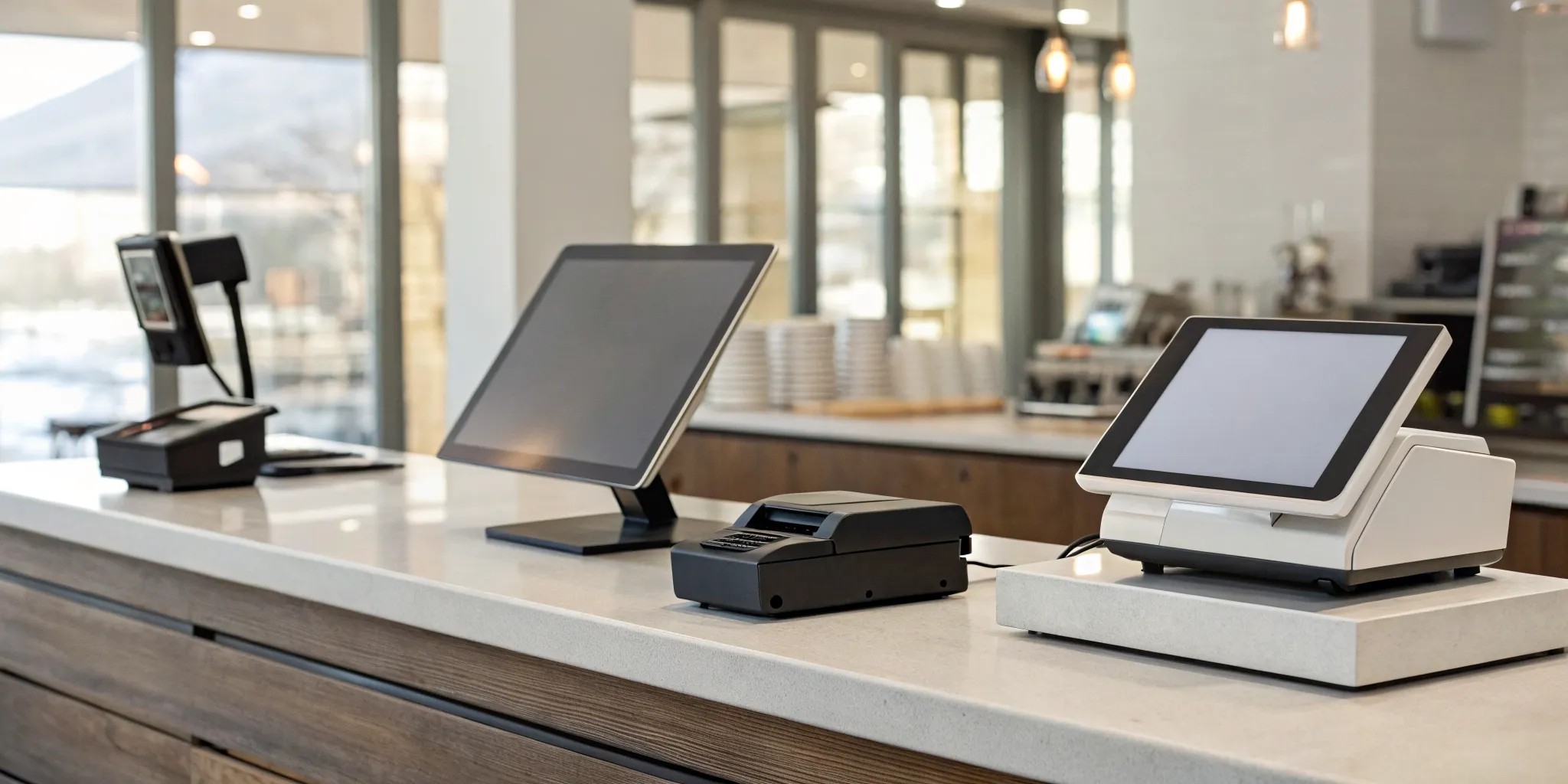
At its most basic, a POS system runs on a tablet or smartphone. From there, you can add components to handle specific tasks. While not every business needs every item, this checklist covers the most common pieces of POS hardware.
- Tablet or Smartphone: This is the core of your system where you’ll run the POS app. You can often use a device you already own, like an iPad or Android tablet.
- Card Reader: A small device that connects to your tablet or phone to accept credit and debit card payments via swipe, chip, or tap-to-pay.
- Receipt Printer: For customers who want a physical copy of their receipt.
- Barcode Scanner: A must-have for retail stores to quickly ring up items and manage inventory.
- Cash Drawer: If you accept cash, you’ll need a secure place to store it.
Using Your Own Device vs. Buying a Bundle
One of the first decisions you’ll make is whether to use a device you already own or purchase a dedicated hardware bundle from your POS provider. Many businesses start by simply downloading the POS app onto an existing iPad or smartphone and pairing it with an inexpensive card reader. This is a fantastic, low-cost way to get up and running quickly.
Alternatively, you can buy a hardware kit that includes a terminal, cash drawer, and printer designed to work together seamlessly. While this involves an upfront cost, it ensures everything is compatible and gives your checkout counter a more polished, professional look. The key is that you only pay for what you choose, allowing you to create a setup that matches your needs and budget.
How to Choose the Right “Free” POS for Your Business
Picking a POS system feels like a huge decision, and the “free” label can be both tempting and confusing. But you can find the right fit by focusing on what truly matters for your business. Instead of getting distracted by flashy promises, let’s walk through three practical steps to help you look past the marketing and choose a system that genuinely supports your goals. This is about finding a tool that works for you, not the other way around.
Define Your Must-Have Features
Before you even look at different brands, grab a pen and paper and list your non-negotiables. While free POS systems have fewer bells and whistles than paid ones, they should still provide the core functionality your business needs to run smoothly. Do you need to track inventory across multiple locations? Do you want to build customer profiles to create a loyalty program? Think about your daily operations and what features would make your life easier.
Consider both your current needs and where you see your business in a year. A system that works for you today might not keep up as you expand. The goal is to find a platform that balances what you need right now with the flexibility to support your future growth.
Calculate the True Cost of Processing
Here’s the secret: there’s no such thing as a truly “free” POS system. Companies have to make money somewhere, and it’s usually through payment processing fees. While you might not pay a monthly software subscription, you’ll pay a percentage and a flat fee on every single transaction. These costs can add up quickly and eat into your profits, especially if the rates are high or unclear.
Dig into the fee structure of any system you’re considering. Ask about the rates for different card types, like swiped, keyed-in, and online payments. Watch out for hidden costs like monthly minimums or fees for chargebacks. Often, a system with a straightforward monthly fee gives you more control over your costs and long-term flexibility.
Plan for Future Growth
The free POS that helps you launch your business might not be the one that helps you scale it. Many free plans come with limitations on the number of products you can list, transactions you can process, or employees you can add. It’s important to understand these limits from the start, as they can create major headaches down the road.
Think about your long-term vision. Do you plan to open a second location, launch an e-commerce store, or add more staff? Look for a POS provider that offers a clear upgrade path. A great free plan is one that not only meets your needs today but also provides affordable, advanced tiers that can support your business as it evolves.
Related Articles
- 7 Best Retail POS Systems for Small Business
- Your Guide to Get a Quote for a Restaurant POS System
- The 4 Best POS Systems for a Small Restaurant
Frequently Asked Questions
So, what’s the real catch with “free” POS software? The catch is that “free” only refers to the monthly software fee. These companies make their money in other ways, primarily through payment processing. Every time you accept a card payment, they take a percentage. You may also find that essential features, like detailed sales reports or inventory management tools, are locked behind paid upgrades. It’s less of a free product and more of a different payment model.
Are the processing fees higher with a free POS system? They can be, especially over the long term. Many free POS providers lock you into their own payment processing with a fixed, flat rate. While this seems simple at first, that rate might be higher than what you could get by shopping around. As your sales volume grows, a slightly higher rate can add up to thousands of dollars in extra costs per year. It’s always smart to compare the total cost, not just the monthly software fee.
Can I use my own tablet or do I have to buy their expensive hardware? This depends entirely on the provider. Many modern POS systems, like Loyverse or Square, are designed to run on common devices like iPads or Android tablets, which is great for keeping your startup costs low. However, some providers, particularly those with industry-specific features like Toast, require you to purchase and use their proprietary hardware. This is a critical detail to check before you commit to any system.
When should I consider switching from a free plan to a paid one? You should think about upgrading when your free system starts creating more work for you. This often happens when your business grows. If you find yourself needing more advanced inventory tools, better customer management, or more detailed analytics to make smart decisions, it’s probably time. A paid plan is an investment in efficiency and can save you from the headaches of outgrowing your initial setup.
My business is brand new. Is a free POS a good place to start? Absolutely. For a new business, a free POS system can be a fantastic starting point. It allows you to get your payment and sales systems organized without a significant upfront investment or another monthly bill to worry about. It covers the essentials you need to open your doors and start making sales. Just go in with your eyes open, understand how the company makes its money, and have a plan for what you’ll do as your business grows.