The traditional cash register has one major flaw: it keeps you stuck in one spot. For a modern business owner, that’s a problem. You miss sales when the line gets too long, you can’t take payments at a local market, and you can’t close a deal on the sales floor. You need technology that moves with you. A mobile point-of-sale (mPOS) system does exactly that, transforming your smartphone or tablet into a powerful, portable checkout counter. It’s more than just a card reader; it’s a complete tool that lets you process transactions, track inventory, and manage customer data from anywhere your business takes you.
Key Takeaways
- Think beyond the transaction: A great mobile POS is more than a payment tool; it’s your business’s command center. Prioritize systems with features like inventory tracking, customer management tools, and clear sales analytics to help you run your business more effectively.
- Match the system to your business: The “best” POS is the one built for your specific industry. Before you shop, define your daily needs. A restaurant requires different tools than a retail pop-up, so choose a system that solves your unique operational challenges.
- Understand the true cost: The final price is a mix of hardware, software subscriptions, and transaction fees. To avoid surprises, seek a partner who provides transparent pricing and helps you find the most affordable processing rates for your business.
What Exactly Is a Mobile POS System?
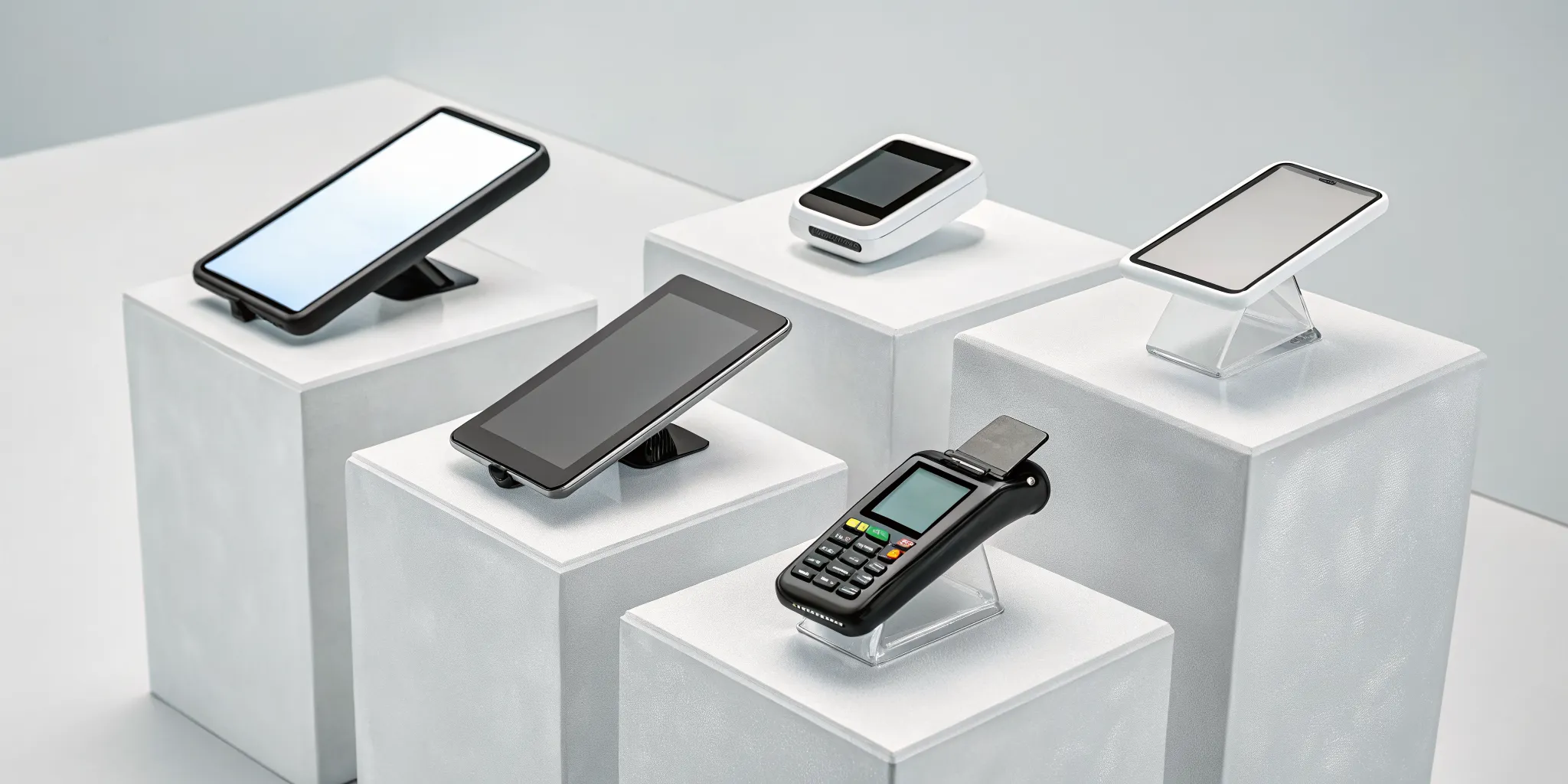
A mobile point-of-sale (mPOS) system is a tool that transforms your smartphone or tablet into a powerful, portable cash register. Instead of being tied to a bulky counter, you can accept payments from customers anywhere your business takes you, whether that’s at a local market, a client’s home, or on your sales floor. These systems use compact hardware, like a small card reader, that connects directly to your mobile device. But they do more than just process transactions. A good mPOS also helps you manage key parts of your business, like tracking sales, keeping an eye on inventory, and storing customer information, all from the palm of your hand.
How a Mobile POS Works
The setup is surprisingly simple. An mPOS system works by pairing a portable card reader with your smartphone or tablet, usually through Bluetooth. Once connected, the system’s app allows you to ring up sales and accept a wide range of payment types. You can take traditional credit cards via swipe or chip, and you’re also equipped for modern methods like contactless tap-to-pay and mobile wallets such as Apple Pay or Google Pay. For everything to run smoothly, you just need a reliable internet connection, either through Wi-Fi or your phone’s cellular data, to securely process the payment.
The Different Types of Mobile POS Solutions
Not all mobile POS systems are created equal. The best one for you really depends on your industry and specific business needs. Some solutions are built as all-around systems perfect for retail shops and pop-ups, offering straightforward sales and inventory features. Others are highly specialized. For example, a POS designed for a restaurant will include tools for managing tables, splitting checks, and sending orders to the kitchen. A system for a service-based business might focus more on invoicing and appointment scheduling. Finding the right retail POS system means looking for a solution that matches your daily operations.
Must-Have Mobile POS Features
Choosing a mobile POS system can feel overwhelming, but it gets a lot easier when you know what to look for. Beyond just taking payments, the right system acts as a central hub for your entire operation. Think of it as a business partner that fits in your pocket. A great mobile POS should simplify your daily tasks, give you a clear picture of your business health, and help you grow. As you compare your options, focus on these five essential features that will make the biggest impact on your day-to-day.
Accept Payments Anywhere
The most fundamental job of a mobile POS is to let you make a sale wherever your customers are. Whether you run a food truck, sell at farmers markets, or provide in-home services, you need the flexibility to process transactions on the spot. A good system uses a simple card reader connected to your smartphone or tablet to accept all major payment types, including traditional swipes, chip cards, and contactless options like Apple Pay. This freedom to accept credit cards anywhere not only makes you look more professional but also ensures you never miss a sale just because a customer isn’t carrying cash. It’s all about making the checkout process smooth and convenient for everyone.
Track Your Inventory
A solid mobile POS does more than just process sales; it helps you manage what you’re selling. Built-in inventory tools are a game-changer for any business with physical products. Every time you sell an item, the system automatically updates your stock levels in real time. This means you can say goodbye to tedious manual counts and the guesswork of reordering. You’ll get low-stock alerts that tell you exactly when it’s time to replenish, preventing you from selling an item you don’t have. Effective inventory management is key to maintaining healthy cash flow and keeping your customers happy by always having their favorite products available.
Connect with Your Customers
Your POS can be a powerful tool for building lasting customer relationships. Look for systems with integrated customer relationship management (CRM) features. These tools allow you to create customer profiles, save their contact information, and track their purchase history with every sale. Why is this so valuable? It lets you personalize their experience. You can see a customer’s favorite items, send them targeted promotions for products they’ll actually love, or create a loyalty program that rewards them for coming back. This data helps you move beyond one-time transactions and start building a community around your brand, which is the secret to long-term growth.
Get Clear Business Insights
Are you making decisions based on data or just a gut feeling? A top-tier mobile POS provides clear, easy-to-understand reports that show you exactly how your business is performing. With just a few taps, you can see your sales totals for the day, week, or month. You can also identify your best-selling products, pinpoint your busiest hours, and even track sales performance by employee. These business insights are invaluable for making smarter, more strategic decisions. You’ll know which products to promote, when to schedule more staff, and what parts of your business are driving the most revenue, giving you the confidence to steer your business in the right direction.
Keep Your Data Secure
When you’re handling customer payment information, security is not optional. A trustworthy mobile POS system must protect both you and your customers with robust security measures. This starts with end-to-end encryption, which scrambles card data from the moment it’s captured, making it unreadable to fraudsters. Many systems also add extra layers of protection by using your device’s built-in security, like fingerprint or facial recognition, to authorize payments or log into the app. Ensuring your system is compliant with industry standards like PCI DSS is essential for building customer trust and protecting your business from the devastating costs of a data breach.
Comparing the Top Mobile POS Systems
Choosing a mobile POS system can feel a lot like shopping for a new car. They all promise to get you from point A to point B, but the features, costs, and overall experience can vary wildly. The “best” system isn’t a one-size-fits-all solution; it’s the one that aligns perfectly with your business type, sales volume, and future goals. Are you running a bustling restaurant, a pop-up retail shop, or a service business on the go? Each scenario calls for a different set of tools.
To help you find the right fit, let’s look at some of the most popular mobile POS systems on the market. We’ll break down what makes each one unique, who it’s built for, and what you can expect to pay. This comparison will give you a clear picture of your options, making it easier to select a partner that supports your business’s specific needs. Remember, the goal is to find a system that not only processes payments but also helps you run your business more efficiently.
MBNCard
Instead of offering a single, boxed solution, we at MBNCard take a more personalized approach. We know that every business is different, so we work with you to find the perfect mobile POS hardware and software for your specific needs. This often means pairing powerful and user-friendly systems, like Clover, with our transparent and affordable payment processing. This way, you get best-in-class technology without being locked into high, non-negotiable transaction fees.
Our focus is on building a solution that saves you money and simplifies your operations. Whether you need a simple mobile card reader or a full-featured system for your restaurant, our team will help you get the right setup. We believe in giving you the flexibility to choose, with the expert guidance to choose wisely.
Square
Square is often the first name that comes to mind for mobile POS, and for good reason. It’s incredibly easy to set up and is a fantastic starting point for new and small businesses. You can get started with a free app and a free magstripe reader for your smartphone or tablet. For more functionality, you can purchase their popular contactless and chip readers.
The software is free to start, with hardware costs for card readers ranging from free to around $49. Square’s pricing is straightforward: you’ll pay a flat transaction fee of 2.6% plus 15 cents for in-person sales. This simplicity makes it one of the best overall mobile POS systems for sellers who want a no-fuss solution to start accepting payments right away.
Toast
If you run a restaurant, Toast was made for you. This system is designed specifically for the food and beverage industry, from cafes and food trucks to full-service dining rooms. Its standout feature is its durable, restaurant-grade handheld devices that allow servers to take orders and process payments right at the table. This improves order accuracy and speeds up table turnover.
Toast’s software plans range from a free starter option to $69 per month. Hardware can start at $0 upfront if you opt for higher processing fees, or you can purchase it for around $627. Transaction fees typically fall between 2.49% and 2.99% plus 15 cents. It’s the ideal choice for restaurateurs who need advanced tools for menu management, kitchen communication, and online ordering.
Shopify
For businesses that started online and are expanding into physical retail, Shopify POS is a natural fit. Its greatest strength is the seamless way it integrates your ecommerce store with your in-person sales. Your inventory, customer data, and sales reports are all synchronized in one place, preventing you from selling an item in-store that just sold out online.
Shopify POS software is included with all Shopify ecommerce plans, which range from $39 to $399 per month. You’ll need to purchase a card reader, which starts at $49. In-person transaction fees are competitive, typically between 2.4% and 2.6% plus 10 cents, depending on your plan. This makes it perfect for online brands hosting pop-ups, opening a storefront, or selling at markets.
Clover
Clover offers a powerful combination of sleek hardware and flexible software, but its biggest advantage is that it isn’t tied to one specific payment processor. This gives you the freedom to shop around for the best transaction rates. You can use a top-tier Clover device, like the handheld Flex or the compact Go, while partnering with a provider like MBNCard to secure lower processing fees.
Software costs range from about $15 to $185 per month, and hardware can run from $49 for a simple reader to over $599 for a more advanced station. Because you can choose your own payment processor, your transaction fees will vary. This makes Clover a great option for savvy business owners who want control over their costs without sacrificing functionality.
Lightspeed Retail
If your business is all about inventory, Lightspeed Retail is a system you need to know. It’s designed for retail stores with large and complex product catalogs. Lightspeed excels at managing items with multiple variations, like size, color, and style, making it easy to track exactly what you have in stock across multiple store locations.
The software plans range from $39 to $179 per month, and the system primarily uses iPads for its mobile POS interface, which you’ll need to purchase separately. Transaction fees vary based on your plan and sales volume. For retailers juggling hundreds or thousands of SKUs, Lightspeed provides the robust inventory management tools necessary to keep the business running smoothly and efficiently.
How Much Does a Mobile POS System Cost?
Figuring out the price of a mobile POS system can feel a bit like solving a puzzle. The total cost isn’t just one number; it’s a combination of hardware, software subscriptions, and transaction fees. While some providers offer simple, flat-rate pricing, others have more complex structures that can be tailored to your sales volume and business needs. It’s easy to get overwhelmed by the options, but breaking it down makes it much more manageable.
The good news is that you have a lot of control over the final price. Your cost will depend on the hardware you choose, the software features you need, and the payment processor you partner with. For example, a simple setup for a weekend market stall will cost significantly less than a multi-terminal system for a busy cafe with multiple employees. Understanding these key components is the first step to building a setup that fits your budget without sacrificing the tools you need to run your business smoothly. Let’s break down what you can expect to pay for, so you can make an informed decision without any surprises down the road.
Breaking Down Transaction Fees
Every time you accept a card payment, there’s a small cost to process it. These are your transaction fees, and they’re usually a combination of a percentage of the sale and a small flat fee. For example, a common rate is 2.6% + 10¢ for every tapped, dipped, or swiped transaction. So, on a $100 sale, you would pay $2.70 in fees.
These rates can change depending on how the payment is taken. Keyed-in transactions, where you manually type in the card details, typically have higher fees because they carry a greater risk of fraud. It’s also important to know that some payment processors offer programs like cash discounts, which give your customers an incentive to pay with cash and can help you eliminate your processing fees entirely.
Understanding Subscription Models
Beyond transaction fees, most mobile POS systems involve a monthly software subscription. This fee gives you access to the app and its back-office features. The cost can vary widely, with basic plans starting at $0 per month and more advanced packages running up to $399 per month or more.
What are you paying for? These subscriptions usually bundle all the essential tools you need to manage your business, including inventory tracking, sales analytics, customer profiles, and employee permissions. As you move up in price, you typically get access to more advanced features like loyalty programs, e-commerce integrations, and in-depth reporting. The key is to find a plan that provides the tools you need now while offering the flexibility to grow with you.
Budgeting for Hardware and Setup
Your initial investment will be in hardware. At a minimum, you’ll need a smartphone or tablet and a mobile card reader. Many providers offer your first card reader for free or for a small fee, often around $49. From there, you can build out your setup with additional hardware based on your specific needs.
For example, a retail store might need a barcode scanner, a receipt printer, and a cash drawer. A food truck might want a durable tablet stand and a kitchen printer. The great thing about mobile POS systems is their modularity. You can start small and add new pieces of hardware as your business expands. Setup is generally simple, but make sure to ask if there are any fees for installation or support.
Watch Out for Hidden Costs
When you’re comparing mobile POS systems, what you see isn’t always what you get. It’s important to read the fine print and ask about any potential fees that aren’t advertised upfront. Some providers lock you into long-term contracts with hefty early termination fees, while others might charge extra for things like PCI compliance, chargeback disputes, or access to customer support.
Always ask for a complete schedule of fees before you commit to a provider. A transparent partner will be happy to walk you through all the potential costs associated with your account. Your goal is to find a system that not only works for your business but also offers clear, predictable pricing without any surprises.
The Pros and Cons of a Mobile POS
Switching to a mobile point-of-sale (mPOS) system can feel like a big move, but it’s one of the most flexible decisions you can make for your business. Like any technology, it comes with its own set of benefits and challenges. Let’s walk through what you can expect so you can decide if it’s the right fit for you.
The Upside: Key Advantages for Your Business
The biggest win with a mobile POS is freedom. You can take payments absolutely anywhere you have a connection, whether that’s at a farmer’s market, a client’s home, or simply away from the traditional cash wrap in your store. By connecting a small card reader to a smartphone or tablet, you can process transactions on the go. This flexibility helps you speed up checkouts and cut down on long lines, letting your team take orders and payments tableside or curbside.
Beyond convenience, mobile systems can also be more secure. They often use the built-in security features of your phone, like fingerprint or face ID, to authorize payments. Plus, in-person card transactions processed through an mPOS often have lower fees than payments taken online or keyed in over the phone, which can save you money in the long run.
The Downside: Common Challenges to Prepare For
Adopting new technology always comes with a few hurdles. One of the most common is simply getting your team comfortable with a new system. Some employees might be hesitant to change their workflow, so clear training and communication are key to a smooth transition. Another point to consider is how the new software will work with your existing tools. You’ll want to ensure your mobile POS can integrate seamlessly with your accounting or inventory management software to avoid creating extra work.
Finally, data security is always a top priority. While mobile systems have strong security measures, any system that processes payments is a potential target. It’s important to work with a provider that prioritizes security and helps you follow best practices to protect your business and your customers’ information.
Technical Must-Haves: Connectivity and Hardware
To get started with a mobile POS, you really only need two things: a reliable internet connection and a compatible device. Your system will run on a smartphone or tablet, which connects to a card reader, usually via Bluetooth. Since a spotty connection can bring sales to a halt, it’s smart to implement a backup solution, such as a cellular data plan for your tablet or a POS system that includes an offline mode.
An offline mode is a fantastic feature that lets you continue to accept payments even when your internet goes down. The system securely stores the transaction details and processes them as soon as you’re back online. This ensures you never miss a sale, giving you peace of mind during a busy day.
Which Industries Benefit Most from a Mobile POS?
A mobile POS system can bring flexibility and efficiency to almost any business. But for certain industries, it’s not just a nice-to-have, it’s a complete game-changer. If your business operates outside the four walls of a traditional storefront, or if you want to bring the checkout experience directly to your customers, an mPOS is practically essential. From bustling food trucks to service professionals on the move, these systems solve common operational headaches and create smoother customer interactions. Let’s look at the types of businesses that see the biggest impact.
Retail and Pop-Up Shops
For retailers, a mobile POS untethers you from the cash register. You can equip your staff with tablets or smartphones to help customers and process payments anywhere on the sales floor. This strategy, often called “line busting,” is perfect for reducing long waits during busy seasons. It’s also the lifeblood of temporary retail spaces. If you run a pop-up shop or sell at a local market, an mPOS app paired with a portable card reader is the ideal solution for accepting payments on the go. You can set up shop anywhere and provide a professional checkout experience without bulky equipment.
Restaurants and Food Trucks
In the fast-paced food industry, speed and accuracy are everything. Mobile POS systems allow servers to take orders and payments right at the table, which sends orders to the kitchen instantly and reduces errors. This efficiency helps you turn tables faster and serve more guests, especially during peak hours. For food trucks, an mPOS isn’t just a benefit; it’s a necessity. Since your location changes daily, you need a reliable way to process transactions wherever you park. A mobile system gives you the power of a full-scale restaurant POS in the palm of your hand, helping you streamline operations from anywhere.
Service-Based Businesses
If you run a service business like a landscaping company, a plumbing service, or an in-home personal training business, you know the hassle of invoicing. Chasing down payments can be a major drain on your time and can negatively affect your cash flow. A mobile POS system solves this problem by allowing you to accept payment on the spot as soon as the job is done. You can take credit cards, debit cards, or digital wallet payments right from your phone. This simple change makes the payment process more convenient for your clients and ensures you get paid faster, improving your business’s financial health.
Event Vendors and On-the-Go Operations
Event vendors at craft fairs, festivals, and trade shows thrive on portability and speed. A mobile POS is perfect for these environments because it requires minimal space and can be set up in minutes. When you have a line of eager customers, you can’t afford to fumble with a clunky cash box or slow payment system. An mPOS lets you quickly process sales, manage inventory, and keep lines moving. This technology allows you to reconfigure your booth layout easily and serve customers efficiently, even in a crowded venue. It’s a must-have tool for any business on the move.
The Future of Mobile POS: Trends to Watch
Mobile POS technology isn’t standing still. It’s constantly evolving to meet new customer expectations and business needs. Keeping an eye on what’s next can give you a real edge, helping you create better experiences for your customers and run your operations more smoothly. From the way people pay to the very structure of the software, the changes on the horizon are all about making business faster, smarter, and more connected. Here are four key trends that are shaping the future of mobile POS systems.
The Shift to Contactless and Digital Wallets
This trend is less of a future prediction and more of a current reality. Customers increasingly expect to tap their card or phone to pay. Digital wallets like Apple Pay and Google Pay are no longer a novelty; for many, they’re the default. A mobile POS system makes it simple to accept these payments anywhere, whether you’re at a farmer’s market or helping a customer on the shop floor. As one industry report notes, restaurants and hotels use mobile POS to streamline everything from table-side ordering to checkout. This proves that contactless isn’t just faster, it’s a core part of a modern, efficient service experience.
The Power of Cloud-Based Systems
The days of having your sales data stuck on a single computer in the back office are over. The future is in the cloud. Unlike traditional on-premise systems, a cloud-based POS lets you access your business information from any device with an internet connection. This means you can check sales reports from home or manage inventory from your phone. This technology is the backbone of what experts call unified commerce, where your POS becomes the central hub connecting every part of your business. It syncs your in-store sales, online orders, customer loyalty programs, and inventory levels in real time, giving you a complete and accurate picture of your entire operation.
A Focus on Customer Experience
Great service is what sets small businesses apart, and mobile POS technology is a powerful tool for creating memorable customer interactions. Instead of being tethered to a cash register, your team can meet customers where they are. With a tablet or smartphone in hand, they can provide “side by side service,” looking up product information, checking stock at another location, and processing the sale right in the aisle. This turns a simple transaction into a personal consultation, making customers feel valued and understood. It removes the friction of waiting in line and transforms the checkout process into a seamless, positive conclusion to their shopping experience.
The Move Toward Sustainable Solutions
Running a more eco-conscious business is becoming a priority for many owners, and your POS can play a surprising role. Mobile POS systems contribute to sustainability in a few key ways. The most obvious is the option for digital receipts, which cuts down on paper waste and the consumption of thermal paper rolls. Beyond that, modern systems are designed for efficiency. Cloud-based software, for example, requires less energy than maintaining bulky, on-premise servers. By choosing a provider that offers these features, you not only reduce your environmental footprint but also appeal to a growing number of customers who prefer to support businesses that share their values.
How to Set Up Your New Mobile POS System
Once you’ve picked your new mobile POS system, the next step is getting it up and running. This might feel like a big task, but you can make it a smooth process with a little planning. Think of it less as a technical chore and more as a project that will improve your operations for the better. Breaking it down into three key phases helps: creating a solid plan, getting your team on board, and connecting the new system with your existing tools. Let’s walk through how to handle each one.
Map Out Your Implementation Plan
Before you unbox any hardware, take a moment to sketch out a clear implementation plan. Adopting a mobile POS is a strategic move that can improve how you manage sales and serve customers, so it deserves a thoughtful approach. Start by creating a timeline with key milestones, like ordering card readers, setting up your product catalog, and picking a “go-live” date. Assigning specific tasks helps everyone know their role. A well-structured implementation plan prevents last-minute scrambling and ensures your transition from the old system to the new one is as seamless as possible.
Train Your Team for a Smooth Transition
Your new POS system is only as powerful as the people using it, which makes team training essential. It’s natural for some employees to feel hesitant about learning a new system, so your goal is to build their confidence. One of the most common training challenges is resistance to change. You can get ahead of this by scheduling training sessions during off-peak hours to minimize business disruptions. Another great strategy is to identify a few key staff members to become your POS experts. Train them first, and they can help guide their colleagues. When your team feels supported, they’ll be ready to use the new system effectively.
Integrate with Your Existing Systems
A great mobile POS doesn’t work in a silo; it connects with the other tools you rely on to run your business. Before you finalize the setup, confirm that your new system integrates smoothly with your essential software. This includes your accounting platform, like QuickBooks, your e-commerce store, and any inventory or customer management programs you use. Getting your systems to talk to each other is a game-changer. It automates tasks, reduces human error, and gives you a complete picture of your business. Ensuring your new POS aligns with your specific business needs from an integration standpoint will save you countless hours down the road.
How to Choose the Right Mobile POS for Your Business
Picking a mobile POS system is a major decision that shapes how you run your business, from taking payments to managing inventory. With so many options available, it’s easy to feel overwhelmed. The key is to find a system that fits your specific operations, not the other way around. Instead of getting distracted by flashy features you’ll never use, focus on what will genuinely make your day-to-day work easier and help your business grow. Let’s walk through a simple, three-step process to help you find the perfect mobile POS for your needs.
Define Your Business’s Unique Needs
Before you even start looking at different systems, take a moment to map out exactly what you need. Think about your daily operations. Are you a bustling cafe processing hundreds of small transactions, or a boutique selling high-ticket items a few times a day? Your sales volume will influence the type of hardware and software you need. Consider your customers, too. Do they expect quick, tap-to-pay options? Also, think about your future goals. If you plan to expand to a new location or launch an online store, you’ll want a system that can grow with you. Making a list of these business requirements first will give you a clear checklist for your search.
Compare Key Features and Integrations
Once you have your needs defined, you can start comparing what different mobile POS systems offer. Look beyond basic payment processing. The right system can act as the command center for your entire business. Do you need to track inventory across multiple locations? Look for robust inventory management tools. Want to build customer loyalty? Find a system with built-in CRM features for collecting customer information and sending promotions. Most importantly, check for integrations. A POS that seamlessly connects with your existing accounting software, e-commerce platform, and other business tools will save you countless hours of manual data entry. These extra tools are what separate a good POS from a great one.
Test Drive the Software and Support
You wouldn’t buy a car without a test drive, and the same logic applies to your POS. Most providers offer a free trial or a live demo, so take full advantage of it. Spend some time using the software from both a manager’s and an employee’s perspective. Is it intuitive? Can you easily add a new product, process a return, or pull a sales report? This is also the time to vet their customer support. Don’t be shy: give them a call or start a live chat. You need to know that if your system goes down during a weekend rush, a helpful person will be there to assist you. Also, ask about offline capabilities or backup solutions to ensure you can keep making sales even if your internet connection is spotty.
Related Articles
- 5 Point of Sale Examples From Top Industries
- The Ultimate POS System List: 12 Top Picks
- How to Pick a Mobile POS System for Retail
Frequently Asked Questions
I’m a very small business. Do I really need a system with all these features? Not at all. The great thing about mobile POS systems is that you can start simple and grow into more advanced features later. At its most basic, you just need a way to accept card payments, which you can do with a simple card reader and a smartphone app. You don’t have to use the inventory management or detailed reporting tools on day one. Focus on finding a system that lets you process sales reliably, and then you can explore the other features as your business needs evolve.
Is a “free” mobile POS system actually free? That’s a great question, and the short answer is usually no. When a provider offers a “free” POS, they typically mean the software subscription has no monthly cost. However, you will always pay transaction fees on every card payment you accept. You may also need to purchase hardware, like a specific card reader or tablet stand. It’s helpful to think of the total cost, which includes hardware, monthly software fees (if any), and the percentage you’ll pay on each sale.
How can I be sure my customers’ payment information is safe? Protecting your customers is essential, and reputable POS providers take this very seriously. When comparing systems, ask specifically about two things: end-to-end encryption and PCI compliance. Encryption scrambles the card data from the moment it’s captured, making it unreadable to anyone else. PCI compliance is a set of security standards all businesses that handle card information must follow. A trustworthy provider will be PCI compliant and use encryption to protect every transaction.
What happens if I lose my internet connection during a sale? This is a common concern, especially for businesses that sell at outdoor markets or events. Many top mobile POS systems have an “offline mode” to solve this exact problem. This feature allows you to continue accepting card payments even without a connection. The system securely saves the transaction details on your device and automatically processes the payments as soon as you’re back online. It’s a crucial feature that ensures you never have to miss a sale.
I already have a POS system I don’t like. Is it difficult to switch? Switching systems can feel like a big project, but it’s often less complicated than you might think, especially with a good plan. Before you cancel your old service, make sure you’re not locked into a contract with an early termination fee. The most important step is exporting your data, like your product catalog and customer lists, so you can easily import it into the new system. A good new provider will offer support to help make this transition as smooth as possible.