Your computer is likely the command center for your entire business. You use it for invoicing, managing inventory, and communicating with customers. So why use a separate, clunky terminal just to take payments? Integrating payments directly into your existing workflow is a smarter way to operate. An EMV reader for PC does exactly that. This small, USB-connected device allows you to securely accept chip card and contactless payments right from the software you already use every day. It’s an affordable, efficient solution that streamlines your checkout process. In this article, we’ll cover how to choose the right reader and integrate it seamlessly into your operations.
Key Takeaways
- Prioritize Security to Protect Everyone: An EMV reader uses dynamic chip technology to secure every transaction. This not only protects your customers’ sensitive data but also shields your business from liability for counterfeit card fraud.
- Match the Reader to Your Workflow: Look for a device that fits your business needs. Confirm it works with your computer’s operating system and POS software, and that it accepts all payment types your customers use, like chip cards and tap-to-pay.
- Buy Hardware Through Your Payment Processor: Sourcing your EMV reader directly from your payment processor is the easiest way to guarantee compatibility. It eliminates technical guesswork and gives you a single point of contact for setup and support.
What Is an EMV Reader for PC?
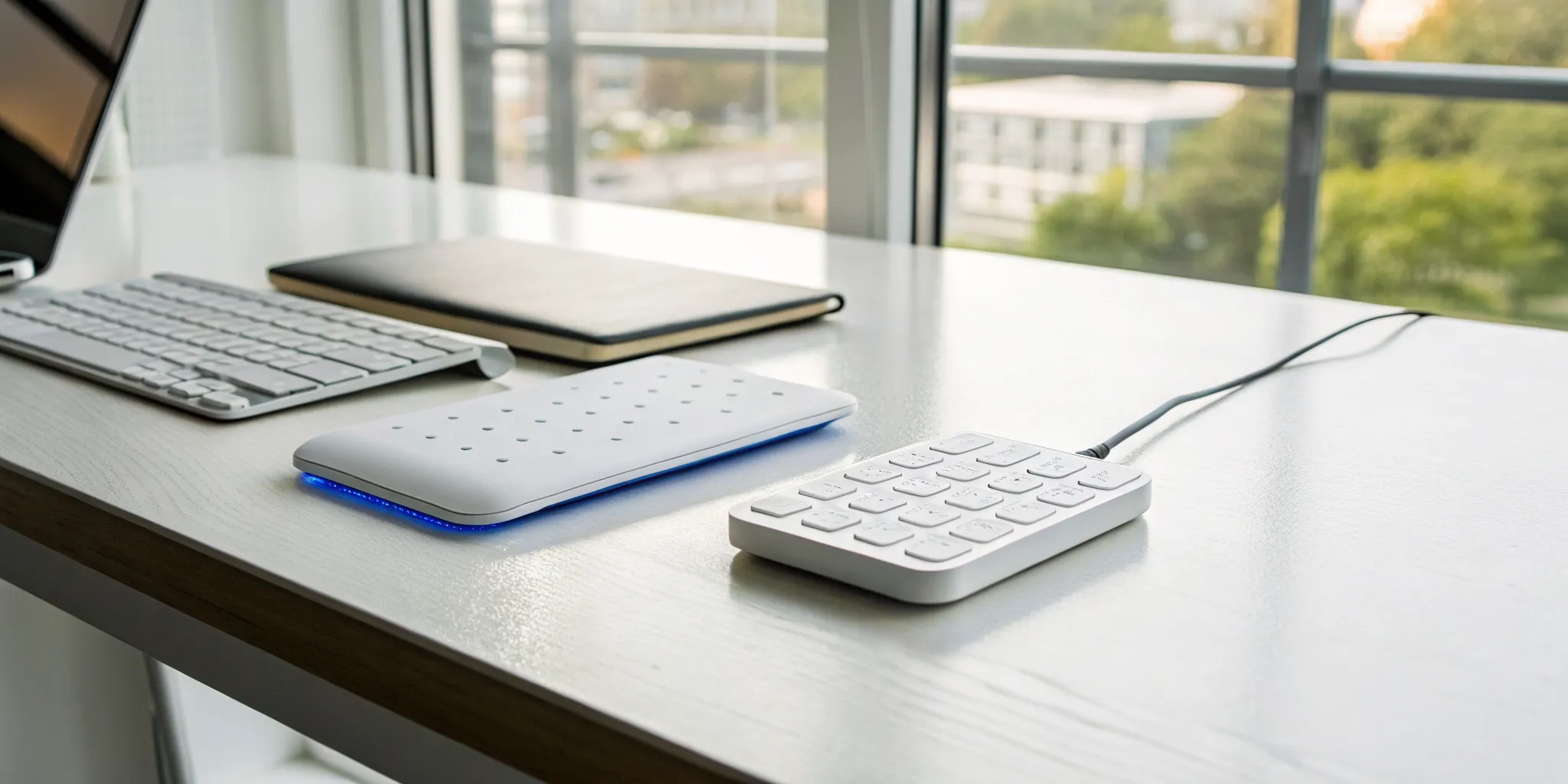
If you accept credit cards at your business, you’ve probably heard the term “EMV.” An EMV reader for a PC is a small device that connects to your computer, usually via USB, allowing you to securely accept chip card payments. Think of it as the modern, high-security version of the old magnetic stripe swiper. It turns your desktop or laptop into a powerful and secure point-of-sale (POS) terminal without the need for bulky, expensive equipment.
EMV stands for Europay, Mastercard, and Visa, the three companies that originally developed the global standard for chip-based card transactions. This technology is all about protecting you and your customers from fraud. By connecting a reader directly to your computer, you can integrate payments into your existing business software, whether you’re running a retail shop, a medical office, or a service-based business from your desk. It streamlines your checkout process and keeps sensitive payment data safe.
How EMV Technology Works
So, what makes a chip card more secure than a magnetic stripe? It’s all about dynamic data. When a customer inserts their card into an EMV reader, the microchip on the card and the reader communicate to create a unique, one-time-use transaction code. This process ensures that even if a fraudster intercepted the transaction data, it would be useless for making future purchases. In contrast, the magnetic stripes on older cards contain static data that never changes, making them an easy target for cloning. This is why EMV chip cards are designed to dramatically reduce in-person card fraud.
Why You Need a PC-Connected Reader
For many businesses, a PC-connected reader is the most practical way to accept payments. If you already use a computer to manage appointments, send invoices, or track inventory, this type of reader integrates directly into your workflow. Instead of juggling a separate payment terminal, you can process transactions right from the software you use every day. This setup is often more affordable than a full-fledged POS system and offers great flexibility. While integrating EMV technology into your existing infrastructure might sound complicated, modern readers are designed for simple plug-and-play installation on common operating systems like Windows and macOS.
Key Features to Look For in an EMV Reader
Once you start shopping for an EMV reader, you’ll notice there are a lot of options out there. They might look similar on the outside, but the technology inside can vary quite a bit. Choosing the right device isn’t just about finding one that works; it’s about investing in a tool that protects your business, serves your customers, and simplifies your operations. Think of it as a strategic decision that safeguards your revenue and your reputation. To make the best choice, you’ll want to focus on a few core features that separate the great readers from the merely adequate ones. We’ll walk through the most important things to keep on your checklist so you can feel confident in your decision.
Security and Compliance
This is the most important feature, hands down. A secure reader protects you from fraud-related chargebacks and, more importantly, protects your customers’ sensitive financial data. You should only consider devices that are fully compliant with industry standards. This means the reader must meet PCI-DSS requirements and be EMV Level 1 and Level 2 certified. These certifications are your assurance that the hardware and software are built to handle card data securely from the moment a card is inserted or tapped. Choosing a compliant reader isn’t just a technical detail; it’s a fundamental part of running a trustworthy business and keeping everyone’s information safe.
Connection and Compatibility
Think about how your reader will physically connect to your computer. Most PC-based readers use a simple USB connection, which is reliable and easy to set up. However, some models offer Bluetooth connectivity, giving you more flexibility if you need to move the reader around your counter or workspace. Beyond the physical connection, you need to ensure the reader is compatible with your computer’s operating system (like Windows or macOS) and your point-of-sale (POS) software. Before you make a purchase, always check the device’s technical specifications to confirm it will work smoothly with your existing setup and avoid any surprises down the road.
Card Versatility
Your customers expect to pay in whatever way is most convenient for them, and your card reader should be ready for anything. A good EMV reader should be able to handle all modern payment types. This includes EMV chip cards, contactless payments (NFC) for tap-to-pay cards and mobile wallets like Apple Pay and Google Pay, and traditional magnetic stripe cards as a fallback option. The more payment methods you can accept, the smoother your checkout process will be. This versatility ensures you never have to turn away a customer because you can’t process their preferred payment method, whether they’re at a countertop or using a mobile setup.
Software Integration
The hardware is only half of the equation. Your EMV reader needs to communicate flawlessly with your payment processing software or virtual terminal. This connection is what allows transaction information to flow from the card reader to your payment processor for authorization. Some business owners worry that this EMV integration will be a headache, but a quality provider will make it simple. Before buying, confirm that the reader is certified to work with your payment processor and that they provide clear instructions or support to get you connected without any technical drama. This ensures everything works together seamlessly from day one.
Speed and Reliability
No one likes waiting in line, and a slow payment terminal can frustrate both you and your customers. Modern EMV readers are designed for speed. For example, technologies like Quick Chip can reduce chip card transaction times from over 15 seconds down to just two or three. A fast and reliable reader keeps the checkout line moving, improves the customer experience, and lets you serve more people, especially during your busiest hours. Look for a device known for its quick processing speeds and durable build quality to ensure it can handle your daily transaction volume without hiccups or delays.
How to Choose the Right EMV Reader
With so many options on the market, picking the right EMV reader can feel overwhelming. But it doesn’t have to be. The best choice for your business comes down to understanding your unique needs. It’s not just about finding the cheapest device; it’s about finding a reliable partner for your daily transactions. By thinking through a few key factors, you can confidently select a reader that fits your workflow, budget, and technical setup.
Let’s walk through the four most important considerations to help you find the perfect match. We’ll cover everything from your daily sales volume to your existing technology, ensuring you get a device that works for you from day one. This simple process will help you narrow down the options and make a smart investment in your business’s payment infrastructure.
Assess Your Transaction Volume
First, think about how many card transactions you process each day. A bustling coffee shop with a line out the door has very different needs than a boutique that makes a few high-ticket sales per day. If you have a high transaction volume, you’ll want a fast, durable reader that can keep up with demand. A slow or unreliable device can create frustrating delays for both your staff and your customers. For businesses with lower volume, a more basic, cost-effective model might be all you need. Either way, every transaction is protected by an intricate security protocol that helps combat counterfeit payment card fraud, a critical feature for any business.
Evaluate Your Tech Setup
Next, take a look at your current point-of-sale (POS) system and hardware. Your new EMV reader needs to play nicely with the technology you already use. Do you run your business from a desktop computer, a tablet, or a smartphone? What POS software are you using? Some business owners worry that integrating a new reader will be a complex technical challenge. The good news is that most modern readers are designed for easy setup. The key is to confirm compatibility before you buy. Make a list of your current hardware (computer, router, cash drawer) and software so you can easily check it against the requirements of any reader you’re considering.
Confirm Operating System Compatibility
This ties directly into your tech setup but deserves its own spotlight. An EMV reader is useless if it can’t communicate with your computer or mobile device. Before you add a reader to your cart, verify that it works with your operating system (OS). Most readers are compatible with major platforms like Windows, macOS, and Linux. Many are also designed to work seamlessly with mobile operating systems like Android and iOS, which is perfect if you use a tablet or phone for your POS system. Always check the product specifications for a list of supported operating systems to avoid any frustrating surprises during setup.
Set Your Budget
Finally, let’s talk about cost. EMV reader prices can vary quite a bit, with simple models starting around $15 and more advanced devices costing over $225. Your budget will naturally play a big role in your decision, but try not to let price be the only factor. The cheapest option isn’t always the best value if it’s slow, unreliable, or lacks the features you need. Think about the transaction volume and tech requirements you just identified. A slightly higher upfront investment in a quality reader can save you from future headaches and provide a better experience for your customers, making it a worthwhile expense in the long run.
Finding a Trusted Hardware Partner
Choosing an EMV reader isn’t just about the device; it’s about the company behind it. The right partner can make the difference between a smooth, secure setup and a constant headache. Think of it this way: your hardware is the frontline of your payment system, but your partner is your support team, security advisor, and integration specialist all in one. They ensure your reader works seamlessly with your software and that your transactions are protected. A great partner doesn’t just sell you a box; they provide a complete solution that supports your business as it grows.
Our Recommended Solutions
When you first start looking, you’ll find a huge variety of EMV readers on sites like Amazon. You can find everything from simple plug-in card readers to full-scale payment terminals. Browsing these options is a great way to get a feel for what’s out there and what features are available at different price points. However, buying directly from a retailer means you’re on your own for setup, software compatibility, and support. That’s why we usually recommend working directly with your payment processor to source hardware that is guaranteed to work with your system.
Why Your Payment Processor Matters
Your payment processor is the crucial link between your EMV reader, your business bank account, and the credit card networks. The hardware you choose must be compatible with your processor’s system to function correctly. A reliable payment processor does more than just move money; they provide secure technology that can help you save on processing fees and protect your business from fraud. Choosing your processor first, and then selecting a compatible reader through them, ensures every part of your payment ecosystem works together perfectly from day one, giving you total peace of mind.
What to Look for in a Provider
When you’re evaluating a hardware provider, security should be your top priority. Make sure any device you consider is compliant with PCI-DSS standards and has both EMV Level 1 and Level 2 certifications. This is non-negotiable, as it ensures you’re protecting your customers’ sensitive data. Beyond security, look into the provider’s reputation and the quality of their customer support. The best EMV terminal solution is one that fits your specific operational needs and comes from a partner you can count on to help when you need it.
How Much Does an EMV Reader for PC Cost?
Figuring out the cost of an EMV reader for your PC can feel a bit like shopping for a car. The price varies widely based on the brand, features, and how you plan to use it. You can find simple, no-frills devices for the price of a nice lunch, or you can invest in high-performance hardware built for thousands of transactions a day. The key is to match the reader to your business needs so you’re not overpaying for features you’ll never use or, worse, getting a device that can’t keep up with your sales.
To give you a clear picture of what to expect, let’s break down the costs into three main categories: entry-level, mid-range, and enterprise-grade. We’ll also touch on some potential hidden costs you’ll want to keep on your radar. This way, you can set a realistic budget and find a reader that gives you the best return on your investment without any surprises.
Entry-Level Readers
If you’re just starting out or have a low volume of card transactions, an entry-level reader is a great place to begin. These devices typically range from $15 to around $225. They are perfect for small businesses, solo entrepreneurs, or anyone who needs a straightforward, plug-and-play solution. While they don’t come with a lot of advanced features, they handle the essentials perfectly, providing secure EMV chip card processing. You can find many basic models online that are compact, reliable, and easy to set up, making them an affordable way to accept chip cards.
Mid-Range Solutions
For businesses looking for a sweet spot between price and performance, mid-range readers are the way to go. Generally priced between $50 and $250, these devices offer more durability and functionality than entry-level options. You’ll often find features like faster processing speeds, broader card acceptance (like NFC for contactless payments), and more robust software integration. These mid-range EMV readers are ideal for established small to medium-sized businesses that need a reliable workhorse to handle a steady stream of daily transactions without a huge upfront investment.
Enterprise-Grade Hardware
Larger businesses with high transaction volumes need hardware that’s built to last. Enterprise-grade readers, such as those used in self-service kiosks or busy retail environments, are designed for heavy-duty use. The price for this level of hardware can be around $500 or more per unit. These devices offer advanced security, seamless integration with complex POS systems, and rugged construction to withstand constant use. While the cost is higher, these kiosk card readers are a necessary investment for enterprises that depend on speed, reliability, and top-tier security for every transaction.
Watch Out for Hidden Fees
The sticker price of the EMV reader is just one part of the equation. It’s important to look at the total cost of ownership. Some providers may have additional costs related to hardware and software, such as monthly software fees, setup charges, or extra costs for technical support. Before you commit, ask your payment processor for a full breakdown of all potential expenses. A transparent partner will be upfront about every cost involved, ensuring you get the right hardware without any unexpected hits to your budget down the line.
How to Set Up Your EMV Reader
Okay, you’ve chosen the perfect EMV reader for your business. Now for the fun part: getting it connected and ready to accept payments. Setting up new hardware can sometimes feel a little intimidating, but don’t worry. Most modern card readers are designed to be plug-and-play, and the process is usually quick and painless. We’ll walk through it step-by-step, from unboxing your device to running your first test transaction. Think of it as a simple four-step checklist to get you from setup to sale in no time. If you follow these instructions, you’ll be securely processing chip cards before you know it.
Prepare for Installation
First things first, let’s get the physical setup out of the way. Find a convenient spot on your counter for the EMV reader, making sure it’s easily accessible for both you and your customers. Most PC-connected readers are incredibly simple to connect. You just need to plug its cable into an available USB port on your computer. Before you plug it in, check that the cable is long enough to reach comfortably without stretching or creating a trip hazard. Once it’s connected, your computer should recognize that a new device has been plugged in.
Install Drivers and Software
For your EMV reader to communicate with your computer and payment software, it needs a special piece of software called a driver. Think of it as a translator between the hardware and your PC. Most EMV readers require you to install specific drivers to work correctly. The best place to find these is directly on the manufacturer’s website. Always download the latest version to ensure you have the most up-to-date security features and bug fixes. Your payment processor can also point you to the right software for the device they provided.
Overcome Common Integration Hurdles
This is the step where some business owners get a little nervous. We get it. The idea of integrating a new device into your existing payment system can sound complicated, especially since EMV systems have to work with so many different payment processors and terminal types. But this is where having a great payment partner makes all the difference. Instead of leaving you to figure it out alone, a supportive processor will provide you with hardware that’s already configured to work with their system, along with clear instructions and customer support to guide you through any payment gateway integration.
Test Your Setup
You’re almost there! Once the drivers are installed and your software is ready, it’s time to make sure everything is working together smoothly. The best way to do this is to run a test transaction. Grab a credit card and process a small sale, like $1.00. Follow the prompts on your screen and the reader to dip the chip card. If the transaction is approved, you’ll know the connection is solid. Don’t forget to void the sale right after so you don’t get charged. This final check gives you the confidence that you’re ready to accept in-person payments securely and efficiently.
Essential Security Features That Protect You
When you’re handling customer payments, security isn’t just a feature; it’s a promise you make to your customers. A modern EMV reader is packed with technology designed to protect sensitive data and shield your business from fraud. These security layers work together to create a secure transaction environment from the moment a card is dipped or tapped. Understanding these features will help you choose a device that keeps both your business and your customers safe.
PCI Compliance Explained
Think of PCI compliance as the universal rulebook for handling credit card information safely. The Payment Card Industry Data Security Standard (PCI DSS) is a set of requirements for any business that accepts, processes, stores, or transmits cardholder data. Your card reader is a critical piece of this puzzle. Choosing a device that is PCI compliant is non-negotiable. It ensures the hardware meets strict security protocols designed to protect sensitive information from exposure and theft, forming the foundation of your payment security strategy.
The Power of Encryption and Tokenization
These two technologies are your front line of defense during a transaction. Encryption instantly scrambles sensitive card data into an unreadable code as it travels from your reader to the payment processor. Even if a fraudster managed to intercept it, the information would be useless. Tokenization adds another layer by replacing the customer’s actual card number with a unique, non-sensitive placeholder called a token. This means the real card details are never stored on your system, drastically reducing the risk of a data breach.
Why EMV Certification Matters
Beyond the technical safeguards, EMV certification offers a crucial financial protection: the liability shift. Before chip cards became standard, merchants were often responsible for losses from counterfeit card fraud. Now, using a certified EMV reader shifts that liability away from your business. If a fraudulent chip card transaction occurs, the responsibility generally falls on the card-issuing bank, not you. This protection alone makes investing in a certified reader a smart business decision, safeguarding you from potentially significant financial losses and disputes.
The Role of Real-Time Fraud Detection
The real genius of EMV technology is its dynamic nature. Unlike the static, easily copied data on a magnetic stripe, an EMV chip is a mini-computer. For every single transaction, the chip generates a unique, one-time-use code. This process, known as dynamic authentication, makes it nearly impossible for criminals to create a counterfeit card or use stolen data for a new purchase. This real-time security check validates the card’s authenticity instantly and is a primary reason why chip cards have so effectively reduced in-person fraud.
Where to Buy Your EMV Reader
Once you know what features you need, the next big question is where to actually buy your EMV reader. You have a few different paths you can take, and the right one for you depends on your technical comfort level and how much support you want. It’s not just about finding the lowest price; it’s about finding a partner who can ensure your hardware works flawlessly with your payment software from day one. Think of it as choosing not just the tool, but the team that comes with it.
Your main options are large online retailers, direct manufacturers, or your payment processor. Each has its pros and cons. A big retailer might offer a huge selection and fast shipping, but they won’t be able to help you troubleshoot a software integration issue. A manufacturer knows their product inside and out, but they don’t know the specifics of your merchant account. As we’ll see, working with your payment processor often provides the most streamlined and supportive experience, saving you potential headaches down the road.
Retailers vs. Direct Manufacturers
It’s tempting to head straight to a major online marketplace to buy your hardware. You can find a wide variety of EMV readers on sites like Amazon, from simple USB plug-in devices to more complex terminals. The convenience is undeniable, and you can compare prices easily. However, the biggest drawback is the lack of specialized support. The seller likely won’t know if the reader is compatible with your specific POS software or payment gateway. If you run into trouble, you’ll be on your own to figure it out. Buying directly from a manufacturer is another route, but you can face similar integration challenges.
The Advantage of Working with Your Processor
Purchasing your EMV reader directly from your payment processor is almost always the smartest move. Why? Because compatibility is guaranteed. Your processor provides hardware that is specifically designed and configured to work with their system. This eliminates the guesswork and potential for technical glitches. For example, some processors offer solutions that help you secure lower processing fees, especially for commercial cards, by meeting specific data requirements. This seamless integration between hardware and software is something you just can’t get when buying from a third-party retailer. Plus, you get a single point of contact for all your support needs, which is invaluable when you’re busy running your business.
How to Select the Right Vendor
No matter where you decide to buy, you need to vet the vendor carefully. Your top priority should always be security. A trustworthy vendor will only sell devices that are fully compliant with industry standards. When you choose the right card reader, look for hardware that is PCI-compliant and has both EMV Level 1 and Level 2 certifications. Beyond security, ask about the warranty, return policy, and the level of customer support they provide. A good partner will be transparent about all costs and be ready to answer your questions about setup and integration before you even make a purchase.
From Purchase to Setup: What to Expect
Getting your new EMV reader up and running should be a straightforward process. Physically, the setup is often as simple as plugging a cable into a USB port on your computer. The next step typically involves installing the necessary drivers and software to allow the reader to communicate with your payment gateway or POS system. If you buy your reader from your payment processor, they will provide you with the correct software and detailed instructions, often with a support team on standby to walk you through it. This guided setup helps you avoid common hurdles and ensures your system is configured correctly for secure and efficient transactions from the start.
Frequently Asked Questions
Why can’t I just keep using my old magnetic stripe swiper? You certainly can, but it puts your business at financial risk. When you swipe a chip card instead of using an EMV reader to “dip” it, you become financially liable for any counterfeit fraud that occurs. This is because of a policy called the “liability shift.” Using a certified
Is it difficult to connect an EMV reader to my existing business software? It’s usually a very straightforward process. Most modern readers are designed for a simple plug-and-play setup with a USB connection. The key is ensuring the hardware can communicate with your payment software. The easiest way to guarantee a smooth connection is to get your reader directly from your payment processor. They provide devices that are pre-configured to work with their system and will offer support to get you up and running quickly.
What’s the biggest mistake people make when buying an EMV reader? The most common mistake is buying a reader from a big online retailer without first confirming it is fully compatible with their specific payment processor and software. This can lead to buying a device that simply won’t work with your system, wasting both time and money. Always start by talking to your payment processor to get a list of certified, compatible hardware.
Does an EMV reader also accept contactless payments like Apple Pay? Many modern EMV readers do, but not all of them. The technology that handles tap-to-pay cards and mobile wallets is called NFC, which stands for Near Field Communication. If you want to accept these types of payments, just make sure you choose a reader that specifically lists NFC or contactless capabilities as a feature. This versatility ensures you can meet your customers’ payment preferences.
If a fraudulent transaction happens with a chip card, am I still responsible? This is where the real value of EMV technology comes in. As long as you use a certified EMV reader to properly process a chip card transaction, the liability for counterfeit fraud generally shifts from you to the bank that issued the card. This protection is a fundamental reason why upgrading your hardware is such a smart investment for your business’s financial security.